


Huntress has built a reputation for delivering outcomes without all the noise. But on the flip side, we haven't always been great at showing all the work happening behind the scenes. We've received consistent feedback from partners and customers that our reporting could be improved.
It's time for that to change. That's why we've been hard at work rebuilding our reporting capabilities from the ground up. We've quietly rolled out several updates over the last few months, and today we're taking things further with a completely redesigned set of monthly and quarterly reports, plus a better way to find and manage them. Here's a quick summary of what's new, with more details below:
Updated Security Insights Reports (formerly called Threat Reports)
NEW One Page Summary
NEW Investigations View
Meet the Security Insights Report (formerly the Threat Report)
You may know this one as the Threat Report. We renamed it because it has been completely redesigned and now contains information on security posture and other key stats in addition to threats discovered.
This is our primary monthly and quarterly org-level report, and it's built to answer the question partners and customers ask us most:
"What has Huntress actually done for me lately?"
Intended for IT and security professionals, it provides a detailed picture of the outcomes delivered by each Huntress product an organization has.
Here's what's new:
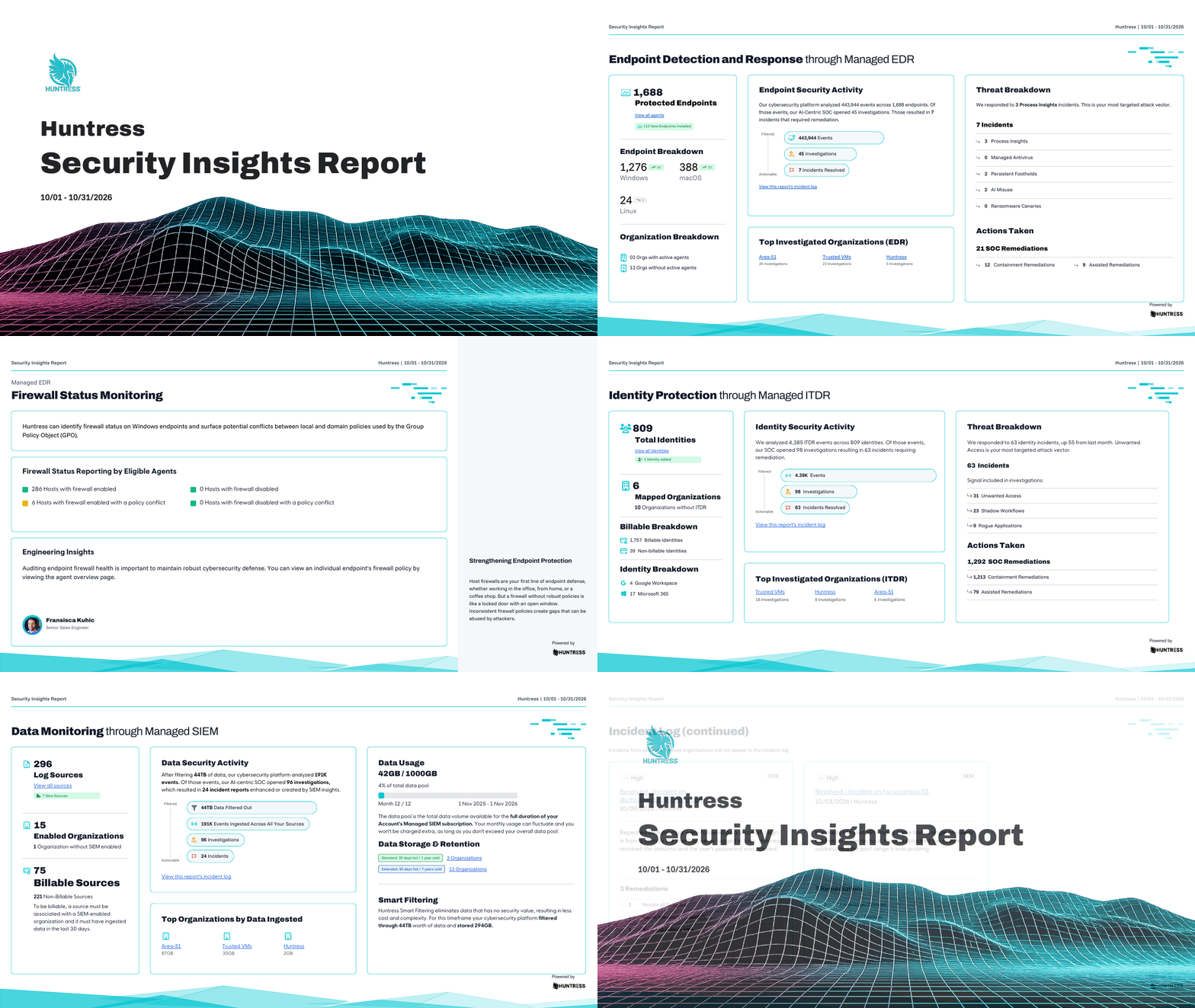
A visual overhaul. The report now uses a horizontal, card-based layout instead of the old portrait format, built for screen sharing and dropping straight into a slide deck for a QBR. Your logo and brand color now carry across the cover and every page.
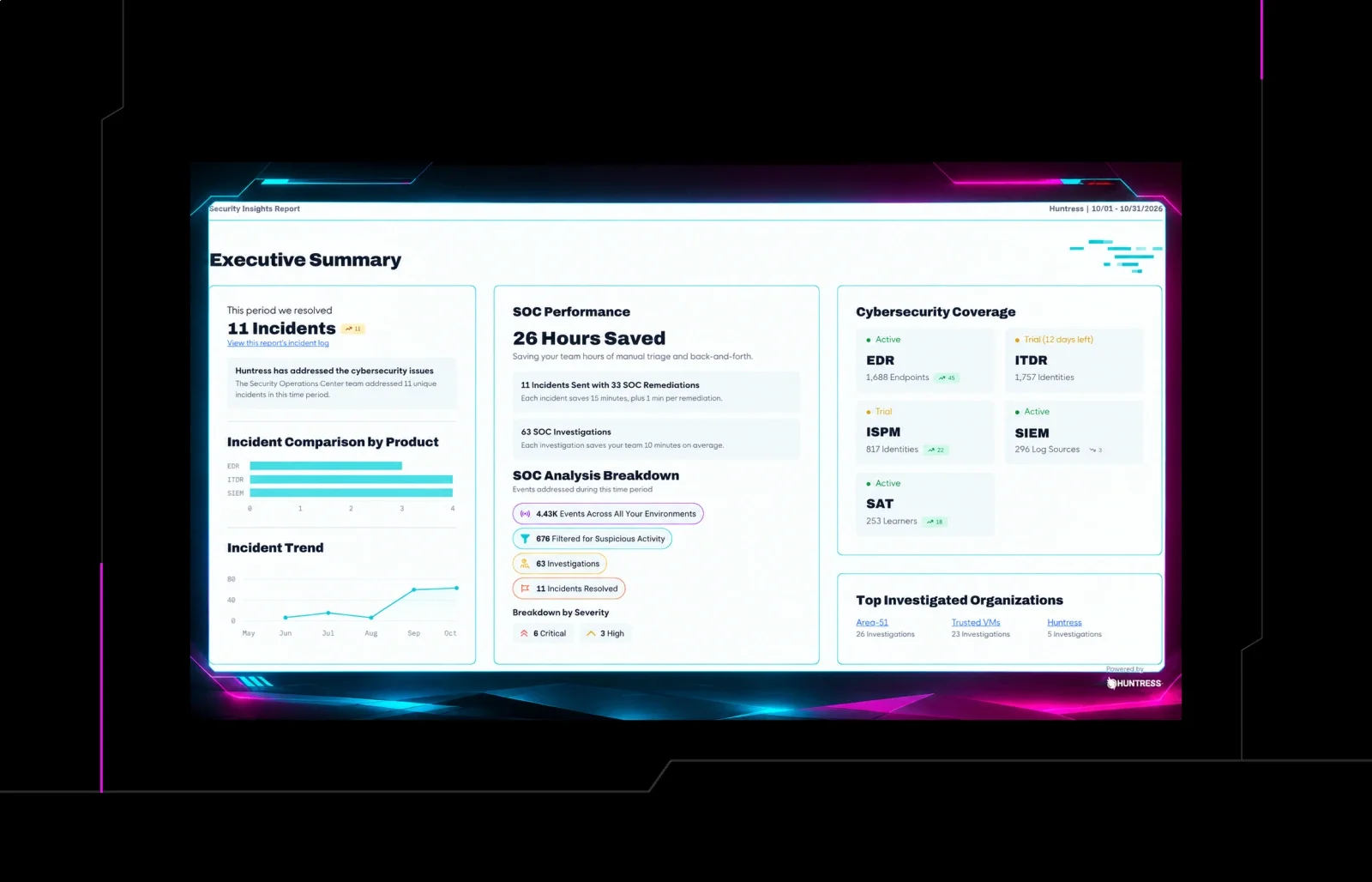
A new Executive Summary up front. You'll see a protection funnel (events analyzed, signals detected, signals investigated, incidents reported), analyst notes from the Huntress SOC, and a trailing incident trend line, all on the first page.
Full breakdowns by product. Managed EDR, Managed ITDR, Managed SIEM, and Managed ISPM all get their own space in the report now, so it actually reflects everything Huntress protects for you, not just endpoints.
Two new EDR pages. Firewall Status Monitoring gives you a snapshot of endpoint firewall health, and External Recon shows your externally visible attack surface: open ports, risky exposed services, and the kind of low-hanging fruit attackers look for first.
A cross-product Incident Summary page. Every incident from the reporting period now rolls up into one place, broken down by severity and product.
We're rolling out the Security Insights Report now, and it will become available in your portal as the rollout progresses. You'll find it where you access today's report in your portal: click Reports. For the next few months, you'll receive both the legacy Threat Report and the new Security Insights Report to ensure you have time to transition any existing workflows.
One Page Summary for Non-Technical Stakeholders
Not every stakeholder wants (or needs) the level of detail in the Security Insights Report. That's what this one is for.
Think of Dr. Lee, a dentist whose practice is managed by a managed service provider (MSP). He doesn't need a breakdown of signals investigated by product. He needs to know his practice is protected, in plain language, on one page. That's exactly what this report gives him: the layers of protection Huntress has in place (EDR, ITDR, SIEM, and so on), an easy-to-understand summary of what was investigated and contained, and a quick view of how Huntress and his MSP kept his organization protected during the period.
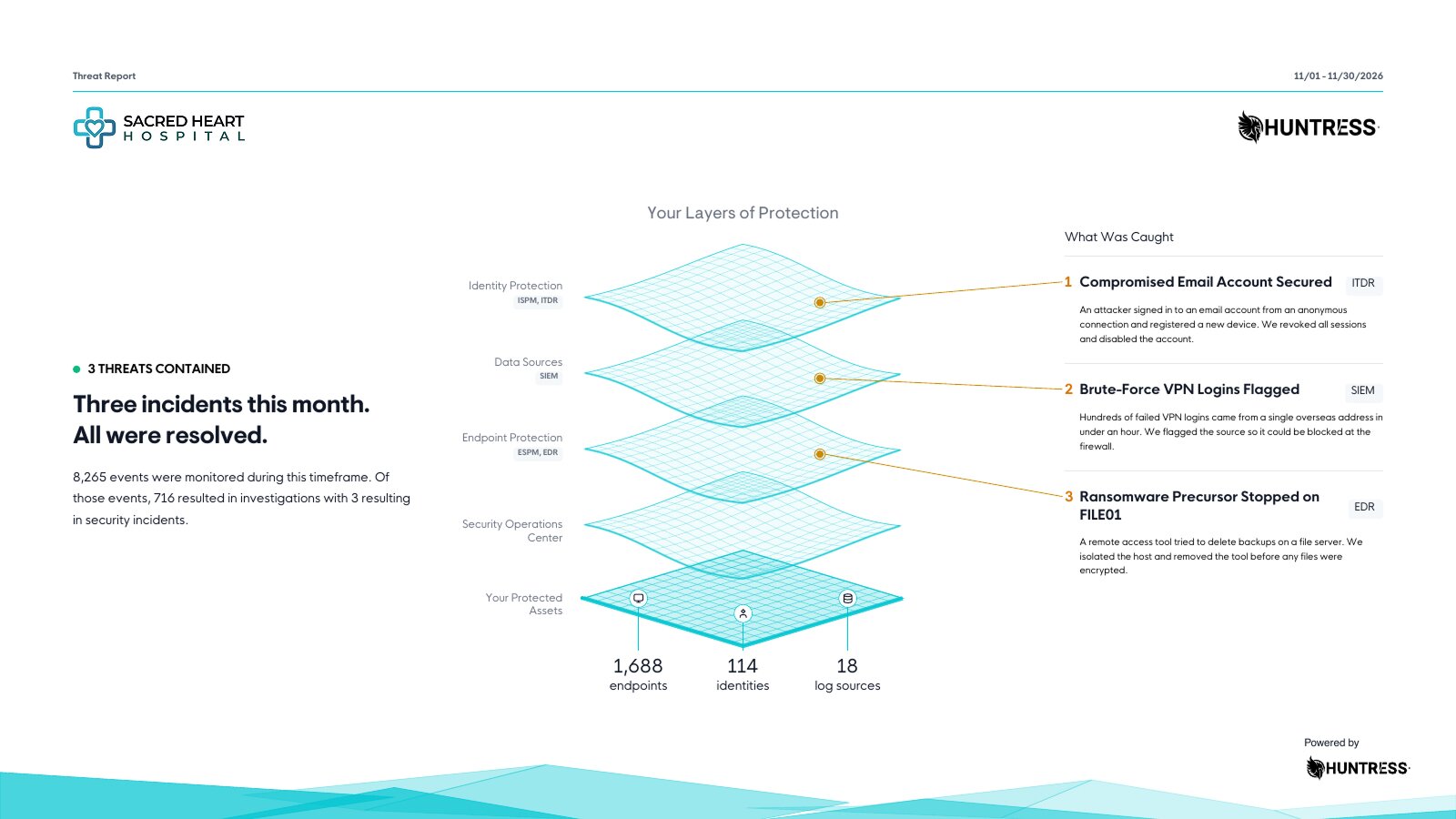
It's delivered each month automatically via an emailed link, and it's always available in the "Reports" section of the portal. Partners can hand it straight to their end customers. It doesn't replace the Security Insights Report above, but it complements it, giving you a one-page option for the people who just need the non-technical headlines.
Investigations View
A few weeks ago, we rolled out the new Investigations View to give you a full chronological timeline of every investigation our SOC runs, including the ones closed as benign. If you'd like to learn more, take a look at the Investigations View announcement here.
What's next
This is a big step, but it's not the finish line. Here's what we're already working on:
An account-level Security Insights Report, giving MSPs and internal IT teams the same redesign, rolled up across all the organizations they manage.
More customization through the Reporting Center, so you can configure recipients, branding, and content directly from the new hub.
A more advanced ISPM compliance report, a dedicated, deeper report for compliance and audit needs, separate from (and in addition to) the ISPM posture page that's already part of the Security Insights Report today.
Updated Reporting Center with New tabs organizes reports by type, so you can go straight to the one you need instead of scrolling through a single long list. And informational callouts on each report type explain what it's for, who it's for, and what's inside, so you know exactly which one to send before you send it. This will be helpful as we continue to roll out additional reporting options in the future.
We want your feedback
This is an important step toward making Huntress more transparent about the work happening behind the scenes, but it's not the last one. If you have requests, ideas, or feedback on any of these reporting updates, let us know at feedback.huntress.io.
We're listening. And we'll keep evolving the Huntress portal to make our work—and your value to your customers—even clearer.