


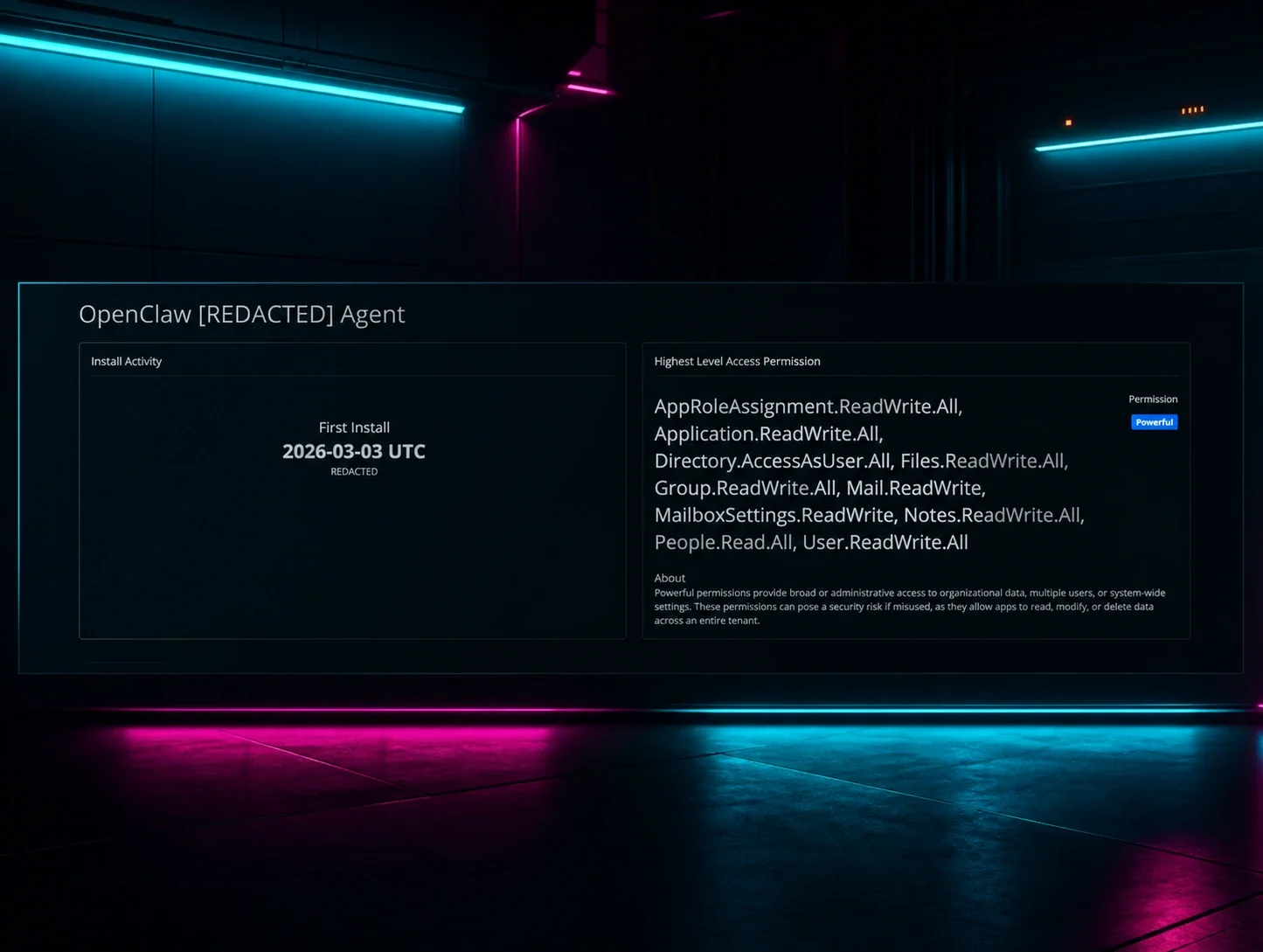


Acknowledgements: Special thanks to the Huntress Adversary Tactics and Product teams for their work building out identity telemetry, Rogue Applications, and SIEM detections that made this research possible. Special thanks to Dave Kleinatland and Matt Kiely for their help in tooling and research on Azure applications.
Background
Since its introduction, OpenClaw has seen rapid adoption across a wide range of organizations experimenting with AI agents and automation in production environments. In a previous post, we focused on a fake OpenClaw that served as a malware and infostealer delivery vector and walked through how the project has evolved from Moltbot and ClawdBot into its current form.
This time, we’re looking at a different but related problem: how OpenClaw shows up as a cloud application inside Microsoft tenants, which permissions it receives, and how those permissions translate directly into identity and data exposure. Rather than focusing on code-level analysis, we’re going to treat OpenClaw like what it has effectively become in many environments: a powerful, semi‑trusted service principal sitting in the middle of your identity attack surface.
What is OpenClaw in a cloud context?
OpenClaw is a widely adopted, open-source AI agent that can be wired into mail, calendar, file storage, and other business systems to automate routine work. Depending on how it’s deployed, it may not look like “malware” at all. In a number of tenants we examined, OpenClaw (and older names like “Moltbot”) was installed by individual users as a “productivity helper” and granted access to their mailbox or calendar so it could draft emails, summarize threads, or schedule meetings. From an identity perspective, that’s exactly what makes OpenClaw so dangerous. It can be provisioned with:
- Application permissions – direct, tenant‑wide access granted to the app, operating without a signed‑in user. This is the highest‑risk mode; think “read or modify every mailbox in the tenant.” These require admin consent.
- Delegated permissions – access granted on behalf of a specific user and constrained (in theory) by that user’s own permissions and scope. By default, users can grant these without any admin approval or visibility, creating a significant oversight gap. Disabling User Consent to applications is a key mitigation.
In practice, we’ve seen both, and the line between “helpful assistant” and “unbounded identity proxy” can disappear quickly once broad application permissions are in play.
What makes these apps so risky?
When you peel back the friendly branding and look solely at what the app can do, some OpenClaw‑related service principals show up with permission sets that are indistinguishable from high‑value admin tooling. For example, we observed apps with:
- UserAuthMethod‑Email.ReadWrite.All – the ability to modify user authentication methods via email, creating a direct path to account takeover if abused.
- Directory.ReadWrite.All – full read/write access to the Entra ID directory, including users, groups, and roles.
- Application.ReadWrite.All – the power to register, modify, or delete any application in the tenant.
- DelegatedPermissionGrant.ReadWrite.All and AppRoleAssignment.ReadWrite.All – the ability to grant OAuth permissions and assign app roles on behalf of others, effectively enabling consent bypass and privilege escalation.
- Sites.FullControl.All – full control over all SharePoint sites, including permission management and content access.
At that point, the label on the app—OpenClaw, Moltbot, “Assistant,” or anything else—is far less important than the reality: you’ve handed a third‑party agent carte blanche to act across your tenant. If a threat actor compromises that agent, steals its secrets, or tampers with its backend infrastructure, they inherit those privileges immediately.
Huntress observations across customer tenants
To understand how widespread this pattern is, we scanned customer environments for cloud applications with names associated with OpenClaw and its earlier branding, including “OpenClaw,” “Moltbot,” and similar variants. Initial scans identified on the order of dozens of apps in late February, and subsequent scans in March showed that number continuing to grow as more organizations experimented with AI agents and automation.
Most of what we found fell into two broad buckets:
- User‑installed assistants – where a single user had granted the app access to their own mailbox or calendar. These still matter, particularly when the user is highly privileged (IT, finance, executive staff), but they’re at least scoped to a single identity.
- “Too‑powerful” service principals – where an OpenClaw‑branded app had been registered centrally and given sweeping directory, mail, and SharePoint permissions well beyond what was necessary for the documented use case.
Across both categories, the common thread was a lack of sustained application hygiene. Teams knew “we’re trying AI assistants,” but there was no durable process for reviewing what those assistants could actually do, how that scope changed over time, or which approvals had been granted in the first place.
Yet another identity weak spot
Installed agents and cloud applications—whether for remote monitoring, AI assistance, or simple productivity—have become a new weak spot in many environments. The risk shows up in two places:
- The install itself. If you don’t tightly control and audit who can consent to apps, a single user can introduce a powerful new identity path into your tenant with a single click.
- The access that remains. Once the app is live, it becomes a persistent entry point. If an attacker compromises the vendor, steals app secrets, or abuses a configuration bug, they step directly into the privileges you’ve already granted that agent—often bypassing your traditional endpoint‑centric defenses in the process.
As with any powerful RMM agent, once these apps are in place, they’re a prime target. The difference is that they often sit squarely inside your identity and SaaS control plane, not just on endpoints, and traditional AV or EDR may never see them.
Hunting for OpenClaw and similar apps with Huntress
Huntress customers have two major advantages when it comes to finding and understanding OpenClaw‑style agents in their environment:
- Rogue Applications – Cloud Application Inventory
- Huntress Managed SIEM – Identity and Application Activity Search
Step 1: Inventory what’s installed
Start in Identity Threat Detection & Response → Rogue Applications → Cloud Applications to get a consolidated view of service principals and cloud apps in your tenant, including OpenClaw and Moltbot derivatives. Use keyword searches for strings like:
- OpenClaw
- Moltbot
- Legacy or internal project names that wrapped the same agent functionality
For each hit, review:
- Who installed or consented to the app
- When it was added to the tenant
- Which permission level Huntress has classified it as (for example, “Powerful” for high‑impact permission sets)
This gives you the baseline inventory you need so that anything new or unexpected stands out immediately.
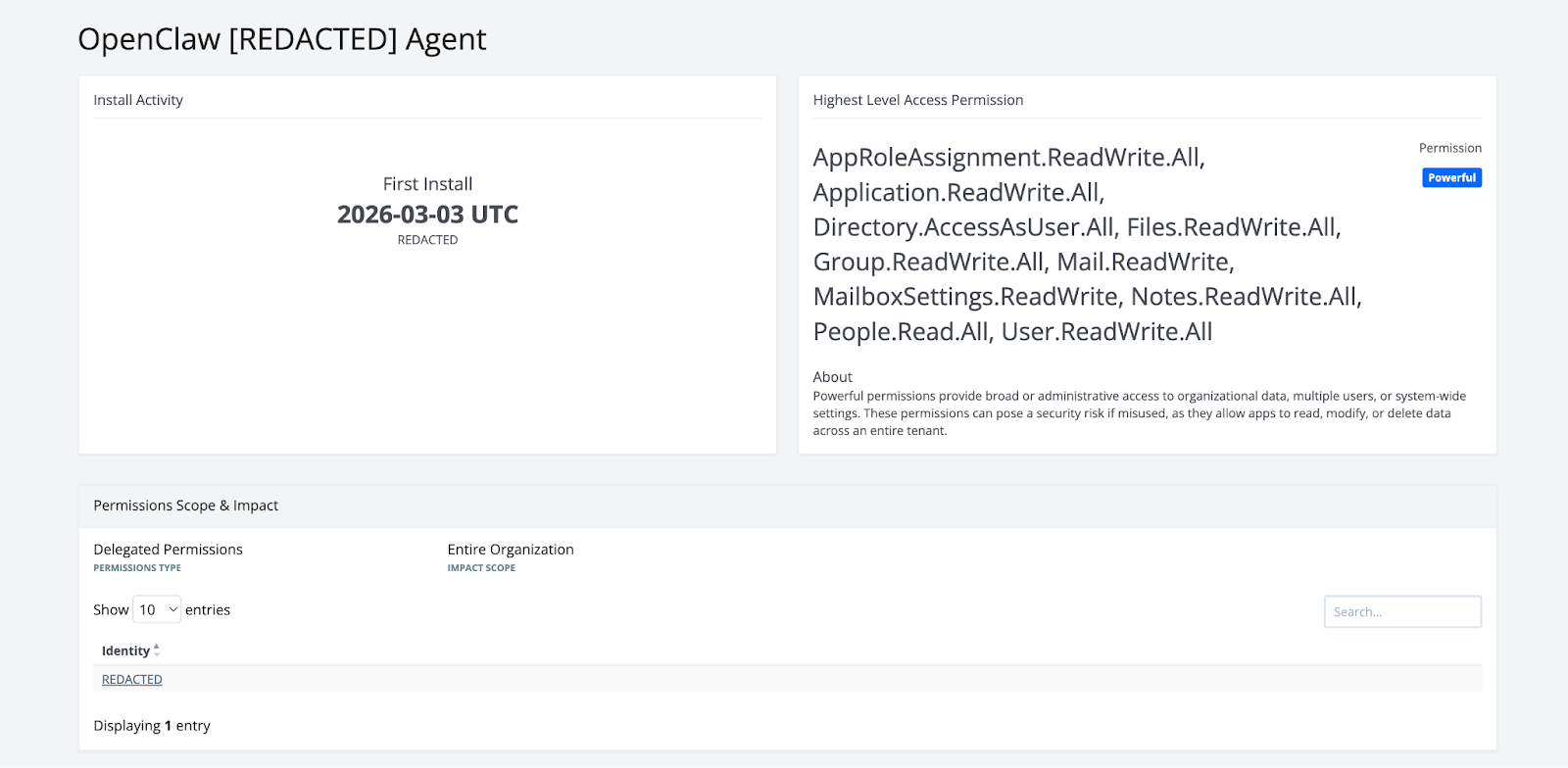
Step 2: Understand what it can do
Next, focus on permissions, not just presence. Pay particular attention to:
- Directory‑wide permissions (any *.ReadWrite.All on directory, applications, or app roles)
- Mailbox and SharePoint permissions that operate across all objects
- Any scopes that allow the app to grant, modify, or propagate its own permissions
The access granted to each app should be the absolute minimum required for its documented job, and you should be wary of “permission drift” as features are added or configuration is changed over time. You can also review your tenant for applications that Huntress has marked as Powerful, so you can search or sort by what permissions the application has consented to, in addition, and work from there.
Step 3: Follow the trail in SIEM
Once you’ve identified OpenClaw‑related apps, pivot into Huntress Managed SIEM to understand what they’ve actually done. One place to start is searching Identity and Entra audit logs for application consent and update events tied to OpenClaw or Moltbot names.
For example, if your internal naming still uses a legacy moniker like moltbot, you can begin with an ESQL query of the form:
from logs
| WHERE itdr.Target LIKE "%moltbot%"
or
from logs
| WHERE itdr.Target LIKE "%openclaw%"
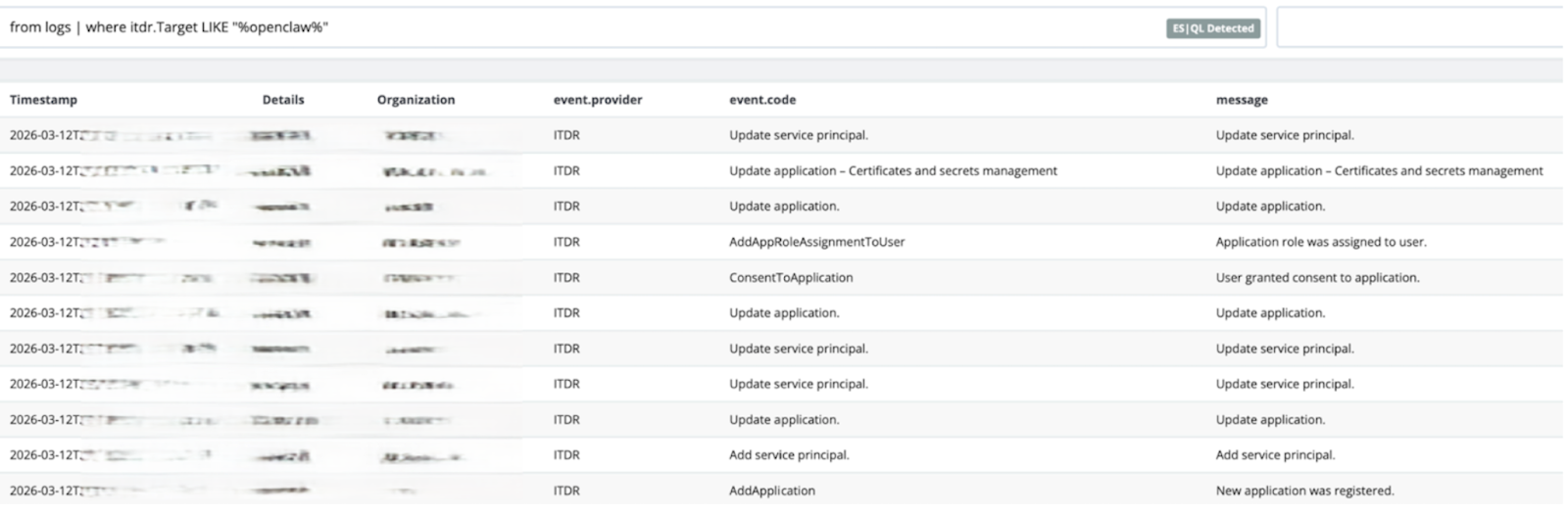
From there, pivot into:
- Consent events – when was the app first granted access, and by whom?
- Update operations – have its permissions changed, and did that coincide with other suspicious activity?
- Downstream actions – which mailboxes, files, or identities did the app interact with after consent? What did it read, write, or modify?
This is the difference between “we know OpenClaw exists here” and “we can tell you exactly what it did, when, and to whom.”
For additional ideas and queries you can find more examples here.
Mitigation and hardening guidance
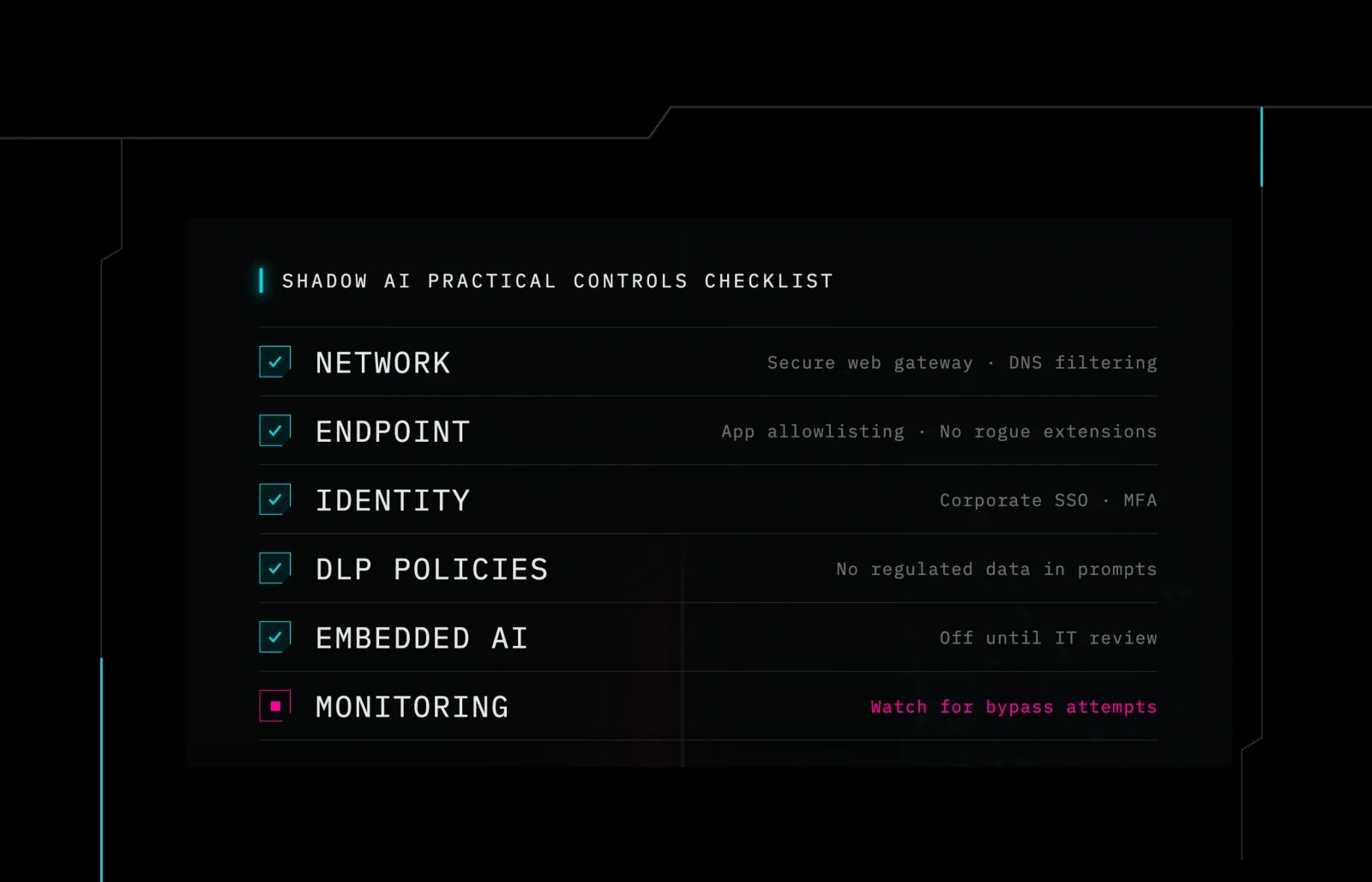
OpenClaw and similar AI agents aren’t inherently evil, and some organizations will decide that the productivity benefits are worth the risk. But that decision needs to be explicit, guided by policy, and backed by continuous monitoring.
Some practical steps you can take today:
- Set clear policies for who can consent to third‑party cloud apps and under what circumstances. Treat powerful AI agents as part of your identity attack surface, not as harmless productivity add‑ons.
- Search your Entra environment (and Huntress Rogue Applications) for OpenClaw, Moltbot, and related names. Confirm that you recognize each deployment and understand its purpose.
- Validate permissions and scope. Where possible, move apps from application permissions to delegated scopes, and aggressively trim any “*.ReadWrite.All” exposure that isn’t strictly necessary.
- Review activity via SIEM. Use Huntress Managed SIEM to identify what these apps have actually done: which identities they’ve acted on, what content they’ve accessed, and whether that behavior lines up with expectations.
- Remove or disable unnecessary apps. If an OpenClaw deployment is no longer needed—or was never approved in the first place—revoke its consent, disable the service principal, and document that decision before it becomes an incident write‑up instead of a hygiene task.
Key takeaways
- Blurring boundaries: OpenClaw serves as a case study for how rapidly AI agents can transition from helpful "tooling" to a dangerous "threat surface."
- Permission-based risk: The primary risk isn't from new exploits or zero-days, but from high-impact, well-documented permissions quietly granted to AI assistants within the identity plane.
- Proactive management: You can transform "ghost vulnerabilities" into manageable risks by:
- Maintaining a continuous inventory of applications and agents in your tenant.
- Gaining a clear understanding of their specific capabilities.
- Monitoring how their access and permissions evolve over time.
- Preemptive defense: Proper visibility ensures that if an attacker attempts to hijack a powerful agent, you already know its location, its reach, and the steps required to shut it down.
We hope you come away with the tools to both know where OpenClaw or some derivative agent has been deployed, and if so, what did it do? The last thing you want to find out too late.





![The 36 Most Common Cyberattacks [2026]](https://cdn.builder.io/api/v1/image/assets%2F3eb6f92aedf74f109c7b4b0897ec39a8%2F36014deeb67545a0a0d94cdfa4b9b0db?height=10000)

