


Background
On November 12, 2026, an MSP asked us about a handful of unfamiliar machines in their self-hosted ScreenConnect console. Named after various crypto exchanges, the machines had no apparent company or owner and claimed to be online. Nobody at the MSP had installed them.
The MSP's server itself was clean. We found no evidence of web shells, suspicious child processes, or new accounts. The sessions were real entries in the server's database, though, so we turned the question around: If one server had these guests, how many others did?
We collected the ScreenConnect session database (App_Data\Session.db) from the Huntress-protected ScreenConnect servers we could reach and looked for the same pattern. As of this writing, we've found 2,223 fake sessions on 118 servers across 109 MSP and organization accounts.
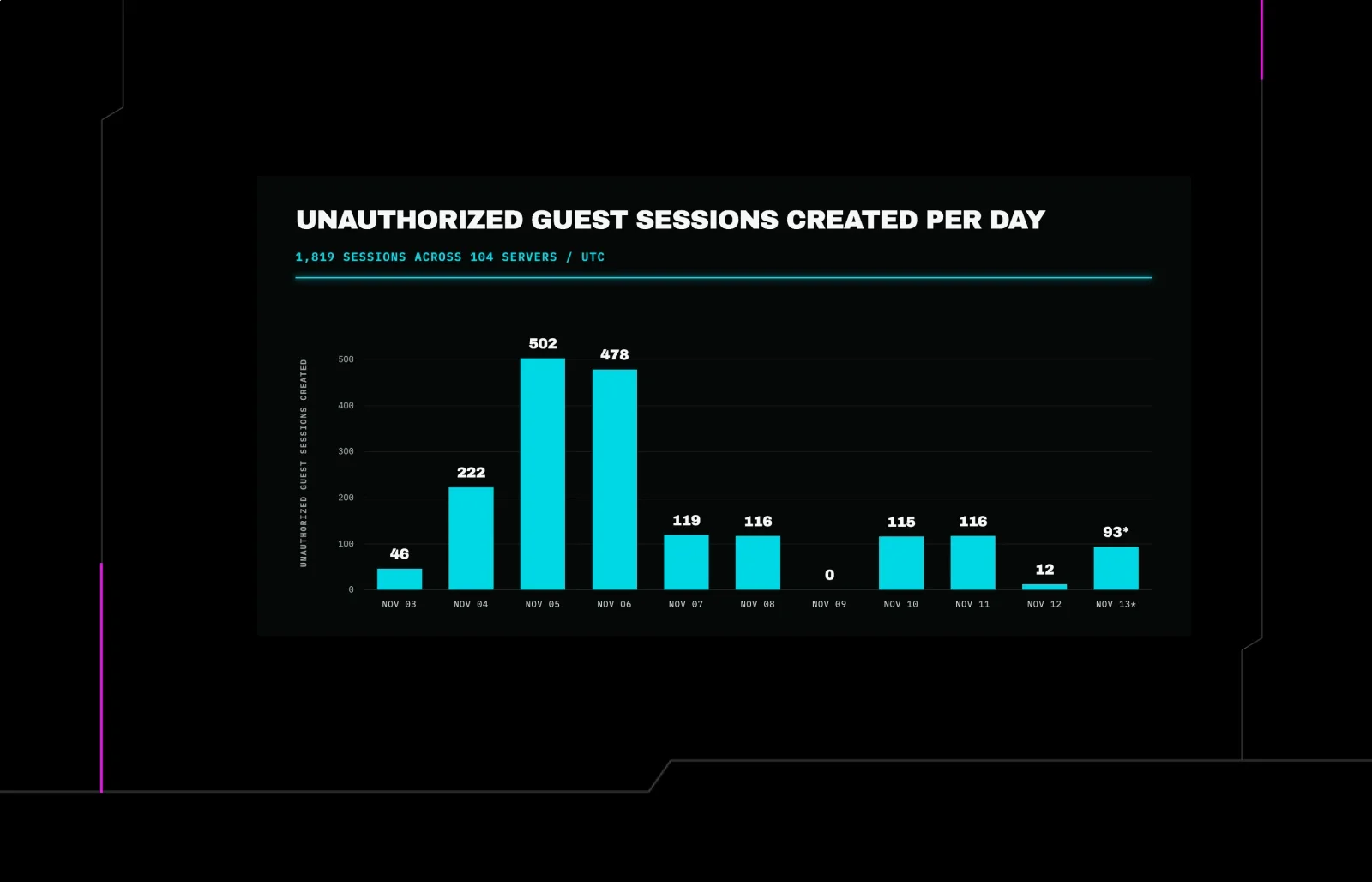
These unauthorized sessions have been added over the course of the past 10 days. Across our telemetry, we could see the first session was enrolled November 3, and the latest one was enrolled November 13.
Huntress has investigated various incidents involving ScreenConnect in the last few months: including rogue ScreenConnect installations seen in September and, most recently, activity linked to the SCKit worm on November 11. We haven't found any overlap between the crypto-bait fakes and the published SCKit indicators.
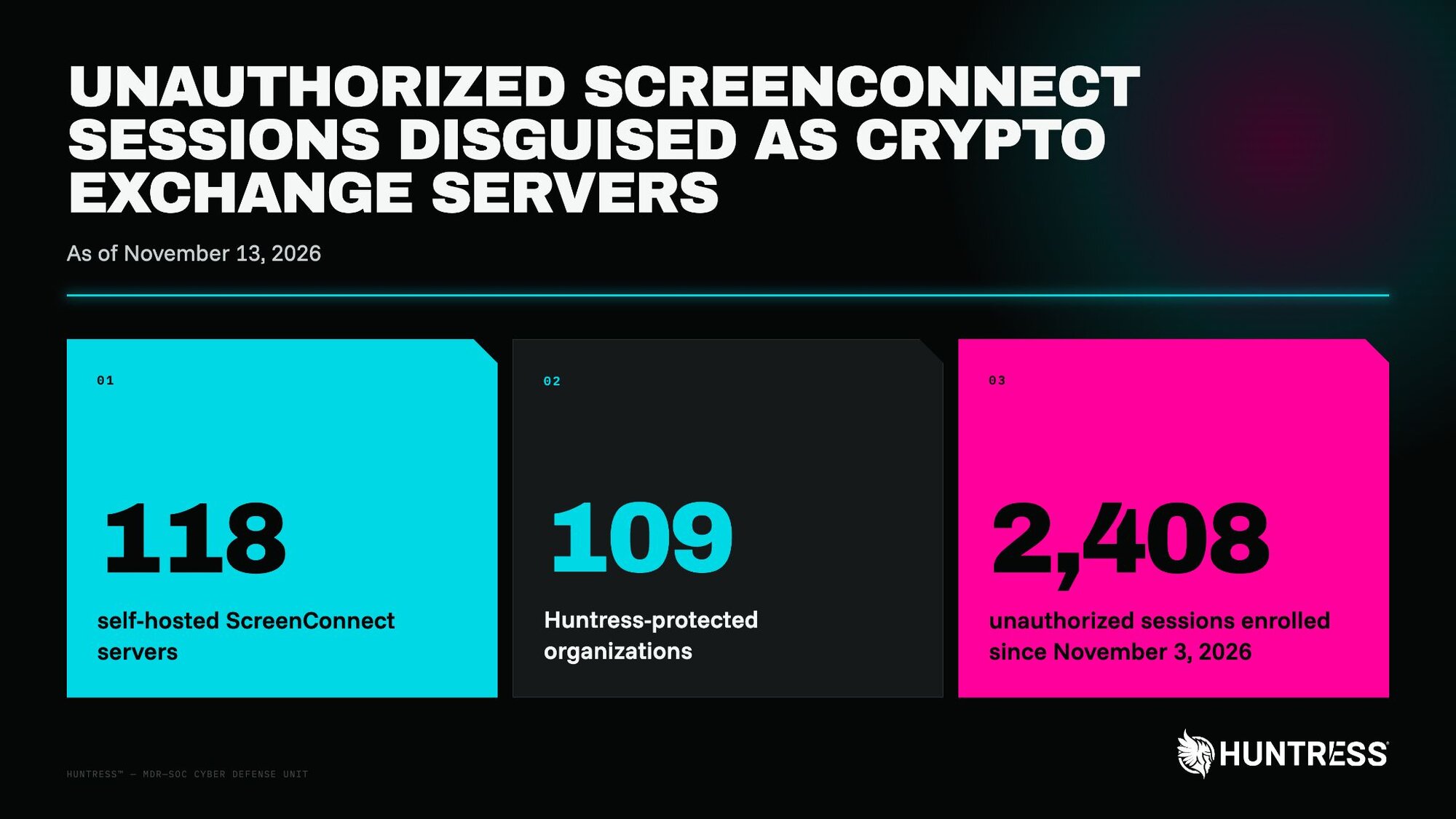
Figure 1: An overview of the unauthorized sessions found
What do these unauthorized sessions look like?
ScreenConnect is remote desktop software that many MSPs host on their own servers. Technicians connect to customer computers using a host client, and each customer computer runs a guest client. In an unattended "Access" session, a guest can stay registered in the server's console even when no technician is connected, appearing in the session list of computers available for access.
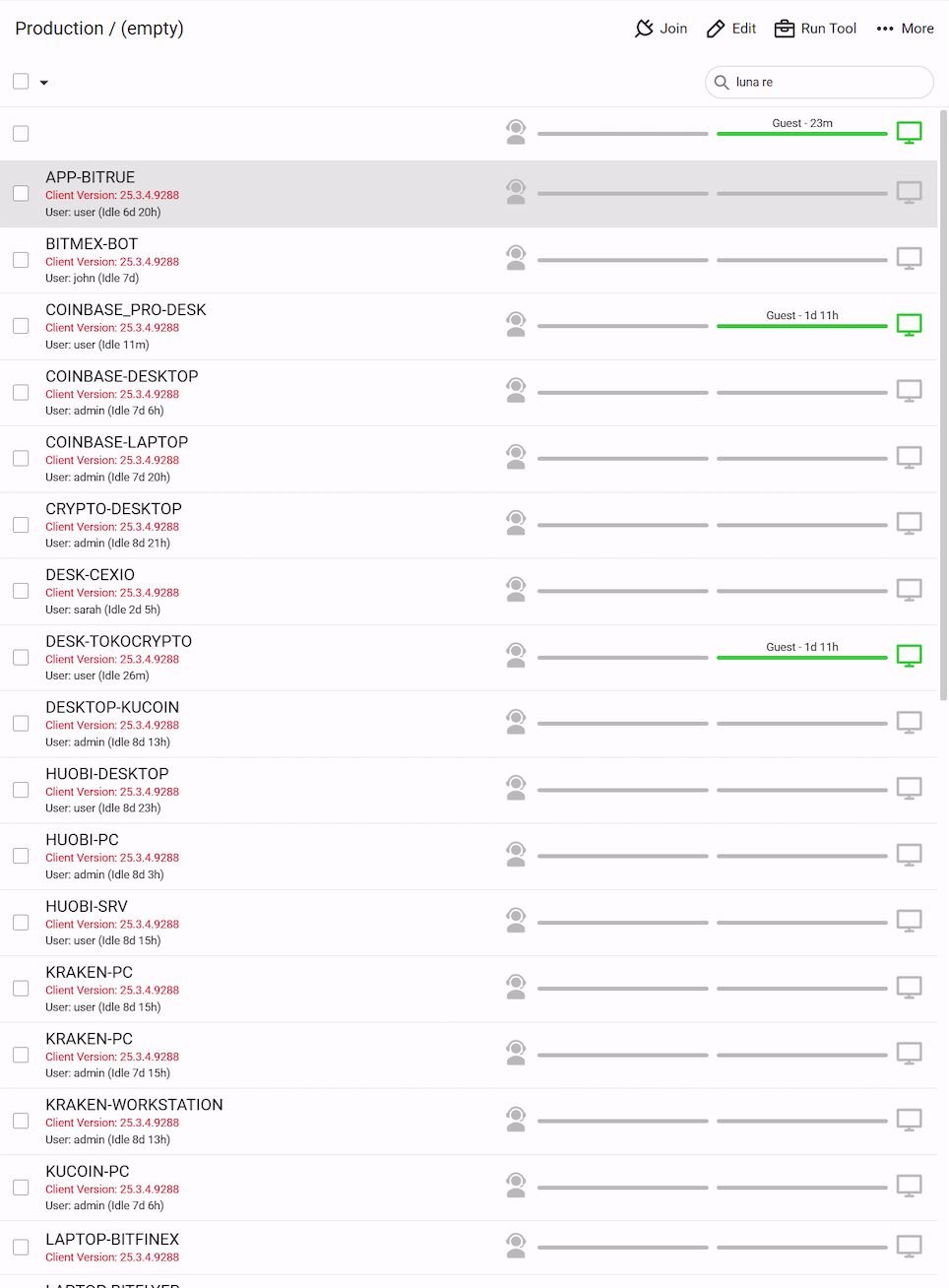
Figure 2: Example list of unauthorized sessions in ScreenConnect (image courtesy of Reddit).
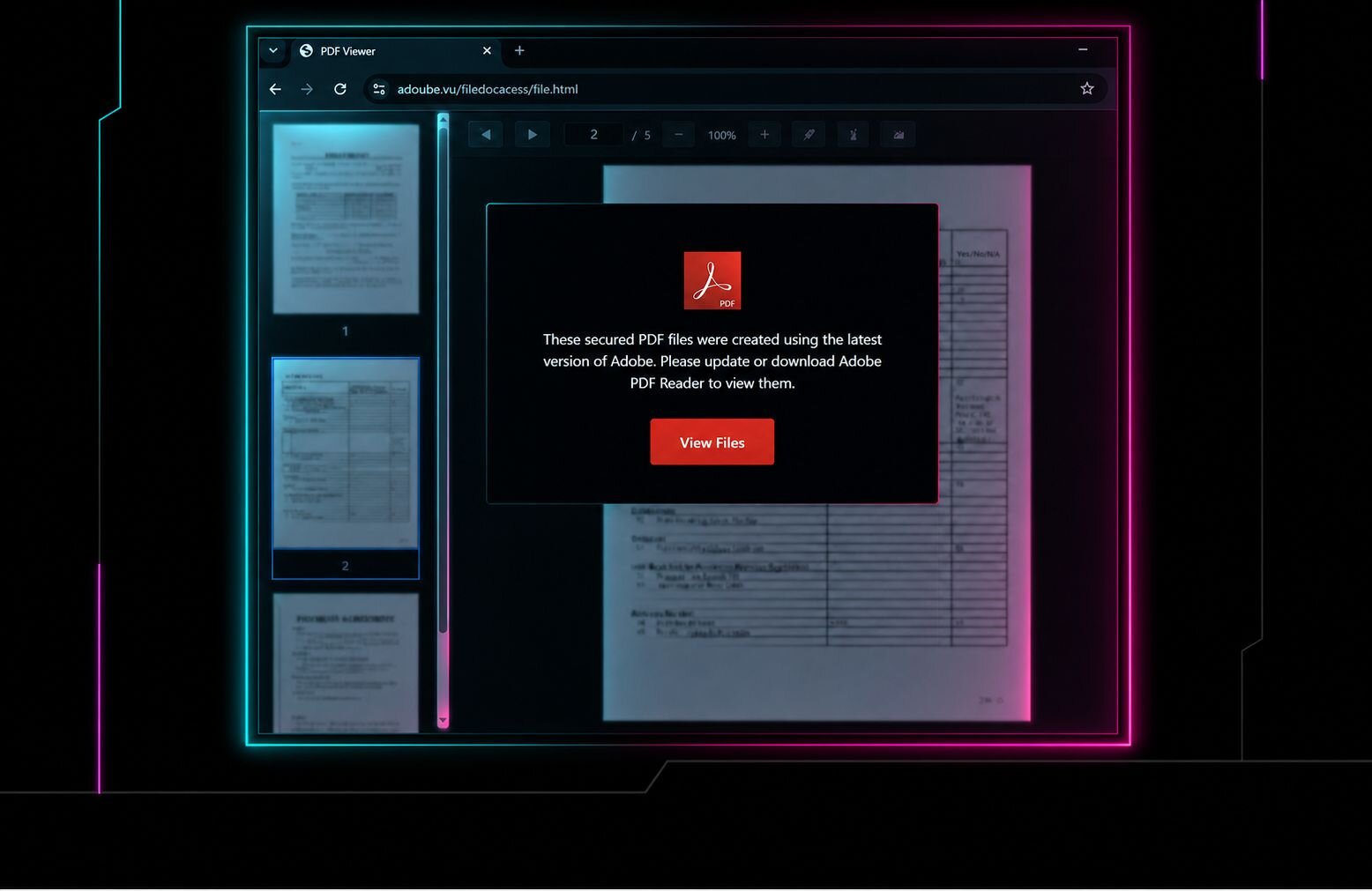
Someone is registering unauthorized guest computers on MSPs' servers, where they sit in these session lists. In the console, each one looks like an always-online computer with a crypto-exchange name and a thumbnail of what appears to be a trading desktop.
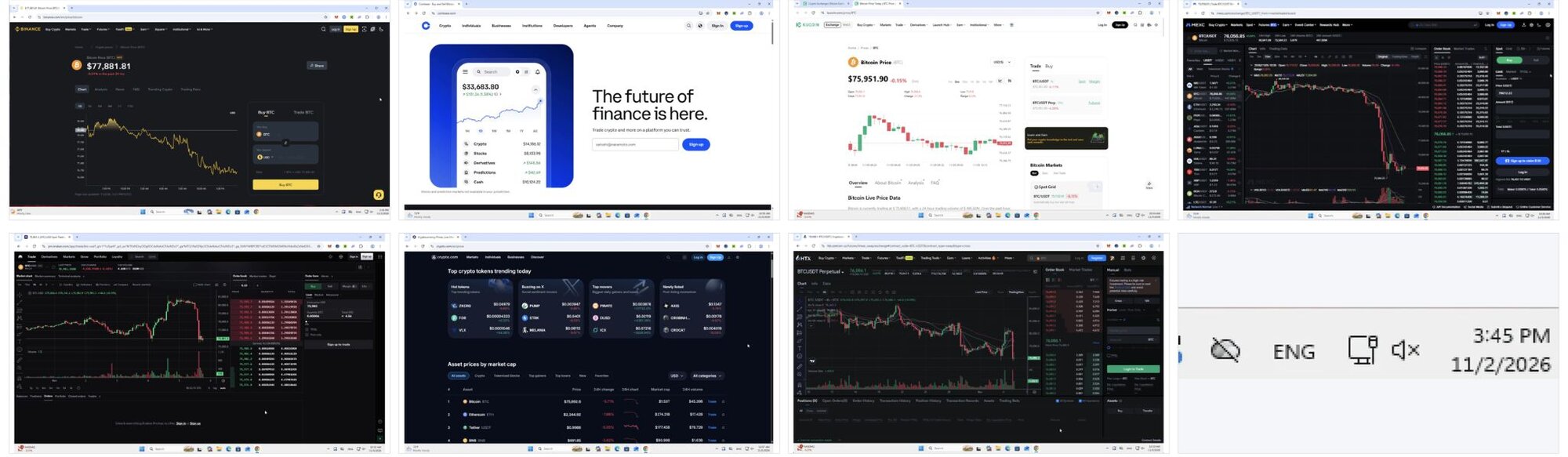
Figure 3: a collection of thumbnails from unauthorized sessions.
The names all combine an exchange or crypto word with a role word, including KUCOIN-SRV, SRV-BINANCE, BACKUP-PROBIT, WORKSTATION-COINEX and DASH-BITMEX. Overall, we counted over 1,000 distinct fake names across the 2,408 unauthorized guest sessions.
To register, a guest client needs a ScreenConnect server's relay address, which is embedded in that server's guest installer. On the first server we investigated, we found the MSP's Access installer was publicly downloadable. An online file-scanning service retrieved it in mid-October, weeks before the unauthorized sessions appeared. ScreenConnect makes these installers available without authentication by design.
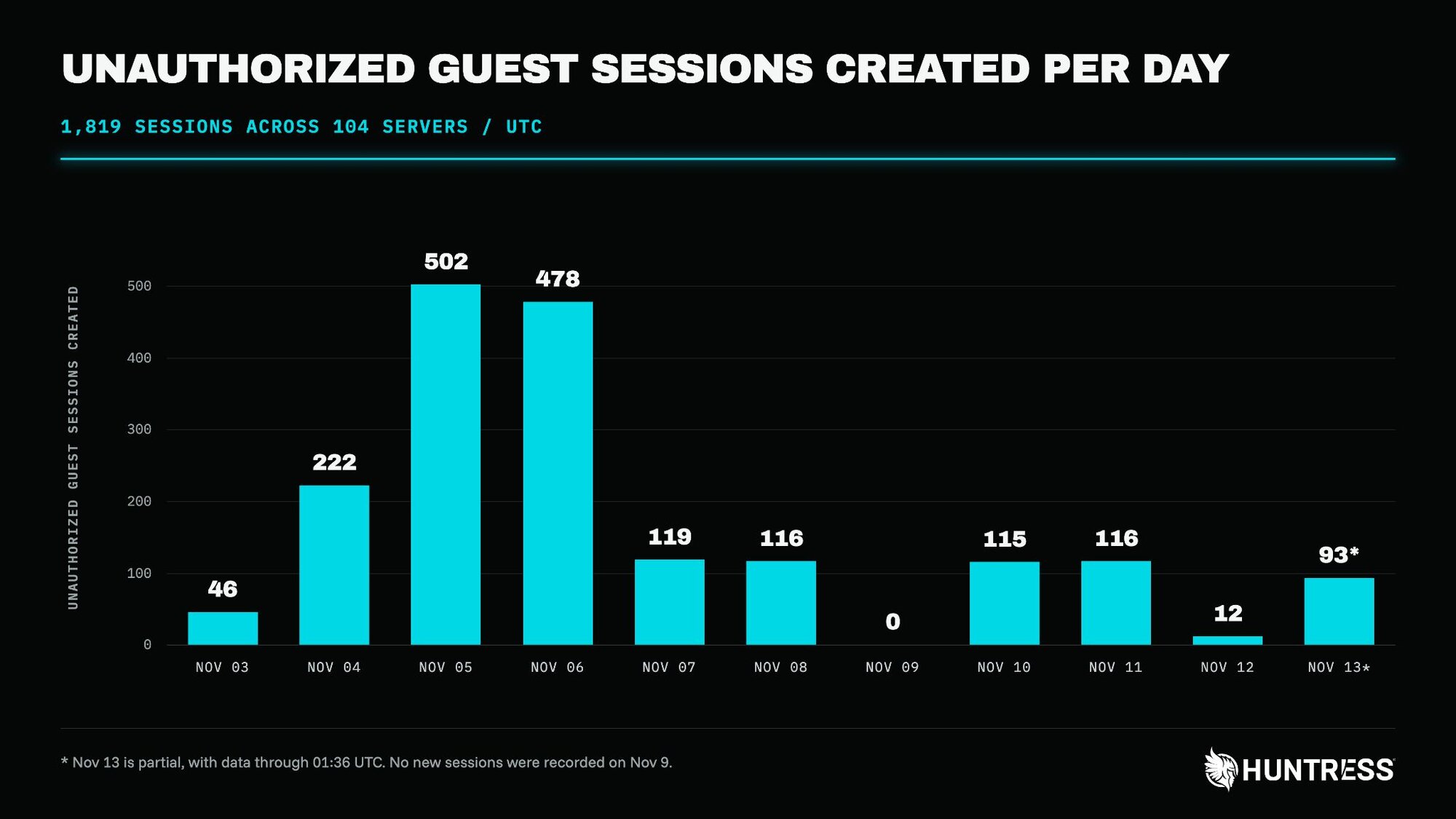
Figure 4: Unauthorized guest sessions created per day.
The majority of these sessions connected from a single IP,74.208.158[.]106, which is IONOS SE-hosted. Another early instance was 197.47.160[.]252, an Egyptian residential IP, which created the first three unauthorized sessions on November 3.
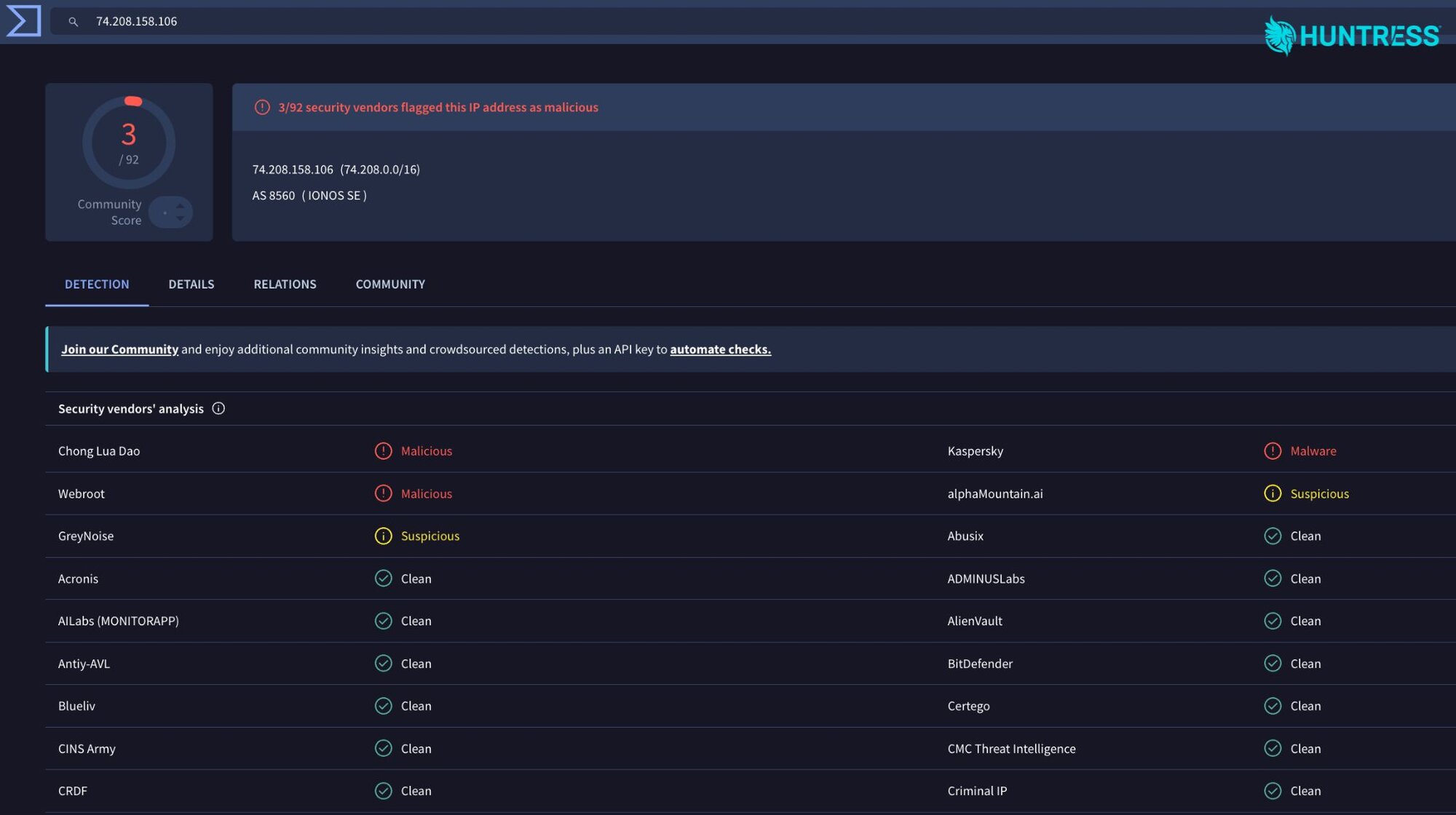
Figure 5: VirusTotal results for 74.208.158[.]106
What happens in an unauthorized session?
In our investigations, we found no evidence of any sort of malicious activity coming from these unauthorized sessions. The file or command events related to them came from the technician's side. In a handful of cases, a technician opened the unauthorized session; most of these connections lasted less than 30 seconds.
In one case, a technician stayed longer and used ScreenConnect's "send text" feature twice to type in the remote session, sending keystrokes to the guest. Because ScreenConnect does not retain sent text, we treated this as a possible credential exposure and contacted the MSP. In another case, a technician queued a delete command to remove the unauthorized sessions. The command was delivered, but it never returned any output.
The unauthorized sessions appeared to be actively maintained. Across 29 servers with complete connection histories, we observed a repeating sequence of events: the operator revisited the servers every 151 seconds, creating or reconnecting fake sessions along the way.
Individual connections typically lasted about 64 minutes, and sessions that reconnected did so about every 55 minutes. That repeated connection activity kept the unauthorized sessions appearing online in the console, where they could pass for real computers.
The attacker's possible goals
Why enroll thousands of guest machines that never do anything? One possibility is that the crypto-themed sessions are bait, waiting for a technician to connect. That could create an opportunity to exploit a client-side vulnerability such as CVE-2026-84869, a critical ScreenConnect vulnerability disclosed September 8.
For this flaw, in both Support and Access sessions, a malicious guest could trigger file-transfer actions that an unpatched technician's workstation would accept and run without asking, including with elevated rights. A file could then run on the technician's workstation—often the MSP's most privileged machine.
This is our leading hypothesis, but it's important to note that we have not observed the guest sessions being used this way. We have not seen a crypto-named system push or run a file. We also can't rule out other goals, such as capturing what a technician types into the session.
Public discussion of this activity has also suggested that the fakes come from Joe Sandbox, a malware-analysis service, detonating ScreenConnect installers, which could be dismissed as harmless noise. However, after further investigation, this doesn't seem likely.
While an installer run in a sandbox sends a key and JPEG screenshots of the analysis VM, these guest sessions send no key, reuse seven screenshot families, and randomize hardware and OS details. This aligns with the characteristics of an emulator. Furthermore, the timeline of the guest session campaign shows intent: they revisited 100-plus servers in the same order daily for 10 days and kept sessions online for a week, which does not match what we would expect from a sandbox. We found no confirmation that any of these addresses belong to Joe Security. Public reports show 74.208.158[.]106 as a contacted host that sits in IONOS hosting space, not sandbox egress.
What Should MSPs Do?
MSPs should upgrade ScreenConnect host clients to 26.6.5 or later, along with affected Access agents. If upgrades must wait, they should check ConnectWise's advisory about removing TransferFiles permission from roles and session groups. Server history can identify client versions.
As another precaution, organizations should bar technicians from joining sessions they cannot tie to a customer. Crypto-exchange names, blank company fields, or a mismatched client version should trigger a pause and investigation.
In Access, teams should look for exchange-and-role names, empty company/site fields, guest version 25.3.4.9288, and crypto-site previews. Before deleting fakes, they should preserve App_Data\Session.db and its WAL file.
Session history or a database copy can show whether a technician joined and whether files, commands, or text moved. Reviews should distinguish technician-side from guest-side activity: a fake alone only shows reachability, not exposure. Guest-side file events during a technician connection may indicate CVE-2026-84869 activity. If an unpatched client has joined, the organization should inspect its workstation's ScreenConnect Temp and Startup folders, plus process history.
To limit enrollment, organizations should restrict installer and web access where supported, keep Access installer links private, rebuild leaked installers, and place unfamiliar sessions in a group technicians don't routinely browse. Blocking known, bad IPs can help, but operators may move.
Furthermore, here are some detection opportunities:
Server database: New guest sessions with ClientType 1 (Windows) and an empty guest public key; guest version
25.3.4.9288.Server logs / SIEM: Many new Access guests from one external IP across a short window, especially
74.208.158[.]106.Technician workstations:
ScreenConnect.WindowsClient.exestartingcmd.exe,powershell.exe,wscript.exeormsiexec.exewith a file underDocuments\*\Temp\. That's the host-side shape of CVE-2026-84869 exploitation.
Indicators of Compromise (IOCs)
Item | Description |
|---|---|
| IONOS VPS; source of 97.8% of crypto-named guest connections (Nov 3-13, 2026) |
| Created the first three unauthorized sessions on Nov 3, 2026, 21:26 UTC |
| Related IONOS host (same JARM and TLS certificates as |
| ECDSA SSH host key fingerprint of |
| Guest client version claimed by every guest machine (context indicator, not unique on its own) |
| e.g. |
| Combined server-side fingerprint of the emulator |
| WebP preview thumbnail (Binance-style page), most-used bait image |
| WebP preview thumbnail (bait image family 2) |
| WebP preview thumbnail (bait image family 3) |
| WebP preview thumbnail (bait image family 4) |
| WebP preview thumbnail (bait image family 5) |
| WebP preview thumbnail (bait image family 6) |
| WebP preview thumbnail (bait image family 7) |