
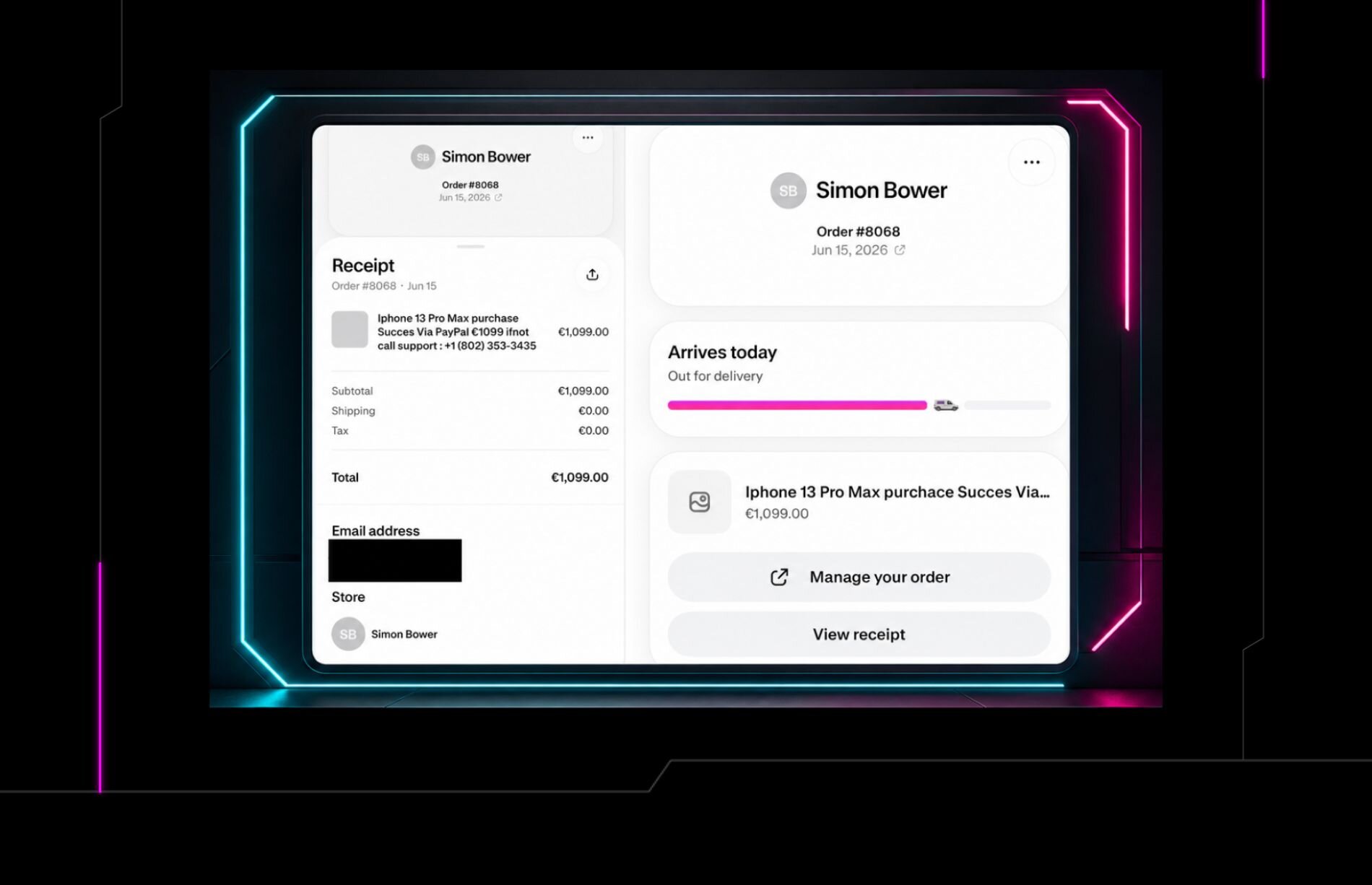


Special thanks to Justin Cook and Matt Poto for their contributions to this investigation and writeup.
Scammers are reimagining the classic fake refund scam with a new spin: they're sending people phony invoice notifications for ecommerce software vendor Shopify within the application's own popular Shop platform.
Between May 2026 and August 2026, several Huntress employees reported receiving these types of scam messages. It's also been reported more widely in 2026, including by researchers at Gen Digital and by Shopify users on Reddit.
Many scams come outside of the platform or brand they're trying to impersonate, immediately setting off alarm bells. However, attackers are increasingly trying to manipulate legitimate service offerings in order to send more realistic lures and pass email validation measures.
This attack takes it to the next level: the fake invoice notifications are sent via Shopify's own legitimate infrastructure, and victims are alerted within the app itself, as opposed to a spoofed lookalike domain sent over email.
The scam
Shopify, which lets individuals and businesses build and run their own online stores, provides the tools to set up storefronts, manage inventory, process payments, and handle shipping.
In this attack, scammers are likely either starting their own fake Shopify accounts or compromising real ones in order to launch the attack. From there, they would likely set up a fake order on their own shop and set targets as the recipients using their phone numbers or email addresses, triggering a notification to appear in victims' Shop apps.
That triggers a Shop push notification for victims (that have notifications enabled on their mobile phones) and populates as an official receipt that they then see when they open their Shop apps.
As seen in Figure 1, one receipt received on August 7 is for a "purchase" of a premium PC protection plan for $339.96. The description also includes an invoice, transaction ID, and "support" phone number (which is also listed two more times, in the shipping address below) in an attempt to lend further legitimacy to the scam.
Then, in the shipping address, the scammers go in for the kill, spinning the standard address template into a message for targets:
"2856 If You Didnt Place This Order
Call Us at 1__888__690__3420", Albany NY"
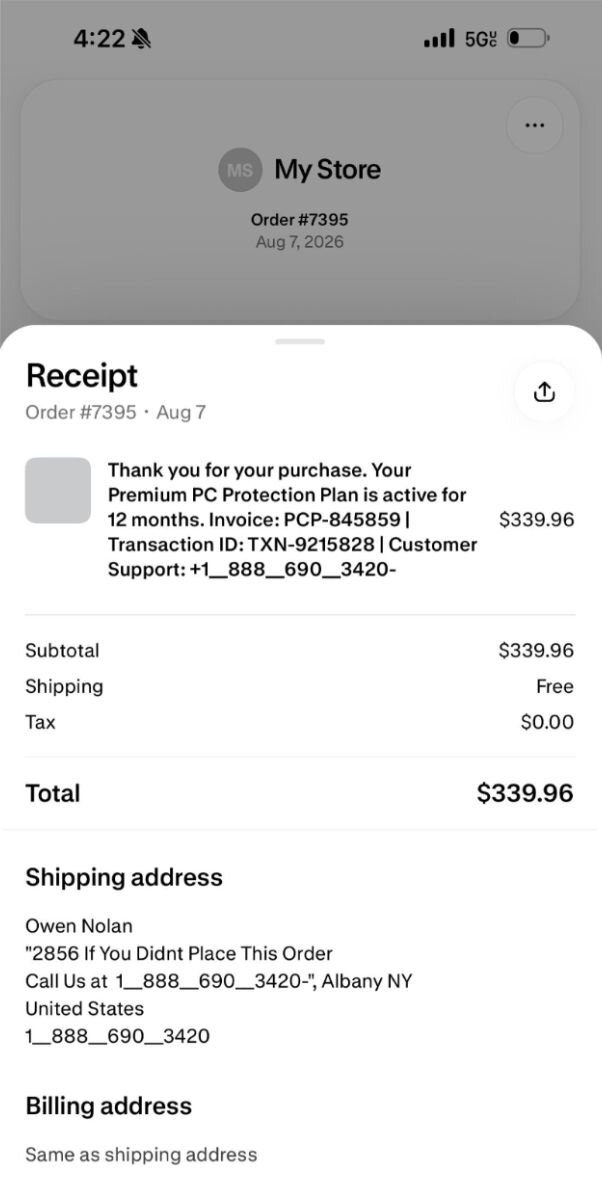
Figure 1: The fake notification within the Shopify Shop app
The notification in Figure 1 comes from a store set up on the Shop platform called "My Store", which had been removed before it could be further investigated.
Other variants of the attack
Other variants of the notification lacked a shipping address and instead prompted users to call the "support" number in the top description.
Some of the scams also made use of the Shop app's "out for delivery" feature, which shows users a status update on the shipment tracking timeline. This adds further pressure on the targets.
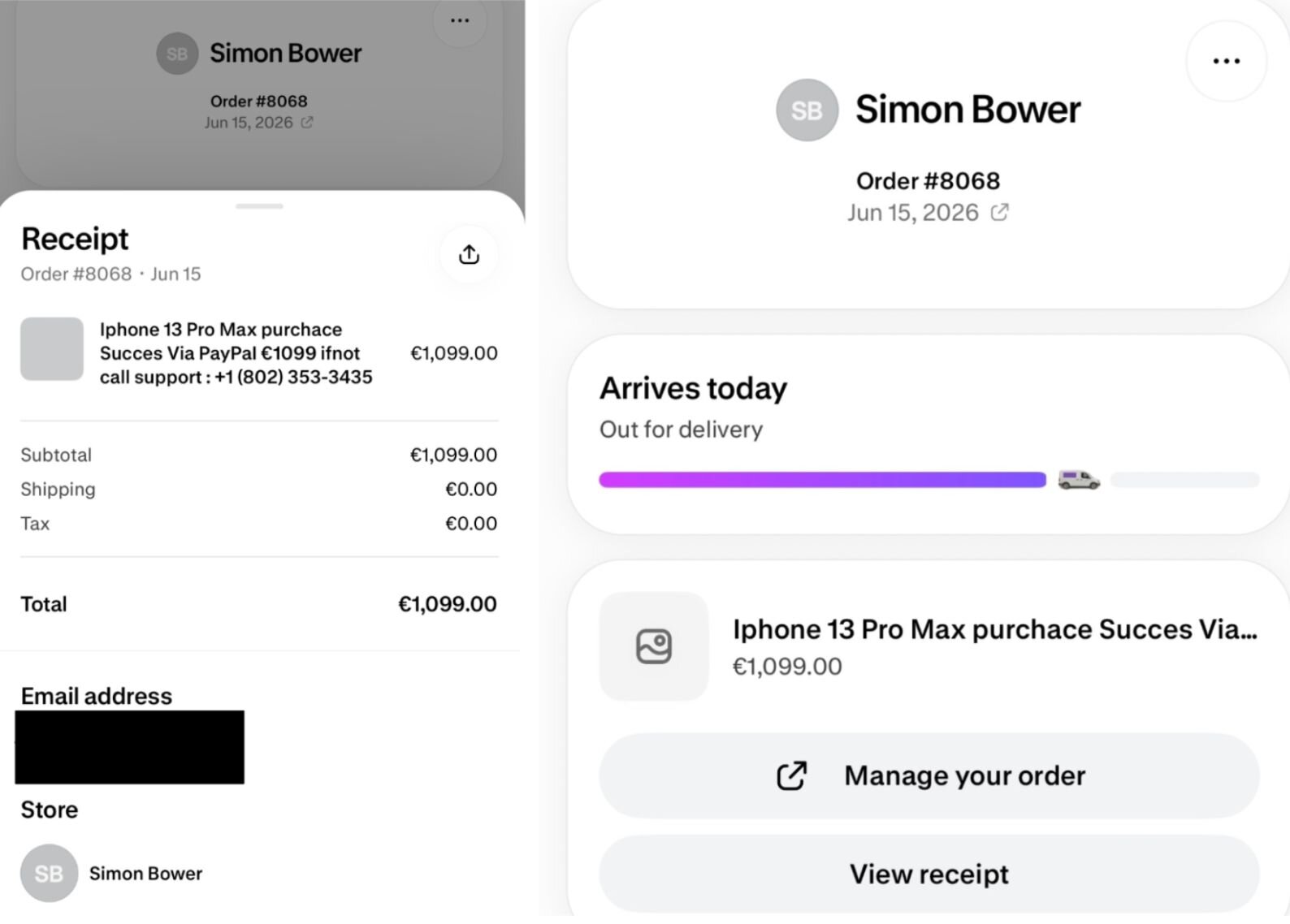
Figure 2: Some variants of the scam include Shop's shipment status tracker (this shop was also removed)
Fake refund scam
Users who call the number will likely be redirected to a standard refund scam. These types of scams are prevalent and involve a phone conversation with the scammer where the victim explains they didn't authorize a transaction or purchase anything, and asks for a refund.
Based on what we've seen with refund scams, scammers will then typically make a number of moves. They will direct victims to install remote access software like ScreenConnect or AnyDesk. They may also have the victim log into their bank account.
This serves two purposes: it lets the scammers see how much money they can extract from the victim, and it allows them to obscure the victim's screen and move funds between checking, savings, or other accounts to create the appearance of a transaction. They may even edit the transaction's HTML details to make it look like a legitimate refund.
Attackers may also have the victim fill out a fake refund form or use Command Prompt (cmd.exe) or PowerShell to connect to a "secure banking server."
Scammers have also manipulated the refund amount by having the victim enter one value and then adding a zero or another digit, so the victim appears to be refunded the wrong amount. The scammer will then show the victim the fake refund amount in their bank account and claim the victim will lose their job or face other consequences unless they return the money. They direct victims to buy gift cards (usually Google Play cards) and give them the card details (which attackers then redeem quickly for cash or resell).
Living off trusted sites (LoTS) with a twist
This appears to be a variant of a well-known technique we've seen at Huntress called Living off Trusted Sites (LoTS), which was particularly popular in 2025, as we noted in the Huntress 2026 Cyber Threat Report. While many phishing emails lead victims directly to an attacker-owned landing page, LoTS involves an email that then leads targets to a legitimate trusted site (like Dropbox, Canva, or Docusign), before then taking them to the malicious site. This avoids many of the red flags that would raise suspicion, as the messages appear to come from a high authority vendor.
The only difference is that this attack is less about hosting a link and more about abusing a trusted platform's own notification pipeline, in order to create content that appears to be native to that platform.
At Huntress, we have seen other similar attacks over the past year, including a popular one involving PayPal. In this attack, scammers open real PayPal accounts and send actual PayPal invoices with fake callback numbers embedded in the note field. The emails come from PayPal's servers, bypassing spam filters, and the invoice itself is hosted at Paypal.com with a real invoice page.
What to do
Shopify has acknowledged this type of scam in its Help Center. Here are some specific steps people can take if targeted by this scam:
Don't interact with any phone numbers, email addresses, or links contained in an order that aren't recognizable.
If users are concerned about the security of your Shop account or personal data due to an unrecognized order, then contact Shop Support.
Users should also check their bank accounts to confirm whether they were actually charged. If they weren't, they can report the order as "Not my order" in the Shop app.
When purchasing from a store on Shop in general, check the store and its product reviews to learn about other customers' experiences shopping with it; if users are concerned that a product or store might be fake, they can report it to Shop. Many of the shops in this scam were brand-new, with some using a "coming soon" description.



![The 36 Most Common Cyberattacks [2026]](https://images.huntress.com/asset/file/36014deeb67545a0a0d94cdfa4b9b0db)