

Background
The Huntress Security Operations Center (SOC) recently came across two interesting variants of the same attack involving a browser-in-the-browser (BiTB) phishing technique.
BiTB is a tactic where an attacker spins up an entire fake browser window (including the address bar, URL, padlock icon, favicon, and more) inside the actual webpage content itself, usually using HTML/CSS/JavaScript. Because the window is part of the webpage rather than a separate browser interface, the technique can bypass some of the social-engineering cues users are trained to recognize, such as checking the address bar for a suspicious or illegitimate domain.
As seen in Figure 1, both August incidents started with a phishing message. While we don't have access to the phishing lures themselves, our telemetry indicated the targeted phishing recipients clicked on malicious links in the messages. They were then redirected to an attacker-controlled landing page, where they were asked to view files via Adobe Acrobat (Adobe's PDF reader). After clicking a prompt to "View Files," targets were presented with a BitB page within the webpage. This fake page looked like it was the official Adobe website (showing a legitimate, official Adobe subdomain in the URL). Through following the instructions on the BiTB page, the targets unknowingly downloaded a ScreenConnect installer – leading to the deployment of multiple rogue ScreenConnect instances on their endpoints and defense-evasion binaries.
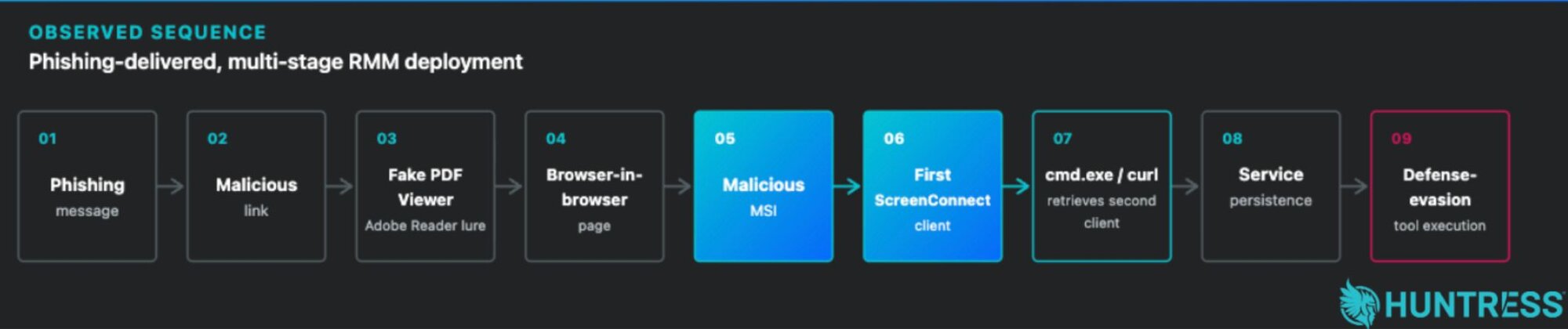
Figure 1: The attack sequence
BiTB techniques aren't new, but they underscore how persistently threat actors work to convince targets to take the bait, not just at the initial phishing message, but at every stage of the attack. Below, we have outlined the attack chain for the two incidents and the related Indicators of Compromise (IoCs) for defenders.
Social engineering in depth
Incident 1: A CAPTCHA lure, BiTB, and persistence
On August 25, Huntress detected malicious activity on an endpoint that was linked to a suspicious rogue RMM instance.
Upon further investigation, SOC analysts found that the target had interacted with a phishing email in Gmail. The target was convinced to click on an embedded link in the email, which took them to a fake CAPTCHA lure (at https[://]adoube[.]vu/2a8ed9baefcd). This phishing landing page displayed a fake "Safe access" browser check, asking visitors to "confirm your browser to continue securely" (as seen in Figure 2).
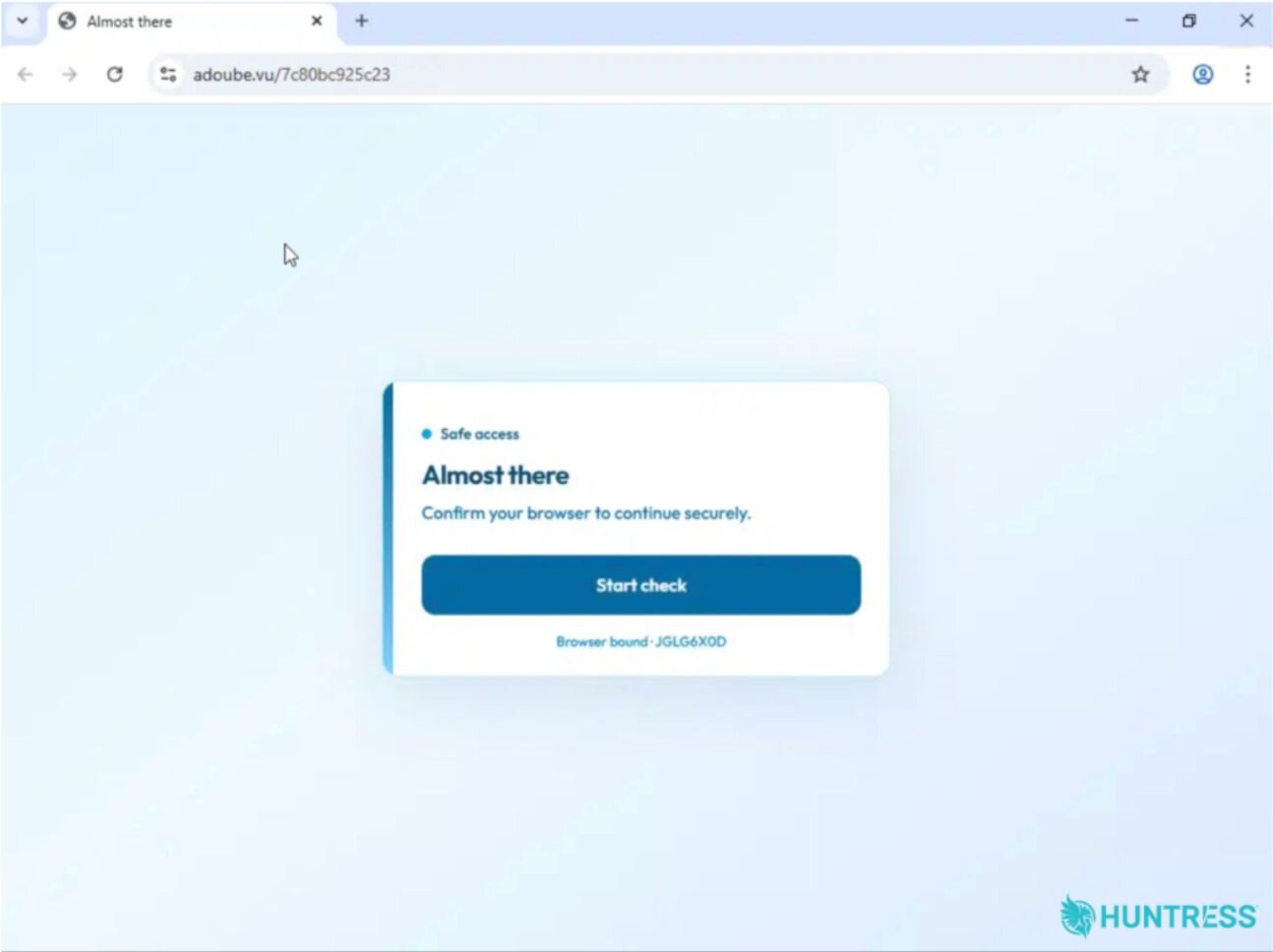
Figure 2: The redirect domain with a fake "safe access" browser check, which then takes the target to the next stage of the attack
In reality, when the user interacted with the page, it initiated a fake CAPTCHA-style social-engineering flow, which redirected them to https[://]adoube[.]vu/filedocacess/file.html.
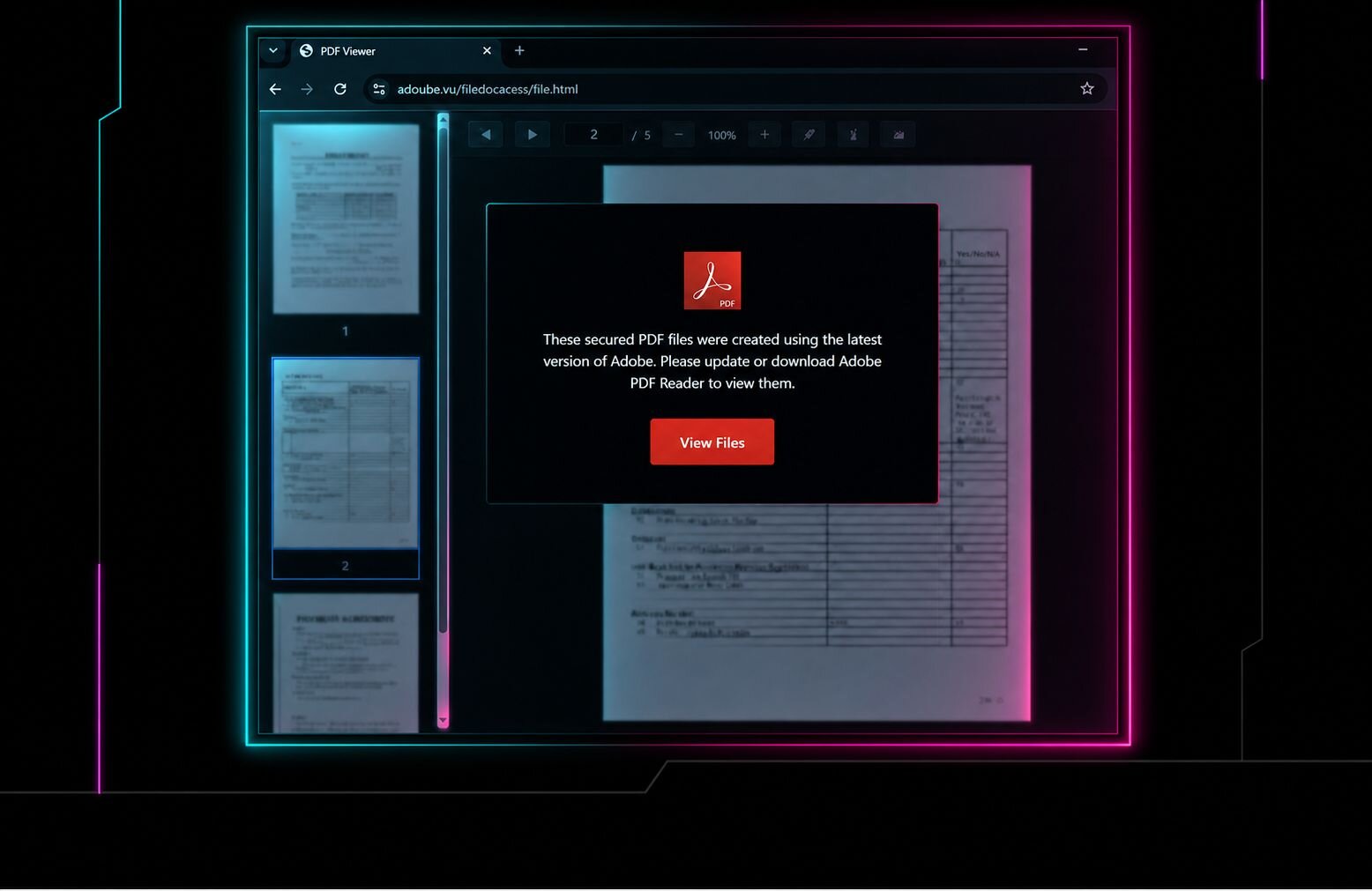
As seen in Figure 3, this page included a fake Adobe "PDF Reader" lure. The webpage showed the target what appeared to be several blurred files with a pop-up note on top telling them that they needed to update or download "Adobe PDF Reader" to view the files.
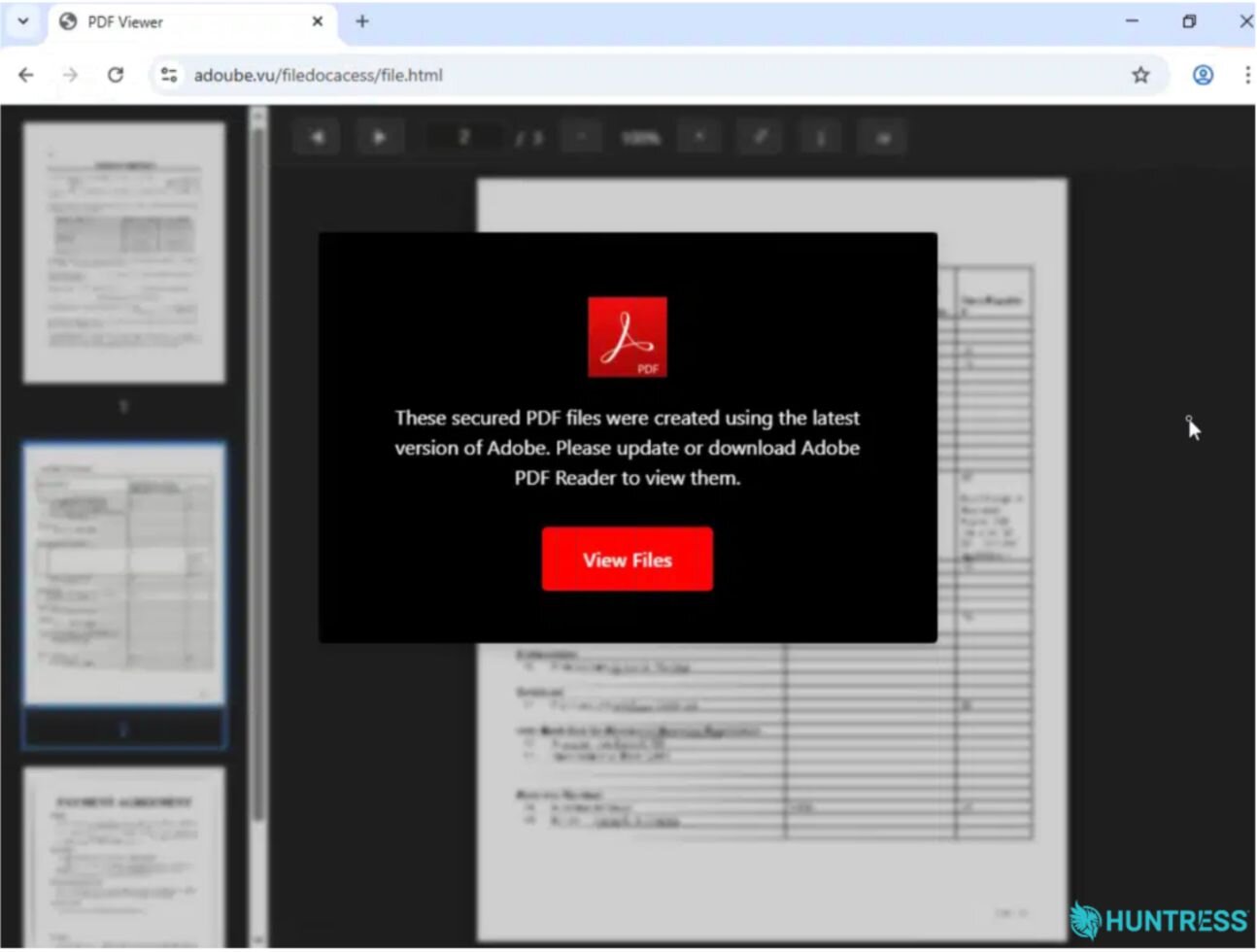
Figure 3: The next webpage victims are directed to, which tells them to download an updated Adobe PDF Reader to view files
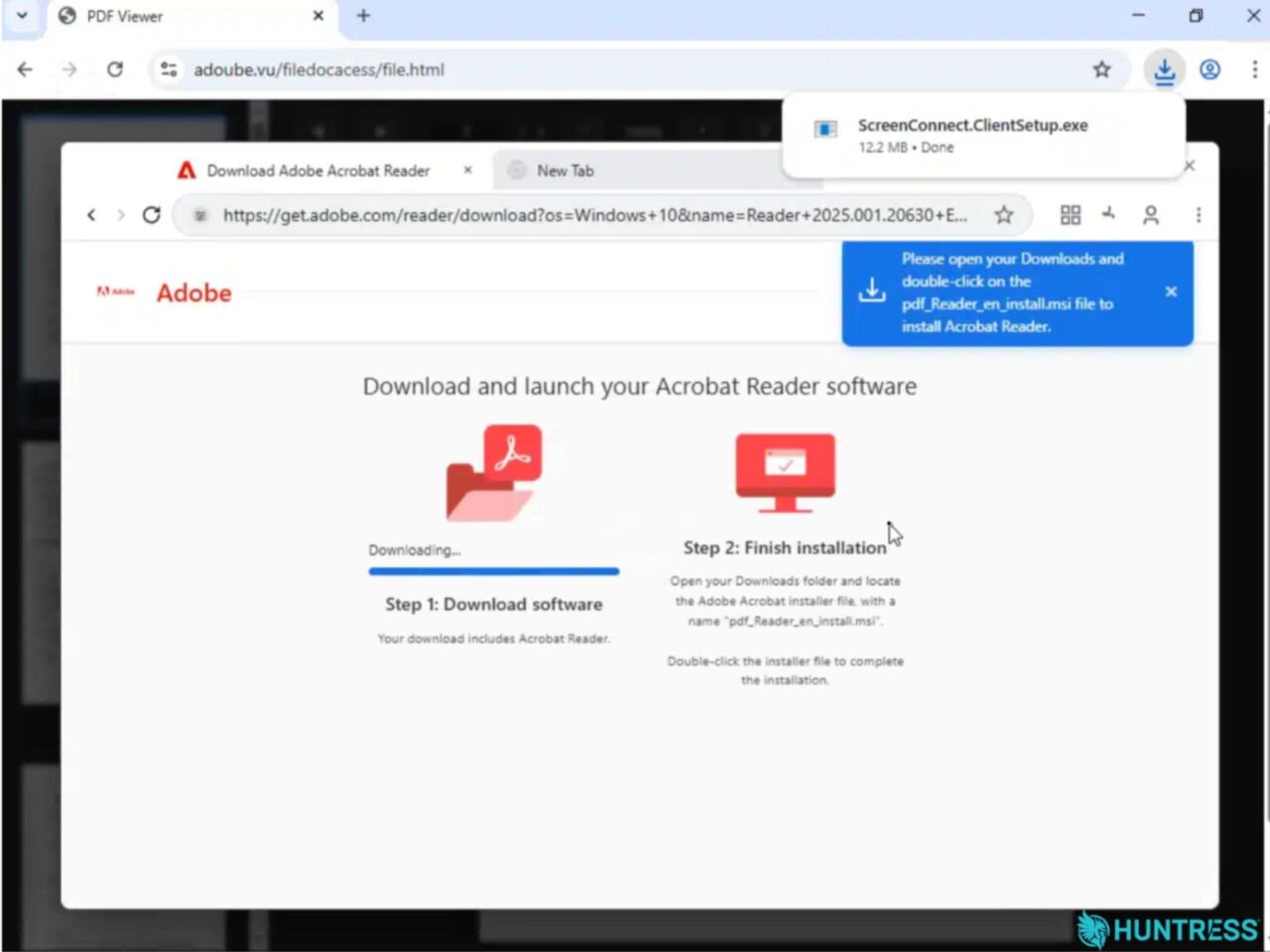
Figure 4: Upon clicking "View Files," victims are taken to a BiTB page
When the victim clicked the "View Files" button in Figure 3, they were then presented with the BitB screen that rendered a fake browser window inside the webpage, in order to further deceive the target.
As seen in Figure 4, the webpage was set up to look like an official Adobe webpage. The domain in the URL is get.adobe.com, a legitimate subdomain owned and operated by Adobe. That fake webpage told the victim to download "Acrobat Reader," open their Downloads folder and double-click on the downloaded PDF Reader msi file to kickstart the installation.
However, the purported "Adobe" installation file was actually ScreenConnect.ClientSetup.exe, a ScreenConnect installer that was downloaded from the attacker-controlled infrastructure, hosthiifran[.]screenconnect[.]com. When the target opened their Downloads folder and executed this installer, in reality, it initiated a multi-stage payload delivery chain that ultimately downloaded two malicious ScreenConnect clients and created related footholds. Once executed and installed, the clients enabled the threat actor to obtain persistent remote access to the victim's endpoint.
The first initial remote client installed was the rogue ScreenConnect Client (9c1aea531ba4c511) configured to communicate with instance-uxh86b-relay[.]screenconnect[.]com. The attacker used a legitimate ScreenConnect Trial Relay domain to further avoid detection.
This initial malicious ScreenConnect Client (9c1aea531ba4c511) used the native Windows command shell (cmd.exe) and curl to retrieve and install a second malicious ScreenConnect Client (7c1d255d0efefde6) configured to communicate with attacker-controlled IP 144.172.115[.]59. Both clients established service-based persistence for continued remote access.
After installation, the attacker used that second rogue ScreenConnect session to execute HideCursor.exe (found in C:\Users\REDACTED\Documents\ScreenConnect\Temp\HideCursor.exe). This is a defense-evasion binary that aims to hide on-screen activity. At this point, Huntress shut down the threat before it could get worse and recommended the organization uninstall the rogue ScreenConnect clients and related artifacts.
Incident 2: A RingCentral Email and an 'Adobe Reader update'
On August 31, the SOC responded to another incident that started with a phishing email, included a BiTB component, and ended with rogue ScreenConnect instances being installed. During this attack, the target interacted with a phishing email via AT&T Office@Hand (RingCentral), AT&T's legitimate cloud-based unified communications platform for businesses.
In this incident, AT&T Office@Hand was the delivery channel (not necessarily the brand being impersonated): the target interacted with an Office@Hand message containing a malicious link, then clicked through to an attacker-controlled page.
The target clicked the malicious link in the message, which brought them to selectstructure[.]com[.]au/freedom/adobedocument.html. This domain uses the same Adobe PDF Reader lure as the one in the other incident outlined above, along with the same template and prompts.
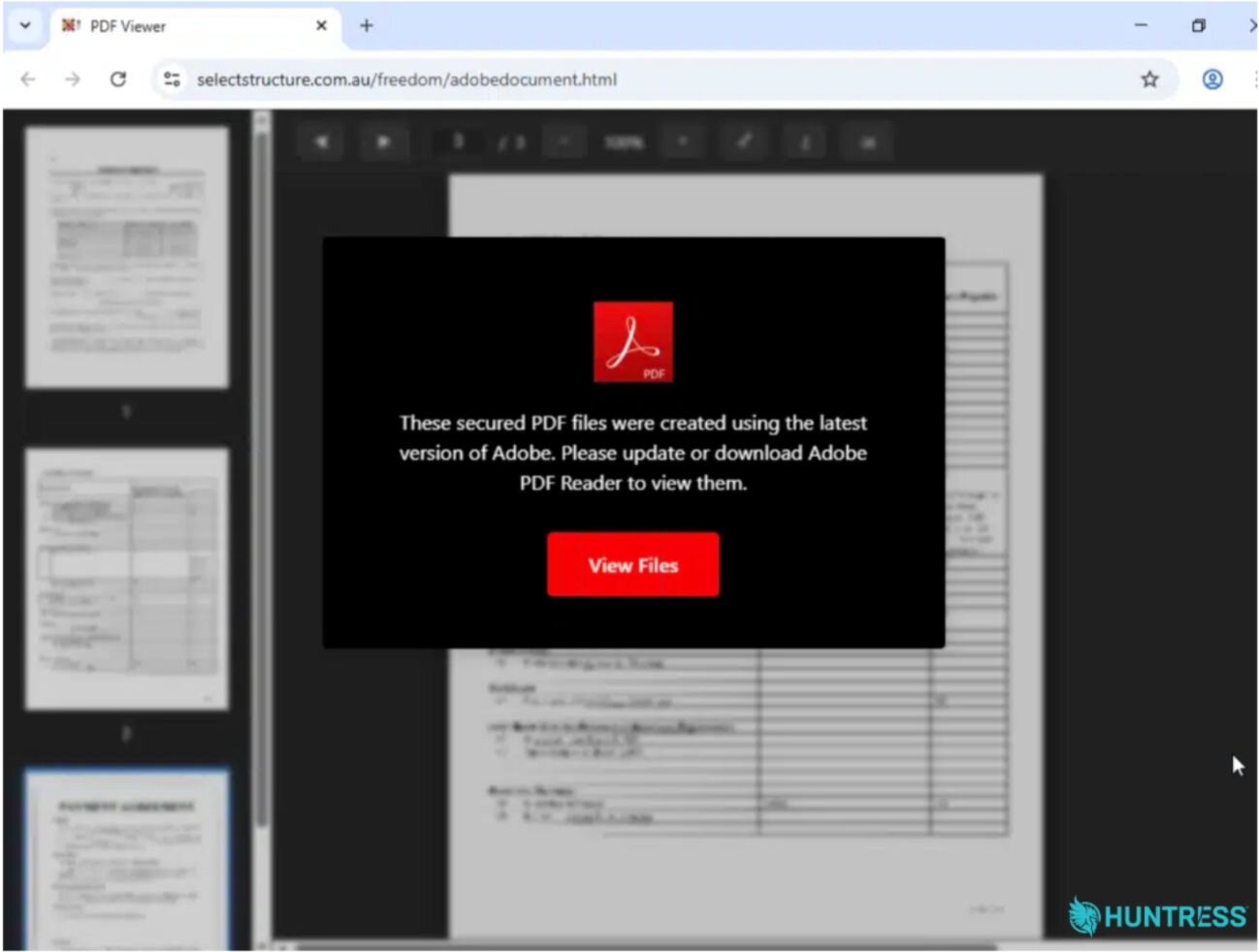
Figure 5: The same phishing page template used in another incident
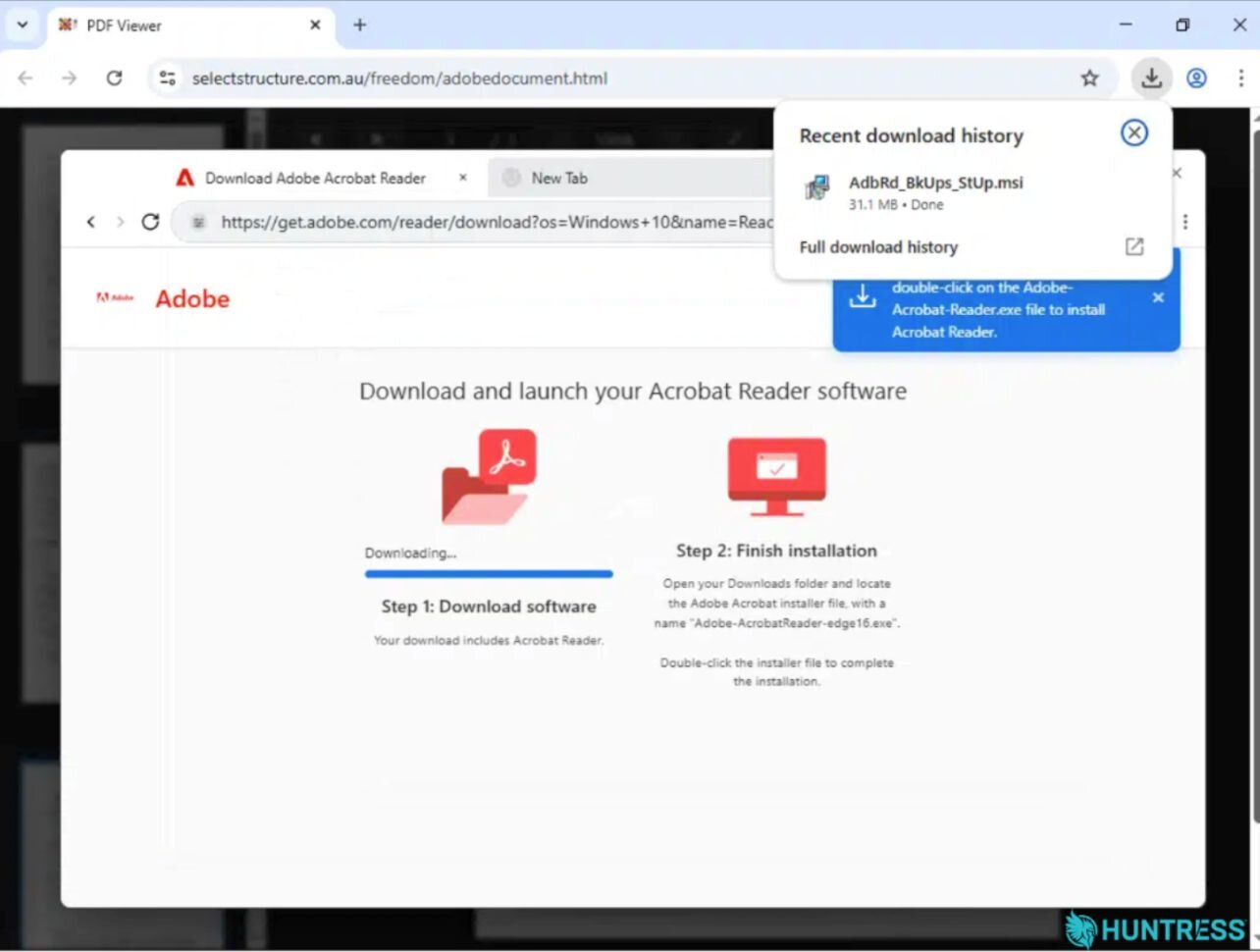
Figure 6: The same BitB page comes up in this incident, this time disguising the ScreenConnect installer as an Adobe Reader update (AdbRdBkUpsStUp.msi)
In this incident, the rogue ScreenConnect installer was disguised as an Adobe Reader update (AdbRdBkUpsStUp.msi) and was downloaded from victory[.]mkc1[.]digitaloceanspaces[.]com. Once it was executed, the installer again led to the download of two rogue ScreenConnect instances.
It deployed the first unauthorized ScreenConnect client (d751818fd46e5ca9), configured to communicate with relay[.]goldenmelon[.]us. That client (again) used the native Windows command shell (cmd.exe) together with curl to retrieve and install the second unauthorized ScreenConnect client payload (patch.msi) from hxxps[://]wir[.]consultingics[.]com/Bin/ScreenConnect.ClientSetup.msi?e=Access&y=Guest&c=GOODVIBE&c=&c=&c=&c=&c=&c=&c=. This then led to the installation of the second ScreenConnect Client (c19e38a20f1ba492), which downloaded from scx[.]illuminantgroup[.]net and was configured to communicate with relay[.]illuminantgroup[.]net.
Both ScreenConnect clients were registered as Windows services, establishing service-based persistence and redundant channels for continued remote access.
Following the installation of the second client, the threat actor used the associated ScreenConnect session to execute HideUL.exe. This binary was used to evade defenses by suppressing or hiding the cursor and potentially reducing visible indications of interactive activity.
At this point, Microsoft Defender detected and flagged a command line associated with patch.msi (flagged as Trojan:Win32/Commando.A!ml). While Microsoft Defender remediated this particular threat, it ultimately failed to block the execution. The second rogue ScreenConnect client completed setup and attempted defense-evasion techniques before Huntress ultimately shut down the attack. This is a good example of why threat actors frequently use multiple RMMs - even if one instance is detected, the threat actor still has a remaining foothold in the victim's environment.
BiTB, persistence, and more
These incidents show how a familiar phishing lure can turn into persistent remote access when threat actors combine BitB pages with trusted branding and rogue RMMs. A convincing fake Adobe page, even one displaying a legitimate-looking URL, can lead users to install ScreenConnect clients that give attackers repeated access and help them evade detection.
To proactively defend against this type of threat, defenders should pair user education with technical controls:
Train employees to treat unexpected software update prompts and file-viewing pages with caution, and ensure they know how to verify downloads through trusted channels.
Restrict who can install remote-management tools, maintain an approved inventory of RMM software, and alert on new or unapproved ScreenConnect clients, unusual relay connections, and executables launched from user Downloads folders.
Monitor for the IoCs outlined in this blog (such as
HideCursor.exeandHideUL.exe) and quickly investigate suspicious activity tied to phishing links.
Indicators of Compromise (IOCs)
Incident 1
Item | Description |
|---|---|
| Malicious phishing domain that presents a fake "Safe access" browser verification lure |
| Malicious phishing domain that presents a fake Adobe file share landing page that, after interaction, reveals a BitB lure used to initiate download of the payload |
| Payload hosting domain: where the is hosted and downloaded |
| ScreenConnect trial relay domain: associated with the initial Rogue ScreenConnect Client ( |
| Attacker-controlled IP: associated with the second rogue ScreenConnect Client ( |
SHA256:
| Initial payload: rogue ScreenConnect installer |
SHA256:
| Defense evasion binary |
SHA256:
| Rogue RMM: initial ScreenConnect instance |
SHA256:
| Rogue RMM: secondary rogue ScreenConnect instance |
Incident 2
Item | Description |
|---|---|
| Initial access: malicious phishing URL that delivered the fake PDF Viewer/Adobe Reader lure |
| Initial payload hosting site and delivery: Payload-hosting domain used to deliver the rogue installer |
| Infrastructure associated with the initial rogue ScreenConnect Client ( |
| Second payload hosting site and delivery: infrastructure associated with the second rogue ScreenConnect client |
| Initial Payload: rogue installer disguised as an Adobe Reader update |
| Rogue RMM: initial rogue ScreenConnect instance |
| Second ScreenConnect installer |
| ScreenConnect installer hosting site and delivery: infrastructure associated with the |
| Rogue RMM: secondary rogue ScreenConnect instance |
| Defense evasion binary |