Your business’ toughest competition might be criminal. See why.
Utility navigation bar redirect icon
Portal LoginSupportContact
Search
Close search
Huntress Logo in Teal
  • Platform Overview
    Managed EDR

    Get full endpoint visibility, detection, and response.

    Managed EDR

    Get full endpoint visibility, detection, and response.

    Managed ITDR

    Protect your Microsoft 365 identities and email environments.

    Managed ITDR

    Protect your Microsoft 365 identities and email environments.

    Managed SIEM

    Managed threat response and robust compliance support at a predictable price.

    Managed SIEM

    Managed threat response and robust compliance support at a predictable price.

    Managed Security Awareness Training

    Empower your teams with science-backed security awareness training.

    Managed Security Awareness Training

    Empower your teams with science-backed security awareness training.

    Huntress Managed ISPM

    Continuous Microsoft 365 and identity hardening, managed and enforced by Huntress experts.

    Huntress Managed ISPM

    Continuous Microsoft 365 and identity hardening, managed and enforced by Huntress experts.

    Huntress Managed ESPM

    Proactively secure endpoints against attacks.

    Huntress Managed ESPM

    Proactively secure endpoints against attacks.

    Integrations
    Integrations
    Support Documentation
    Support Documentation
    See Huntress in Action

    Quickly deploy and manage real-time protection for endpoints, email, and employees - all from a single dashboard.

    Huntress Cybersecurity
    See Huntress in Action

    Quickly deploy and manage real-time protection for endpoints, email, and employees - all from a single dashboard.

    Huntress Cybersecurity
  • Threats We Stop
    Phishing
    Phishing
    Business Email Compromise
    Business Email Compromise
    Ransomware
    Ransomware
    View Allright arrowView Allright arrow
    Industries We Serve
    Education
    Education
    Financial Services
    Financial Services
    State and Local Government
    State and Local Government
    Healthcare
    Healthcare
    Law Firms
    Law Firms
    Manufacturing
    Manufacturing
    Utilities
    Utilities
    View Allright arrowView Allright arrow
    Tailored Solutions
    MSPs
    MSPs
    Resellers
    Resellers
    SMBs
    SMBs
    Compliance
    Compliance
    Cybercriminals Have Evolved

    Get the intel on today’s cybercriminal groups and learn how to protect yourself.

    Huntress Cybersecurity
    Cybercriminals Have Evolved

    Get the intel on today’s cybercriminal groups and learn how to protect yourself.

    Huntress Cybersecurity
  • Pricing
  • Community Series
    The Product Lab

    Shape the next big thing in cybersecurity together.

    The Product Lab

    Shape the next big thing in cybersecurity together.

    Fireside Chat

    Real people. Real perspectives. Better conversations.

    Fireside Chat

    Real people. Real perspectives. Better conversations.

    Tradecraft Tuesday

    No products, no pitches – just tradecraft.

    Tradecraft Tuesday

    No products, no pitches – just tradecraft.

    _declassified

    Exposing hidden truths in the world of cybersecurity.

    _declassified

    Exposing hidden truths in the world of cybersecurity.

    Resources
    Upcoming Events
    Upcoming Events
    ebooks
    ebooks
    On-Demand Webinars
    On-Demand Webinars
    Videos
    Videos
    Whitepapers
    Whitepapers
    Datasheets
    Datasheets
    Cybersecurity Education
    Cybersecurity 101
    Cybersecurity 101
    Cybersecurity Guides
    Cybersecurity Guides
    Threat Library
    Threat Library
    Real Tradecraft, Real Results
    Real Tradecraft, Real Results
    2026 Cyber Threat Report
    2026 Cyber Threat Report
    The Huntress Blog
    Huntress Lands on the Microsoft Marketplace
    Huntress Cybersecurity
    Huntress Lands on the Microsoft Marketplace
    Huntress Cybersecurity
    How Huntress & DEFCERT Are Streamlining CMMC Assessment Prep
    Huntress Cybersecurity
    How Huntress & DEFCERT Are Streamlining CMMC Assessment Prep
    Huntress Cybersecurity
    Live Hacking Into Microsoft 365 with Kyle Hanslovan
    Huntress Cybersecurity
    Live Hacking Into Microsoft 365 with Kyle Hanslovan
    Huntress Cybersecurity
  • Why Huntress

    Go beyond AI in the fight against today’s hackers with Huntress Managed EDR purpose-built for your needs

    Huntress Cybersecurity
    Why Huntress

    Go beyond AI in the fight against today’s hackers with Huntress Managed EDR purpose-built for your needs

    Huntress Cybersecurity
    The Huntress SOC

    24/7 Security Operations Center

    The Huntress SOC

    24/7 Security Operations Center

    Reviews

    Why businesses of all sizes trust Huntress to defend their assets

    Reviews

    Why businesses of all sizes trust Huntress to defend their assets

    Case Studies

    Learn directly from our partners how Huntress has helped them

    Case Studies

    Learn directly from our partners how Huntress has helped them

    Community

    Get in touch with the Huntress Community team

    Community

    Get in touch with the Huntress Community team

    Compare Huntress
    Bitdefender
    Bitdefender
    Blackpoint
    Blackpoint
    Breach Secure Now!
    Breach Secure Now!
    Crowdstrike
    Crowdstrike
    Datto
    Datto
    SentinelOne
    SentinelOne
    Sophos
    Sophos
    Compare Allright arrowCompare Allright arrow
  • HUNTRESS HUB

    Login to access top-notch marketing resources, tools, and training.

    Huntress Cybersecurity
    HUNTRESS HUB

    Login to access top-notch marketing resources, tools, and training.

    Huntress Cybersecurity
    Partners
    MSPs

    Join our partner community to deliver expert-led managed security.

    MSPs

    Join our partner community to deliver expert-led managed security.

    Resellers

    Partner program designed to grow your cybersecurity business.

    Resellers

    Partner program designed to grow your cybersecurity business.

    Tech Alliances

    Driving innovation through global technology Partnerships

    Tech Alliances

    Driving innovation through global technology Partnerships

    Microsoft Partnership

    A Level-Up for Your Business Security

    Microsoft Partnership

    A Level-Up for Your Business Security

  • Press Release
    Huntress Announces Collaboration with Microsoft to Strengthen Cybersecurity for Businesses of All Sizes
    Huntress Cybersecurity
    Press Release
    Huntress Announces Collaboration with Microsoft to Strengthen Cybersecurity for Businesses of All Sizes
    Huntress Cybersecurity
    Our Story

    We're on a mission to shatter the barriers to enterprise-level security.

    Our Story

    We're on a mission to shatter the barriers to enterprise-level security.

    Newsroom

    Explore press releases, news articles, media interviews and more.

    Newsroom

    Explore press releases, news articles, media interviews and more.

    Meet the Team

    Founded by former NSA Cyber Operators. Backed by security researchers.

    Meet the Team

    Founded by former NSA Cyber Operators. Backed by security researchers.

    Careers

    Ready to shake up the cybersecurity world? Join the hunt.

    Careers

    Ready to shake up the cybersecurity world? Join the hunt.

    Awards
    Awards
    Contact Us
    Contact Us
  • Portal Login
  • Support
  • Contact
  • Search
  • Get a Demo
  • Start for Free
Portal LoginSupportContact
Search
Close search
Get a Demo
Start for Free
HomeBlog
Say Hello to Mac Malware: A Tradecraft Tuesday Recap
Published:
April 22, 2025

Say Hello to Mac Malware: A Tradecraft Tuesday Recap

By:
Team Huntress
Share icon
Glitch effectGlitch effectGlitch effect

Yes, Windows devices are still very much a business favorite—but the adoption of macOS devices has been steadily ticking upward. Threat actors have noticed. 

More macOS malware variants have cropped up over the years, ranging from frustrating adware (like Adload) to insidious spyware (like LightSpy). The LockBit ransomware group has even dabbled with a macOS ransomware variant.

Apple has taken several steps over the years to build security measures into its platform, including Gatekeeper and the Transparency Consent and Control (TCC) framework. These features help end users better manage access to their sensitive data and can help detect malware lurking on their systems—but threat actors are also continually finetuning their attacks to get around them. 

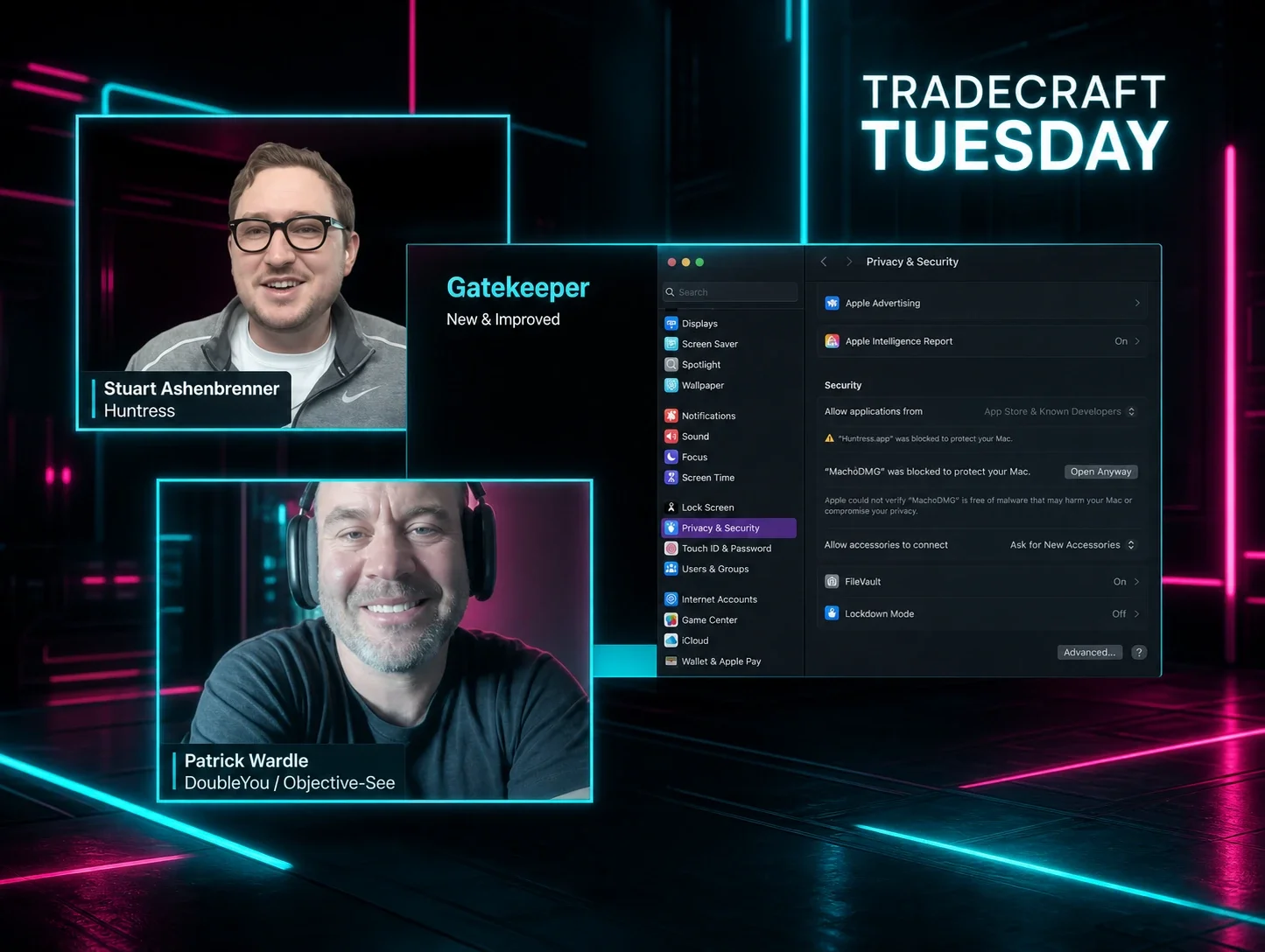
In our recent April Tradecraft Tuesday episode, Stuart Ashenbrenner, Huntress macOS researcher (and our designated Mac Guy), and Patrick Wardle, founder of DoubleYou and Objective-See, reunited to dig in to the security protections that Apple has employed for macOS, and how threat actors are responding to these measures by attempting to bypass them. Below are some of the key takeaways from the episode. 


Malware persistence on macOS...well, persists

Malware authors continue to employ persistence mechanisms for macOS, but those techniques have sometimes changed over time, particularly in response to some of Apple’s built-in security features. 

First, a quick primer on persistence: threat actors use various techniques to maintain persistent access on devices, even after they’ve been rebooted. You may be aware of the persistence techniques used by malware targeting Windows devices—but macOS and Windows devices use very different services and background processes. That means that instead of using Windows services or the registry for persistence, macOS malware will instead use different processes. 

These have most typically been Launch Items in macOS, including Launch Daemons, which are property list files (plist) on various locations on the disk that are executed at the system level, and Launch Agents, which require a user session and execute specific binaries from plists.

For malware analysts and security researchers, persistence provides a good detection mechanism for malware, because unlike initial access vectors—which vary widely from vulnerability exploitation to compromised credentials - there are a more limited number of persistence methods available.


Apple has specifically tracked persistent items in macOS through Background Task Management (BTM), which was introduced in 2022 and keeps tabs on persistence items in a BTM database. BTM creates macOS alerts for end users if it detects persistent items, and these are also broadcast as endpoint security events to third-party security tools.

At the same time, however, malware authors are aware of built-in Apple features like BTM. In response, they are looking for ways to either skirt around persistence detection mechanisms or to build their attacks around them. We can see one example of this through a recent increase of threat actors using cron jobs, which can be used on Linux and macOS systems to schedule commands. BTM doesn’t directly cover cron jobs if they are loaded in a certain way (via AdLoads), and we’re seeing a resurgence of legacy adware using cron jobs via AdLoads as a way of persistence.

We’re also seeing malware authors target apps or services that users regularly launch (such as replacing the Dock icon with their own malware). While this won’t automatically run on reboot (and therefore isn’t as consistent as something like a Launch Agent) it will still run if a user clicks on it, and because it isn’t governed by BTM it helps threat actors sidestep detection.

Threat actors in some cases are even shying away from using persistence if their attacks don’t necessarily need to use these types of techniques, which might be the case with certain infostealer or ransomware attacks.


TCC pain points: Alert inundation, bypasses, and more

TCC is Apple’s database on disk for prompting users when an application tries to perform an action that requires their specific permission. TCC is behind the prompts that ask users if video collaboration software can access their devices’ webcams or microphones, for example. After they give permission, the application is then given consent to carry out that action via system preferences.

TCC is a good idea from a security perspective, but its design and implementation has led to several UI impacts. End users are often inundated with security alerts tied to various permissions, even for security tools that have been signed with Developer IDs and notarized by Apple (meaning that they have gone through a process where Apple examined them closely to determine they’re not malware). 


Another caveat of the TCC process—as we’ve previously discussed—is related to mobile device management (MDM) overrides. MDM providers can provision TCC permissions, which means that end users don’t have to see all the TCC-related security prompts. However, these settings aren’t reflected in the System Settings and instead end up living in the MDM binary property list (MDMOverrides.plist) rather than a TCC database (TCC.db). This can cause discrepancies between what the MDM is showing end users versus what the endpoint is showing them.

There are also many ways for threat actors to get around TCC, as we’ve seen through the many disclosures of macOS vulnerabilities in Apple’s security updates. XCSSET, which is macOS malware that was uncovered a few years ago and has various capabilities (from stealing victims’ app information to taking screenshots) was previously found exploiting CVE-2021-30713, a vulnerability allowing threat actors to bypass the TCC framework, for instance.


TCC endpoint security events and gatekeeper changes

In Apple’s newest operating system release, it added TCC events to its endpoint security framework. Endpoint security is Apple’s process for monitoring system events for potentially malicious activity, released in macOS 10.15. The framework sends notification alerts after a new process has been spawned, but also delivers authorization event alerts before a process occurs (which allows security tools to inspect processes in case they want to prevent it).

As of macOS 15.4, endpoint security is now alerted of TCC prompts (via the ES_EVENT_TYPE_NOTIFY_TCC_MODIFY identifier), giving third-party security tools better visibility into TCC permissions that have been modified or changed. These events are currently reactive, meaning that notifications happen after they occur, but the more proactive authorization event functionality - which could allow security tools to inspect permissions before they’re granted - has not yet been built in.


Still, this development helps crack down on macOS malware that tries to bypass TCC through bombarding users with TCC prompts or masquerading as legitimate software. Previously, we’ve seen malware authors play on the fact that end users can be tricked into granting permissions via TCC alerts (particularly if they’re inundated with so many alerts).

Apple has also made tweaks to Gatekeeper, its technology that double checks if apps contain known malware or whether developer signing certificates have been revoked. One previous issue impacting Gatekeeper was that macOS users could easily sidestep this security feature by right-clicking or through the “Open Anyway” option in System Settings in order to execute potentially malicious applications. Threat actors behind macOS malware like the Shlayer adware dropper have used this weakness in their attacks.

However, more recently Apple has tweaked Gatekeeper’s functionality, so if macOS users download a piece of software that’s not signed, they are warned that Apple can’t verify that it’s free of malware and are only given two options if they either attempt to right-click or visit System Settings: a “Done” option to do nothing or a “Move to Trash” option.

These examples show Apple’s ongoing attempts to improve its security features in order to make them more difficult for threat actors to bypass in attacks.


Understanding macOS malware: Growth and trends

Generally, as technology becomes more prolific, threat actors take notice of that—and we’re seeing that with macOS as Macs become more common in the enterprise. While macOS malware has seemed to dramatically increase year-over-over, tracking specific numbers that point to this growth is difficult, especially because as researchers write new detections, we inherently start to see more. 


However, we do see some overarching trends that are indicative of how more threat actors are targeting macOS platforms overall. For example, threat actors in some cases are porting their malware that’s been targeted for Windows or Linux platforms to macOS (either via cross-platform frameworks or by rewriting the malware natively for macOS).

We’re also seeing a rise in living-off-the-land techniques specifically focused on macOS. Infostealers like Poseidon are abusing the AppleScript framework—a scripting language that offers the capability to automate tasks—to simulate prompts that mimic native Apple prompts, with the goal of stealing end user credentials. 

At the end of the day, threat actors continue to look for new ways to target macOS platforms and skirt around Apple’s built-in security protections. There are many ways to secure your Mac, like using third-party tools and keeping your OS and applications up to date. 

For more details about macOS malware trends and to better understand the impacts of Apple’s new TCC events support in endpoint security,  watch the full version of our April Tradecraft Tuesday episode!


Categories
Cybersecurity Education
Summarize this postClose Speech Bubble
ChatGPTClaudePerplexityGoogle AI

See Huntress in action

Our platform combines a suite of powerful managed detection and response tools for endpoints and Microsoft 365 identities, science-backed security awareness training, and the expertise of our 24/7 Security Operations Center (SOC).

Book a Demo
Share
Facebook iconTwitter X iconLinkedin iconDownload icon
Glitch effect

You Might Also Like

  • macOS Terms and Trends You Should Know About

    A look inside the evolving landscape of macOS malware. Dive into the current state of macOS threats and learn from a glossary of essential macOS terms.
  • Ask the Mac Guy: What's the Deal with Full Disk Access For Mac

    Learn about the importance of Full Disk Access for Mac, its role in macOS security, and how it affects app performance and functionality.
  • Pursuing Parity: Attempting to Bring Cross-Platform Unity

    Huntress researchers weigh in on the challenge of getting feature parity across Windows, macOS, and Linux. And learn how unique security models and platform maturity shape the way products are built.
  • macOS (Not)ifications

    In this blog, we dive into macOS notifications—and the intentional design behind them.
  • The Battle for macOS Management: MDM vs. RMM

    Explore the two primary methods for managing macOS devices, MDM (Mobile Device Management) and RMM (Remote Monitoring and Management).
  • Debunking 5 Major macOS Myths

    Let Huntress debunk the biggest Mac security myths. macOS is now a popular target for hackers, so learn the truth about its vulnerabilities and discover practical steps to enhance protection against cyber threats.
  • Infostealers Crash Course: A Tradecraft Tuesday Recap

    Cybercriminals are sitting on a pile of stolen credentials, financial information, and sensitive data, thanks to the success of infostealers. Read more to learn how infostealers have grown to become a scourge to defenders, and how businesses can protect themselves.
  • Full Transparency: Controlling Apple's TCC

    Dive into Apple's TCC framework, decoding its role in user privacy. Explore permissions, challenges, and the encryption safeguarding sensitive data.

Sign Up for Huntress Updates

Get insider access to Huntress tradecraft, killer events, and the freshest blog updates.
Privacy • Terms
By submitting this form, you accept our Terms of Service & Privacy Policy
Thank you! Your submission has been received!
Oops! Something went wrong while submitting the form.
Huntress Managed Security PlatformManaged EDRManaged EDR for macOSManaged EDR for LinuxManaged ITDRManaged SIEMManaged Security Awareness TrainingManaged ISPMManaged ESPMBook a Demo
PhishingComplianceBusiness Email CompromiseEducationFinanceHealthcareManufacturingState & Local Government
Managed Service ProvidersResellersIT & Security Teams24/7 SOCCase Studies
BlogResource CenterCybersecurity 101Upcoming EventsSupport Documentation
Our CompanyLeadershipNews & PressCareersContact Us
Huntress white logo

Protecting 215k+ customers like you with enterprise-grade protection.

Privacy PolicyCookie PolicyTerms of UseCookie Consent
Linkedin iconTwitter X iconYouTube iconInstagram icon
© 2025 Huntress All Rights Reserved.

Join the Hunt

Get insider access to Huntress tradecraft, killer events, and the freshest blog updates.

By submitting this form, you accept our Terms of Service & Privacy Policy