What is ISPM?

Key Takeaways:

  • ISPM is a proactive, continuous approach to discovering, monitoring, and securing all identities (human and non-human) across an organization's IT environment—helping close the gaps that traditional identity tools miss.

  • Identity is the new perimeter, as organizations move to cloud and hybrid environments, attackers increasingly target identities rather than networks, making identity security posture a critical priority.

  • Visibility is foundational. ISPM provides a centralized view of all identities, accounts, permissions, and configurations to eliminate blind spots like orphaned accounts, shadow IT identities, and over-privileged service accounts.

  • Misconfigurations are a top risk. Weak MFA enforcement, excessive permissions, stale accounts, and policy drift are common identity hygiene issues that ISPM continuously detects and helps remediate.

  • ISPM complements—not replaces—existing tools. It works alongside IAM, PAM, and IGA solutions by assessing whether those tools are configured correctly and functioning as intended.

  • Continuous posture assessment beats point-in-time audits. Identity environments change constantly; ISPM provides ongoing evaluation rather than periodic snapshots
  • Managed ISPM takes the work off your plate. With Huntress Managed ISPM, we define, deploy, and continuously enforce Microsoft 365 identity controls, so your team isn't stuck building and maintaining baselines.

What is ISPM?

Key Takeaways:

  • ISPM is a proactive, continuous approach to discovering, monitoring, and securing all identities (human and non-human) across an organization's IT environment—helping close the gaps that traditional identity tools miss.

  • Identity is the new perimeter, as organizations move to cloud and hybrid environments, attackers increasingly target identities rather than networks, making identity security posture a critical priority.

  • Visibility is foundational. ISPM provides a centralized view of all identities, accounts, permissions, and configurations to eliminate blind spots like orphaned accounts, shadow IT identities, and over-privileged service accounts.

  • Misconfigurations are a top risk. Weak MFA enforcement, excessive permissions, stale accounts, and policy drift are common identity hygiene issues that ISPM continuously detects and helps remediate.

  • ISPM complements—not replaces—existing tools. It works alongside IAM, PAM, and IGA solutions by assessing whether those tools are configured correctly and functioning as intended.

  • Continuous posture assessment beats point-in-time audits. Identity environments change constantly; ISPM provides ongoing evaluation rather than periodic snapshots
  • Managed ISPM takes the work off your plate. With Huntress Managed ISPM, we define, deploy, and continuously enforce Microsoft 365 identity controls, so your team isn't stuck building and maintaining baselines.

Why ISPM matters

You can’t protect what you can’t see. In modern IT, "identity" isn't just about people. It’s also service accounts, API keys, and automated bots, all scattered across cloud and on-prem apps. It's incredibly easy to lose track. An employee leaves, but an old account stays active. A developer spins up a new app with admin rights for a "quick test" and forgets to remove it.

Each of these forgotten, misconfigured, or overly permissive accounts is a digital back door, just waiting for an attacker to find it. ISPM is built to map out this entire messy landscape and show you where the unlocked doors are.

Sasha Roshan, Sales Engineer at Huntress, walks through Huntress Managed ISPM for Microsoft 365. The demo covers the ISPM dashboard, conditional access policies, learning mode, and a real story about a partner locked out of their own tenant. Turn on managed deployments and let Huntress keep your Microsoft 365 configuration airtight. Watch below:


What security challenges does ISPM address?

1. Identity sprawl and lack of visibility

Organizations today manage a rapidly growing number of identities—employees, contractors, service accounts, API keys, and more spread across SaaS apps, cloud platforms, and on-prem systems. ISPM addresses the challenge of not knowing what identities exist, where they live, or what they have access to.

2. Misconfigured Identity Controls

Even when organizations deploy IAM, MFA, and SSO, misconfigurations are rampant. ISPM identifies issues like:

  • MFA is not enforced for privileged accounts

  • Conditional access policies with gaps or exceptions

  • Password policies that don't meet security standards

  • SSO bypass configurations that leave backdoors open

3. Over-privileged and stale accounts

Users and service accounts frequently accumulate permissions over time ("privilege creep") or remain active long after they're needed. ISPM flags dormant accounts, orphaned identities, and excessive privileges that attackers can exploit for lateral movement and escalation.

4. Shadow IT and unmanaged identities

Employees often sign up for SaaS tools outside of IT's purview, creating identities that aren't governed by corporate security policies. ISPM surfaces these unmanaged and shadow identities before they become attack vectors.

5. Identity-based attacks

Credential theft, phishing, password spraying, and token hijacking are among the most common attack techniques today. ISPM strengthens defenses by ensuring identity infrastructure is hardened against these tactics—reducing the attack surface before an incident occurs.

6. Compliance and audit readiness

Regulatory compliance frameworks (SOC 2, HIPAA, NIST, CMMC, CIS, etc.) increasingly require evidence of strong identity governance. ISPM provides continuous compliance monitoring and audit-ready reporting, replacing manual, error-prone reviews.

7. Policy drift and inconsistent enforcement

Security policies set at one point in time degrade as environments change. ISPM detects configuration drift—situations where identity policies no longer align with organizational standards—and alerts teams to remediate before gaps are exploited.

8. Non-human identity risks

Service accounts, API tokens, and machine identities often outnumber human users and are frequently overlooked. ISPM extends security posture assessment to these non-human identities, which are increasingly targeted by sophisticated threat actors.

What ISPM finds (and what it misses)

ISPM is fantastic at finding static, "at-rest" problems. It's like checking all the locks on your house's doors and windows before you go on vacation.

An ISPM tool scans your environment and flags common (but dangerous) risks:

  • Dormant accounts: Old accounts for former employees who were never disabled.

  • Risky misconfigurations: Settings like "MFA is not required for admins."

  • Orphaned accounts: Service accounts tied to an old project that no one monitors.

  • Permission creep: When an employee moves roles and just keeps collecting new, unnecessary permissions.


Solving the "identity chaos" pain points

Most IT teams struggle with Microsoft 365 security not because it lacks efficacy, but instead because they lack operationalization. 

  • Visibility Gaps: Security policies  are scattered across different portals, making a unified view of your "true" posture hard to find.

  • The Complexity Trap: Licensing shifts, configuration sprawl, and updates from Microsoft make maintaining a consistent baseline feel like a full-time job.

  • The "Fear of Breaking" Factor: The biggest barrier to security isn't the technology—it's the fear that a new policy will disrupt user workflows.

  • Silent Drift: Unauthorized or accidental changes often go unnoticed, silently weakening your defenses until it’s too late.


How Huntress improves security posture management

Huntress builds true identity resilience into your environment. Reducing breach risk and compliance stress by acting as an extension of your team, we provide the expert oversight and continuous, automated enforcement needed to stay secure without requiring you to hire more headcount.

We built Huntress Managed ISPM because most IT teams don't struggle with Microsoft 365 security for lack of controls, they struggle to operationalize them. Instead of handing you another dashboard, we find the gaps, deploy the fixes, and keep them enforced.

In Early Access across more than 12,000 Microsoft 365 tenants, we found that over 60% of organizations were missing at least half of our recommended controls. 66% lacked recommended multi-factor authentication (MFA) configurations, and 55% had standard users who could perform administrative functions.

Capability

How it protects you

Continuous assessment

We check your tenant against the Huntress Identity Security Framework, which is informed by what our Security Operations Center (SOC) sees in real attacks. Coverage spans Microsoft Entra ID, Exchange Online, SharePoint, OneDrive, and Teams.

Identity posture assessment

Generate an on-demand, scored report showing your compliance rating, which gaps we can fix in one click, and which need manual changes. It only scores controls you're licensed for, and you can co-brand it.

Learning mode

Before we enforce a Conditional Access policy, we run a 14-day learning period that shows exactly which users it would affect, so you can deploy without breaking workflows.

Managed and modified deployments

By default, we select low-impact controls and automatically add new ones as they're released. Need change control? Hand-pick your own controls and approve each new one before it rolls out.

Continuous enforcement

We detect drift and automatically restore controls to their compliant state within minutes. Prior settings are preserved, so you can roll back if needed.

Built to work with ITDR

Managed Identity Threat Detection and Response (ITDR) shuts down active attacks and shows us where to harden next. ISPM then closes those gaps. In a six-month look at ITDR data, 35% of incidents could have been prevented by fully deployed ISPM policies.


The bottom line of ISPM

Identity is where attackers start, and misconfigurations are how they get in. Identity Security Posture Management (ISPM) continuously finds and fixes those gaps before anyone can use them. With Huntress Managed ISPM, we do the fixing for you: we deploy the controls, show you the impact first, and keep them enforced, so your Microsoft 365 posture keeps improving while your workload stays manageable.

Start a free trial or book a demo to see your gaps.

Frequently Asked Questions

A basic ISPM tool would scan your Microsoft 365 environment and flag an account for "Dave" who left the company three months ago, but his account was never disabled. This is a "dormant account" and a huge, unnecessary security risk that ISPM helps you find.

IAM is the "gatekeeper." It gives people keys (provisioning) and checks their ID at the door (authentication). ISPM is the "inspector." It comes in after IAM and double-checks if the right keys were given to the right people, or if any old, forgotten keys are lying around.

Huntress offers Managed Identity Security Posture Management (ISPM) for Microsoft 365. We assess your tenant against our SOC-informed framework, deploy the controls, and continuously enforce them with drift detection and rollback. It works alongside Managed ITDR, which detects and responds to active identity attacks. You can use either on its own, but together they cover both the unlocked doors and the intruder.

Secure Score is Microsoft's measure of your configuration. Our ISPM compliance rating is measured against the Huntress Identity Security Framework, and Secure Score appears alongside it as a separate reference point.

Yes. Huntress Managed ISPM integrates with Managed ITDR on the same agentic platform. They remain separate products, but ITDR telemetry and SOC findings feed into ISPM so attack paths discovered by ITDR can be prioritized and hardened. Either product can also be deployed independently.

Absolutely. Small businesses are the perfect target for these attacks because they often have stretched IT teams. They can't afford to hire their own 24/7 SOC. A managed solution gives them that enterprise-grade, human-led protection without the complexity or high cost.

MFA is essential, but it's not foolproof. Attackers can still bypass it (using "MFA fatigue" or session hijacking), and it doesn't fix underlying posture issues. ISPM finds the gaps, like an admin account not enrolled in MFA. A managed service (like Huntress's) then watches for the attacker who does manage to bypass MFA.

This is a malicious or risky third-party application that a user might accidentally grant permissions to. For example, a fake "productivity" app that, once approved, gets access to read all their email and files. The Huntress Identity Security Assessment specifically hunts for these.

It means you're not just buying a tool that just sends you automated alerts. A "managed" solution, like Huntress's, means their 24/7 human SOC team does the work for you. They investigate alerts, filter out the noise, confirm real threats, and then send you plain-English reports on how to fix them (or even handle the response).

No. ISPM is great at finding potential risks (the "unlocked window"). It is not designed to stop an active attack (the "burglar climbing in"). That's why Huntress combines ISPM-like posture checks with 24/7 active threat hunting. You need both to be secure.


Choosing an ISPM Solution? Get the Playbook.

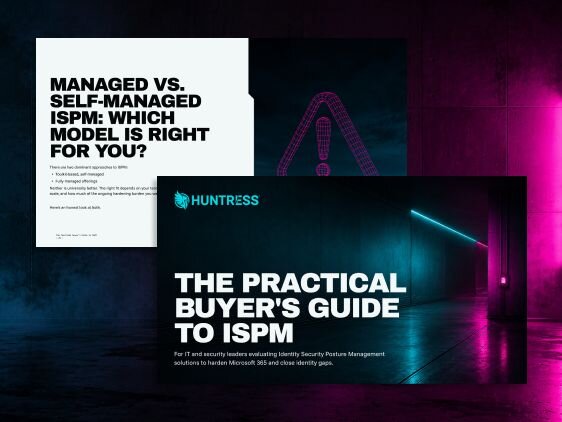
Not every ISPM tool actually hardens your posture, some just give you another dashboard to monitor. The Practical Buyer's Guide to ISPM breaks down the capabilities that matter, the questions to ask vendors, and whether a managed or self-managed model fits your team.

Get Your ISPM Buyers Guide

You May Also Like

Read more about What are Managed Security Services (MSS)?
What are Managed Security Services (MSS)?
Resource Guide

Learn how Managed Security Services extend MSP offerings with advanced threat monitoring, compliance support, and SOC-level expertise.

Read more about Why MSPs Need 24/7 SOC for Their Clients?
Why MSPs Need 24/7 SOC for Their Clients?
Resource Guide

MSPs, it’s time to level up your security game. Learn why 24/7 coverage is a must, how SOC monitoring keeps threats in check, and when outsourcing your SOC makes the most sense.

Read more about The Role of HR in Cybersecurity and Human Risk Management
The Role of HR in Cybersecurity and Human Risk Management
Resource Guide

Explore HR’s impact on cybersecurity: See how onboarding, policies, and training can cut human risk and build a stronger security culture.