

How to Evaluate ISPM Tools for Microsoft 365

Key Takeaways:

  • The best ISPM tools for Microsoft 365 help you understand Entra ID and Conditional Access drift, prioritize fixes by business impact, and act on clear remediation guidance. Without those pieces, you're left with a pile of findings and no path forward.

  • Standalone policy deployment solutions often assume a level of in-house identity expertise most teams don't have, which is why vendor evaluations should focus less on detection features and more on what happens after a risk is flagged.

  • Huntress Managed ISPM pairs continuous, expert-maintained policies, rollout, and enforcement with clear notifications and remediation steps when something can't be auto-remediated, giving lean teams and MSPs a way to harden Microsoft 365 identities without needing a dedicated identity specialist on staff.

If the idea of "security posture management" for Microsoft 365 identities makes your team cringe, chances are you already tried one of these tools. You opened it up, panicked at two hundred "critical" findings on the home screen, and promptly closed the laptop. Finding problems is easy. Helping people resolve them? Not so much. A lot of identity security posture management (ISPM) tools are fantastic at the former and pretty terrible at the latter.

Before you buy into another security tool hype spiral, evaluate what you really need from ISPM tools for Microsoft 365, what features matter most when comparing offerings, and where a managed offering can lighten your workload.

How to Evaluate ISPM Tools for Microsoft 365

Key Takeaways:

  • The best ISPM tools for Microsoft 365 help you understand Entra ID and Conditional Access drift, prioritize fixes by business impact, and act on clear remediation guidance. Without those pieces, you're left with a pile of findings and no path forward.

  • Standalone policy deployment solutions often assume a level of in-house identity expertise most teams don't have, which is why vendor evaluations should focus less on detection features and more on what happens after a risk is flagged.

  • Huntress Managed ISPM pairs continuous, expert-maintained policies, rollout, and enforcement with clear notifications and remediation steps when something can't be auto-remediated, giving lean teams and MSPs a way to harden Microsoft 365 identities without needing a dedicated identity specialist on staff.

If the idea of "security posture management" for Microsoft 365 identities makes your team cringe, chances are you already tried one of these tools. You opened it up, panicked at two hundred "critical" findings on the home screen, and promptly closed the laptop. Finding problems is easy. Helping people resolve them? Not so much. A lot of identity security posture management (ISPM) tools are fantastic at the former and pretty terrible at the latter.

Before you buy into another security tool hype spiral, evaluate what you really need from ISPM tools for Microsoft 365, what features matter most when comparing offerings, and where a managed offering can lighten your workload.

Understanding identity security posture management

ISPM is the continuous practice of reviewing identity configurations, permissions, and policies to find (and fix) weaknesses before a hacker does.

While it's tempting to group ISPM with identity and access management (IAM), they serve separate purposes. IAM solutions focus on getting access levels right when you first provision them. Posture tools take a longer view and continuously evaluate whether that access stays appropriate over time. You can have awesome IAM processes and still be exposed if conditional access policies shift, multi-factor authentication (MFA) gets disabled for an emergency that becomes "we always do it this way," or when a guest account accumulates permissions beyond the intended scope.


Key features of ISPM tools

When you're comparing Microsoft identity management solutions, look for these critical features first:

  • Visibility into Microsoft Entra ID and Conditional Access: It's not enough to know when someone changes a security setting. You also need to understand how conditional access policies are structured, where those policies allow exceptions to the stated rules, and who gets which exclusions.

  • Alerting and reporting of risky configurations: This includes longstanding Microsoft 365 security risks that creep into your environment, like overly permissive service accounts, legacy authentication allowed by an expired risk assessment, or administrator roles assigned to dormant accounts.

  • Monitoring and alerting on posture drift when settings are changed: Your environment is never going to stay static. Someone approves a user request by tweaking a policy setting, and now your baseline is wrong until you manually update it.

  • Clear remediation instructions and effort estimates: If you use an ISPM tool that identifies a problem but doesn't guide you through fixing it (and how that change could impact users), you've traded one bucket of work for another.


Benefits of using ISPM tools in Microsoft 365

Security posture management tools give you visibility into potential problems so you can catch them before an auditor does. That means less re-work during compliance reviews, less panic when Microsoft mentions a new security feature, and fewer "who set this up?" conversations. If your IT resources are stretched thin, continuous monitoring is also the difference between discovering a risky configuration change during the week it happens or during the security incident.


Considerations when choosing ISPM tools

The team with the most features doesn’t automatically win. Historically, standalone ISPM solutions are notorious for gathering findings and not providing remediation support. That's a fine service model when you have internal identity security experts on staff 24/7. It's far less useful if you only have a couple of people on your team who "kinda know how to secure Microsoft 365."

Since most findings generated by standalone policy deployment tool require specialized identity knowledge to understand, you end up with more actions and nothing complete. Critical findings don't always include impact details. Something can be flagged as "critical" for non-compliance reasons while ignoring the business realities. Instead of focusing solely on how to choose identity security software, see if the vendor can answer these questions:

  • What happens when a tool detects a potential risk?

  • Who reviews the findings?

  • Does your team have the resources to safely implement the recommended fix?

  • Who performs remediation if not?

Too often, the answers are "everyone" or "the person with the fewest projects going on right now." Either option may work for very small teams.


Steps to evaluate ISPM tools effectively

Don't just sniff-test your options. A good way to vet potential ISPM partners starts with seeing how they handle the configuration reviews and remediation activities your team is already doing daily.

Ask for a spreadsheet of current Entra ID and Conditional Access coverage compared to what their tool monitors, then change a setting to see if they detect drift from secure configurations. When they send you sample alerts, ask for remediation instructions too. Does the proposed fix read like something a generalist could understand and complete, or do the instructions assume you have an in-house identity specialist?

Ask how your team will handle things that can't be automatically remediated. Tools that flag an issue then disappear until the next weekly report cycle are about as helpful as going manual.


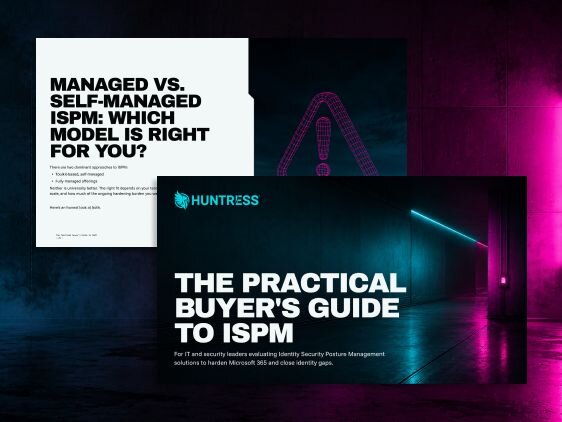
Huntress Managed ISPM

Huntress Managed ISPM gives you a managed framework for identity hardening that’s designed and continuously updated by security experts, built to keep pace with new Microsoft 365 features and evolving best practices.

This includes automated enforcement of secure configurations rather than intermittent audits, clear user impact assessments before deployment, guided rollout of policies so you know where to start, clear notifications and remediations steps when a control can’t be auto-remediated so findings don’t just sit in a report, as well as support for multiple environments if you're an MSP who needs to manage security posture across teams.

See Huntress Managed ISPM in action and book a demo today.


Protect What Matters

Secure endpoints, email, and employees with the power of our 24/7 SOC. Try Huntress for free and deploy in minutes to start fighting threats.
Try Huntress for Free