Identity Risk Management: Why Every Login Opens an Attack Surface

Key Takeaways

  • A valid login isn't a safe login. Correct password plus approved multi-factor authentication (MFA) still describes many identity attacks. Attackers aren't breaking in; they're often signing in with credentials that work.

  • Identity is the new endpoint. Your Microsoft 365 or Google Workspace account isn't just email access. It's the hub for password resets, MFA prompts, files, calendars, vendor threads, and every app connected to it.

  • Session hijacking, token theft, consent phishing, and rogue OAuth apps are all designed to get past the authentication checkpoint—or to never face it at all.

  • Identity risk is continuous, not a project. Policies drift. Permissions pile up. More than 60% of tenants are missing over half of Huntress-recommended controls, even when other tooling is in place.

  • You need layered defense: Managed ISPM closes the gaps attackers look for and Managed ITDR catches the attacks that start anyway. Run them together and every attempted attack makes your preventive controls sharper.

At 7:42 on a Tuesday morning, someone signed into your financial controller's Microsoft 365 account—the kind of normal-looking login where identity risk  lives. Correct password. MFA approved. No failed attempts, no malware on the endpoint, no alerts anywhere.

It wasn't your controller.

Nothing about that login was technically wrong. Every tool you bought did its job, and an attacker still walked in the front door holding a valid badge.

If you run IT for a growing business, or you're an MSP protecting dozens of tenants, you know this feeling. You did the work. You turned on MFA. You cleaned up the admin accounts you knew about. And you still suspect that what you're most exposed to is the thing that looks the most normal.

You're right to be suspicious.

Identity Risk Management: Why Every Login Opens an Attack Surface

Key Takeaways

  • A valid login isn't a safe login. Correct password plus approved multi-factor authentication (MFA) still describes many identity attacks. Attackers aren't breaking in; they're often signing in with credentials that work.

  • Identity is the new endpoint. Your Microsoft 365 or Google Workspace account isn't just email access. It's the hub for password resets, MFA prompts, files, calendars, vendor threads, and every app connected to it.

  • Session hijacking, token theft, consent phishing, and rogue OAuth apps are all designed to get past the authentication checkpoint—or to never face it at all.

  • Identity risk is continuous, not a project. Policies drift. Permissions pile up. More than 60% of tenants are missing over half of Huntress-recommended controls, even when other tooling is in place.

  • You need layered defense: Managed ISPM closes the gaps attackers look for and Managed ITDR catches the attacks that start anyway. Run them together and every attempted attack makes your preventive controls sharper.

At 7:42 on a Tuesday morning, someone signed into your financial controller's Microsoft 365 account—the kind of normal-looking login where identity risk  lives. Correct password. MFA approved. No failed attempts, no malware on the endpoint, no alerts anywhere.

It wasn't your controller.

Nothing about that login was technically wrong. Every tool you bought did its job, and an attacker still walked in the front door holding a valid badge.

If you run IT for a growing business, or you're an MSP protecting dozens of tenants, you know this feeling. You did the work. You turned on MFA. You cleaned up the admin accounts you knew about. And you still suspect that what you're most exposed to is the thing that looks the most normal.

You're right to be suspicious.

The question identity security actually has to answer

For years, identity was an access-management problem. Set up the user, enforce the password policy, turn on MFA, move on. Authentication was a gate; once you were through it, you were trusted.

That made sense when the network was the perimeter. It doesn't hold up when the perimeter is a login page.

Modern identity risk management asks harder questions than "who is signing in?" It asks:

  • Is this access expected for this user, device, location, session, and application?

  • What can this identity reach once it's authenticated?

  • Are the controls around it actually configured and enforced, or just written down somewhere?

  • What happens if this identity is already compromised?

Let's talk about where identity risk comes from, why MFA and identity access management (IAM) leave real gaps, and how to cover what happens before, during, and after a login.


Why identity has become the new attack surface

The perimeter moved into accounts and cloud apps

Your business doesn't live behind a firewall anymore. It lives in Microsoft 365 and Google Workspace, in the SaaS apps your finance team signed up for, and in shared drives and calendars and chat threads.

Access to all of it runs through identities. An account isn't just a login to email. It's a key to email, files, calendars, approvals, vendor relationships, and the password-reset workflow for every other tool your business uses.

Identity is the new endpoint. It's the thing attackers target, the thing that gives them reach, and the thing most teams have the least visibility into.

Attackers are logging in, not breaking in

Nobody needs to write custom malware to get into a mailbox when credentials are for sale and phishing kits are cheap.

A threat actor with working credentials and an approved MFA prompt looks like an employee. They generate normal-looking sign-in events. They don't trip endpoint detections, because there's nothing malicious running on an endpoint. They read email during business hours.

That's the whole point. Valid access is camouflage.

One account unlocks more than an inbox

Here's what a single compromised identity really opens up:

  • Password-reset emails for every other system 

  • MFA codes and push approvals 

  • Months of conversation history showing exactly how your business approves invoices and who signs off

  • Vendor threads an attacker can hijack mid-conversation 

  • Files, contracts, and payroll data

  • The trust of everyone in your address book who assumes a message from that account is real

Business email compromise (BEC) doesn't start with a wire transfer request. It starts with a login.


What is identity risk management?

Identity risk management is the continuous practice of finding identity-layer weaknesses, reducing unnecessary exposure, and catching identity threats before they turn into business disruption.

The word doing the most work in that sentence is continuous. Identity risk isn't a state you reach. Your environment changes every week. People join, change roles, and leave. Someone grants an app a permission. An admin makes a temporary exception and forgets it. A policy that was solid in March is full of holes by September, and nobody did anything wrong.

The identity risk management lifecycle

Six steps, in order, repeating:

  1. Discover identities, permissions, applications, and access paths

  2. Assess risk based on exposure, privilege, behavior, and business impact

  3. Harden weak configurations and cut unnecessary access

  4. Monitor authentication and identity activity for attacker behavior

  5. Respond fast when an identity or session is compromised

  6. Learn from what happened and close the gap for good

Most organizations do one, three, and five. The gaps live in two, four, and six.


The identity risks attackers take advantage of most

Stolen credentials

Phishing pages, infostealer malware, password reuse across personal and work accounts, and credentials dumped in old breaches all give attackers a starting point.

A system checking whether a credential is valid will say yes. It has no insight into who's holding it.

Session hijacking and token theft

Attackers don't always just want your password. They want your session.

When a user signs in, they get a token that keeps them logged in so they're not prompted every 10 minutes. Steal that token—through an infostealer, a phishing proxy, or a compromised browser, and import it, and you're inside the session that's already been authenticated. No password prompt. No new MFA challenge.

This is the single most important thing to understand about identity risk in 2026: MFA verifies a person at the moment they sign in. It doesn't keep verifying the session afterward.

Business email compromise and inbox manipulation

Forget the stereotype of the badly written wire transfer email. BEC attackers are patient and quiet.

Attackers read. They learn your approval chain, your vendors, your invoice cadence, your CFO's writing style. Then they set up inbox rules that route replies to a folder nobody checks, auto-delete security notifications, or forward finance threads to an outside address. By the time anyone notices, the attacker has lived in that mailbox for weeks and the fake invoice already looks routine.

Rogue OAuth apps and consent phishing

A user clicks "Accept" on an app that wants to read their mail and files. Now an application has standing access to data, and that access survives a password reset. It survives new MFA enrollment. It doesn't show up as a suspicious login, because there isn't one—there's an authorized app doing what it was authorized to do.

The risk doesn't only come from who signed in. It's what that identity approved afterward.

Risky permissions and privileged identities

Global admin rights that were handed out for a one-time project three years ago. Stale accounts belonging to people who left. Shared logins because the license was expensive. Guest accounts from a partnership that ended. Service accounts nobody remembers creating, with permissions nobody has reviewed.

Every one of those is an access path. Attackers look for the account with too much reach and too little attention.

Configuration drift

A Conditional Access policy can be effective the day it's deployed and risky six months later. Exclusions pile up. A new app needs an exception. An admin loosens a setting to unblock an executive on a Friday afternoon.

Nobody makes a bad decision. The environment just drifts away from the thing you thought you had. Huntress data shows more than 60% of tenants are missing over half of our recommended controls—often in environments that already have security tooling in place.


Why MFA and IAM matter—and why they're not enough

Enforce MFA everywhere you can. Get your access management in order. These are foundational, and skipping them is how businesses get hurt.

They're just not the whole job.

MFA proves identity at a moment in time

MFA answers one question well: is the person signing in right now who they claim to be? That stops password spraying and most credential stuffing, and it belongs on every account you have.

But it's a checkpoint, not a supervisor. Token theft, consent phishing, and adversary-in-the-middle kits exist specifically to get past that checkpoint. Treat MFA as your floor, not your ceiling.

IAM governs access but doesn't spot an active attacker

IAM decides whether access should be granted. That's a policy question, and IAM answers it well.

It's not built for the operational question that follows: Is this authenticated session being abused right now? IAM sees a permitted login. It doesn't see that the person behind it just created a hidden inbox rule and started searching for "invoice."

Identity risk management adds context and continuity

The gap between those MFA and IAM is where attackers work. Closing it means looking at the whole arc of a login: where it came from, what infrastructure it used, whether the session changed hands, what rules or apps appeared after it, and what the identity did next.

That's the trust gap—the space between "this login is valid" and "this login is safe." Valid is easy to verify. Safe takes context.


Where identity risk hides in everyday systems

Microsoft 365 and Google Workspace

Your email suite isn't a productivity tool. It's identity infrastructure.

It holds the mailbox, the password resets, the MFA notifications, the files, the calendar showing exactly when your CFO travels, and the OAuth grants wired into dozens of third-party apps. Compromise it and you don't get one system. You get the hub.

Human and non-human identities

Employees and contractors are the identities people think about. The ones that get missed: guest accounts, service accounts, API tokens, shared mailboxes, and machine identities running integrations nobody documented.

Non-human identities like AI agents are the most attractive of the bunch. Broad permissions, no MFA, and nobody watching them at all.

The gap between policy and reality

You have a security standard. A written standard and a continuously enforced control are different things, and policy drift is what turns one into the other, quietly, over months.


A practical identity risk management framework

1. Build an identity inventory

You can't reduce risk you can't see. List every user, privileged account, guest, service account, shared mailbox, application, and integration—and what each one can reach. Most teams find things here they didn't know existed.

2. Prioritize the attack paths that matter

Not every identity carries the same risk. Start with administrative privileges, financial or approval authority, access to sensitive customer and employee data, broad SaaS reach, and weak or inconsistent controls.

3. Reduce unnecessary exposure

Enforce strong MFA everywhere. Apply least privilege thoughtfully. Put real controls around privileged access. Remove stale accounts. Review and revoke risky OAuth apps. Set secure baseline policies and keep them enforced instead of hoping they stay put.

4. Monitor for active identity abuse

Watch for sign-ins from unusual locations, impossible travel, risky networks and data center infrastructure, session anomalies, new inbox and forwarding rules, fresh OAuth grants, and administrative actions that don't match anyone's job.

5. Define response actions before you need them

Write the playbook while nothing is on fire. Who revokes sessions? Who disables an account? How do you strip a malicious inbox rule or pull a rogue app? Who checks what else that identity touched? The middle of an incident is a terrible time to work out who has the permissions. Alternatively, consider whether your team is appropriately staffed to handle these tasks at all hours—or better yet, leverage a managed offering with a 24/7 SOC that does this for you.

6. Turn incidents into stronger controls

Every incident tells you exactly which gap an attacker exploited. Use it. Feed findings back into your hardening policies, your detections, your access reviews, and your admin training. If the same weakness gets hit twice, that's a process problem, not bad luck.


ISPM and ITDR: two halves of one solid security strategy

Not everyone knows which role they both play.

ISPM reduces preventable exposure with continuous Microsoft 365 identity hardening

Identity Security Posture Management deals with preventing identity attacks by addressing risk areas: misconfigurations, weak policies, excessive access, stale accounts, legacy authentication, and drift. It's the work of finding and closing attack paths before anyone tries them.

ITDR catches active identity attacks in Microsoft 365 and Google Workspace

Identity Threat Detection and Response deals with identity attacks as they happen :credential theft, session hijacking, suspicious logins, malicious inbox rules, rogue apps, and account takeover already underway.

Together they cover the lifecycle

ISPM helps stop attacks from starting. ITDR shuts down the ones that still get through. Combined you get a loop where every real attack tells your preventive controls exactly where to tighten.

That loop is how Huntress approaches identity security. Managed ISPM defines, deploys, and maintains hardening policies across Microsoft 365, catching drift in minutes instead of the 12 to 24 hours most scanning tools take. Managed ITDR puts a 24/7 SOC on Microsoft 365 and Google Workspace identities, watching for behaviors attackers can't easily hide. What ITDR finds, ISPM closes.


Identity risk management checklist

Run through these honestly. The uncomfortable answers are the useful ones.

  • Do we know every user, privileged account, guest, service account, and application with access?

  • Is MFA consistently enforced, and do we know where it can be bypassed?

  • Are administrative privileges limited and reviewed on a schedule?

  • Are stale accounts, shared accounts, and unused applications removed or controlled?

  • Are identity policies monitored for drift, or checked once a year?

  • Can we detect suspicious logins, session abuse, malicious inbox rules, and rogue applications?

  • Do we know who can disable or isolate a compromised identity, right now?

  • Can we reconstruct what happened and explain the response to a client, an executive, or an insurer?

  • Do our preventive controls actually get stronger after an incident?


Make identity risk visible before attackers do

Start with what's actually in your environment, risky configurations, excessive access, suspicious logins, and active sessions. See how Huntress approaches identity security with Managed ISPM for continuous Microsoft 365 hardening and Managed ITDR for 24/7 identity threat detection and response.


Frequently Asked Questions

Identity risk management is the continuous practice of finding identity-layer weaknesses, reducing unnecessary exposure, and catching identity threats before they turn into business disruption. It covers identities, their permissions, their sessions, the apps they authorize, and the policies around them.

Identities connect people to email, files, applications, and business workflows. An attacker with valid access can reach all of it without deploying malware or exploiting a vulnerability, which makes the identity itself the thing being targeted.

No. IAM governs identity and access—who gets in and what they're allowed to do. Identity risk management adds continuous assessment, hardening, monitoring, and response on top of that.

No. ITDR is the detection-and-response half of an identity security program. A complete identity risk management strategy also includes proactive posture management, which is where ISPM comes in.

No. MFA is an essential baseline, but session hijacking, token theft, consent phishing, and malicious OAuth apps all give attackers ways to abuse authenticated access without ever facing an MFA prompt.

Any organization using cloud identities, email, SaaS applications, or remote access—and any MSP responsible for protecting those environments.


Choosing an ISPM Solution? Get the Playbook.

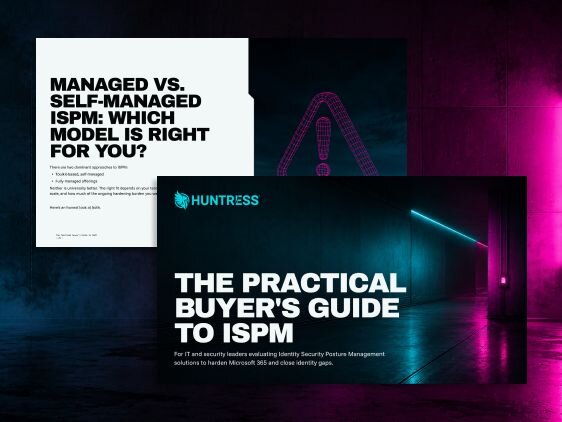
Not every ISPM tool actually hardens your posture, some just give you another dashboard to monitor. The Practical Buyer's Guide to ISPM breaks down the capabilities that matter, the questions to ask vendors, and whether a managed or self-managed model fits your team.

Get Your ISPM Buyers Guide