


Introduction: The detection that wasn't there
I thought I had Active Directory reconnaissance covered. After four parts of this series, I had built detections for:
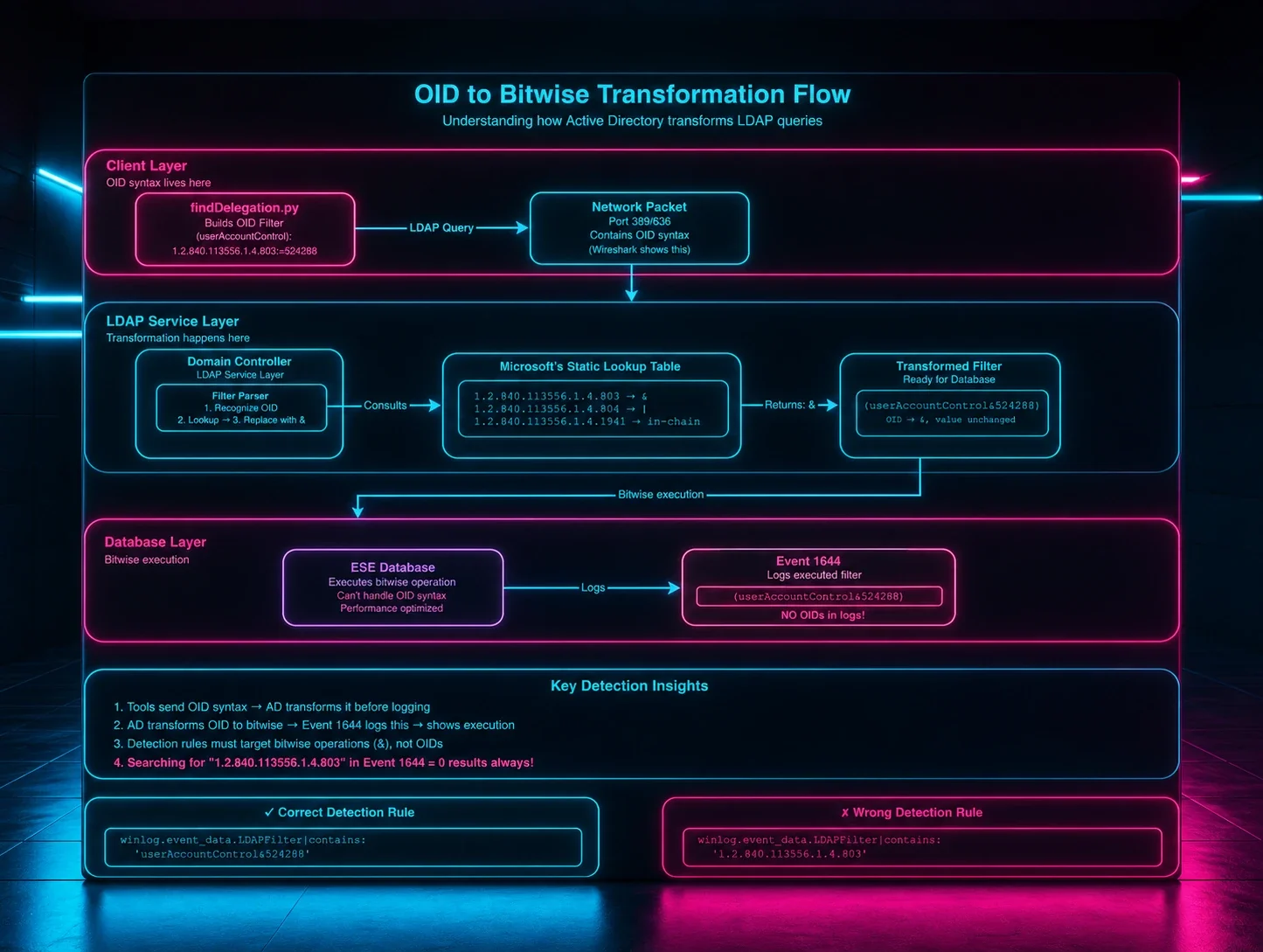
- Part 1: OID Transformation - How Impacket's LDAP filters become bitwise operations in logs
- Part 2: The Whitespace Nightmare - Building Sigma rules that handle formatting chaos
- Part 3: SDFlags - The hidden LDAP parameter that reveals BloodHound
- Part 4: The (!FALSE) Pattern - How SOAPHound's queries transform and how to detect them
This part is different. There's no attacker code to reverse engineer. The threat actor used native PowerShell. This is the story of why that was enough to bypass everything.
Sigma rules were parsing Event 1644 filters. I was confident.
Then I reviewed logs from an actual intrusion.
The command that changed everything
The threat actor had successfully enumerated an entire Active Directory environment. Every computer object. Every property. Security descriptors. Group memberships. Service Principal Names. Everything.
The command was sitting right there in the PowerShell logs:
geT-aDcompUTER -Filter {eNaBLed -eq $TruE} -PROPErTieS *
None of my detections fired.
The attacker pulled 500+ computer objects with full properties and security descriptors, and walked away clean. My detections from Parts 1–4 were completely blind to this.
Case obfuscation. That's it! "You have to be f[ing] kidding me!" That's what bypassed months of detection engineering work.
But here's what really bothered me: the case obfuscation wasn't even why it worked.
Even if they had typed a perfectly normal Get-ADComputer with no obfuscation at all, my detections still wouldn't have fired. The case mixing was irrelevant, just bonus evasion on top of a blind spot I didn't know existed.
That realization sent me down a weeks-long rabbit hole: why was PowerShell AD enumeration, obfuscated or not, completely invisible to everything I'd built?
Why detection failed: The ADWS blind spot
To fix my detection gap, I needed to understand exactly how PowerShell talks to Active Directory and why it's invisible to traditional LDAP detection. Here's what I learned the hard way:
PowerShell doesn't use LDAP over the network.
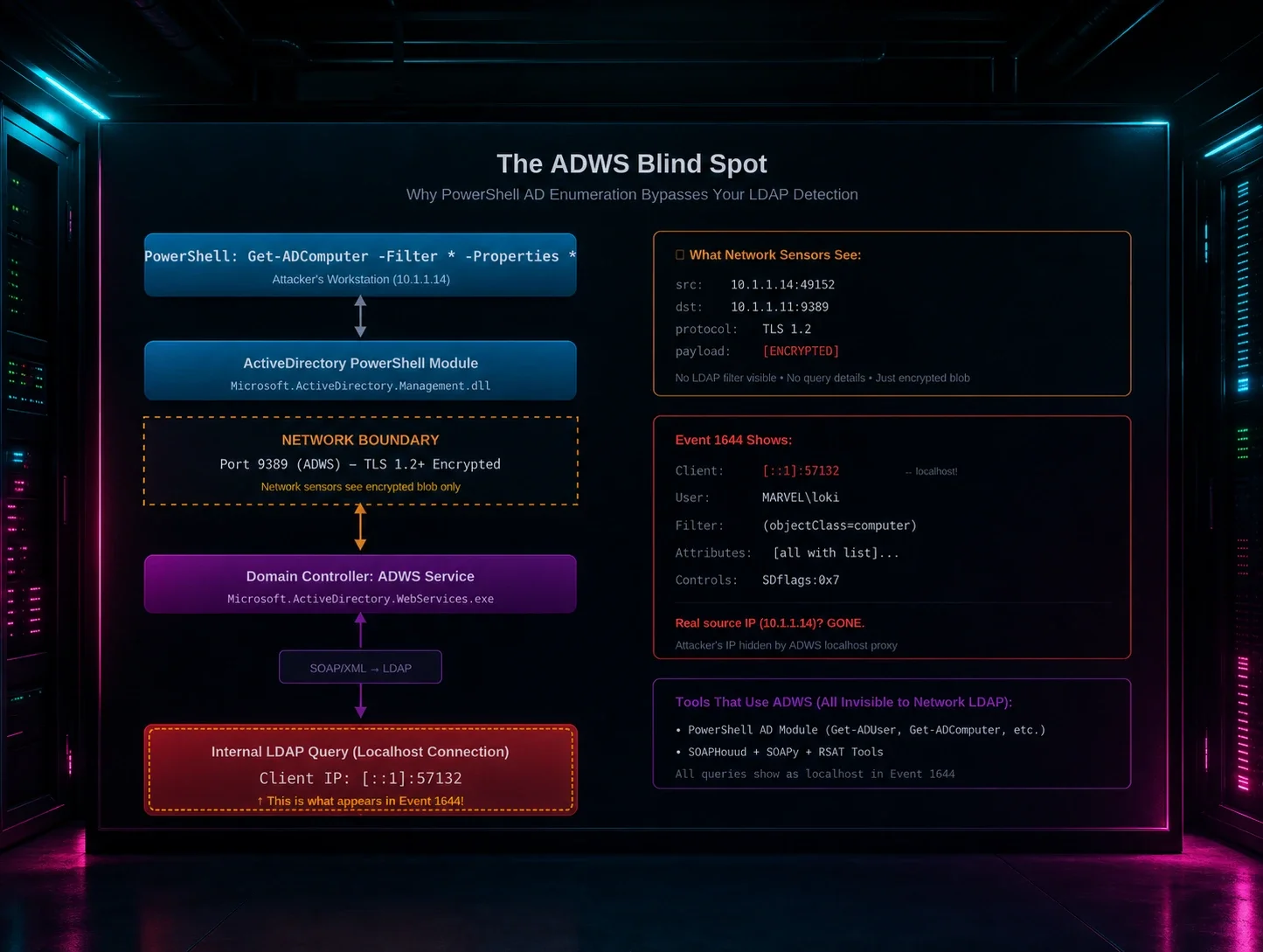
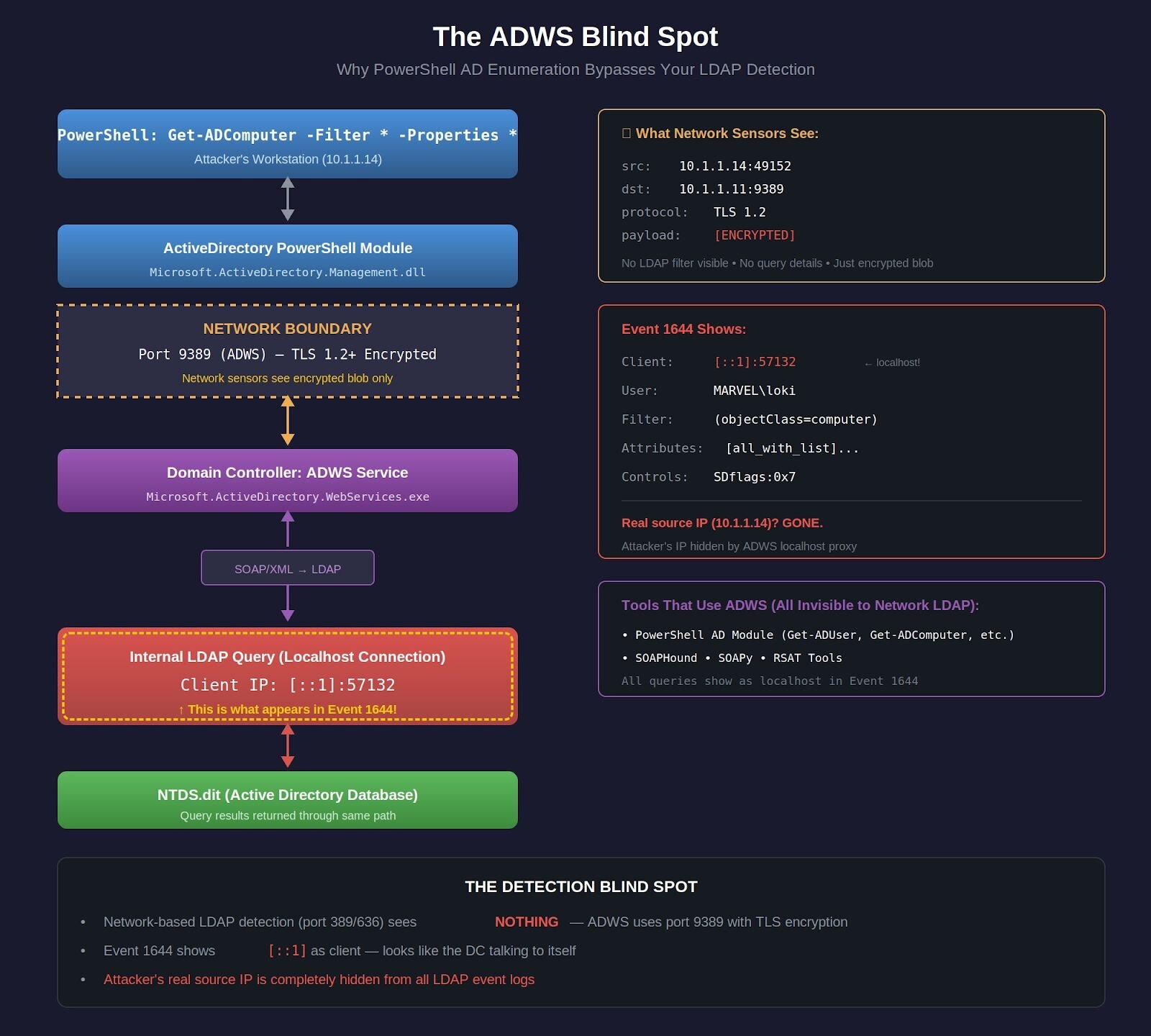
When you run Get-ADComputer from a workstation, PowerShell doesn't make an LDAP connection to port 389 or 636. Instead, it uses Active Directory Web Services (ADWS), a SOAP/XML-based web service that runs on port 9389 with TLS encryption.
The traffic is completely invisible to network-based LDAP detection:
Figure 1: The ADWS blind spot. PowerShell never touches port 389, it uses encrypted SOAP on port 9389, and by the time it becomes LDAP, the client IP is localhost.
The critical architectural detail
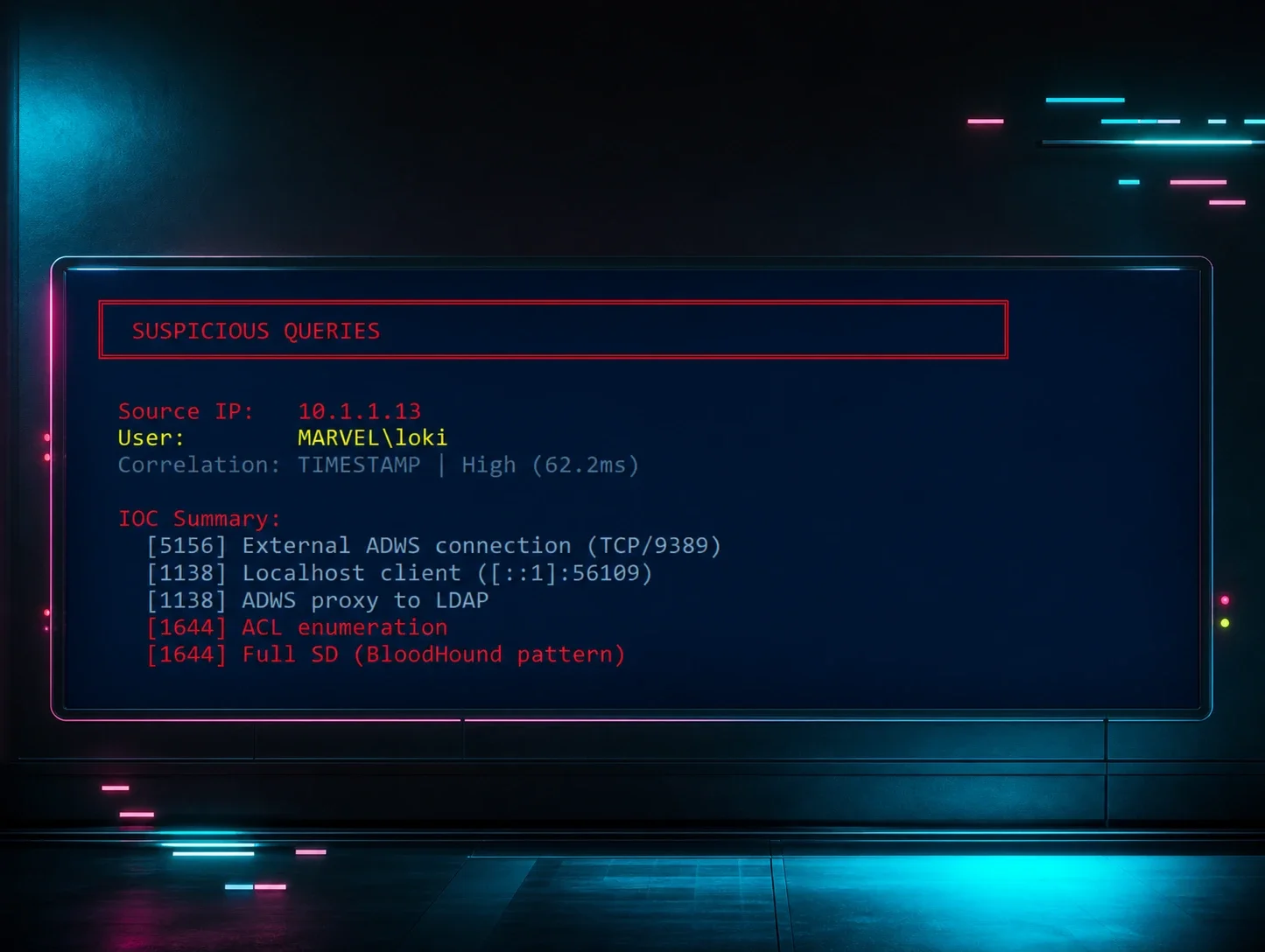
When ADWS queries Active Directory on behalf of a remote PowerShell session, it makes those queries as localhost (::1 or 127.0.0.1) on the domain controller. The original client IP is logged in ADWS-specific events (1138/1139), but the actual LDAP query (Event 1644) shows localhost.
This creates three detection problems:
- Network LDAP sensors are blind - The query never touches port 389/636
- Event 1644 shows localhost - Looks like internal system activity, not remote enumeration
- The attacker's real IP is hidden - Buried in the LDAP logs as [::1]
Event 1644 shows:
Client: [::1]:57132 ← Localhost, not the attacker's IP!
User: DOMAIN\attacker
Filter: ( & ( ! (userAccountControl&2) ) (objectClass=computer) ... )
To my detection logic, this looked completely normal: localhost talking to itself with a valid domain account.
The case obfuscation red herring
The attacker used case obfuscation (geT-aDcompUTER), trying to evade PowerShell command-line logging, script block logging patterns ,and string-matching security tools.
But it was irrelevant. PowerShell is case-insensitive, and by the time the query reaches the domain controller, it's translated to standard LDAP:
PowerShell: geT-aDcompUTER -Filter {eNaBLed -eq $TruE}
↓
ADWS Translation Layer
↓
LDAP: ( & ( ! (userAccountControl&2) ) (objectClass=computer) )
No trace of the case obfuscation. No trace of PowerShell syntax. Just clean, optimized LDAP.
The obfuscation successfully evaded endpoint detections, but that wasn't the real problem. The real problem was that I had no detection strategy for ADWS at all.
The investigation that led here
After this incident, I spent weeks in the lab:
- Enabling field engineering logging on domain controllers
- Capturing Wireshark on a span port watching port 9389
- Running every enumeration command I could think of
- Correlating events across Event IDs 1138, 1139, 1166, 1167, and 1644
- Understanding ADWS architecture - How PowerShell really talks to AD
This blog post is the result of that investigation. It's not theoretical; it's lessons learned from real detection failure, real log analysis, and real testing in my MARVEL.LOCAL lab environment.
This is Part 5A: How I learned to detect what I couldn't see.
What makes ADWS detection different
ADWS requires a fundamentally different detection approach than Parts 1–4. The table below compares the two pipelines side by side:
|
Parts 1–4: Network LDAP Detection |
Part 5A: Host-Based Multi-Event Correlation | |
|---|---|---|
|
Pipeline |
[Attacker’s Python Script] ↓ Port 389/636 (LDAP/LDAPS) ↓ Network Packet Capture ↓ Parse LDAP Filter & Analyze ↓ Detection Alert |
[PowerShell Get-ADComputer] ↓ Port 9389 (ADWS – encrypted) ↓ [DC: ADWS Service] ↓ Events 1138/1139: Connect + Auth ↓ [Internal LDAP via ::1] ↓ Event 1644: Query Details Events 1166/1167: Stats + Indexes ↓ Correlate by Operation ID ↓ Detection Alert |
|
Result |
❌ Blind to PowerShell • PowerShell uses port 9389, not 389/636 • Event 1644 shows ::1, not attacker IP • No tool-specific signatures • Looks like normal DC activity |
✅ Catches PowerShell • DC logs every step of the ADWS process • Event 1644 shows the actual LDAP filter • Events 1138/1139 reveal who made the query • Multi-event correlation = high-fidelity detection |
The key insight: Event 1644 alone shows localhost, hiding the attacker. But when you correlate it with ADWS connection events, you get the full picture, including who’s really behind the query. That’s the detection gap this post closes.
Analyzing the threat actor's command
Let's dissect what the attacker actually did and why it bypassed detection:
The command
geT-aDcompUTER -Filter {eNaBLed -eq $TruE} -PROPErTieS *
What the attacker intended
Case Obfuscation: geT-aDcompUTER instead of Get-ADComputer
- Goal: Evade PowerShell command-line logging detections
- Target: EDR solutions looking for exact string matches
- Result: Successfully evaded endpoint detection
Filter Logic: {eNaBLed -eq $TruE}
- Goal: Get only enabled computer accounts (active targets)
- Translation: PowerShell converts this to !(userAccountControl&2) bitwise check
- Result: Efficient query using AD indexes
Full Property Dump: -PROPErTieS *
- Goal: Collect maximum information for later exploitation
- What it retrieves:
- Operating system versions (patch levels)
- Service Principal Names (Kerberos attacks)
- Last logon timestamps (active vs stale)
- DNS hostnames (network mapping)
- Group memberships (privilege identification)
- Security descriptors (permission enumeration)
- 50+ attributes per computer object
What actually happened on the domain controller
When the command is executed, here's the event chain from the MARVEL.LOCAL lab recreation:
PowerShell Client Side (WAKANDA-WRKSTN):
geT-aDcompUTER -Filter {eNaBLed -eq $TruE} -PROPErTieS *
# Case obfuscation doesn't matter - PowerShell is case-insensitive
Domain Controller - ADWS Service (Earth-DC):
- Receives encrypted SOAP/XML request on port 9389
- Decrypts TLS payload
- Parses PowerShell query from SOAP envelope
- Translates to LDAP filter syntax
- Makes LOCAL LDAP connection to NTDS via [::1]
- Returns results wrapped in SOAP/XML
Event Logs Generated:
Event 1644 (What my Part 5 detection saw):
Client: [::1]:57132 ← Localhost! Not attacker IP!
User: MARVEL\loki
Filter: ( & ( ! (userAccountControl&2) ) (objectClass=computer)
(objectCategory=CN=Computer,CN=Schema,CN=Configuration,DC=marvel,DC=local) )
Attribute Selection: [all_with_list]name,objectClass,objectGUID,...[50+ attributes]
Server Controls: SDflags:0x7
Visited entries: 3
Returned entries: 3
Search time: 16ms
Why my detections missed it:
- Client IP was [::1] - I filtered out localhost as "system activity"
- User was valid domain account - no credential stuffing pattern
- Query was efficient (3/3 efficiency ratio) - looked like optimized admin query
- Low object count (only 3 computers in test domain) - below volumetric threshold
- Fast query time (16ms) - not slow enough to trigger expensive search alerts
My baselines said, "This looks normal." It wasn't.
What I missed: The ADWS context
Event 1644 alone doesn't tell the full story. I needed to see:
Event 1138 (ADWS Connection):
User: MARVEL\loki
Client: [::1]:57132 ← This correlates with Event 1644!
Operation: ldap_search
Operation ID: 5
Event 1139 (ADWS Authentication):
Operation ID: 5 ← Same operation!
Status: 0 (Success)
User: MARVEL\loki
Events 1166 (Per-Object Stats):
Operation ID: 5
Object: CN=WAKANDA-WRKSTN,CN=Computers,DC=marvel,DC=local
Object: CN=Earth-DC,CN=Computers,DC=marvel,DC=local
Object: CN=Asgard-WS,CN=Computers,DC=marvel,DC=local
Event 1167 (Index Usage):
Operation ID: 5
Index: idx_objectCategory:3:N
The pattern I should have seen:
All these events share Operation ID 5 and occur within a 10-second window. When you correlate them:
Event 1138 (Start) + Event 1644 (LDAP Details) + Event 1166 (Results) +
Event 1167 (Indexes) + Event 1139 (Complete)
= PowerShell AD Enumeration Session
But I wasn't correlating events. I was looking at Event 1644 in isolation.
The [all_with_list] Indicator
The attribute selection field showed:
[all_with_list]name,objectClass,objectGUID,sAMAccountName,dNSHostName,...
That [all_with_list] prefix is unique to PowerShell's -Properties * parameter.
You should not see this from:
- Python LDAP queries (specify attributes explicitly)
- .NET DirectorySearcher (specifies PropertiesToLoad)
- Native LDAP tools (list exact attributes)
- Windows system queries (minimal attributes only)
This prefix ONLY appears when someone runs:
Get-ADUser -Properties *
Get-ADComputer -Properties *
Get-ADGroup -Properties *
I should have been alerting on [all_with_list] combined with objectClass=computer or objectClass=user, but I wasn't looking for it.
The SDflags:0x7 red flag
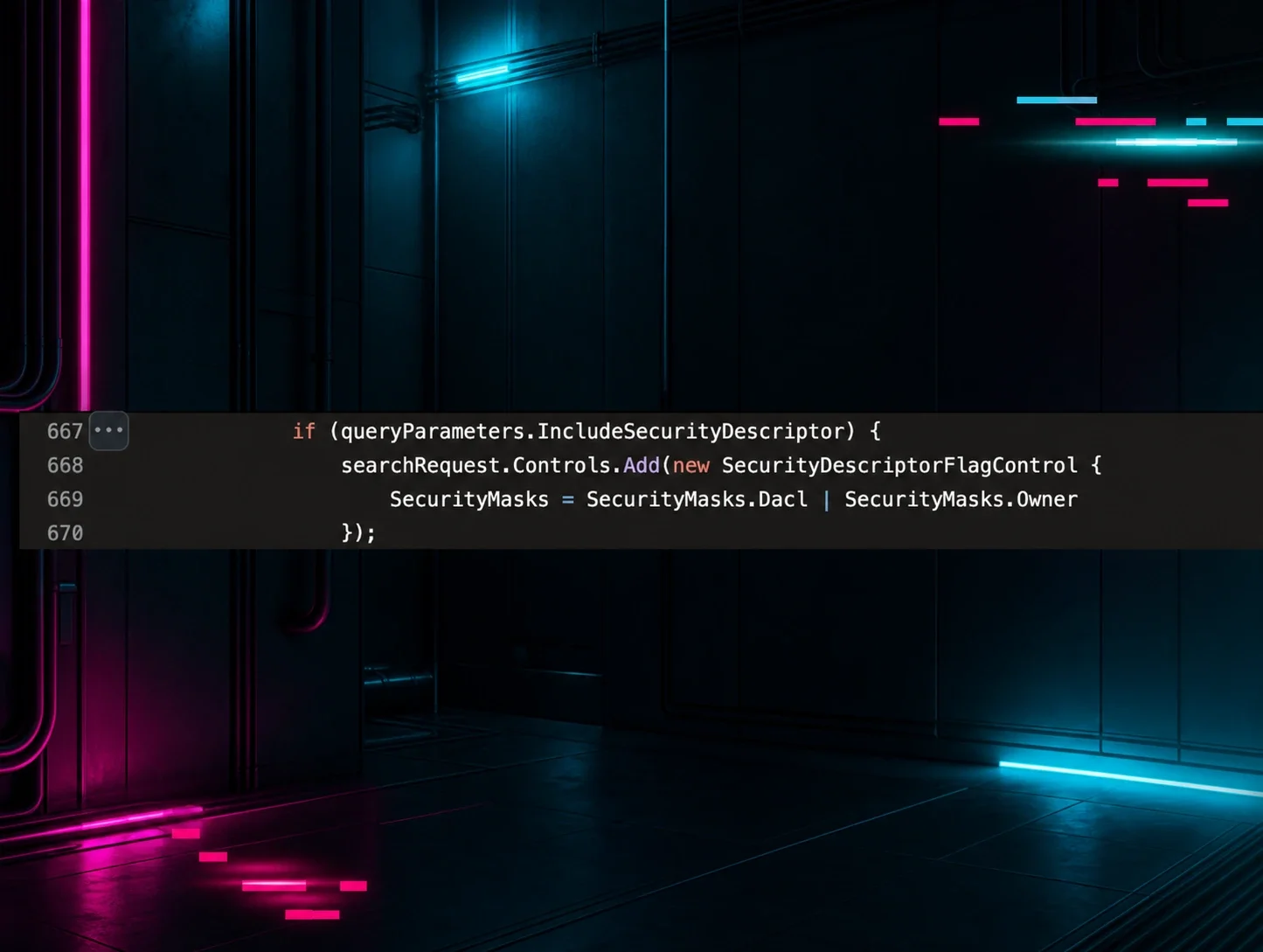
Server controls showed SDflags:0x7. In binary: 0x7 = 0b111 which means:
- Bit 1 (0x1): OWNER_SECURITY_INFORMATION
- Bit 2 (0x2): GROUP_SECURITY_INFORMATION
- Bit 3 (0x4): DACL_SECURITY_INFORMATION
The attacker requested full security descriptors - who owns each computer object and who has permissions on them. This is classic privilege escalation reconnaissance.
Normal admin queries don't request security descriptors. BloodHound does. PowerView does. Attackers do.
But my detection wasn't looking at server controls at all.
Lessons learned
From this single incident:
- Event 1644 alone is insufficient—you need the surrounding ADWS events for context
- Localhost IP means ADWS—don't filter it out, correlate it with Events 1138/1139
- [all_with_list] is a dead giveaway for PowerShell bulk property dumps
- SDflags in server controls indicate security descriptor enumeration
- Operation IDs link the entire attack chain across all five event types
- Case obfuscation is irrelevant at the LDAP layer—focus on what the DC actually logs, not what PowerShell syntax looked like
The rest of this blog post is how I built detections that actually work.
ADWS architecture: How PowerShell really talks to AD
The ADWS stack
Active Directory Web Services isn't some simple wrapper around LDAP. It's a full SOAP-based web service stack that provides a completely different interface to Active Directory:
PowerShell ActiveDirectory Module
↓
.NET System.DirectoryServices
↓
ADWS Client API
↓
WS-Management (WinRM)
↓
ADWS Service (port 9389)
↓
Active Directory Database
When you run Get-ADUser -Filter *, here's what actually happens:
- PowerShell calls the ActiveDirectory module
- The module uses .NET DirectoryServices classes
- These classes connect to ADWS via WS-Management
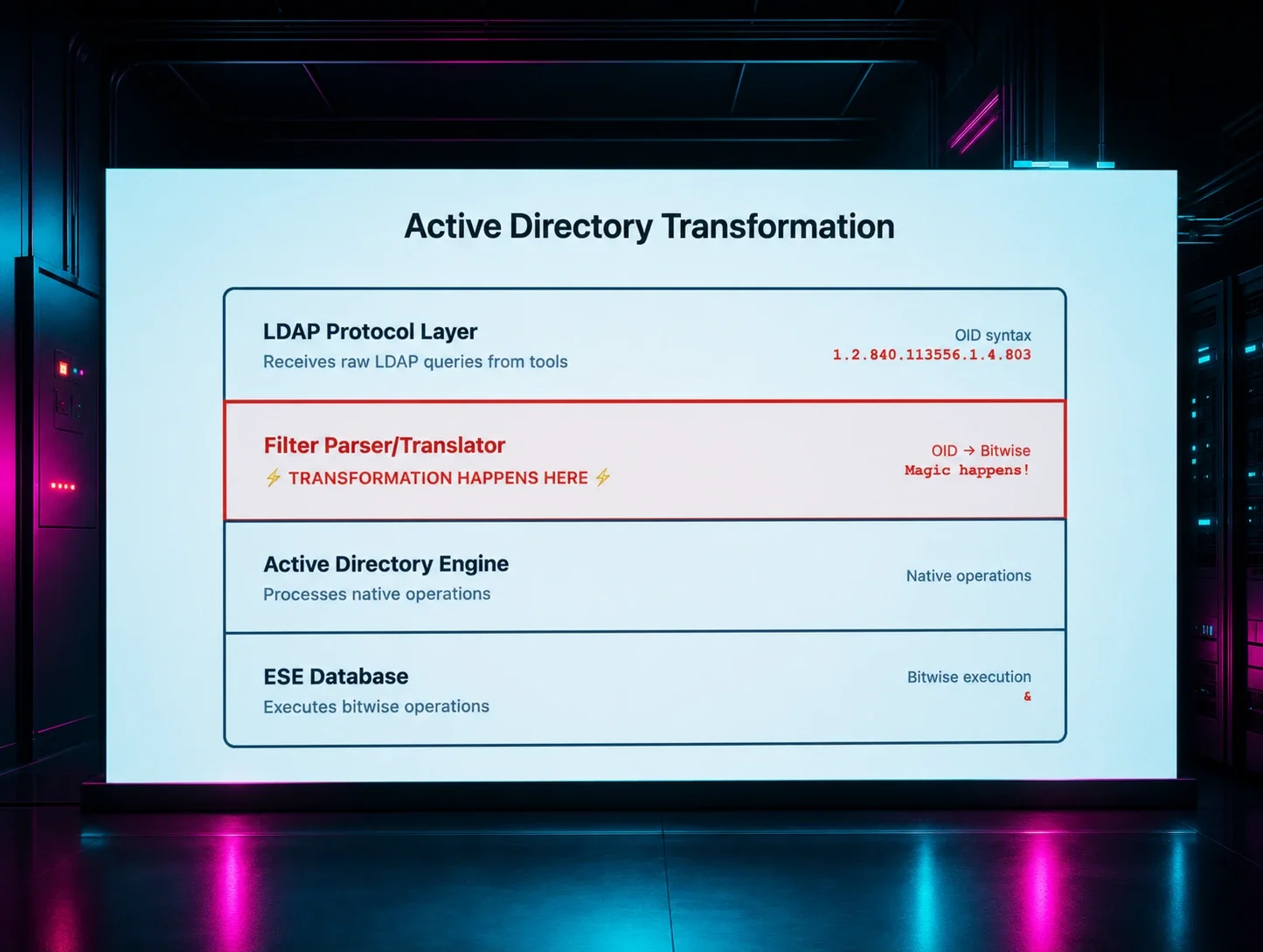
- ADWS translates the request into internal LDAP queries
- ADWS queries the AD database directly (no network LDAP)
- Results are returned through the same stack
This is why network-based LDAP detection misses PowerShell enumeration entirely. The LDAP queries happen inside the domain controller - they never touch the network.
The localhost problem
Here's the critical architectural detail that makes ADWS detection possible:
When ADWS queries Active Directory on behalf of a remote PowerShell session, it makes those queries as localhost on the domain controller. This creates a distinctive pattern in the logs:
Event 1644: LDAP query from ::1 (or 127.0.0.1)
Event 1138: ADWS connection from [attacker IP]
Event 1139: ADWS connection authenticated
Event 1166: ADWS Enumerate operation
Event 1167: ADWS session terminated
Modern Windows servers default to IPv6, so you'll typically see ::1 (IPv6 localhost) in Event 1644 logs, though some systems may use 127.0.0.1 (IPv4 localhost). Your detection rules must account for both patterns.
The combination of localhost LDAP queries (Event 1644) with remote ADWS connections (Events 1138/1139) is the tell. Legitimate applications don't generate this pattern. Attackers enumerating with PowerShell do.
The five-event correlation pattern
Each event contributes a piece of the puzzle:
|
Event ID |
Source |
What It Tells You |
Key Fields |
|
1138 |
ActiveDirectory_WebServices |
Connection started |
ClientAddress, InstanceId |
|
1139 |
ActiveDirectory_WebServices |
Who authenticated |
PrincipalName, InstanceId |
|
1644 |
ActiveDirectory_DomainService |
The actual LDAP query |
Filter, Attributes, ClientIP, EntriesReturned |
|
1166 |
ActiveDirectory_WebServices |
Per-object stats |
InstanceId, TimeElapsed |
|
1167 |
ActiveDirectory_WebServices |
Session complete |
InstanceId |
The correlation key: All events share the same Operation ID or InstanceId within a short time window. That's how you link them into a single enumeration session.
Technical note: Windows Server 2016+ defaults to IPv6, so you'll typically see ::1 in Event 1644 logs. Some systems use 127.0.0.1. Your detection must account for both.
Detection in action: Real lab testing
Let's walk through an actual detection scenario from the MARVEL.LOCAL lab with real Windows event logs.
Lab Environment:
- Client: WAKANDA-WRKSTN (10.1.1.14) - Windows 10/11, user MARVEL\loki
- Domain Controller: Earth-DC.marvel.local (10.1.1.11) - Windows Server 2022, Field Engineering logging enabled
From the client workstation, I ran:
PS C:\> Get-ADComputer -Filter * -Properties *
What the network saw
1,113 packets of TLS-encrypted SOAP/XML on port 9389. No LDAP filter visible. No attributes visible. Network detection: blind.
What Event 1644 saw
Log Name: Directory Service
Event ID: 1644
User: MARVEL\loki
Client: [::1]:57132
Filter:
( & (objectClass=*) (objectClass=computer) (objectCategory=CN=Computer,CN=Schema,CN=Configuration,DC=marvel,DC=local) )
Attribute selection:
[all_with_list]name,objectClass,objectGUID,sAMAccountName,
nTSecurityDescriptor,servicePrincipalName,memberOf...
Server controls: SDflags:0x7
Visited entries: 3
Returned entries: 3
Search time (ms): 16
Key indicators
|
Indicator |
What It Means |
|
Client: [::1]:57132 |
ADWS translation - real IP hidden |
|
[all_with_list] prefix |
PowerShell -Properties * was used |
|
SDflags:0x7 |
Security descriptor enumeration (Owner+Group+DACL - excludes SACL) |
|
User: MARVEL\loki |
Authenticated user context preserved |
Putting It Together
Operation ID 5 (loki's Get-ADComputer):
1138 START: MARVEL\loki, [::1]:57132, ldap_search
1644 DETAILS: Filter, attributes, 3 entries, 16ms
1166 STATS: Per-object timing
1167 INDEXES: idx_objectCategory:3:N
1139 COMPLETE: Status 0
All five events linked by Operation ID. That's your correlation key.
Interestingly, I also observed simultaneous ANONYMOUS LOGON LDAP queries from the same workstation showing the real IP - a reminder that not all enumeration uses ADWS, and direct LDAP detection (Parts 1-4) still matters.
Key takeaways from real testing
- The Localhost Pattern is Consistent: Every PowerShell AD query via ADWS shows the client as [::1] or 127.0.0.1, never the actual client IP. This is architectural, not a bug.
- Multi-Event Correlation is Essential: Single Event 1644 alone = noisy. But correlating 1138+1644+1166+1167+1139 by Operation ID = high-fidelity detection.
- The [all_with_list] prefix only appears with -Properties *. It's a clear indicator of bulk enumeration, not a targeted admin query.
- Network Detection Misses PowerShell Completely: The Wireshark capture shows encrypted SOAP/XML on port 9389. You cannot see the LDAP filter, the attributes requested, or the objects returned. Host-based detection via Windows events is the ONLY way to catch this.
Conclusion
PowerShell AD enumeration is everywhere. It's the default method for legitimate administration, and it's the preferred method for attackers who want to blend in. Single-event detection doesn't work—Event 1644 alone is too noisy, ADWS events alone are too common.
But when you correlate multiple events together—when you see localhost LDAP queries from ADWS connections, when you track complete enumeration sessions via InstanceId, when you apply statistical analysis to detect anomalies - you unlock high-fidelity detection of PowerShell-based reconnaissance.
Each part built on the last. Each detection technique filled a gap. And now we have comprehensive coverage of Active Directory reconnaissance—from Python tools hitting LDAP over the network, to native PowerShell commands using ADWS internally.
There's still one problem: Event 1644 shows localhost, not the attacker's real IP. In Part 5B, I'll show how to solve that with Event 5156 correlation and the ~60-80ms timing window that makes source IP attribution possible.
Thanks to Jonathan Johnson, Anton Ovrutsky, Matt Anderson, Tyler Bohlmann, Michael Haag, Nasreddine Bencherchali, and Adam Bienvenu for their help in reviewing this post.

![The 36 Most Common Cyberattacks [2026]](https://images.huntress.com/asset/file/36014deeb67545a0a0d94cdfa4b9b0db)