

Business email compromise (BEC) is a phishing scam where threat actors impersonate a trusted source to convince others to give them sensitive information or take specific action. |
Among the threats targeting businesses of all sizes today, business email compromise is a particularly growing concern, and for good reason.
Business email compromise (BEC) is a type of cybercrime where threat actors seek to manipulate or compromise email accounts within an organization to commit fraudulent activities like wire fraud and credential theft. In simple terms, a BEC attack uses email impersonation to commit fraud, usually to redirect a payment or steal login credentials.
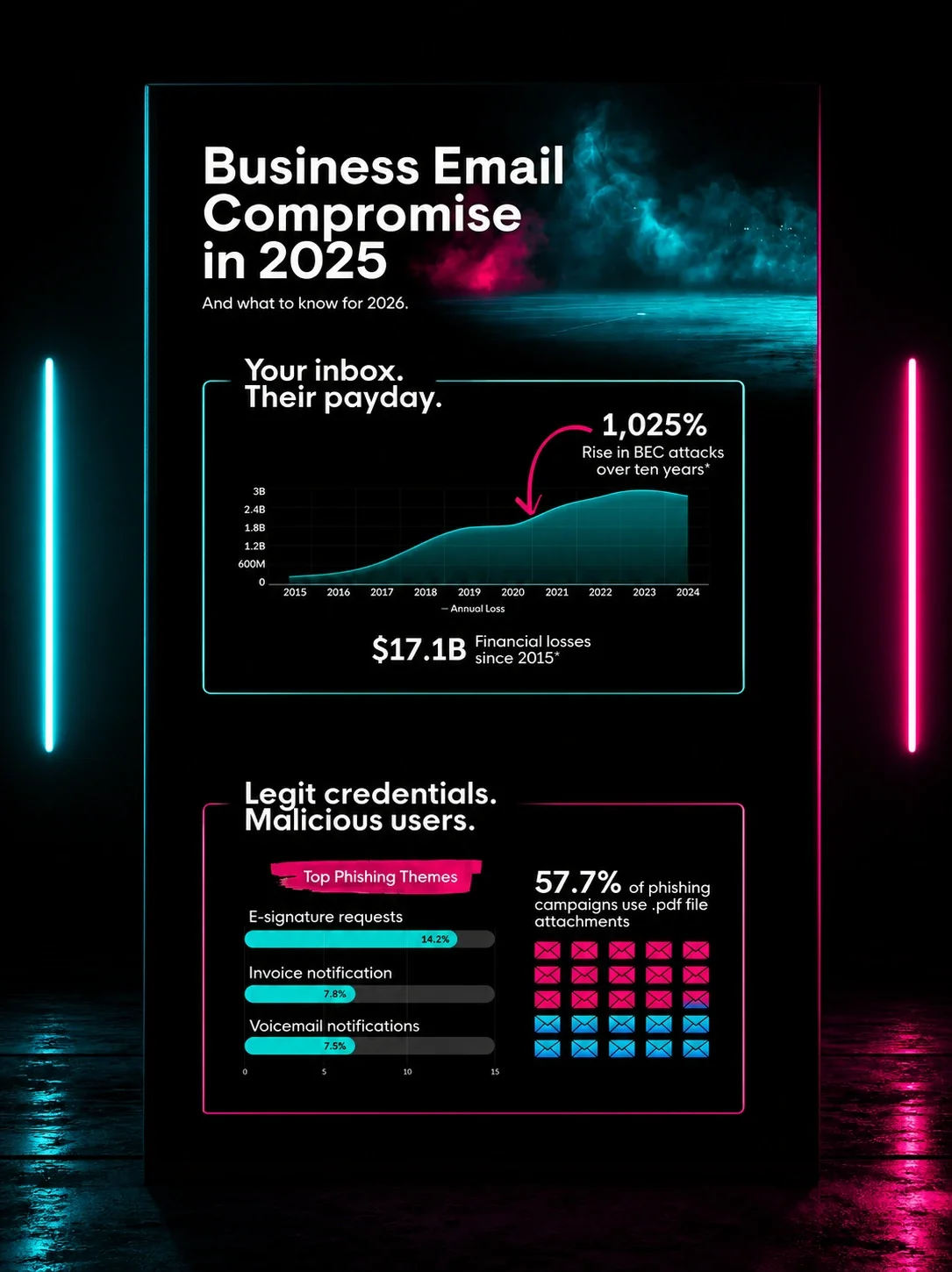
These attacks result in some $55 billion in losses worldwide, and that number is expected to rise. Our survey of more than 500 US IT professionals found that 36% of organizations experienced a BEC attack in the past 12 months, making it the third-most-reported type of cybercrime (behind malware infections and phishing).
The primary suspected motivation is financial gain, cited by 27% of respondents, which is exactly what BEC attacks are engineered to deliver.
Let’s dive into the world of business email compromise, explore what a BEC attack is, how it works, and learn practical tips for defending against BEC attacks.
Table of contents
How do business email compromise attacks work?
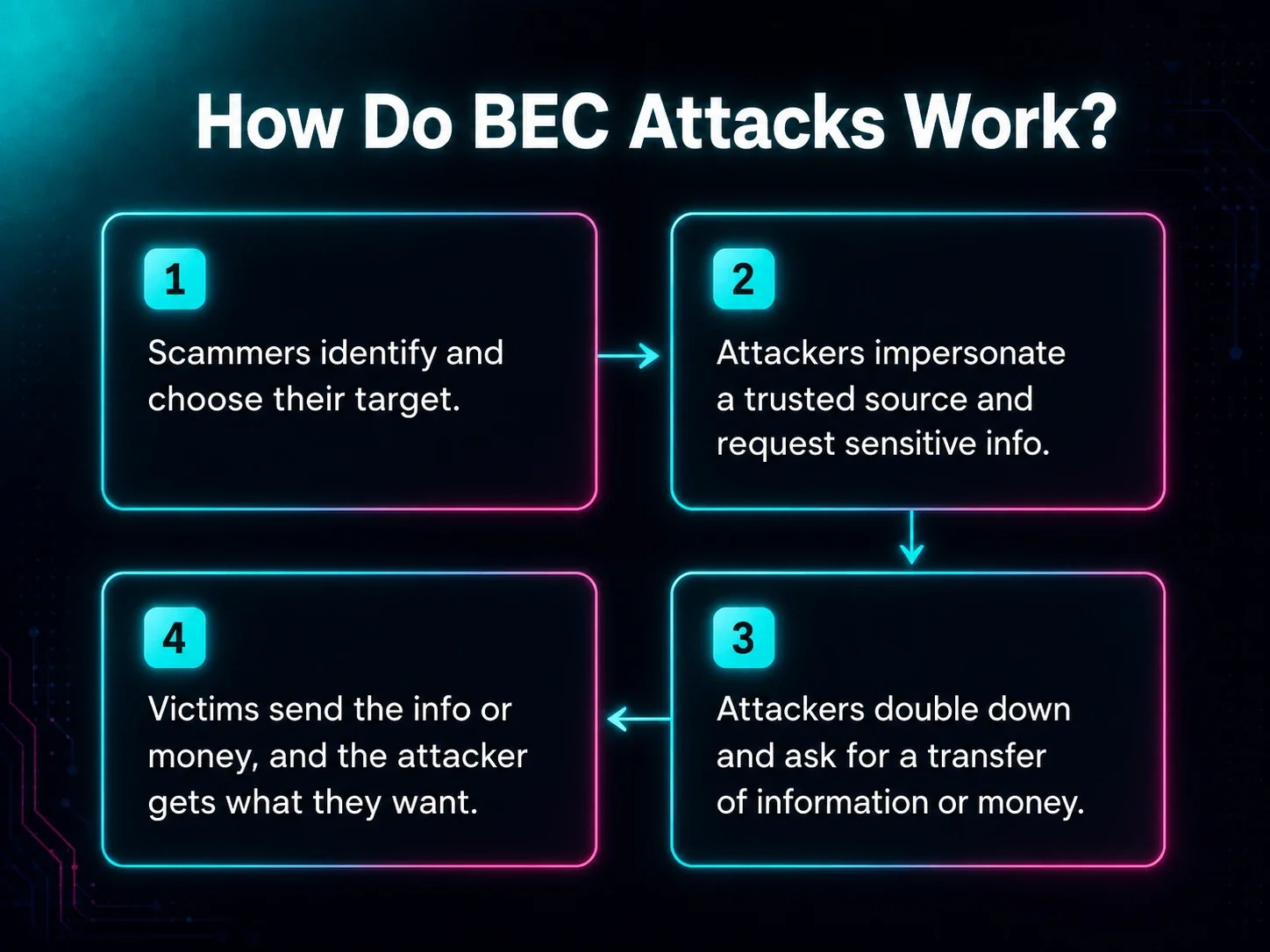
BEC attacks work by impersonating a trusted source through email to trick employees or organizations into sending money or sensitive information.
Threat actors create these emails, often with help from generative AI tools that quickly and efficiently make the content look legitimate and mimic the tone and writing style of people you trust. This makes it hard for recipients to tell the difference between legitimate emails and scams.
The AI piece is only getting harder to ignore. Our Cybercrime Report found that 38% of IT professionals consider AI-powered social engineering the biggest unanticipated risk to their organization, and 42% believe AI-powered attacks will be the biggest game-changer in cybercrime over the next five years. BEC is a natural fit for AI-driven tactics, since the attacks rely on impersonation and manufactured trust.
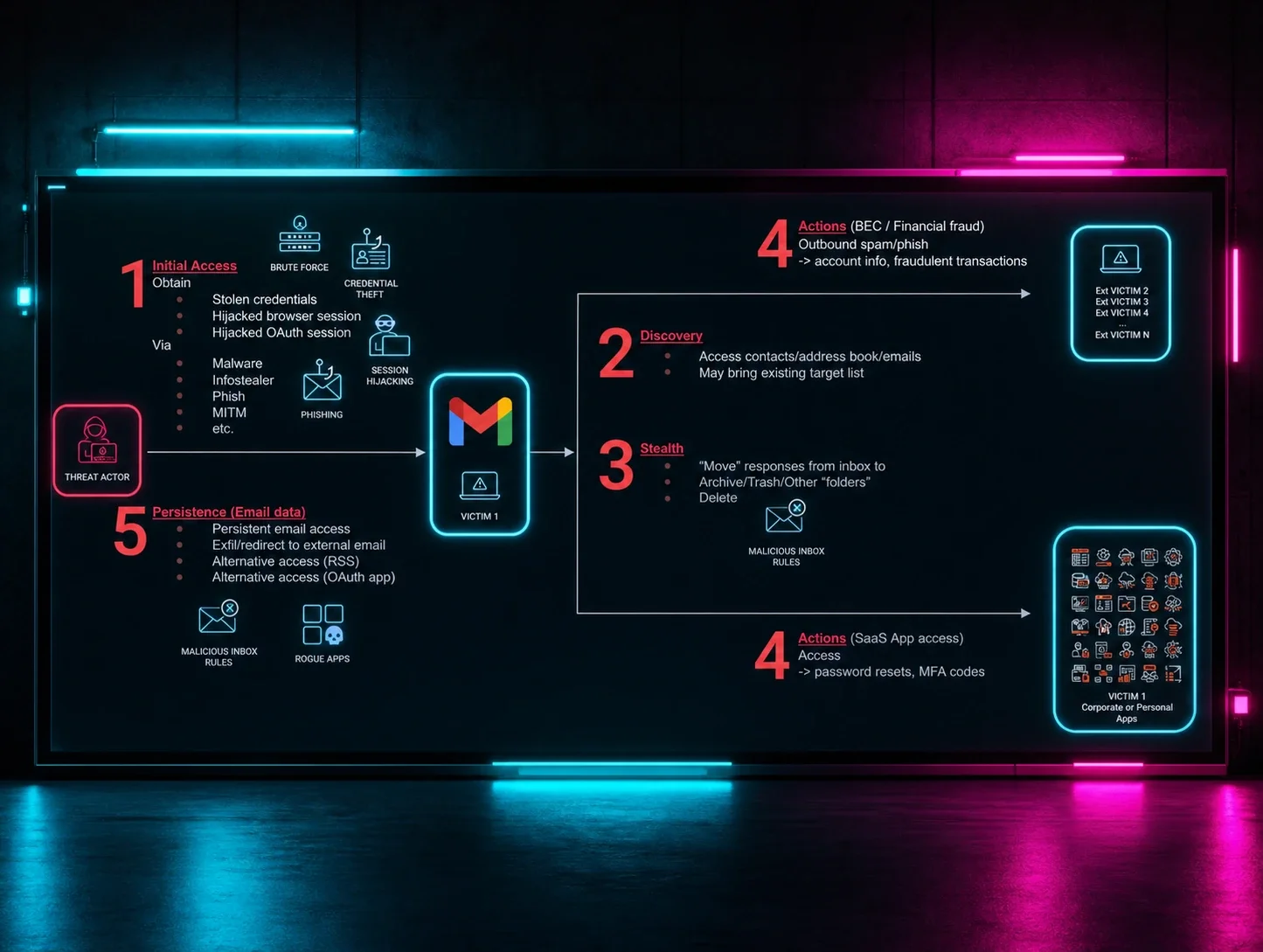
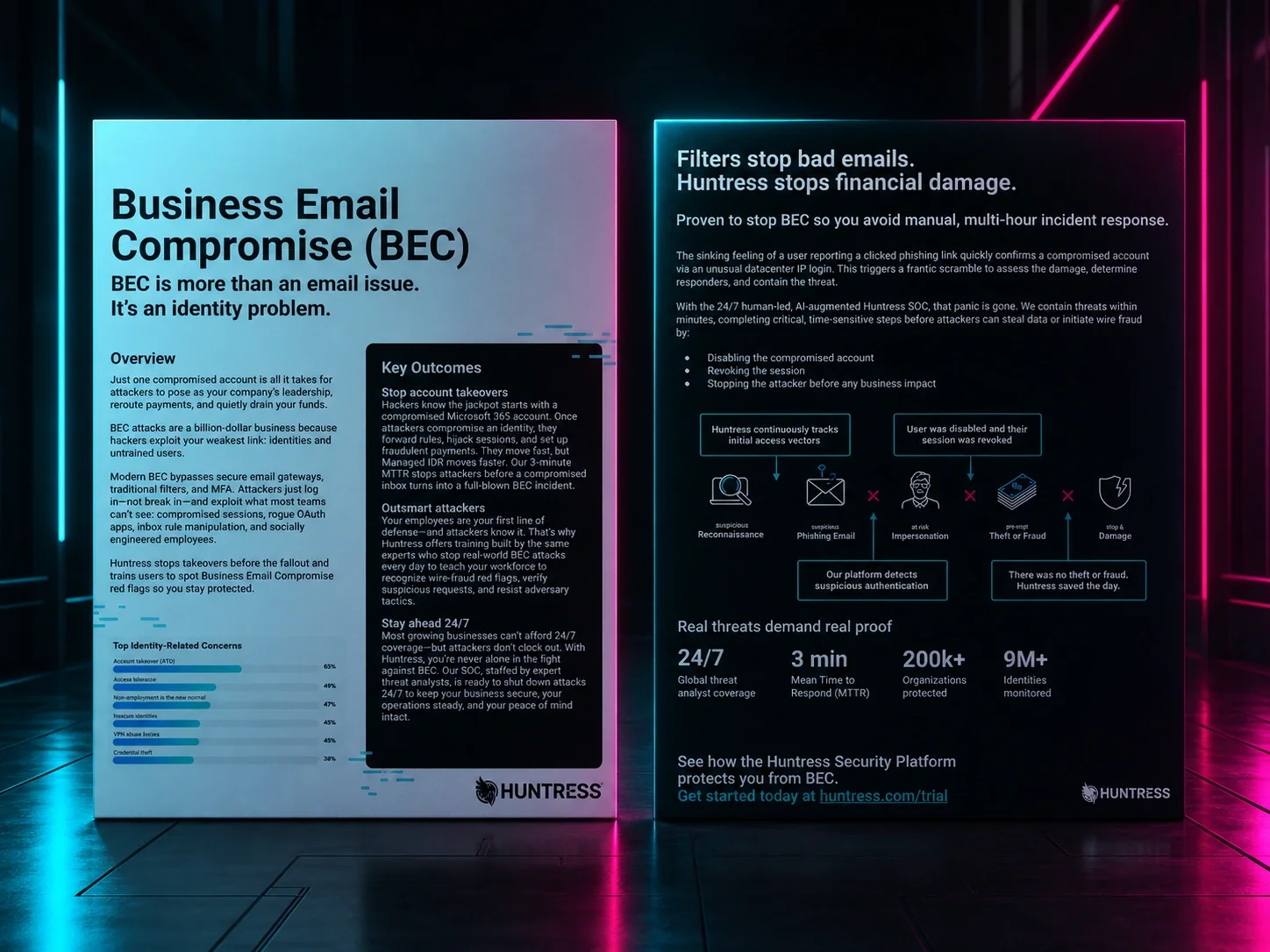
BEC attacks typically follow a structured path, from reconnaissance to impersonation and fraud:
Research and reconnaissance: Attackers gather information about their targets, like names, roles, and relationships within the organization.
Adversary-in-the-middle (AiTM) attacks: These attacks help attackers gather information about your organization, login credentials, and other sensitive data. Attackers place themselves between you and whatever you’re trying to access, like a web page or service, letting them monitor your activity before moving on to the next step.
Email compromise or account takeover: Attackers gain access and essentially take over an email account. They often do this through phishing email scams, social engineering, or exploiting software vulnerabilities.
Impersonation: The attacker impersonates a trusted person at the organization, like a CEO, CFO, or vendor, using a spoofed or compromised email account.
Deception: Threat actors send convincing emails to trick employees into transferring money, sharing sensitive information, or downloading malicious attachments.
BEC attacks rely heavily on social engineering techniques to identify potential targets, executives, or trusted contacts to mimic or hijack their communications. The attack emails often look legitimate at first glance, and without closely scanning the address, contact information, and other details, recipients may not recognize the emails as suspicious.
As a result, these attacks are difficult to detect or prevent with traditional security tools or spam filtering. The goal is to trick employees into giving sensitive information or transferring money freely without making them doubt the legitimacy of the request.
Looking to brush up on your security savvy? Explore the Huntress Cybersecurity Glossary for all things cyber safety.
Warning signs of a BEC attack
Preventing BEC attacks from hitting your inbox is possible, but even the most well-guarded business email system may see one or two BEC attacks slip through the cracks. You can avoid falling victim to these attacks by knowing what to watch for.
Here are the warning signs most BEC attacks have in common:
Rampant typos: If the email misspells company names and contacts or contains tons of errors that your clients, customers, and team members wouldn’t make, it’s likely a scam.
Suspicious requests: BEC attacks often make requests that aren’t common or sound suspicious, like asking you to communicate on a third-party app like WhatsApp, share your login credentials, or make gift card purchases.
Forced urgency: Threat actors often use phrases like “quick” or “urgent” to imply that the email is important and needs a response immediately.
Generic terms and names: BEC attacks often use generic terms or titles rather than specific names or terms unique to your business.
Fake personal email addresses: Scammers may also pretend to be a business executive or manager by using a fake personal email address that mimics a real address.
Review any unfamiliar or unexpected emails closely. If you see anything that looks suspicious or doesn’t feel legitimate, don’t reply.
“BEC attacks rely on humans to perform actions on behalf of attackers,” says Truman Kain, Offensive Security Researcher at Huntress. “Employees need to understand that even emails from legitimate internal addresses can be sent by attackers. Your inbox is not a safe place.”
Instead of replying to the message, speak with the person the email supposedly came from directly by sending a new email through their company email address or talking to them in person or over the phone.
Types of business email compromise attacks
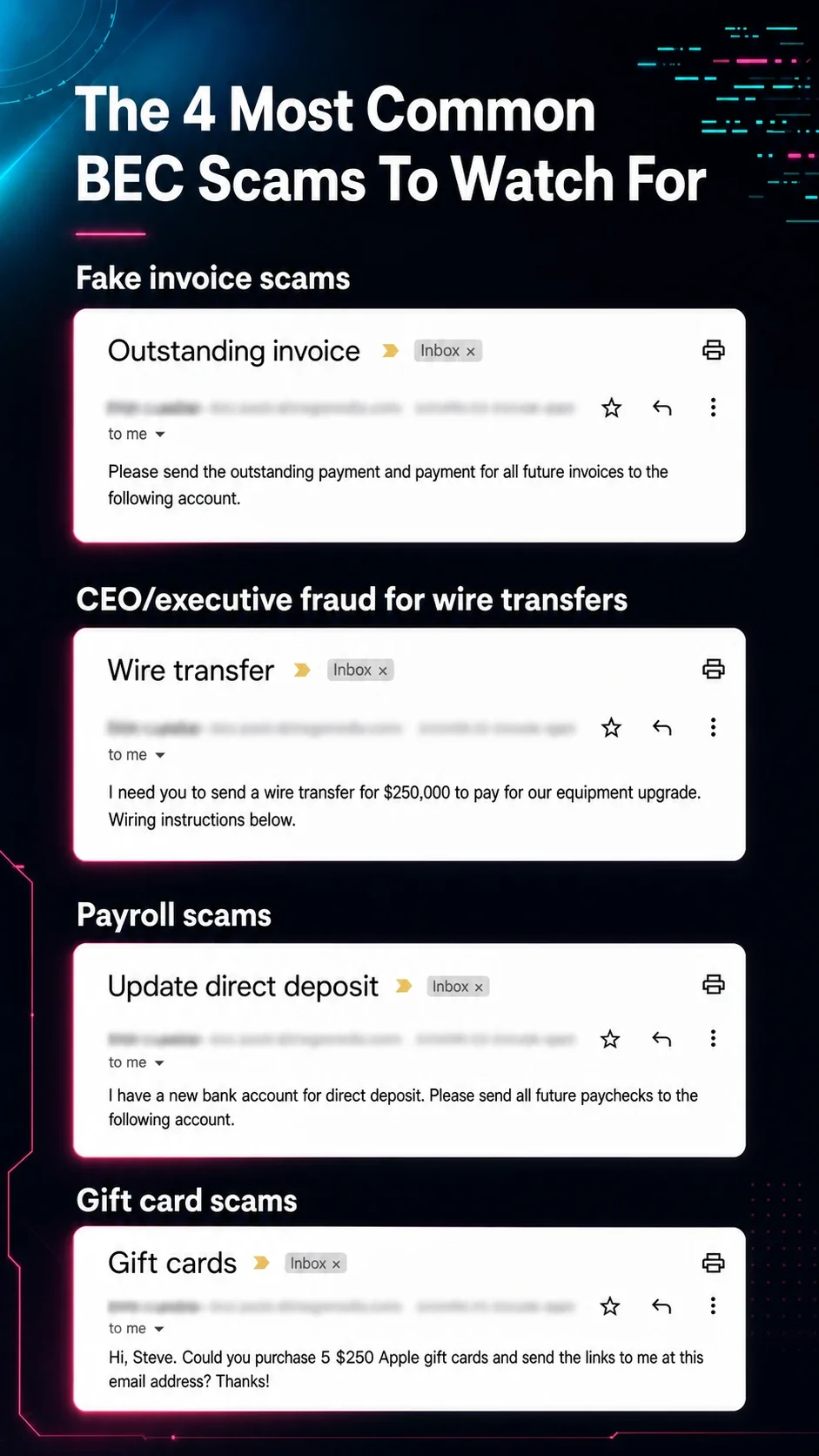
BEC attacks can take many forms, and as technology improves, new scams and types of attack vectors will become more popular. But some common tactics include:
Invoice scams: Attackers compromise a supplier's or vendor's email account and send altered invoices or payment instructions to customers. The altered details then send payments to the attacker's account—and the legit vendor is left empty-handed.
CEO fraud: Attackers impersonate a high-level executive and ask for urgent wire transfers or sensitive data from employees. Employees are tricked into making payments or even purchasing gift cards, believing it's a legitimate request from their boss.
Payroll diversion: There are two types of payroll diversion scams. In the first, attackers pose as HR personnel and request changes to an employee's direct deposit information. In the second, attackers pose as the actual employee requesting that their own direct deposit information be updated. As a result, the employee's salary is redirected to the attacker's account.
Voice cloning: Attackers use AI tools to mimic the sound and tone of a business leader’s voice on a phone call or in a virtual meeting to phish for information or get someone to take a specific action.
Email spoofing: Scammers create email addresses similar enough to legitimate addresses to appear real at a glance. They often use these addresses to request money or sensitive information.
Gift card scams: Attackers send emails or text messages to employees requesting that they buy digital gift cards and send them to the attacker-controlled email address or phone number.
Account compromise: Attackers send emails notifying employees that their accounts have been compromised and request that they do things like reset passwords through a phishing link to prevent further suspicious activity on the account.
Attorney impersonation: Attackers pretend to be a lawyer or attorney requesting information from an employee who may not know to question the legitimacy of the request.
Data theft: Attackers pose as new employees or vendors requesting access to sensitive information about executives in the company.
Any of these tactics can combine the use of AI tools to create deepfakes that make requests seem more legitimate. Encourage your team to use their best judgment and ask them to verify any questionable email or phone call by reaching out to the sender through company channels before sending any sensitive information.
Real-world BEC attack examples
BEC attacks might seem theoretical if you’ve never experienced one. But they’ve done a lot of damage in the past. These high-profile BEC attacks cost businesses millions in the last 10 years:
Children’s Healthcare of Atlanta: An attacker targeted the organization by pretending to be a construction company’s chief financial officer. The attack resulted in $3.6 million in damages.
Facebook and Google: Scammers impersonated a legitimate hardware provider and sent emails to Facebook and Google requesting payment for products. The scam cost Facebook and Google more than $100 million.
Toyota Boshoku Corporation: Attackers requested funds transfers without the organization realizing the requests were fake. It cost Toyota more than $37 million.
Grand Rapids Public Schools: Attackers impersonated the district’s health insurance provider and emailed the school administration requesting that they change wiring information for upcoming payments, sending the insurance payments into the scammers’ accounts. It cost the district $2.8 million.
For more cases and what each one teaches, see our full list of business email compromise examples. Even a single attack could end up costing businesses a lot of money—and it’s hard to get that money back once the scammers take possession of it.
How to prevent business email compromise
Because BEC attacks are generally human-centric, protection and prevention methods must also be human-centric. Check out these tips to help you keep your employees and your company’s information safe from bad actors:
Host security awareness training sessions: Conducting regular security awareness training can help educate employees about the dangers of BEC attacks, how to recognize them, and how to avoid becoming victims.
Use multi-factor authentication (MFA): Implementing MFA adds an extra layer of security to email accounts, making it more challenging for attackers to gain access.
Verify payment changes out of band: Confirm any new or changed banking details with a phone call to a known number, never a number listed in the email.
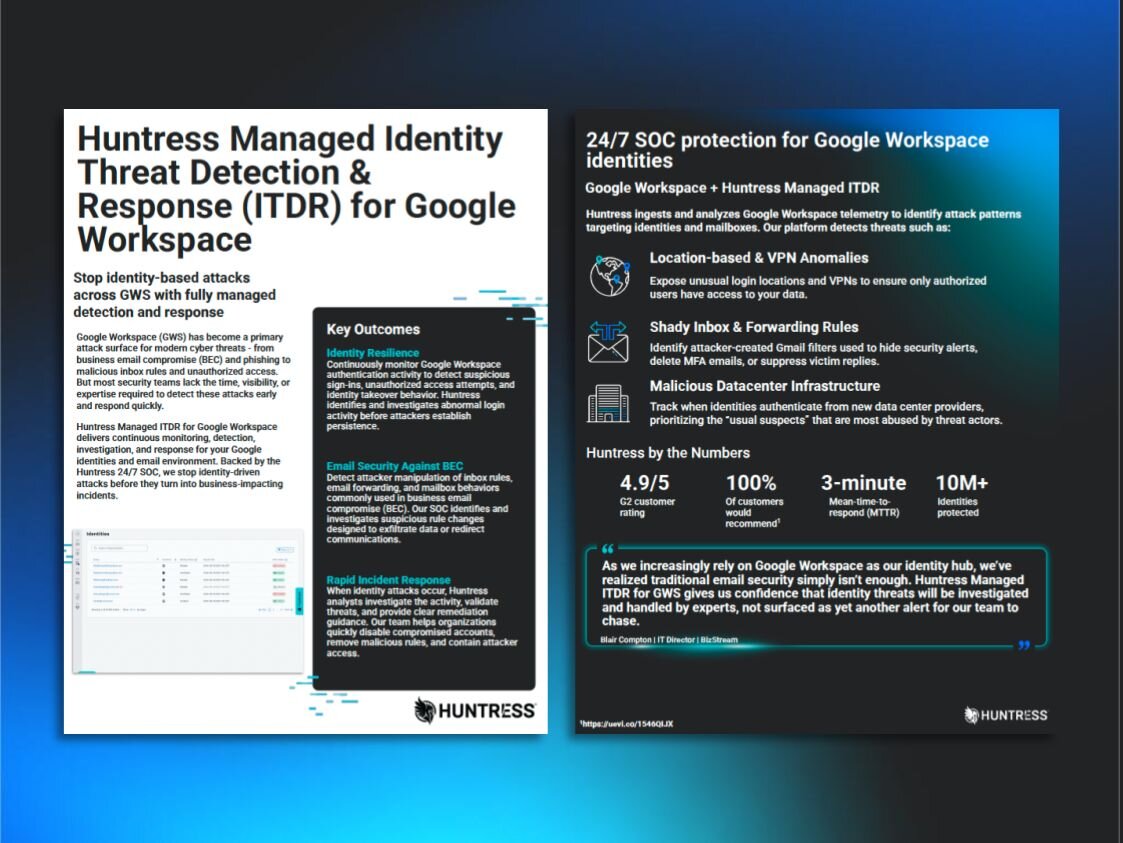
Implement managed identity threat detection and response (ITDR): ITDR solutions proactively monitor for and detect anomalies, including looking for behavioral indicators of BEC, like suspicious inbox rules or login attempts from unusual locations.
Invest in a secure payment system: Rather than sending invoices through email, upgrade your payment collections system to a dedicated service. Make sure the system can authenticate payments and only accept payments through that portal.
BEC attack tactics are constantly evolving, but by being proactive with BEC security awareness training sessions, businesses can better protect their sensitive information well into the future.
“Regular simulated phishing exercises maintain a higher security awareness baseline for employees versus those without exposure to the exercises,” says Kain. “Additionally, phishing simulations and educational episodes highlight the newest and most topical threats that employees are likely to face, for example fake CAPTCHA attacks or deepfakes.”
While the BEC threat is real, it's not insurmountable. By understanding attackers' tactics and implementing proactive measures, businesses can be better prepared to face today’s email and identity-based attacks.
How Huntress stops business email compromise
Business email compromise threats will only become more common as more attackers take advantage of weak points in companies’ data security efforts. By training your team and taking the necessary precautions, you can keep your data safe well into the future.
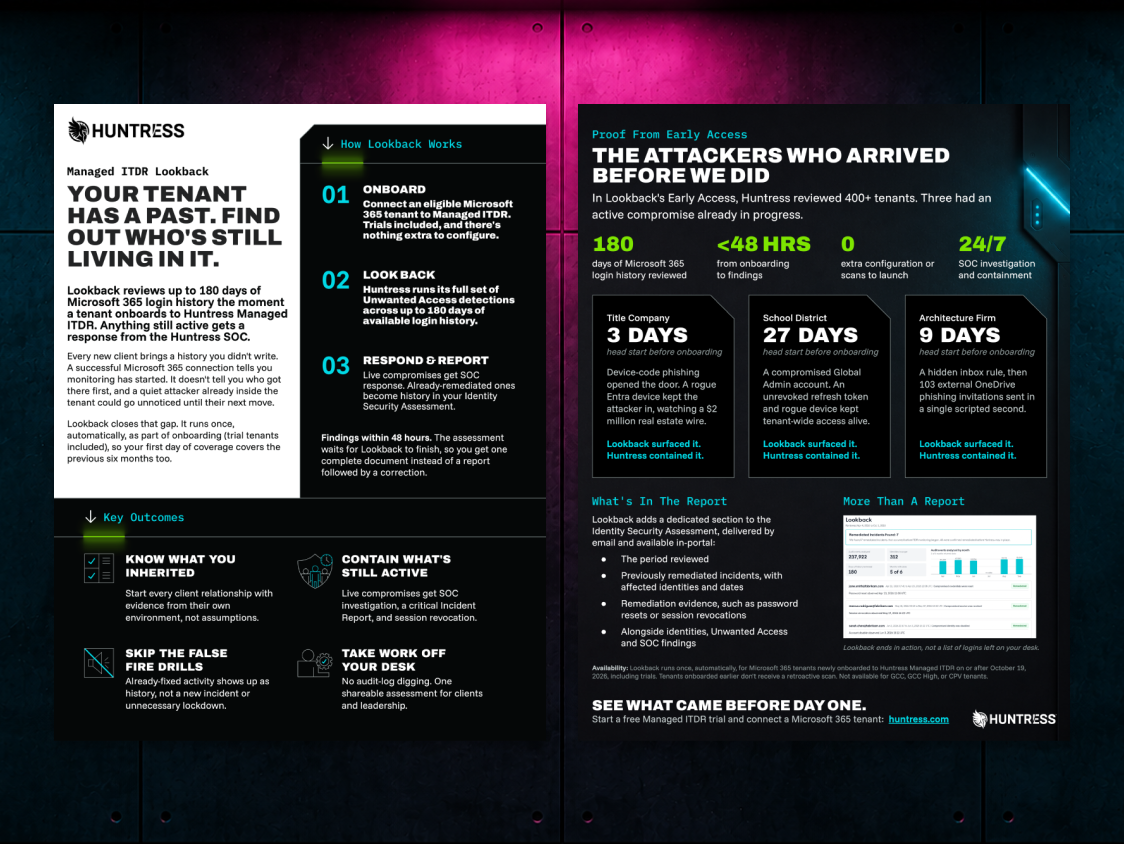
Huntress Managed ITDR detects the behaviors behind BEC, like suspicious inbox rules, logins from unusual locations, and session hijacking, and our 24/7 SOC responds before attackers can move money. Pair it with Huntress Security Awareness Training to help employees spot the lures that get through. See how Huntress stops BEC.
Don't face BEC threats alone. Huntress has your back.
FAQs on BEC
What is the difference between BEC and phishing?
Phishing is a broad tactic; fake messages sent to trick people into clicking a link, opening an attachment, or handing over credentials. BEC is a targeted type of phishing. Instead of casting a wide net, attackers research a specific organization, then impersonate or take over a trusted account, like a CEO, vendor, or HR contact, to request money or sensitive data. Many BEC emails contain no links or malware at all, which is why they slip past email filters built to catch traditional phishing.
How is AI changing business email compromise attacks?
AI makes BEC attacks faster to launch and harder to spot. Generative AI tools can write polished, error-free emails that copy the tone and writing style of the person being impersonated, so the typos that used to give scams away are disappearing. Attackers also use voice cloning and deepfakes to back up email requests with a phone call or video meeting. That’s why verifying requests through a separate, trusted channel matters more than ever.
Can MFA stop business email compromise?
MFA makes account takeover much harder, but it can’t stop BEC on its own. Attackers use adversary-in-the-middle (AiTM) phishing kits to steal session tokens after a user completes MFA, and many BEC scams don’t need account access at all because they rely on spoofed addresses. For stronger protection, combine phishing-resistant MFA (like passkeys or FIDO2 security keys) with ITDR and security awareness training.
What should you do after a BEC attack?
Treat it like a live intrusion, not just a bad email. The attacker may still be in the account, so contain first and investigate second.
Cut off access. Revoke all active sessions and refresh tokens, then reset the password. A password reset alone won’t remove an attacker who already holds a valid session token.
Remove what they left behind. Attackers rarely just read email. Look for the new inbox rules that hide, delete, or forward messages along with external forwarding addresses, MFA devices registered to someone unknown, and OAuth app grants nobody approved. Remove anything you can’t explain.
Find out how they got in. Review sign-in logs for unusual locations, VPN or hosting provider IPs, and logins that happened at “impossible travel” speeds. Look for a phishing email or AiTM sign-in page around the time of first access.
Figure out what they touched. Check sent items, deleted items, and mailbox audit logs for emails sent as the user, files accessed, and conversations they inserted themselves into, especially anything involving invoices or payment details.
Check whether they spread to other accounts. Compromised mailboxes are often used to phish coworkers and partners, so review accounts that got messages from the compromised user.
Escalate the money side right away. If any payment went out, call your bank immediately to request a recall, and file a report with the FBI’s IC3. Speed matters more here than anywhere else.
Warn anyone who might act on a fake request. Tell finance, vendors, and customers who were in contact with the account to verify any recent payment changes by phone.
Steps 1 and 2 matter most. If you skip them, the attacker can walk right back in while you’re still investigating.