


The 3-2-1 backup rule is a data protection strategy where you keep three copies of your data on two different types of media, with one copy stored off-site. It’s a simple framework designed to ensure that no single failure—whether a hardware crash, a fire, or a malicious hacker—can wipe out your important information.
Data loss is more of a “when” scenario than an “if” scenario for most businesses these days. Because of that, the 3-2-1 backup rule is the industry standard for making sure you can actually recover that data when things go sideways.
The 3-2-1 rule is an intentional repetitive data backup strategy. If you put all your eggs (your data) in one basket, like a local server, you’re one power surge or cyberattack away from a total blackout. Spreading your data across different locations and backup mediums lets you create a type of safety net trusted by the Cybersecurity and Infrastructure Security Agency (CISA).
To see how this rule works in practice, let’s dive deep into this backup strategy and why it matters for your security stack.
How the 3-2-1 backup rule works
The beauty of the 3-2-1 backup strategy is in its simplicity. Here’s the breakdown of what those numbers actually mean for your business’s endpoint resilience:
- Three copies of data: This includes your original production data plus at least two additional backups.
- Two different media types: You shouldn’t store all your backups on the same kind of hardware. If you use a local disk for one, use cloud storage, Network Attached Storage (NAS), or even tape for the other to avoid simultaneous hardware failures.
- One copy off-site: At least one backup needs to live in a separate geographic location (like a cloud provider’s data center) to protect against physical disasters such as fires or floods that could destroy your entire office.
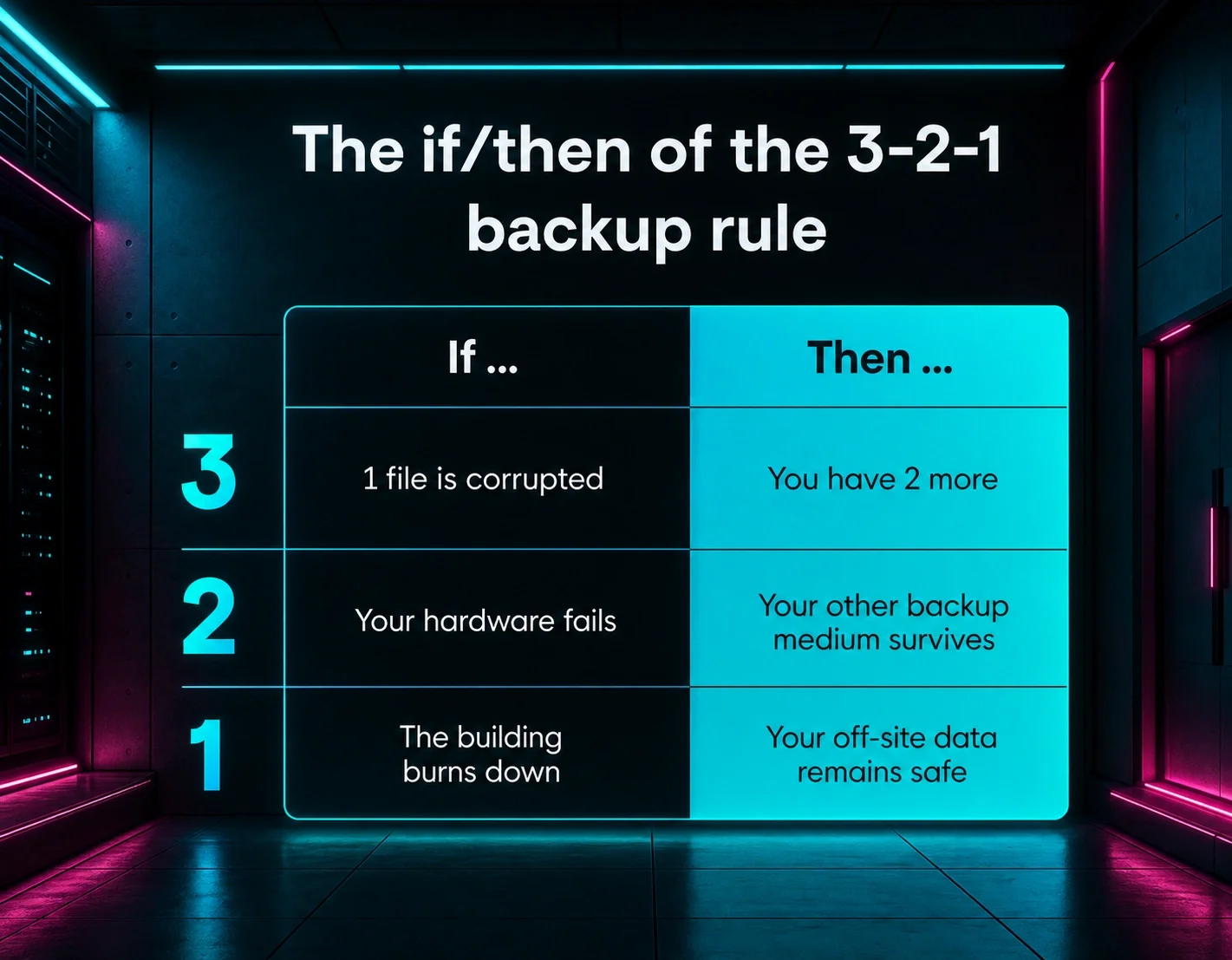
In short, the rule is to build a recovery path that never relies on a single piece of hardware or a single physical location. For more on how to come back stronger after an attack, check out our Ransomware Recovery Guide.
Example 3-2-1 backup: A typical setup might involve your primary data on a server, a secondary copy on a local NAS device for quick restores, and a third copy stored in a secure cloud environment. This way, if the server dies, you pull from the NAS. If the building loses power or floods, the cloud copy is still waiting for you. |
Why the 3-2-1 backup rule is important
The 3-2-1 backup rule is important because, without it, you’re relying on a single backup that can fail for the same reasons your primary data could. Threat actors can specifically target your backup systems to try and force you to pay a ransom.
Here are the key benefits of following the 3-2-1 rule:
- Eliminates single points of failure: Multihoming or using multiple copies means one corrupted file doesn’t bring business to a standstill
- Protects against physical damage: Off-site storage keeps data safe from local disasters
- Stops malicious hackers: Diversified storage makes it much harder for attackers to wipe out every recovery path
- Minimizes downtime: Having a local copy allows for near-instant uptime following small issues, while the off-site copy handles the big stuff
With these benefits, the 3-2-1 rule is essentially an undo button that helps you take the power back when a technical failure happens or an adversary strikes. And when paired with a security platform like Huntress, you can often catch attackers while they’re still trying to scout your network, long before they ever find your backup credentials.
3-2-1 in the real world The December 2025 Snowflake outage proved that physical dupes aren’t enough to protect against logistical failures.
|
What the 3-2-1-1-0 rule adds
As threat actors have gotten smarter, the 3-2-1 backup rule has evolved into the 3-2-1-1-0 rule. This version adds two crucial layers:
- One extra (or air-gapped) copy that can’t be changed or deleted, even if a hacker gets admin access
- Zero errors, or a commitment to regular testing and monitoring, so your backups truly work when you need them
This upgrade treats backups as an active part in your defense, shifting the focus from just having a backup to knowing you can recover.
How to implement the 3-2-1-1-0 rule
Applying the 3-2-1 rule takes a bit of planning, but it’s the best way to sleep at night. Here are five steps to a smarter backup strategy.
1. Inventory and classify your data
You can’t protect what you don’t know you have. Start by identifying your critical workloads, or the stuff your business literally can’t run without. This means looking beyond your main server and finding the shadow data, like those critical spreadsheets living on a single laptop in the finance department.
Bonus backup tip: Classify your data by sensitivity and importance, so you know which files need the most frequent backups and the strictest security controls. |
Of course, data classification only works if you know how to handle that data. Huntress Managed Security Awareness Training (SAT) turns your employees into an attack barrier defense by teaching them to spot phishing attempts and risky behaviors that lead to data loss. You’ll have fewer emergencies that require pulling from your backups.
2. Choose your backup media and locations
Pick at least two different media types, such as local SSDs and cloud buckets, to house your copies. You’ll also need to decide where your unchangeable copy will live; it should still be easy to access since it can’t be changed.
Keeping your physical backups on a separate power circuit or even in a fireproof safe is a great way to double down on the 1 in your 3-2-1 strategy.
Bonus backup tip: Many cloud providers now offer object lock features that prevent data from being changed for a set period, which is perfect for stopping ransomware in its tracks. |
3. Configure schedules, retention, and encryption
Set your backup frequencies based on how much data you can afford to lose. This figure is called your recovery point objective (RPO). If your business generates a lot of transactions, you might need backups every hour; for others, once a day is plenty.
Bonus backup tip: Don’t forget to enforce strong encryption for data both at rest and in transit. That way, even if a bad actor intercepts your files, they can’t read them. |
4. Run tests and enforce zero errors
A backup you haven’t tested is a gamble, not a real backup. Use monitoring and alerting tools to catch failed jobs immediately. Don’t wait for a real emergency to find out your cloud sync has been broken for three months because of a password change.
A backup you haven’t tested is a gamble, not a real backup. Use monitoring and alerting tools to catch failed jobs immediately. Don’t wait for a real emergency to find out your cloud sync has been broken for three months because of a password change.
Bonus backup tip: Run regular restore drills at least quarterly to confirm that you can actually get your business back online within your target timeframe. |
5. Integrate with detection and response
Backups are your last line of defense, but they work best when paired with proactive threat detection. Using a solution like Huntress Managed Endpoint Detection and Response (EDR) alongside a 3-2-1-1-0 strategy helps you catch malicious hackers before they can even reach your backup servers. This step can drastically shorten dwell time and reduce the scale of any necessary recovery.
Bonus backup tip: Configure your security tools to alert your SOC analysts if any unusual activity happens around your backup accounts, like bulk deletions or authentication changes. |
Cloud backup best practices with 3-2-1-1-0
The cloud makes off-site storage easy, but you shouldn’t just set it and forget it. Follow these best practices for cloud networking to ensure your off-site backup strategy holds.
Design a resilient cloud backup architecture
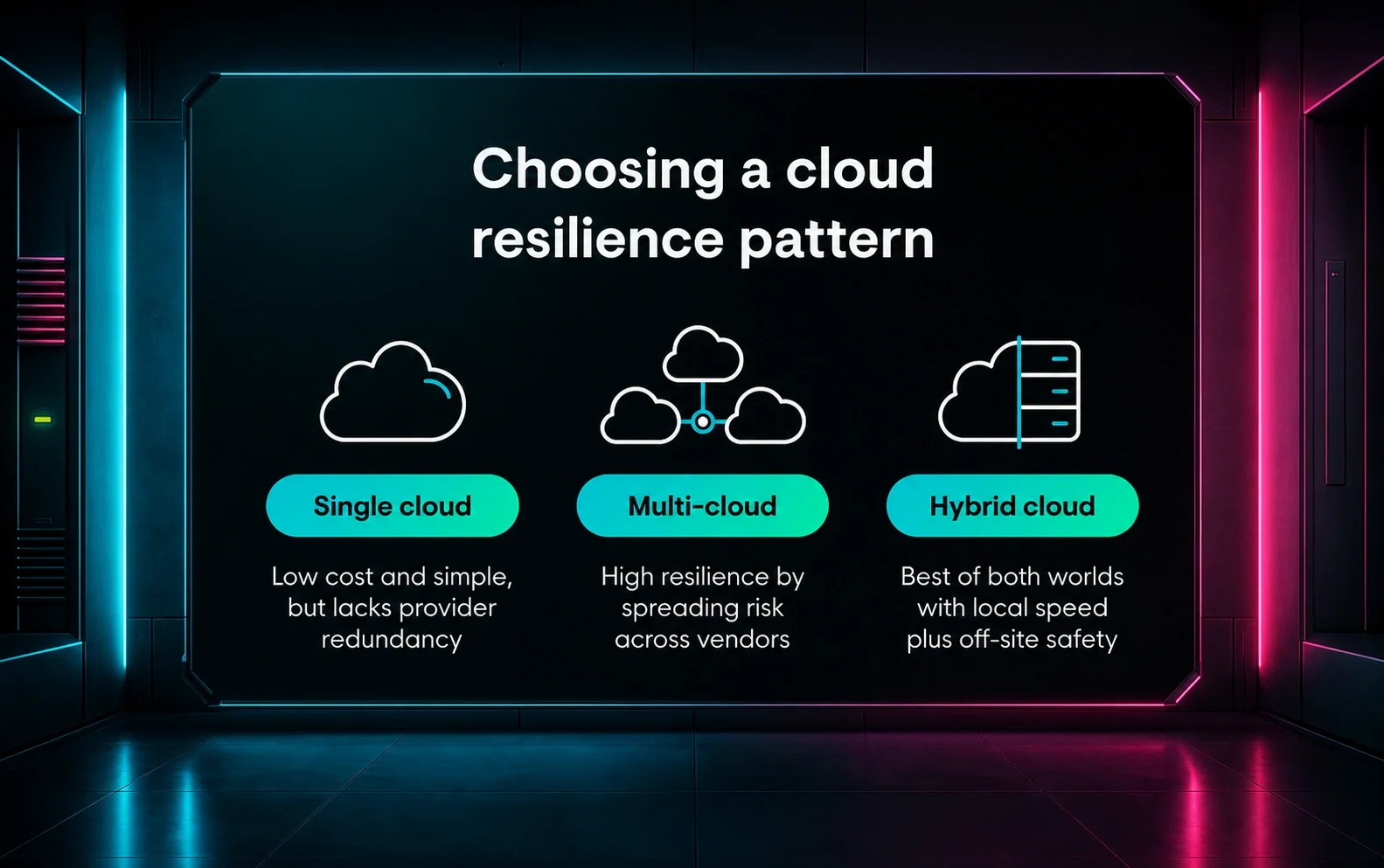
Map your 3-2-1-1-0 strategy to common cloud patterns, whether single, multi-cloud, or hybrid. This could mean keeping one copy on-prem and another in a multi-cloud setup.
You can even spread your cloud storage across the map. Using different cloud regions (geographically spread-out data center clusters) or even different providers adds another layer of protection in case one specific data center goes dark.
Create security controls for cloud backups
Don’t use the same credentials for your production environment and your backups. Enforce the principle of least privilege (every user gets only the bare minimum access required), then have separate backup admin roles and mandatory multi-factor authentication (MFA). If a malicious hacker then steals a standard admin’s password, it’s a lot tougher for them to touch your safety net.
Keep up with other operational cloud best practices
Automate your backup frequency to match the pace of your business. And remember that for some, that might mean hourly updates. To keep up, regularly stress-test your cloud recovery speed to ensure your internet bandwidth can handle pulling down tons of data during an emergency.
Building an enterprise backup strategy around 3-2-1-1-0
For larger organizations, backups need to be a core part of the business culture. Here’s how to match your backup strategy with enterprise-level security outcomes:
- Align your backups to your business risk: Tie your 3-2-1-1-0 strategy directly to your business continuity and incident response plans. Backups are an essential part of a layered cybersecurity strategy, not an afterthought you deal with once a breach has already happened.
- Prioritize governance, ownership, and documentation: Define clearly who owns the backup process across security, IT, and business units. Document exactly what’s backed up and where, plus how the 3-2-1-1-0 rule is enforced so that anyone on your team can step in during a crisis.
- Keep an eye on metrics for continuous improvement: Track key performance indicators (KPIs) like your backup success rate and how long it takes to fully restore. Use the lessons learned from every failed test or small incident to keep advancing your enterprise backup strategy.
This enterprise approach moves backups from the server room into the boardroom so when a ransomware attack happens, the response is a fully rehearsed protocol that runs smoothly. That’s key because true resilience means reducing the blast radius of an attack.
Using the Huntress Security Platform to monitor for early signs of ransomware lets you trigger your backup protocols sooner, potentially saving terabytes of data from being encrypted in the first place.
Create a stronger backup plan with Huntress
The 3-2-1 backup rule gives you a solid foundation. But you need more than just a way to recover; you need a way to stop attacks before they force you to restore. A layered cybersecurity strategy combines reliable backups with active monitoring to keep your business resilient.
We know that the threat of losing your data can feel overwhelming, but our deep understanding of how threat actors think means we know exactly what to look for. The Huntress Security Platform helps you find and wreck shady hackers before they compromise your identities and endpoints.
FAQ
How does the 3-2-1 rule hold up today?
These days, the 3-2-1 rule is still the starting point for a backup strategy, but it’s no longer enough on its own. You need to include immutability and rigorous testing to stay ahead of modern ransomware. That’s why the 3-2-1-1-0 rule is more effective than 3-2-1.
What are the most common mistakes when following the 3-2-1 rule?
The biggest blunders when following the 3-2-1 rule are:
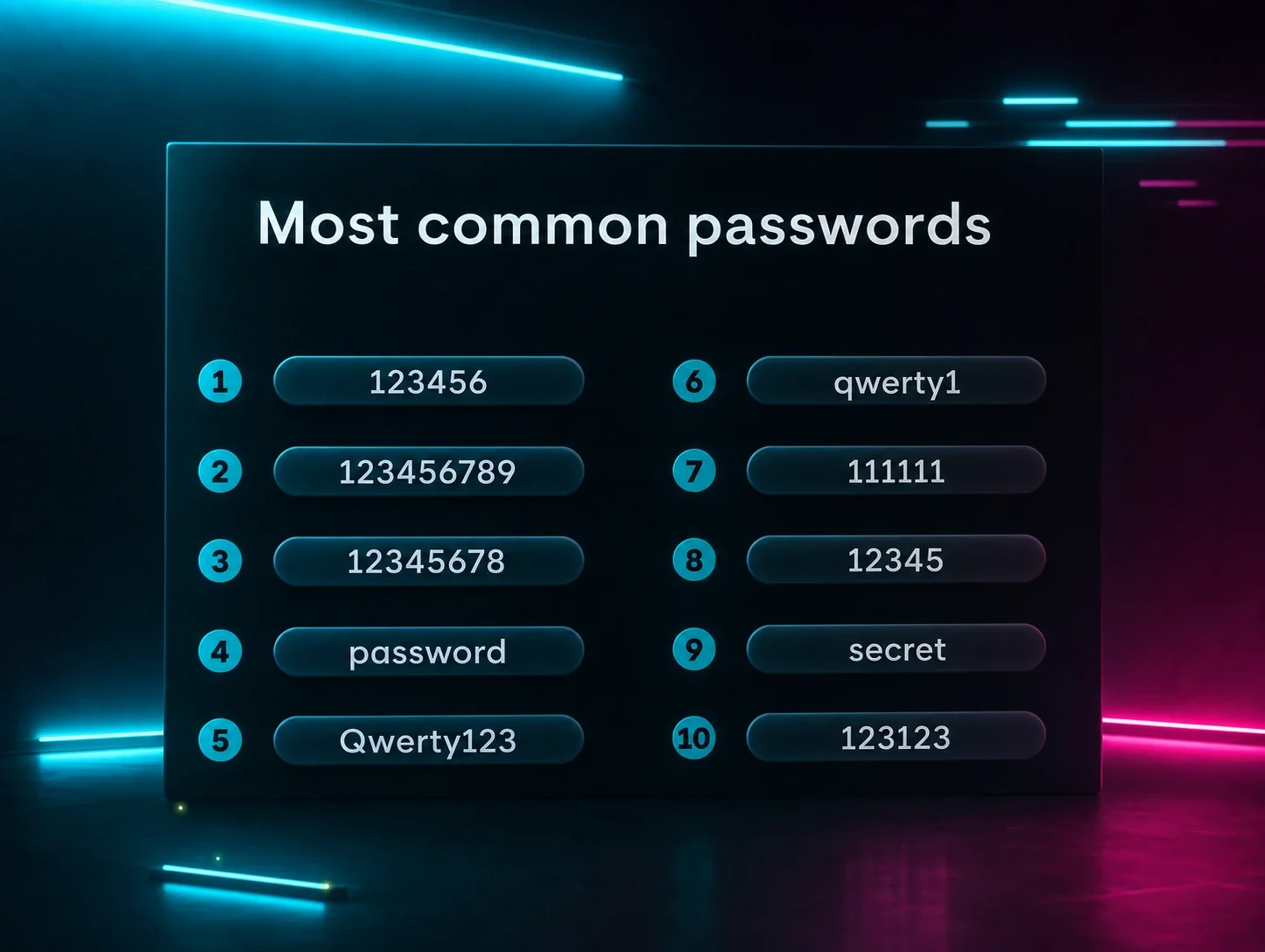
- Using the same password for all storage locations
- Forgetting to test restores
- Keeping off-site copies in the same physical building or on the same network
Can I use only cloud storage to meet the 3-2-1 backup rule?
Yes, cloud storage technically follows the 3-2-1 backup rule if you use different providers and regions. But it’s risky. Best practice still recommends at least one local copy for speed and one independent media type to avoid being totally dependent on your internet connection.
Do SaaS applications like Microsoft 365 need 3-2-1 backups?
Yes, SaaS applications absolutely need 3-2-1 backups. Most SaaS providers guarantee the uptime of the service, but not the protection of your specific data. You need a third-party backup to ensure you can recover from accidental deletions or account takeovers.