


In this article, we break down five real phishing email examples using the latest email phishing techniques, and share the phishing red flags that can help you spot phishing emails before they cause damage. Picture this: it’s 4:59pm on a Friday, and you’re about to slam the work laptop shut for the weekend. You’ve got big plans that include going out to dinner with some friends, and one of them is texting you at this very moment, asking if you want a ride.
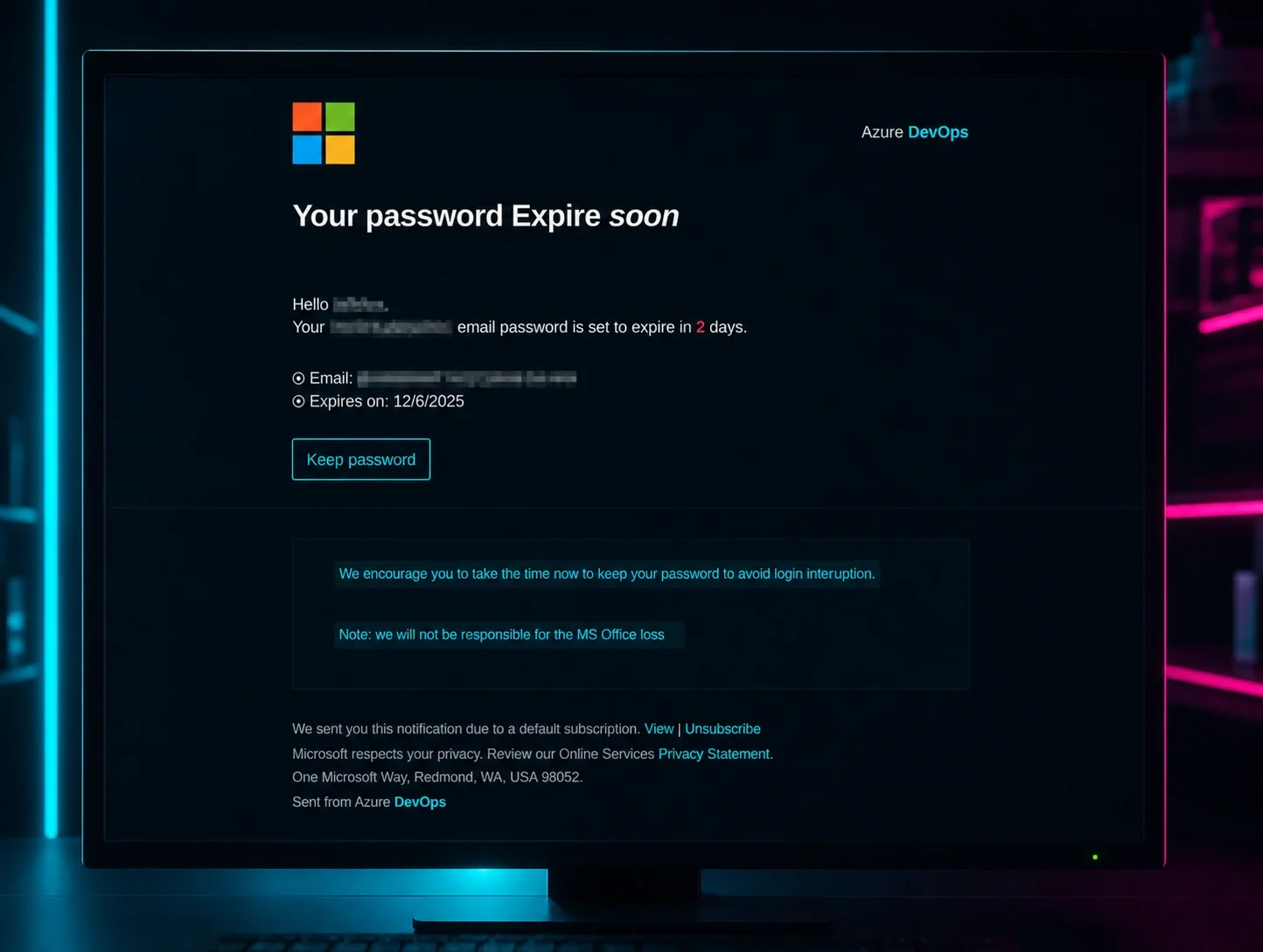
You’re about to log out of your email, but one last message popped up. You give it a quick glance and see the Microsoft logo at the top and fragments of an ominous note: “Password Expires” and “soon.” It clicks - your password is set to expire in two days. Your phone is still vibrating, and you need to go get ready for dinner, but you figure you should change it now so you don’t come back to a locked account on Monday morning. You mindlessly click the button in the email that says “Keep password” before entering your credentials on the webpage, closing your work laptop, and hurrying off.
It only took 60 seconds and an urgent message on a Friday night, but you’ve been phished.
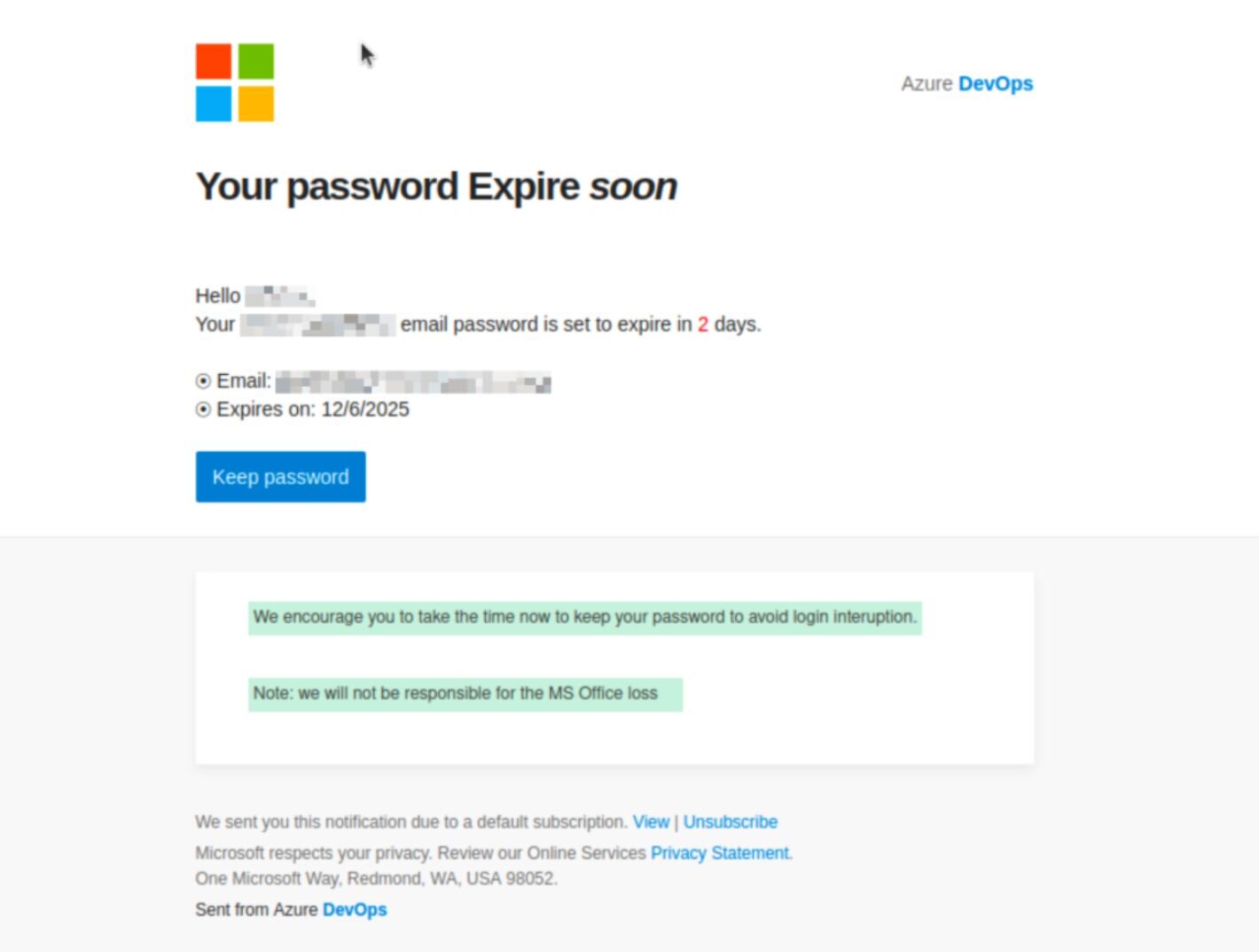
As it turns out, threat actors rely on these types of scenarios to dupe even the most wary of targets: a bit of distraction, a sense of urgency, and a familiar, trusted logo is oftentimes all they need to trick you into handing over your password.
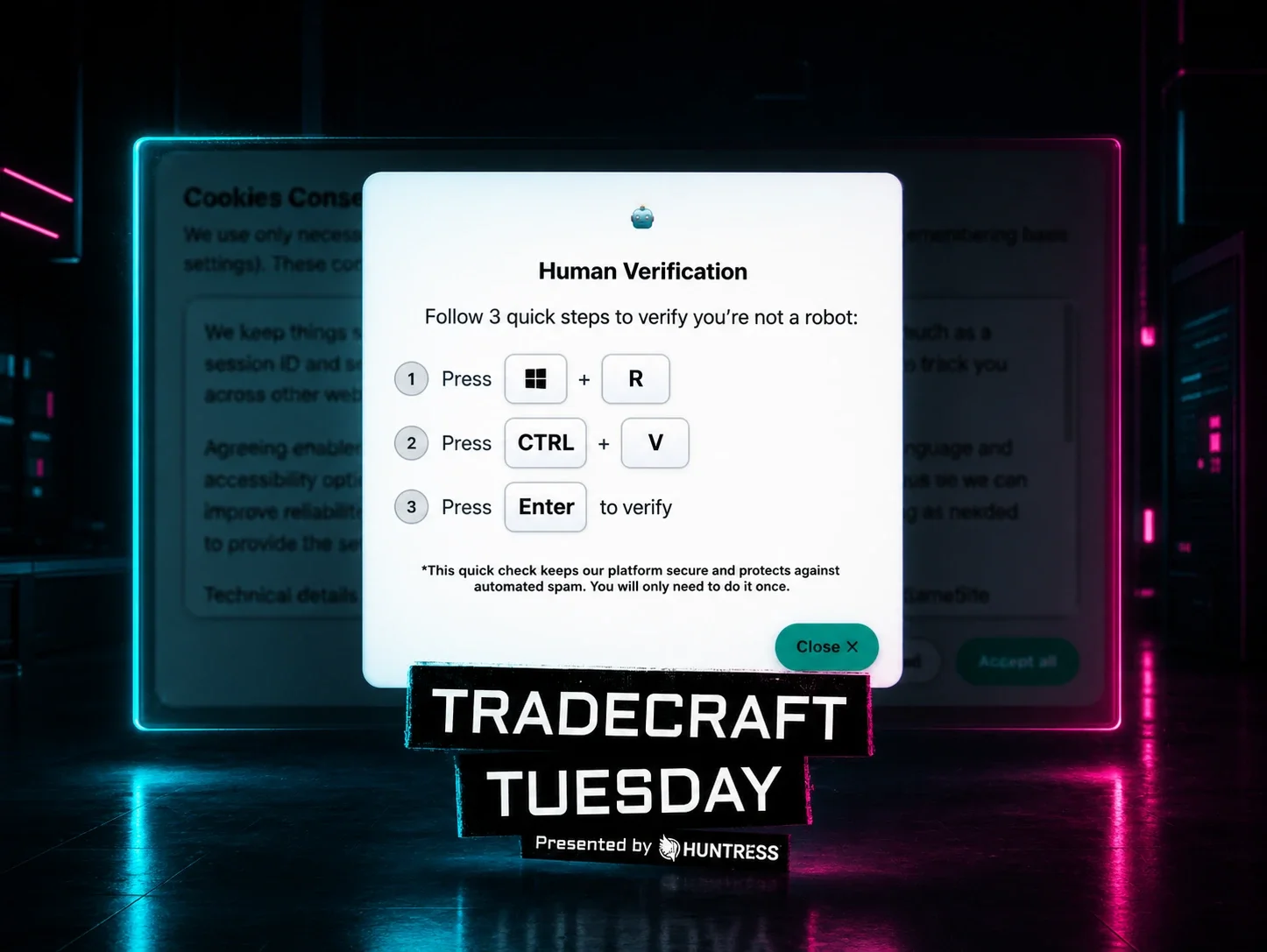
In our recent Tradecraft Tuesday episode, Truman Kain, Principal Product Researcher, and Lindsey O’Donnell-Welch, Technical Community Engagement Writer at Huntress, discussed the top five shadiest phishing tradecraft techniques they’ve seen this year at Huntress. Below are the tactics that are working for threat actors.
1. Voicemail lures: A growing email phishing technique
Voicemail-themed phishing techniques exploit urgency by mimicking missed call notifications from trusted platforms. Scammers thrive on a sense of urgency, and what can be more pressing than a missed work phone call? This plays into the continued success of the voicemail lure, where attackers send “voicemail notifications” via email, telling targets they’ve missed a call and prompting them to “listen to the voice message” or “view the transcript.” Of course, whatever lure they may use convinces the target to interact with the email, which is typically designed to take them to a landing page and either enter their credentials or unwittingly download malware.
Consider the email below, which tells targets they have a voice message on their office line, includes caller details like the caller ID, time, and duration, and tells them to download the attachment to listen to the voice message.
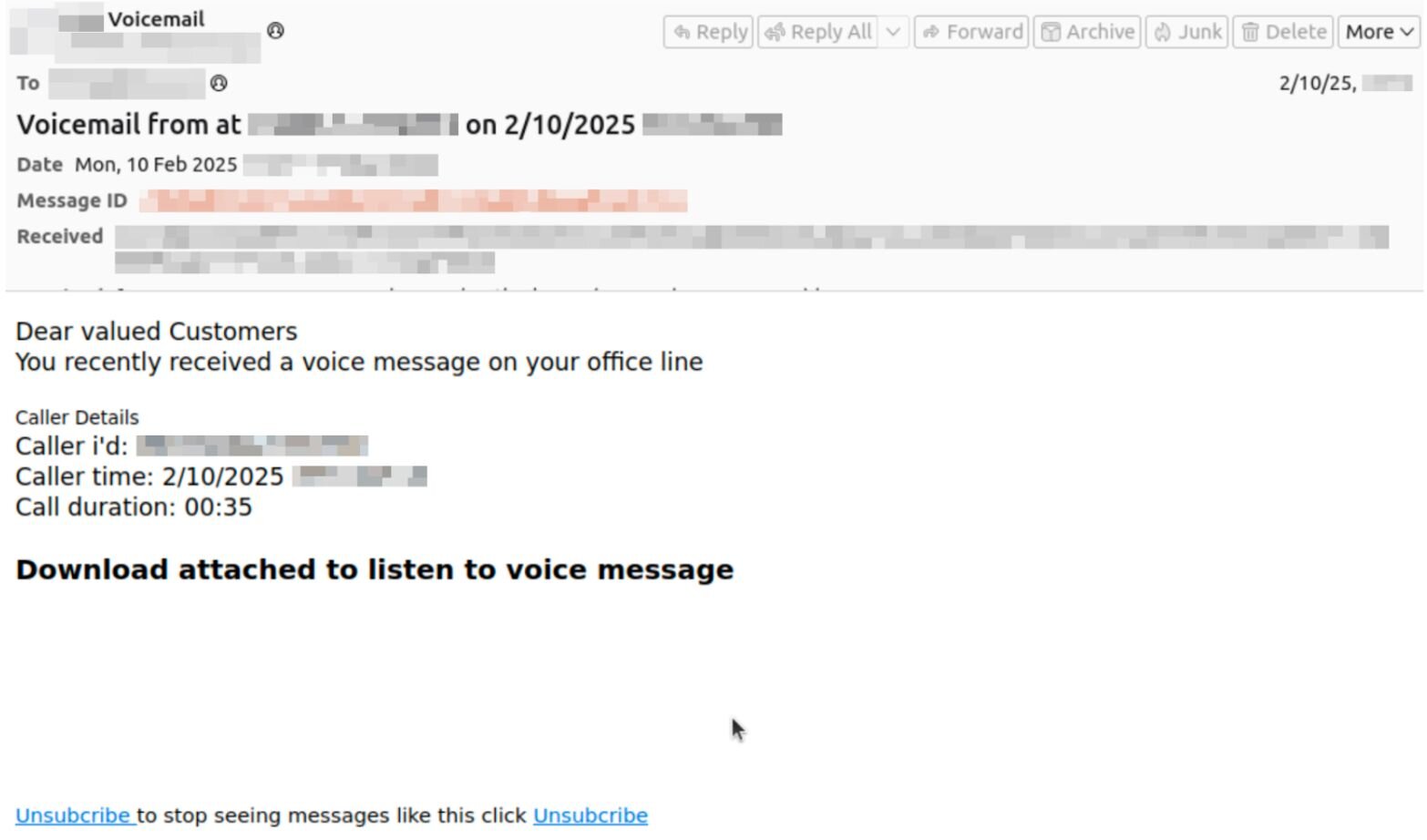
The attachment in question is an SVG file, a popular image file format used for displaying graphics, charts, and other illustrations. It’s also a common type of attachment we see in phishing campaigns, along with other file formats like HTML, HTA, and LNK shortcut files.
For this specific phish, the attached SVG file opens in-browser and redirects the target to a fake Microsoft login page. The attack relies on Raccoon0365, a popular phishing kit, which gives attackers various capabilities, including the ability to attempt to pre-populate victim emails on the landing page to increase its credibility (see Figure 3 below).
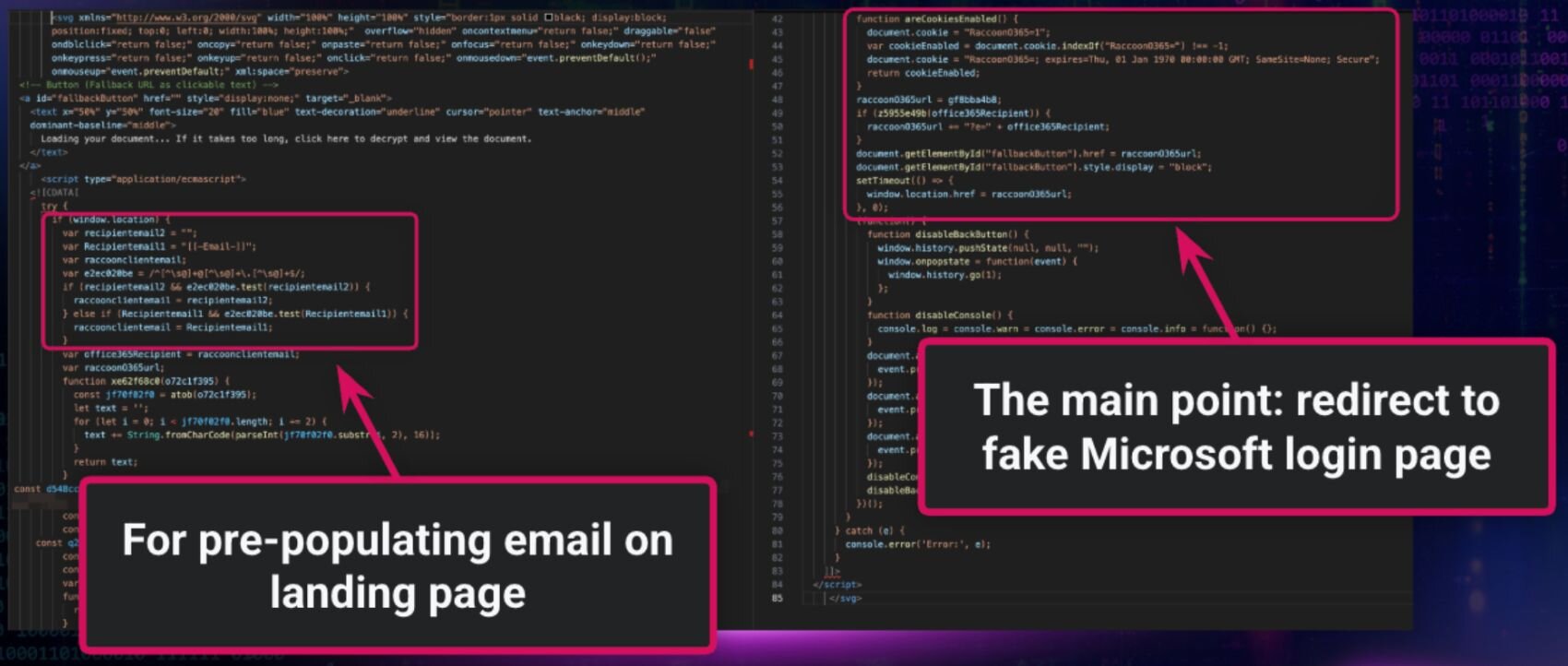
Bonus tradecraft: In this example, threat actors obfuscated parts of the SVG file. This points to one specific way they’re attempting to circumvent email security gateways and other forms of detection.
2. Callback phishing: A phishing email example hiding in plain sight
This email phishing technique skips the malicious link entirely—instead, the phishing email example provides a phone number to lure victims into direct contact. Another type of attack we’re seeing regularly is callback phishing, which involves an attacker sending an email that includes a phone number for the victim to call. The lure typically resolves around some sort of issue that the target needs to fix by calling the phone number.
In the email below, the attacker claims to be from Visa (using the sender address [email protected]) and informs the target that they have made a $699.95 payment. In order to cancel the payment, the recipient should contact a “support” number, says the email. The example below shows an email sent to an Australian user, and the phone number is formatted accordingly.
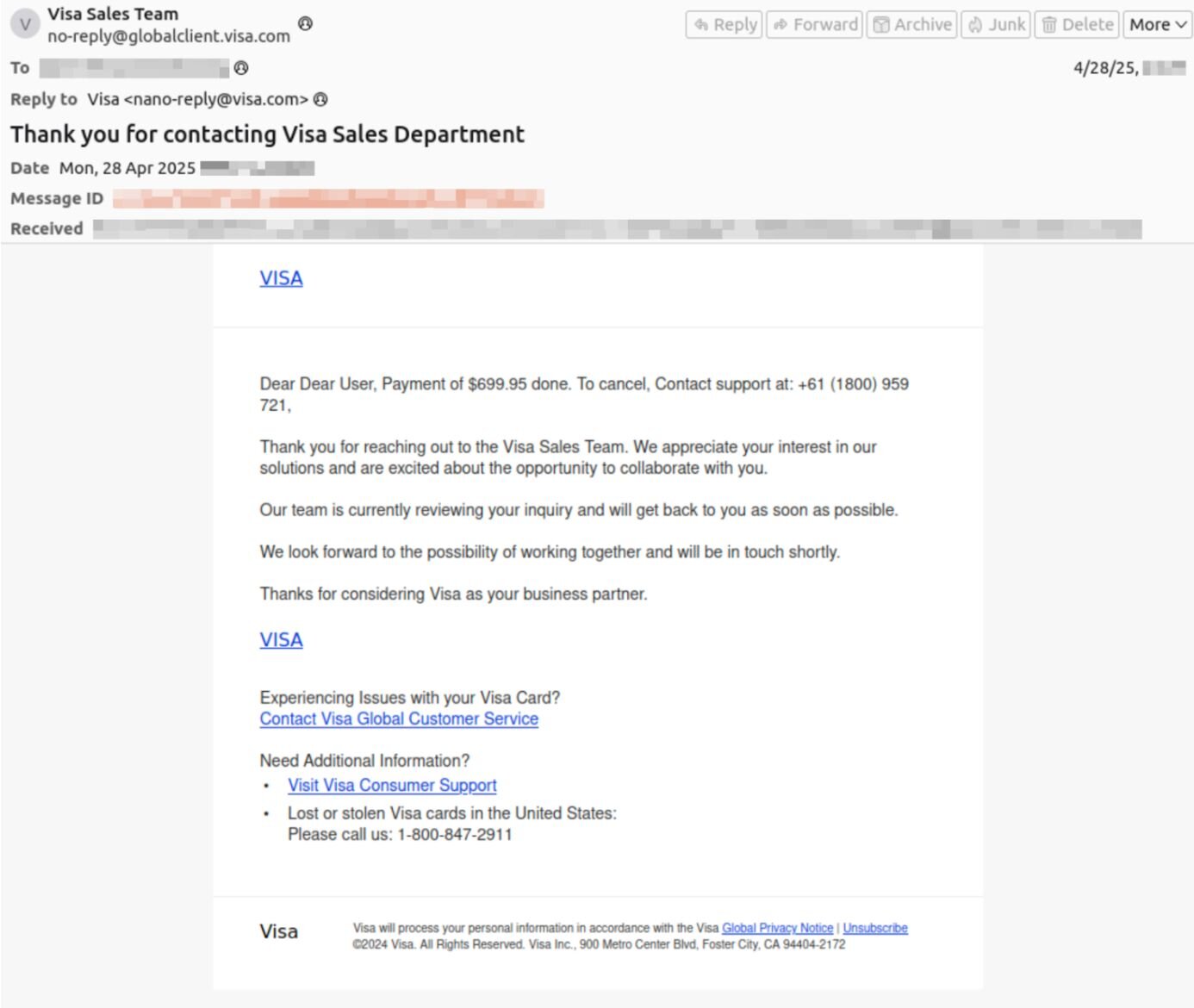
After the target calls the phone number, they are presumably convinced by scammers to hand over personal or financial information.
Bonus tradecraft: Many threat actors use canned text for parts of their messages, which you can see in the example above. The first part of the message is very different from the second part, which includes a more formal tone and a different phone number.
3. Microsoft (and other brands): Phishing red flags in brand impersonation
Brand impersonation remains one of the most effective phishing techniques, and knowing the phishing red flags is the best defense. Many phishing emails try to build trusted brands into their lures, like Microsoft. In fact, Microsoft was a top common brand impersonated by threat actors during incidents (ahead of Docusign, Dropbox, and ShareFile).
Consider the phishing email below, for example. The “Microsoft 365” email tells the target that their storage is full, and they need to “clear your cache in order to send and receive new emails.” Though the email header says the sender is “Microsof Teams Online” (note the spelling error), the email address is from Docusign ([email protected]).
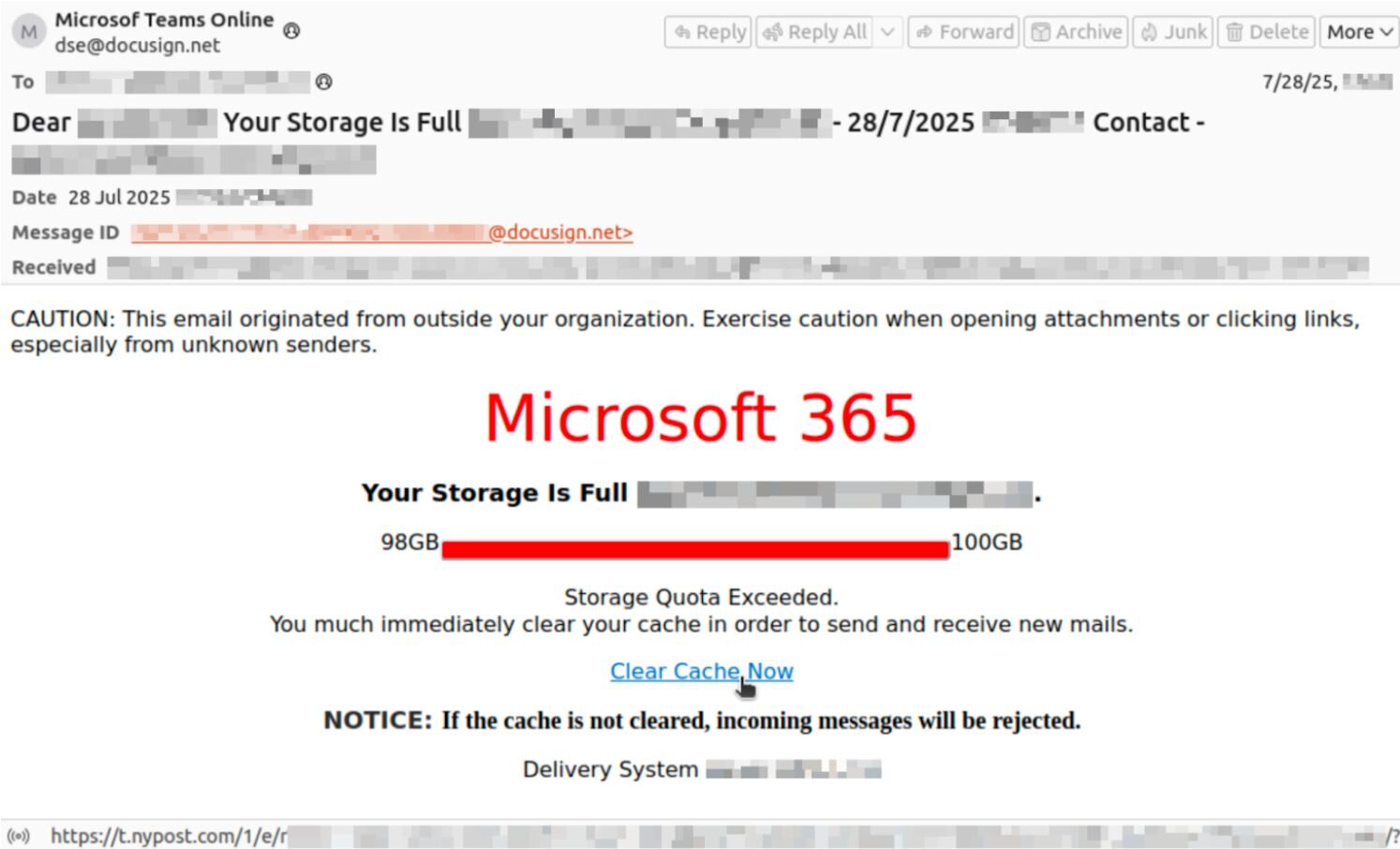
The threat actors behind the email are also using an open URL redirect. This technique of brandjacking abuses the fact that some websites accept URLs with redirects to other sites; attackers manipulate legitimate URLs, in this case linked to nypost.com, to redirect their targets. This effectively redirects the user from the legitimate NY Post website to the attacker-controlled site (which, in this example, is a fake Microsoft sign-in page at bodasyestilo[.]com).
Bonus tradecraft: We’ve seen a ton of lures linked to Microsoft Teams in particular, including messages telling recipients to update to the latest Teams version or that they’ve been added to a new team within the app.
4. Shipping notifications: How to spot phishing emails from fake carriers
Fake shipping alerts are a classic email phishing technique—here's how to spot phishing emails disguised as delivery updates. Odds are you’ve come across a shipping notification-themed phishing message, which pretends to come from UPS, FedEx, or another shipping company. The emails tell victims they have a package waiting for delivery, or maybe their shipment is missing some information or has been delayed.
The shipping notification email below pretends to come from FedEx, and urges targets to update their incorrect delivery details.
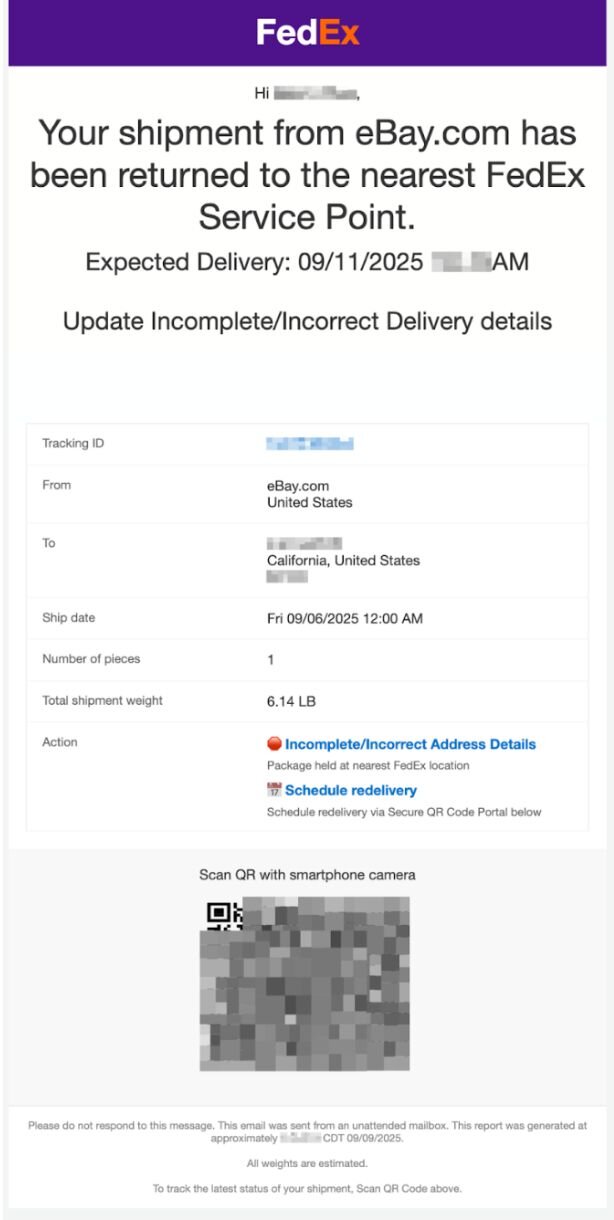
Notably, this message in particular includes an ASCII QR code. The QR code isn’t a static image; rather, the threat actors are using ASCII characters. To the recipient, these characters display a QR code, but they aren’t picked up by security tools.
Bonus tradecraft: We see more of these types of attacks during the holidays when people are ordering a bunch of things.
5. Living off trusted sites (LoTS): Advanced phishing techniques
Attackers are finding success in using a technique called Living off Trusted Sites (LoTS). While many phishing emails lead victims directly to an attacker-owned landing page, LoTS involves an email that then leads targets to a legitimate trusted site (like Dropbox, Canva, or Docusign), before then taking them to the malicious site.
For instance, the email below from prototyping tool Figma ([email protected]) tells recipients to “Review Funding” and directs them to the legitimate Figma website (figma.com). On the backend, threat actors have set up the webpage to tell victims to view a document–and that then takes them to a fake Microsoft login page.
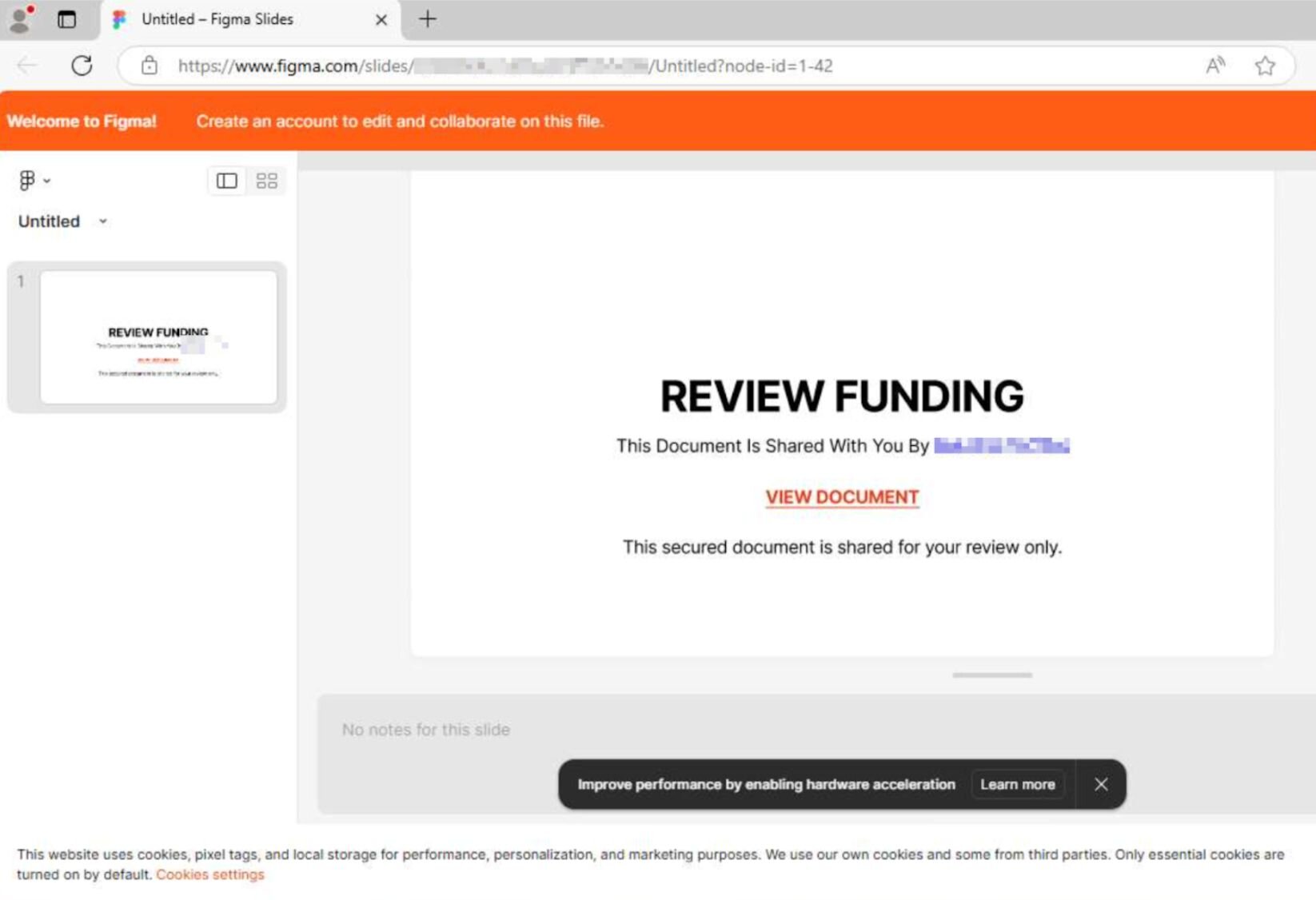
LoTS helps attackers evade detection because there are no initial red flags for end users, and the email appears to come from a high authority vendor. In this specific attack, the threat actors also use a form Cloudflare Turnstile between the legitimate Figma page and malicious landing page. The use of Cloudflare Turnstile or CAPTCHAs is another prevalent way attackers bypass security controls, because these typically aren’t marked by browser security scanning tools.
Bonus tradecraft: LoTS has similarities to sender abuse or platform abuse techniques; however, these tactics are inherently different. Threat actors rely on sender abuse to send an email from a trusted sender, but the email is going to lead recipients directly to a malicious site. LoTS goes through the legitimate, actual trusted domain first, before bouncing users to malicious domains.
Don't get phished up: How to spot phishing emails before it's too late
Knowing how to spot phishing emails and recognizing phishing red flags is the most reliable defense against these evolving phishing techniques. While the phishing emails above have different flavors, the overall playbook is typically the same: threat actors are playing on emotions to convince targets to interact with their lures and finding small but successful ways to stay undetected.
While you shouldn’t mindlessly throw security to the wind–no one likes a serial clicker!–the fact of the matter is that we’re clicking through hundreds of messages a day at work. Even the most security-conscious people have fallen victim to phishing attacks. The best way to avoid phishing emails is to just check the website directly, rather than going through any link provided in the message. Got an email from Bank of America about a late payment? Log into your account through the actual website and see what types of notifications you get there.
Something else to remember: employees may be the ones getting the phishing emails, but businesses bear responsibility in making sure that the right tools, technologies, and processes are in place to mitigate the impact of the eventual phishing message that will land in their workforce’s inboxes. Of course, managed security awareness training can help employees stay up to speed on the best way to detect these types of emails – and solidly understand what to do after a phishing message lands in their inbox. Other measures should also be in place, like email filtering, multifactor authentication (MFA), and a clear path for reporting phishing. (And, SMS phishing (smishing) follows the same playbook -- see our full breakdown.)
See how Huntress helps detect and stop phishing attacks with managed security awareness training.