



In March 2026, our SOC caught a surge of anomalous Microsoft 365 logins across dozens of organizations simultaneously.
The source: a handful of IP addresses belonging to Railway.com, a developer PaaS platform most security teams have never had reason to think about.
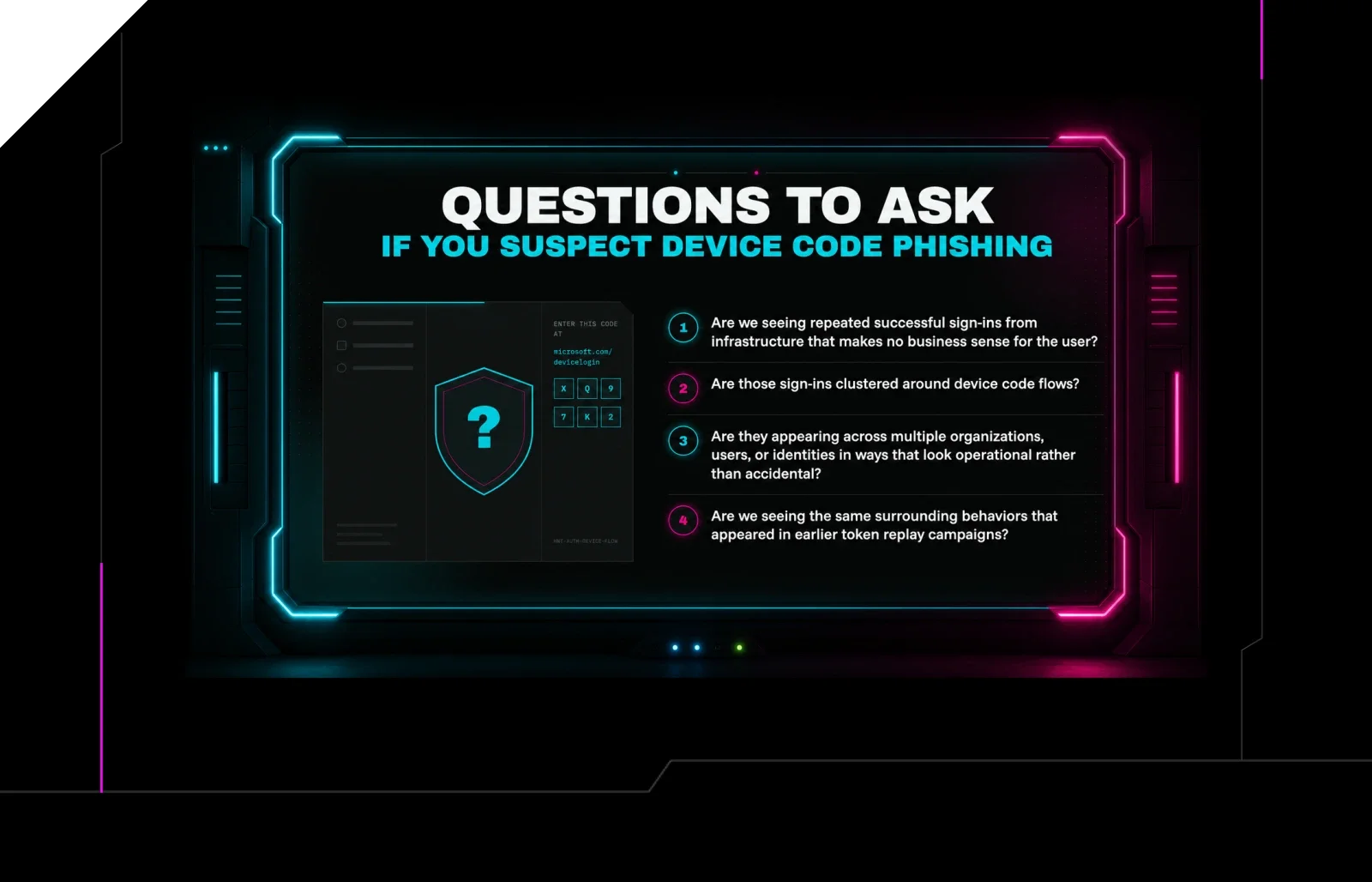
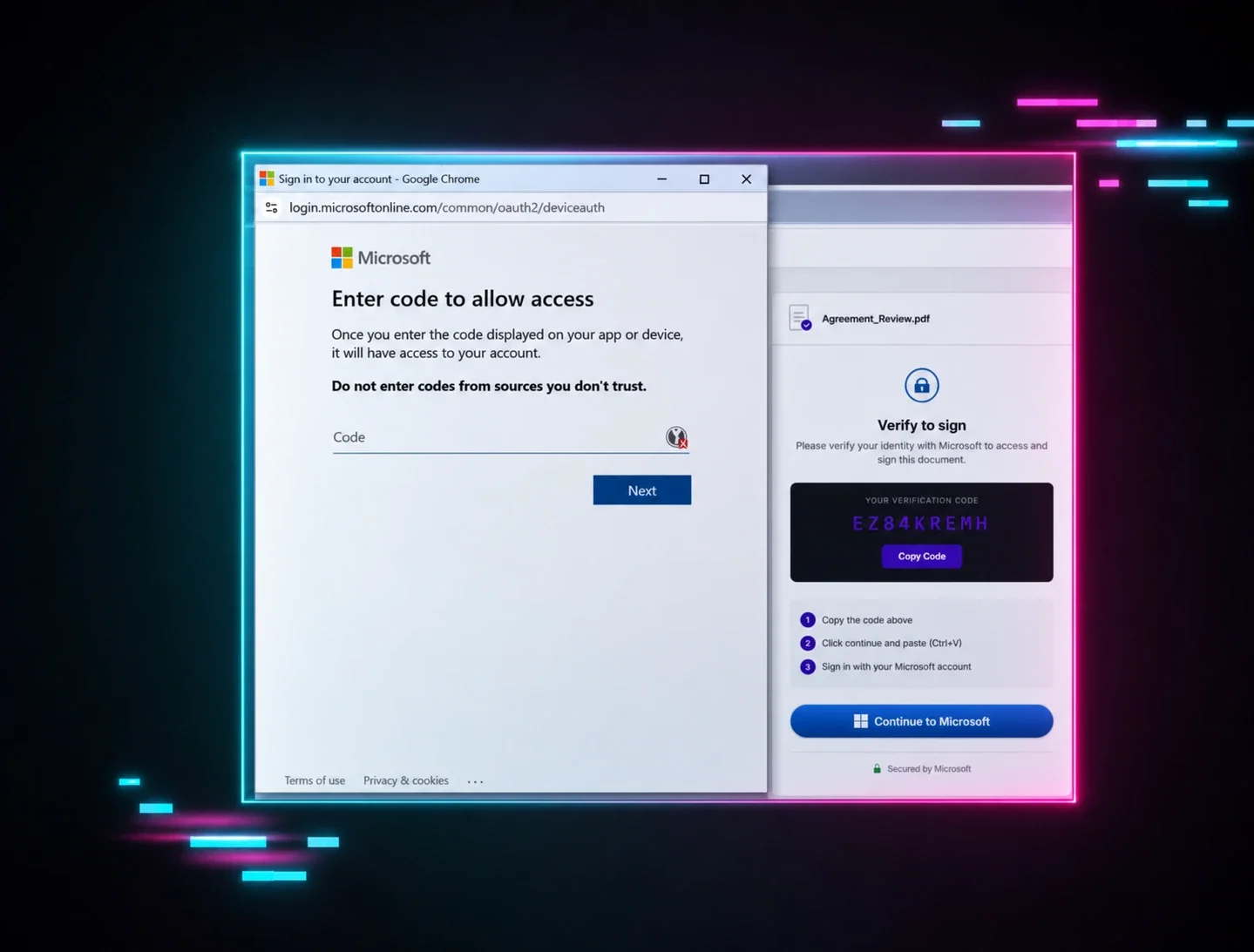
The technique: device code phishing, where attackers generate a legitimate Microsoft authentication code and trick users into entering it, handing over a valid OAuth token that lasts up to 90 days. No password stolen. No malware installed. MFA completed by the victim, so the attacker gets full access.
By the time we published our Railway investigation, 344 organizations had been hit across the US, Canada, Australia, New Zealand, and Germany.
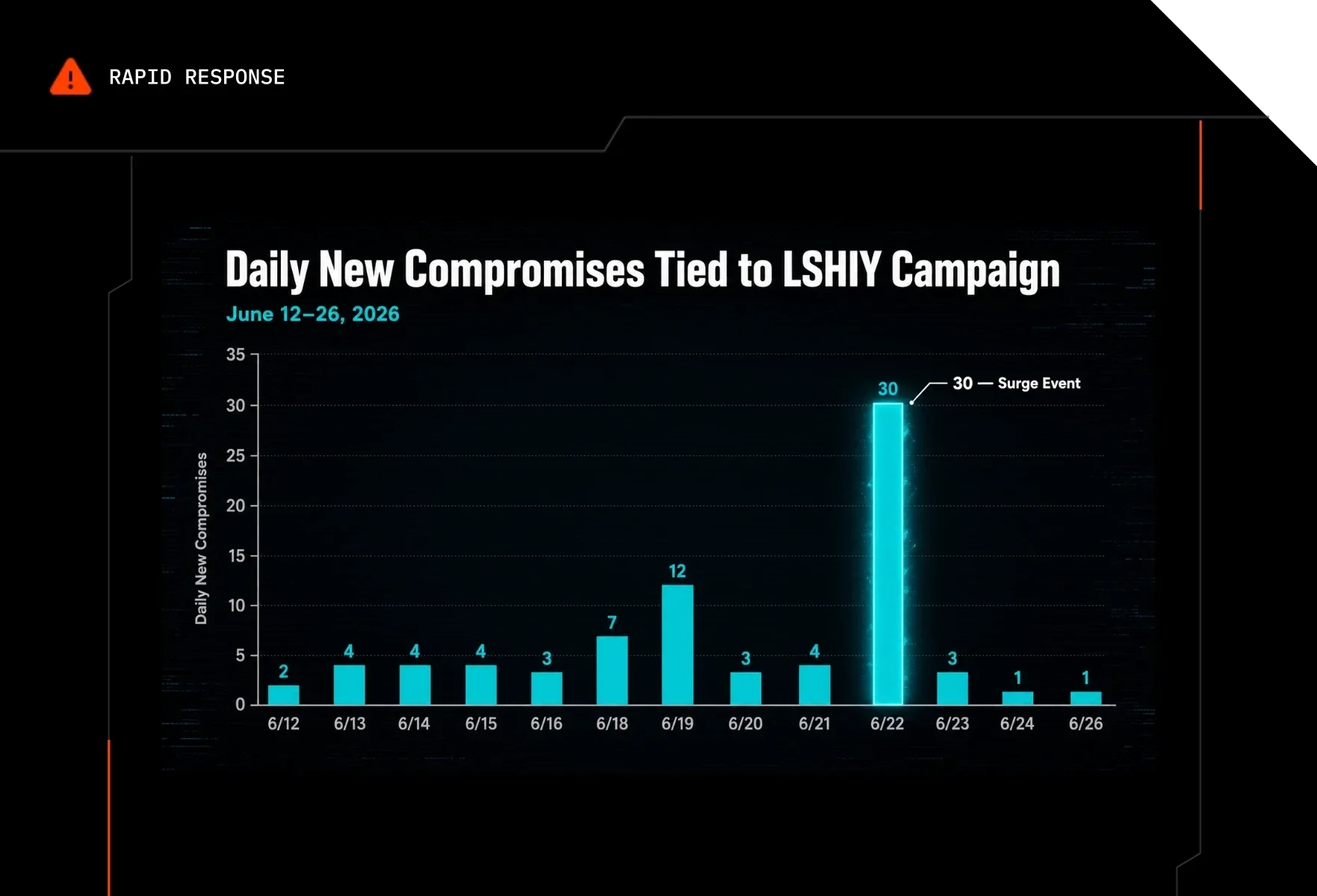
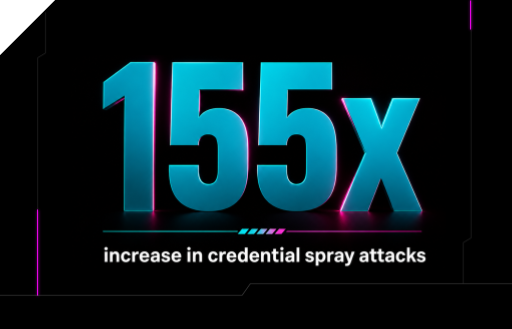
Three months later, our SOC spotted a different kind of surge: 81 million login attempts from an IPv6 range controlled by a company called LSHIY LLC, resulting in 78 compromised accounts across 64 organizations. The technique this time was ROPC, or Resource Owner Password Credentials, a deprecated OAuth flow that takes a username and password directly at the /token endpoint and mints a fresh user token without ever triggering an MFA prompt in most cases.
Different attacks. Different infrastructure. But both campaigns got through because of the same category of misconfiguration: auth flows that most Microsoft 365 environments have never explicitly blocked, and Conditional Access policies that looked correct but weren't.
Railway: A token harvesting factory with clean IP addresses
Device code phishing is effective because it doesn't try to beat MFA. It sidesteps it.
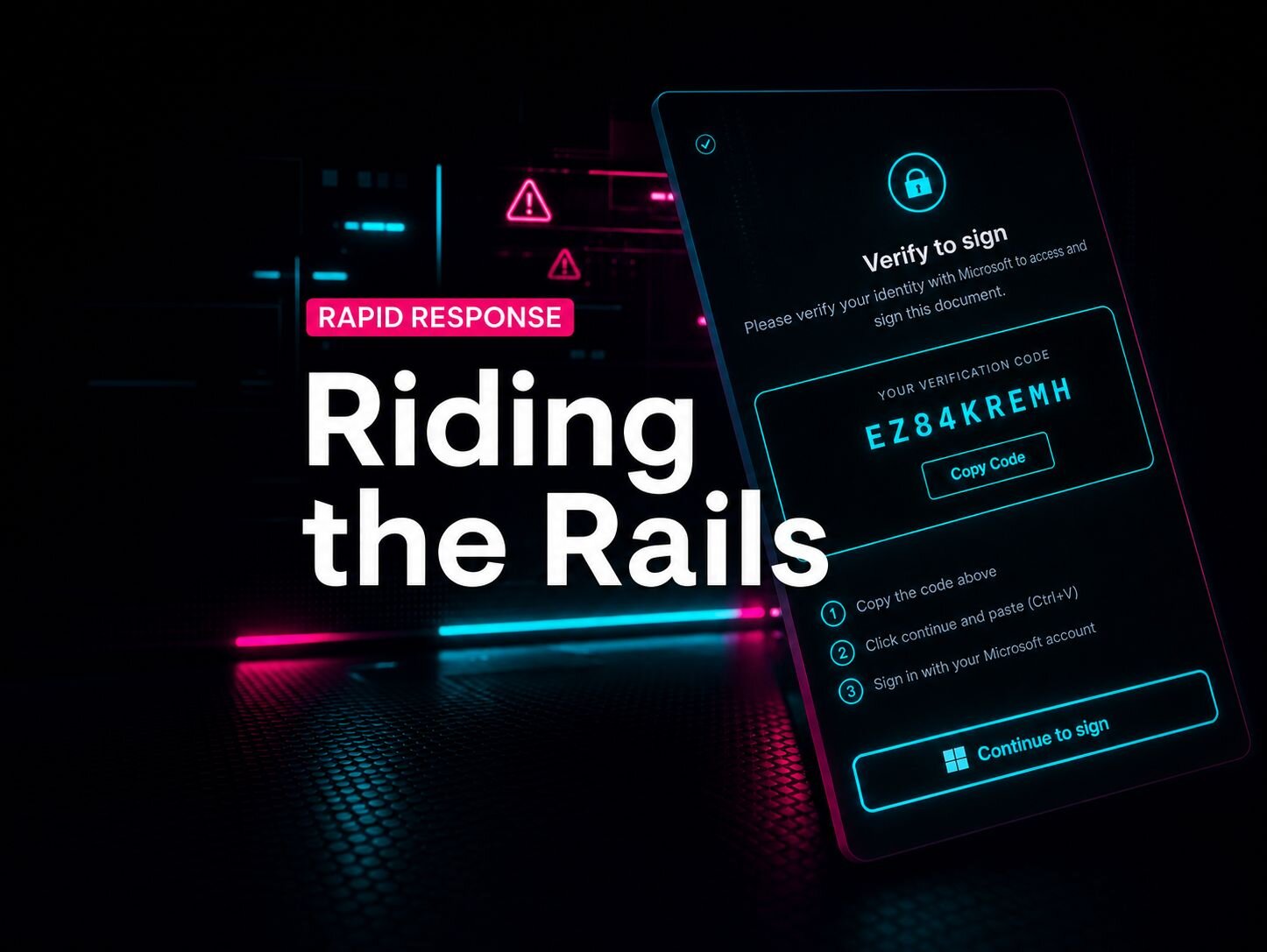
Microsoft's OAuth device code flow was designed for input-constrained devices like smart TVs and printers that can't do an interactive login. Attackers weaponize it by generating device codes themselves, embedding them in phishing lures, and collecting the resulting OAuth tokens when victims authenticate. The victim may complete MFA. It doesn't matter. The token is already gone.
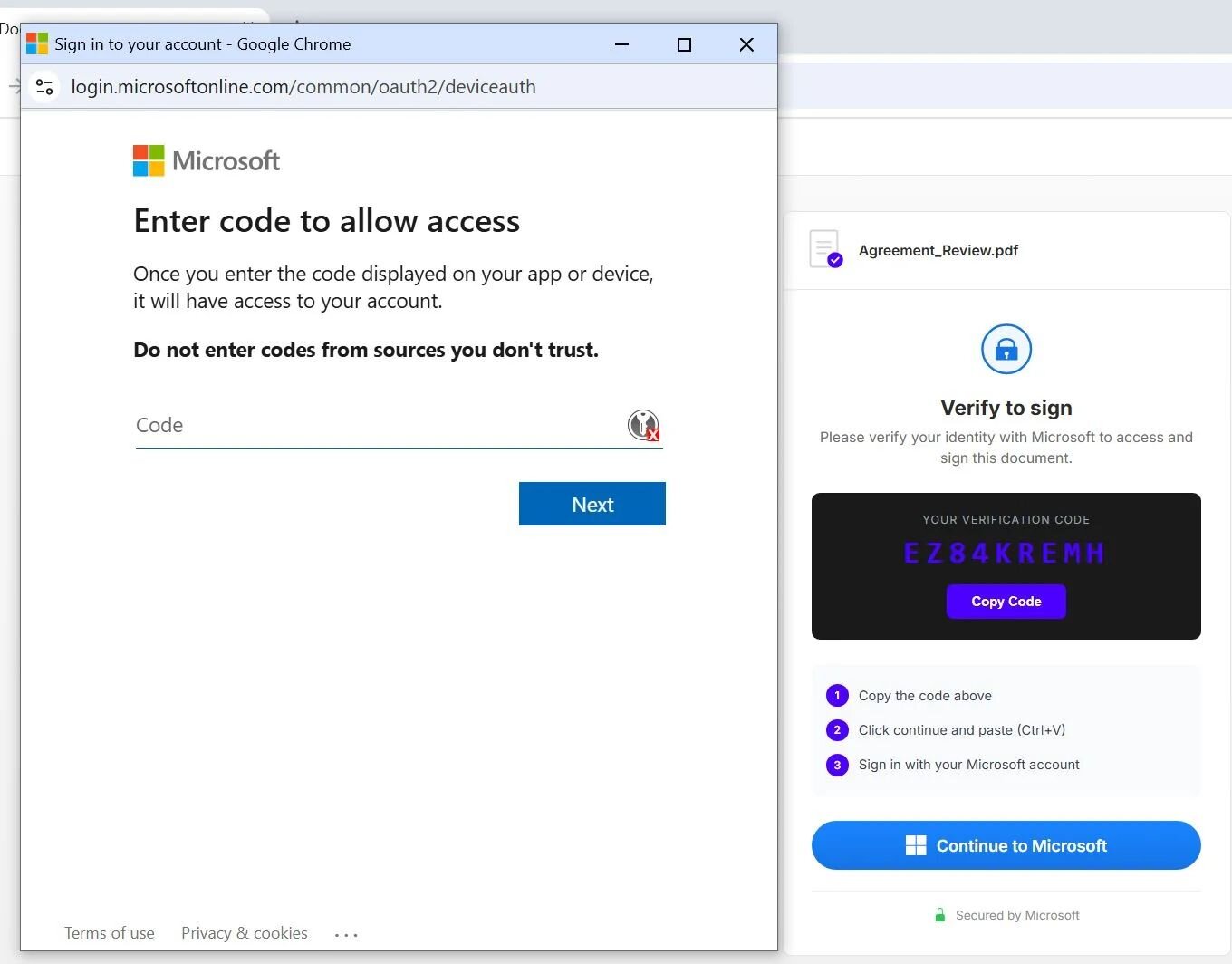
Figure 1: Device code phishing used as a tactic
What made Railway dangerous wasn't the technique, which Huntress has tracked for a while. It was the infrastructure. Railway is a legitimate developer PaaS platform. Its IP ranges are clean. Microsoft Identity Protection has no reason to score a login from Railway as risky. Attackers effectively got a cloud-hosted token harvesting engine with trusted IP reputation built in, and just three Railway IP addresses accounted for roughly 84% of all attack traffic. A small number of deployed applications were doing a lot of damage.
The lures were built to scale, too. Construction RFP themes dominated, which tracks given that the construction industry runs on third-party document requests. Some phishing chains ran through triple-wrapped URLs using Cisco, Trend Micro, and Microsoft's own SafeLinks in sequence. The email arrived with a trusted vendor domain in the link, and the filtering stack passed it.
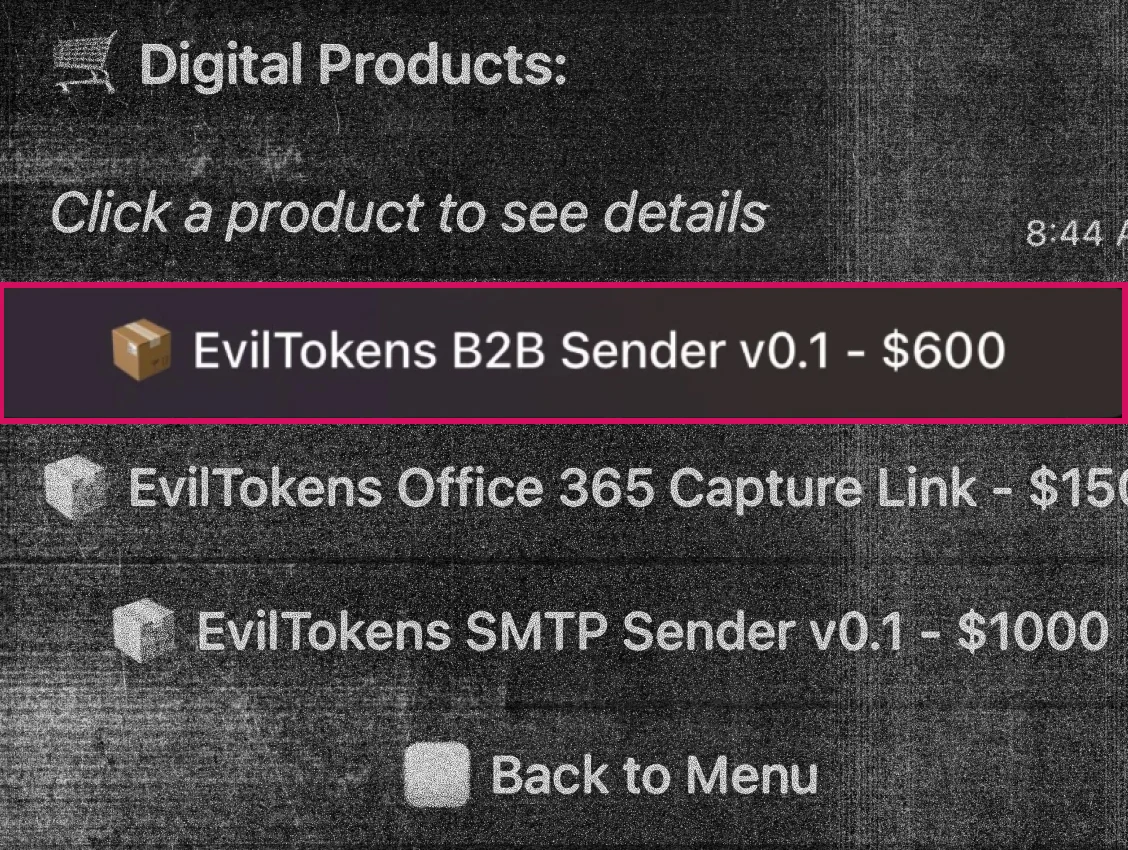
That campaign was later attributed to EvilTokens, a Phishing-as-a-Service platform Huntress tracked in partnership with Flare.io. EvilTokens is a commercial product, with a storefront, AI-assisted lure generation, 24/7 support team, and customer reviews included. Device code phishing at this scale is now something you can subscribe to.
Read our full EvilTokens breakdown →
LSHIY: MFA was on. It just wasn't working right.
The LSHIY campaign arrived differently. No phishing lures or social engineering. Just attackers replaying validated credentials via the ROPC flow against Azure CLI at a massive scale.
ROPC is a legacy OAuth method that bypasses the authorization endpoint and goes straight to the /token endpoint with a username and password. Because it never hits the authorization endpoint, most Conditional Access policies requiring MFA don't offer protection because they omit Azure resources like Azure CLI by default.
Here's the number that stopped us in our investigation: of the 78 compromised accounts, 55 had active Conditional Access policies requiring MFA. These organizations thought they were protected, but their policies didn't protect them.
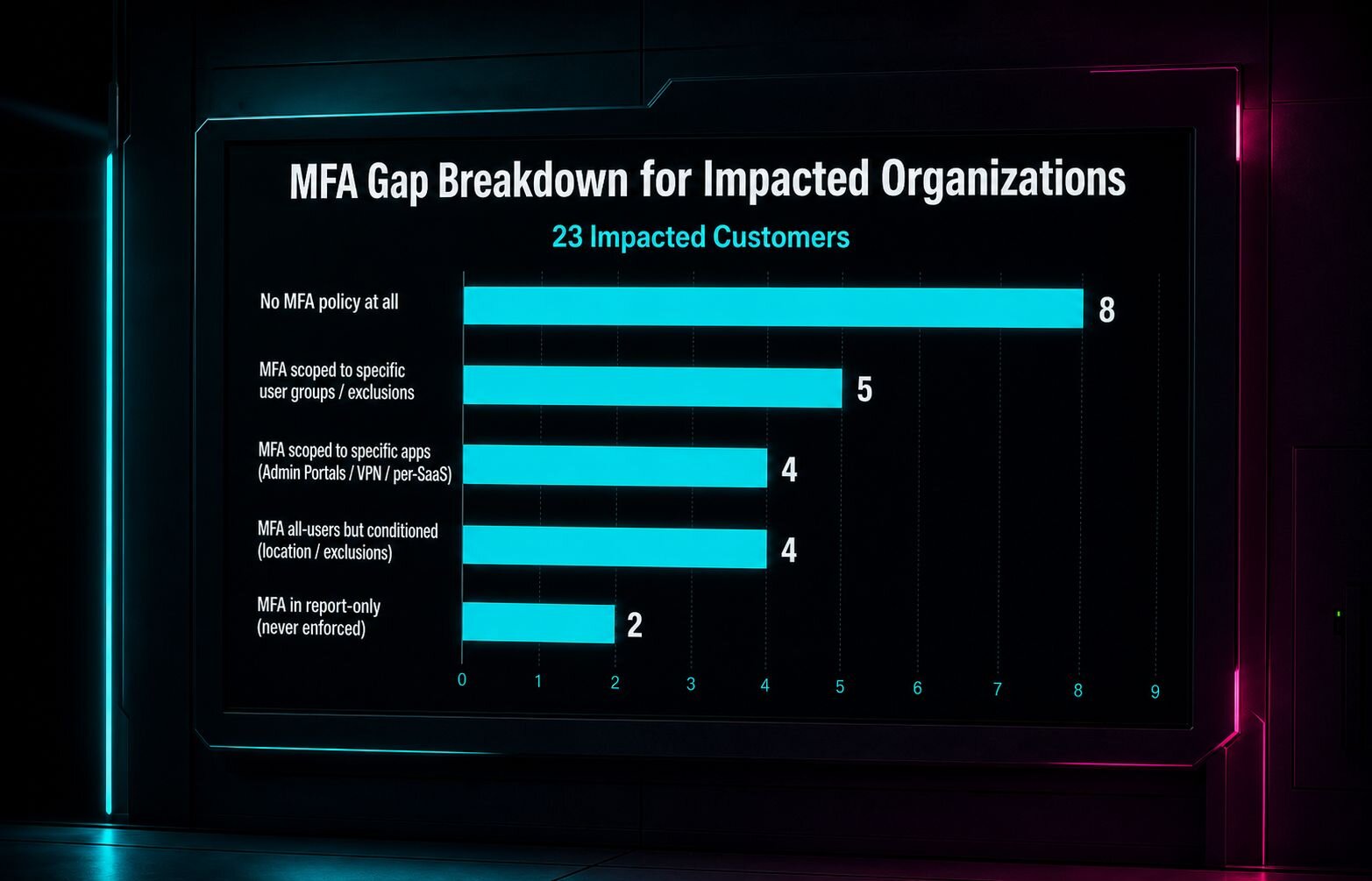
Some had scoped MFA to specific apps like Microsoft Admin Portals, but not "All Cloud Apps," so Azure CLI traffic slipped right through. Some had scoped MFA to specific user groups, and the compromised accounts weren't in them. Some had MFA configured to require only from untrusted locations, and the attacker's IP had been mislabeled as US-based. Two had MFA in report-only mode, meaning it was configured but never actually enforced.
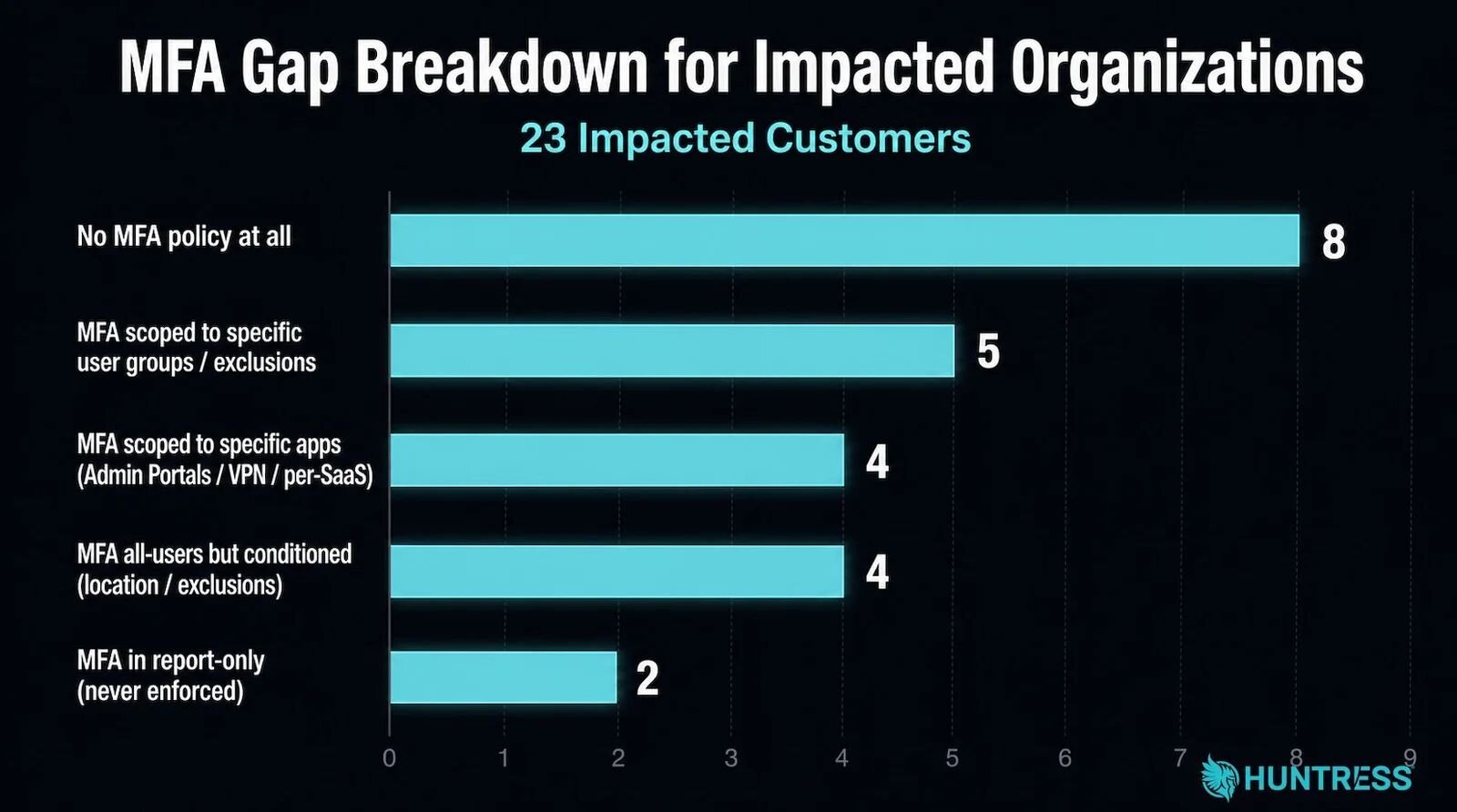
Figure 2: A breakdown of the MFA configuration gaps in this campaign
One organization had a Conditional Access policy explicitly named "Block Azure CLI." That policy did not, in fact, block Azure CLI.
Eight of the 78 compromised accounts had no MFA policy at all. But the lesson isn't that MFA doesn't work. It's that MFA configured narrowly enough leaves gaps that are predictable, findable, and worth 81 million login attempts to exploit.
Two policies. Both already in Managed ISPM.
When our Huntress Managed ISPM team reviewed both campaigns, the controls that would have made the difference were the same controls already set as defaults in Managed ISPM.
Block Device Code Flow via Conditional Access. This policy prevents the OAuth device authorization flow from being used across the tenant, or restricts it to the specific accounts that actually need it. For the Railway campaign, this shuts off the attack's core mechanism regardless of how good the phishing lure is. A victim can enter the code into the real Microsoft endpoint. If device code flow is blocked, nothing happens.
Restrict Azure Portal Management and Legacy Auth Flows. For LSHIY, the fix was Conditional Access coverage that actually matched what the attack used: all users, all cloud apps, all client app types, including legacy auth methods like ROPC. The strong authentication setting (userStrongAuthClientAuthNRequired) enforces authentication at the client level and blocks ROPC flows from succeeding even when the credentials are correct.
It's not hard to know these controls exist, but it is hard to get them deployed out with the right scope, keep them in place, and know when they've drifted.
The reason these policies aren't on
Ask almost any IT team why they haven't deployed these controls and you'll hear the same thing: "We're worried about breaking something."
That's not unreasonable. Misconfigured Conditional Access policies can lock users out. Teams have turned on a policy and had the help desk light up within the hour. So they deploy the two controls they're confident about and leave the rest on the list.
Managed ISPM's Learning Mode is built for exactly this hesitation. Every new Conditional Access policy runs in report-only mode first, typically for 14 days. During that window, the system analyzes which users would have been affected if the policy had been live.
You come out of the learning period with a specific list: who would have been impacted, when, and how. If the impact is what you'd expect, we enforce. If there's an exception to carve out, there's time to make it before anything breaks.
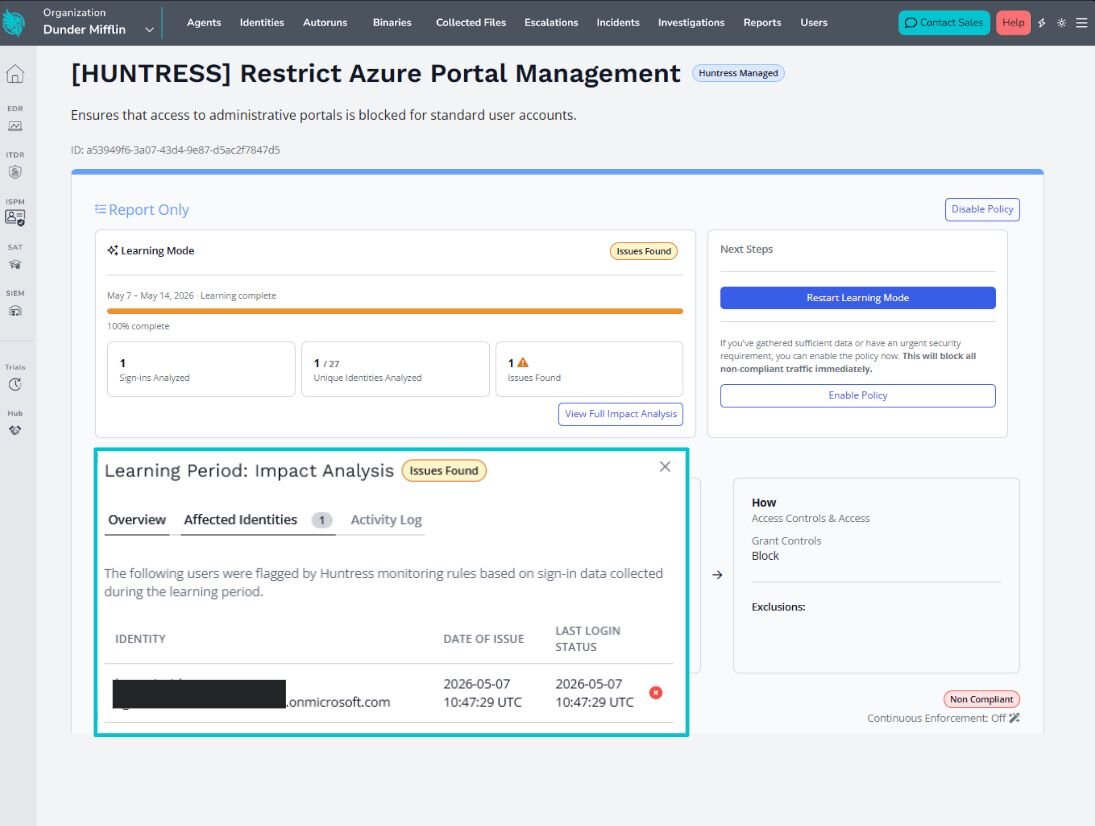
Figure 3: An example of Learning Mode findings in Managed ISPM
Beyond initial deployment, Managed Deployments helps you prioritize what to roll out, when, and keeps those policies current as the threat landscape shifts. When our SOC identifies a new technique being used at scale, that intelligence feeds directly into the ISPM policy framework.
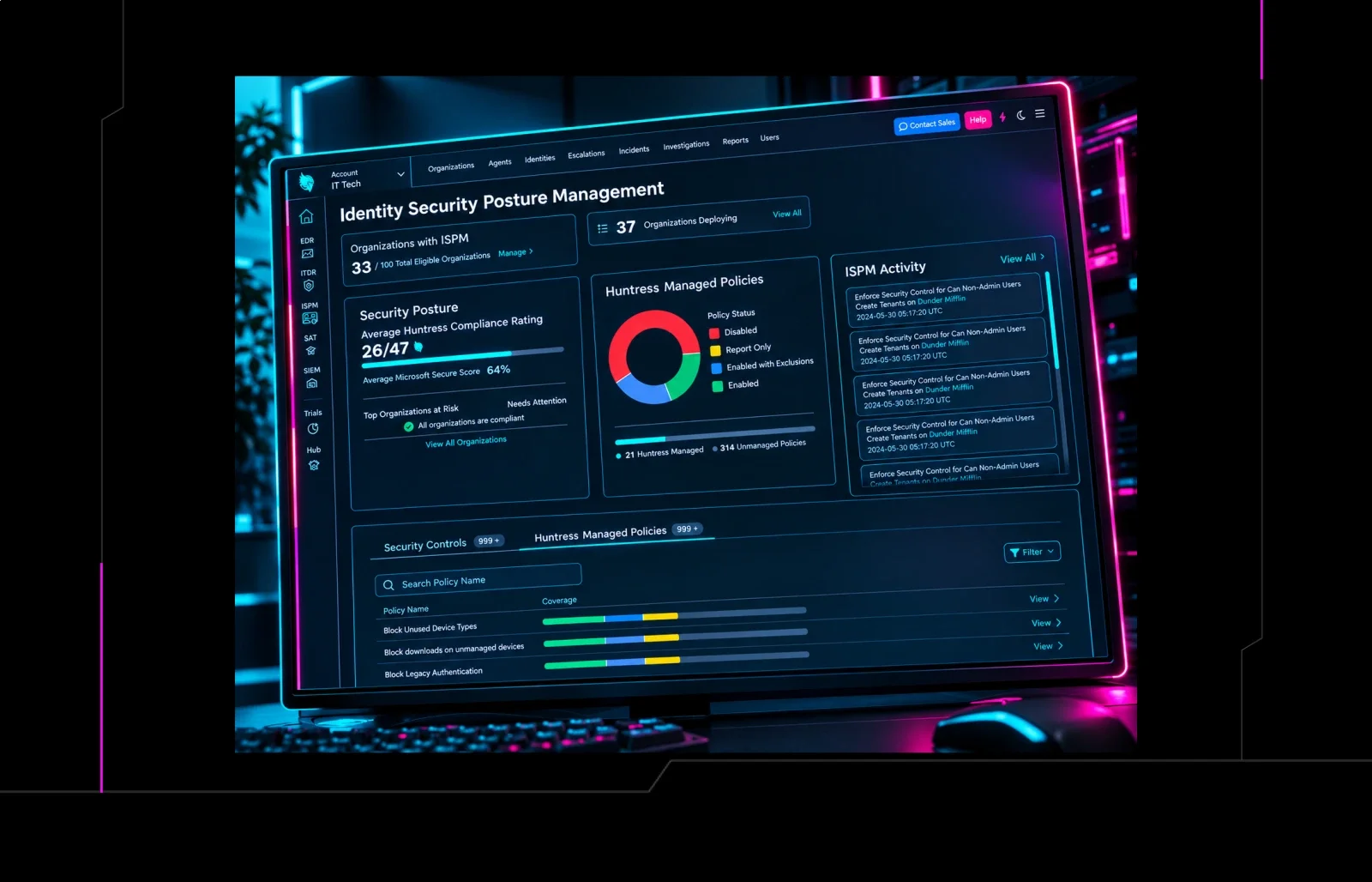
Organizations enrolled in Managed Deployments inherit the updated controls. The device code flow block was already in place for eligible ISPM customers before Railway hit. The ROPC-blocking controls were already deployed before the LSHIY surge. But if they hadn't been, Huntress would have been making updates to Managed ISPM to ensure tenants received quick protection.
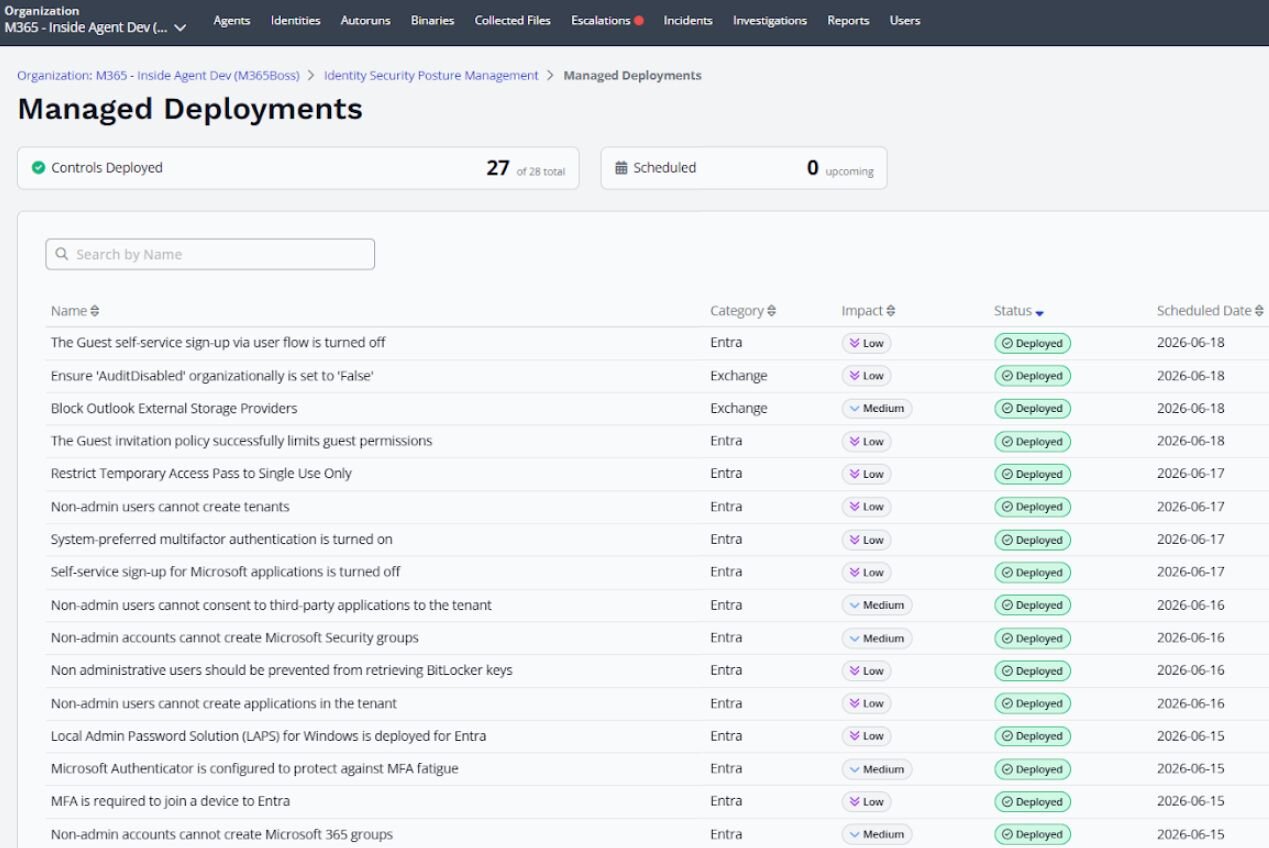
Figure 4: Managed Deployments in Managed ISPM
That's what it means for prevention and detection to actually work together. Huntress Managed ITDR caught the active compromises in both campaigns and generated incident reports so organizations could respond. ISPM being in place would have made sure those compromises didn't happen for customers with the right policies in place. And when the SOC sees a new attack path through ITDR, ISPM closes the path so it can't be used the same way twice.
What to do now
If you're not sure whether your Conditional Access policies are actually blocking device code flow and ROPC-style auth, they probably aren't. That's just the reality of what we found across more than 12,000 tenants during the Managed ISPM early access period. More than 50% of our recommended controls were missing in 60% of tenants, including environments where posture tooling was already deployed.
Railway and LSHIY aren't outliers. They're examples of what happens when attackers can count on these flows being open. And they'll keep building campaigns around them until they're not.
If you'd like to go deeper into how these attacks unfold in the real world, join us on July 14 for the next Tradecraft Tuesday: "The Cost of a Weak CAP: Anatomy of a Major Password Spray Attack." We'll break down recent credential spray attacks and share practical Conditional Access policy guidance your team can use to close the gaps attackers love to exploit.
Read more about how Managed ISPM closes these gaps, and start a free trial to get started closing them.