

Every Security Information and Event Management (SIEM) solution on the market makes the same quiet assumption: that you know at least one query language, and maybe even have a favorite. ESQL, KQL, SPL, pick your flavor. The data's all there, sitting in your logs, but getting to it means writing syntax that most IT admins never had a reason to learn. So the logs sit there, technically searchable, but practically locked.
That's a real problem for the teams we work with. If you're a two-person IT shop covering hundreds of endpoints, "just learn ESQL" is advice from someone who's never sat at your workstation. You bought a SIEM solution to answer questions like "who failed to log in last night?" without opening a support ticket or a textbook.
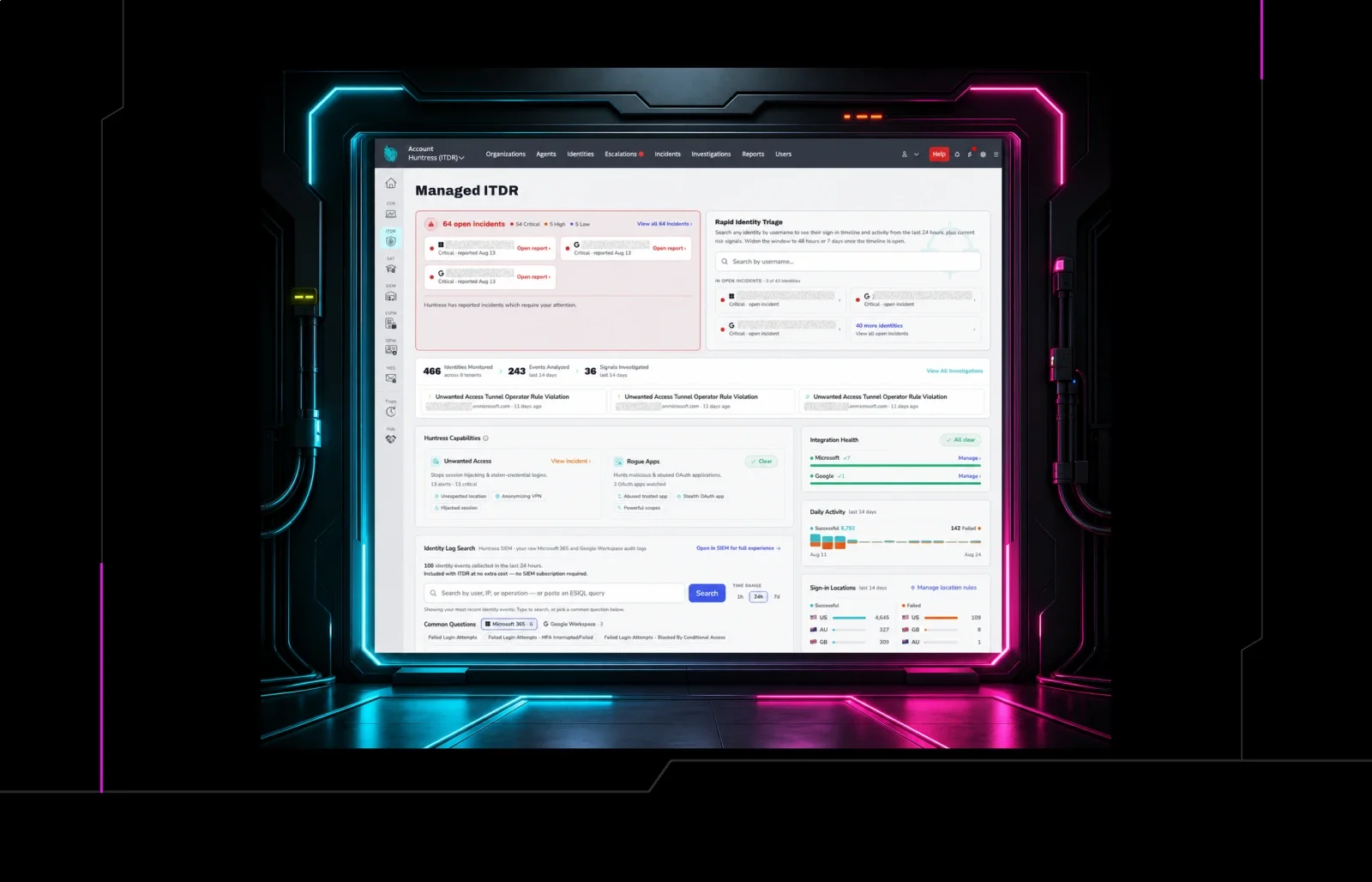
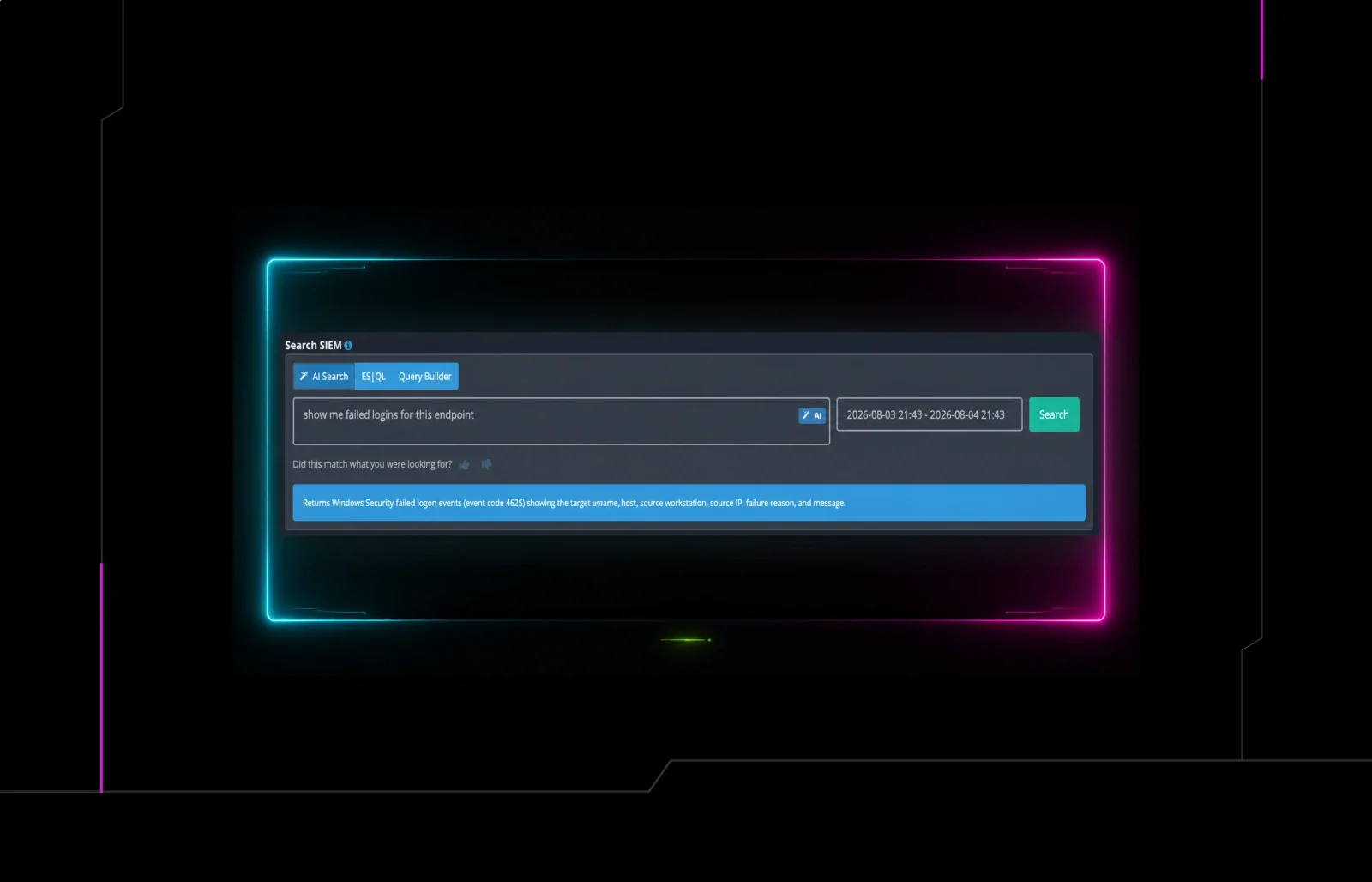
AI Search in Huntress Managed SIEM lets you ask those questions in plain English. Type "show me failed logins on Eddie's machine," and you get the logs, without touching a query builder or writing a line of ESQL.
How SIEM AI Works
Open the SIEM, type what you want to see, and hit "Search." You can ask for failed logins on a specific endpoint, where users have been logging in the world, or just "what's going on here" for a host that's acting weird. AI Search translates your question into a real ESQL query behind the scenes and returns matching logs. It's…as simple as it sounds.
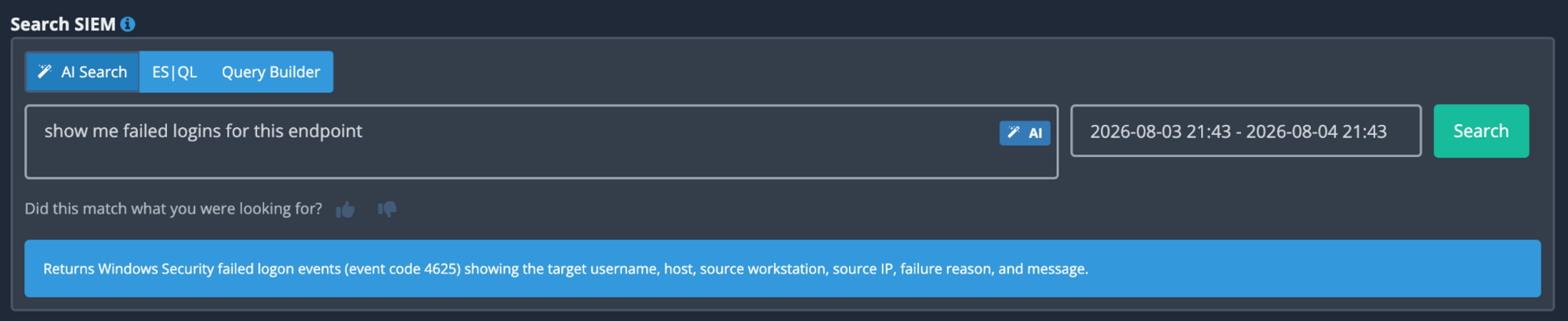
Here's where AI Search differs from the rest of the AI inside the Huntress Agentic Security Platform. Most of what's happening is behind-the-scenes, like how the platform triages and processes signals. AI Search puts that same capability directly in your hands, where you can see exactly what it found and why.
It Teaches You ESQL While You Use It
This is the feature I'd argue matters most, and it's the easiest one to miss.
Every AI Search you run has an ESQL button sitting right next to it. Click it, and you see the exact query your plain-English question generated.

So "show me failed logins for Eddie's machine" stops being magic and becomes a worked example. You can read the ESQL, see how the pieces map to what you asked, and start tweaking it yourself, narrowing the time window or adding a second condition.
Each search becomes a small lesson in the language, using your own data to answer your actual questions.
So, while you don't have to know ESQL to use AI Search, your own searches can actually help you learn it.
From One-Time Search to Standing Automated by AI Alert
A good search is usually a question you'll ask again. If failed logins on a specific server matter to you today, they'll matter next Tuesday too.
Once you've run a search you like, save it and schedule it as a custom alert at whatever cadence fits the question: hourly, daily, or weekly. The search you typed in plain English becomes a recurring check that lands in front of you automatically, so you don't have to re-run anything…even though you probably will.
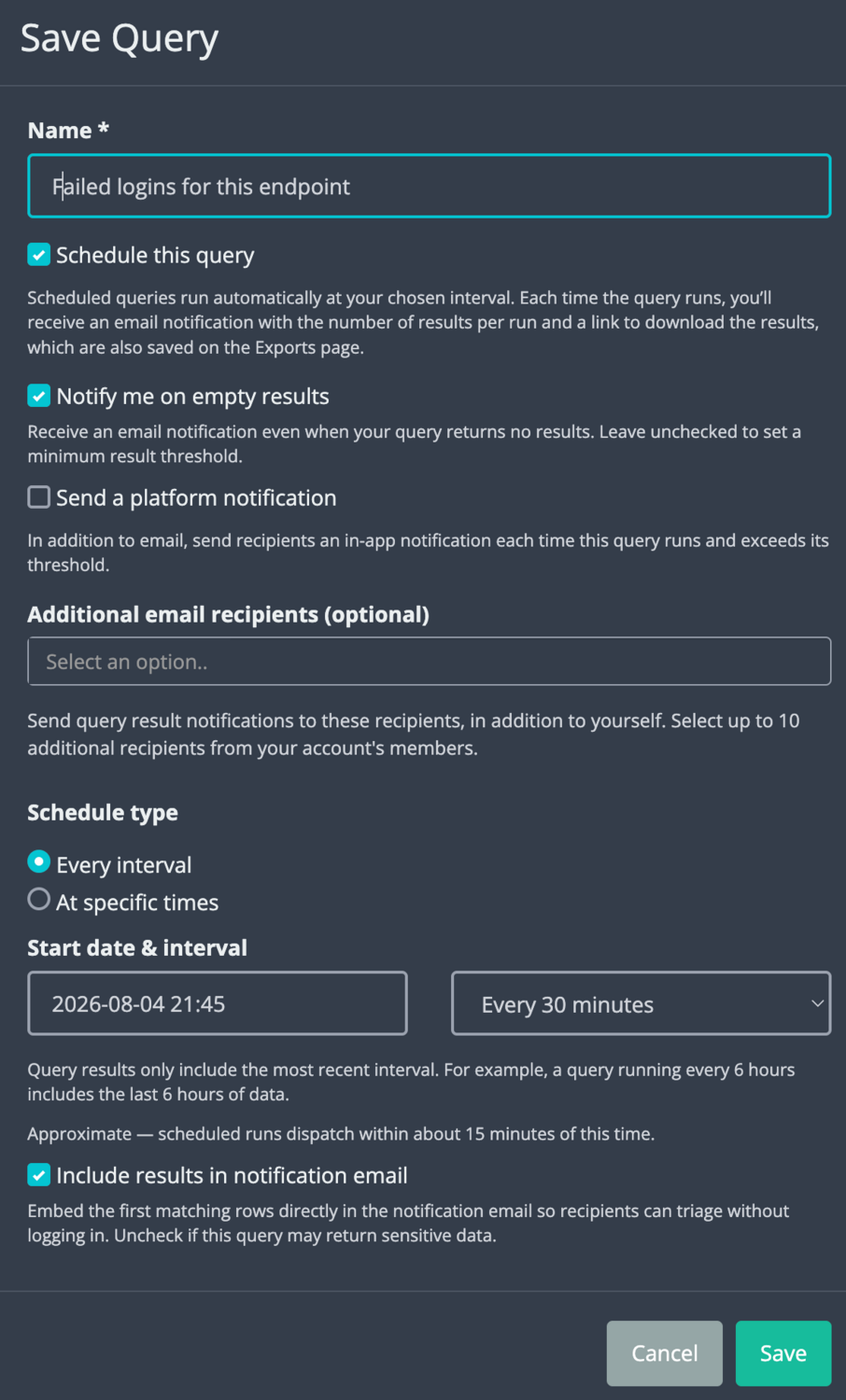
The gap between "I wondered about this once" and "I'm monitoring this continuously" used to be an ESQL query and an alerting config process. Now, it's two clicks.
What's Next? Answers, Not Just Logs
Raw logs are honest, but they're not exactly user-friendly. If you've never worked in a SIEM solution before, your questions are answered with a wall of log lines in a query language you still have to decode.
The next version of AI Search, currently in the works, closes that gap. Ask a question, and instead of just getting logs back, you'll get a summarized answer: what happened, in plain language, with the logs you want to dig into. There's a massive difference between having data and having an answer. AI Search makes finding answers easy.
Try Huntress Managed SIEM and AI Search for Yourself
The best way to understand AI Search is to ask it something. Pick a burning question, like failed logins or that weird endpoint activity from last week you're still wondering about, and type it in plain English.
Start a free trial of Huntress Managed SIEM and run your first search in minutes. You'll never need to write a line of ESQL, but if you want to, it'll be one click away.