



Security professionals are constantly ingesting threat reports, write-ups, and blogs on various defensive and offensive techniques. These include detailed write-ups on actual intrusions.
Here, we’d like to continue this trend, but with a slight twist.
Rather than present a neat timeline of events (although we’ll do this too), we’ll approach this particular write-up from the point of view of the actual analyst performing the investigation for this case.
Every intrusion is different, and so too are the investigative paths that unravel them.
Join us as we walk you through one of these paths!
It Begins
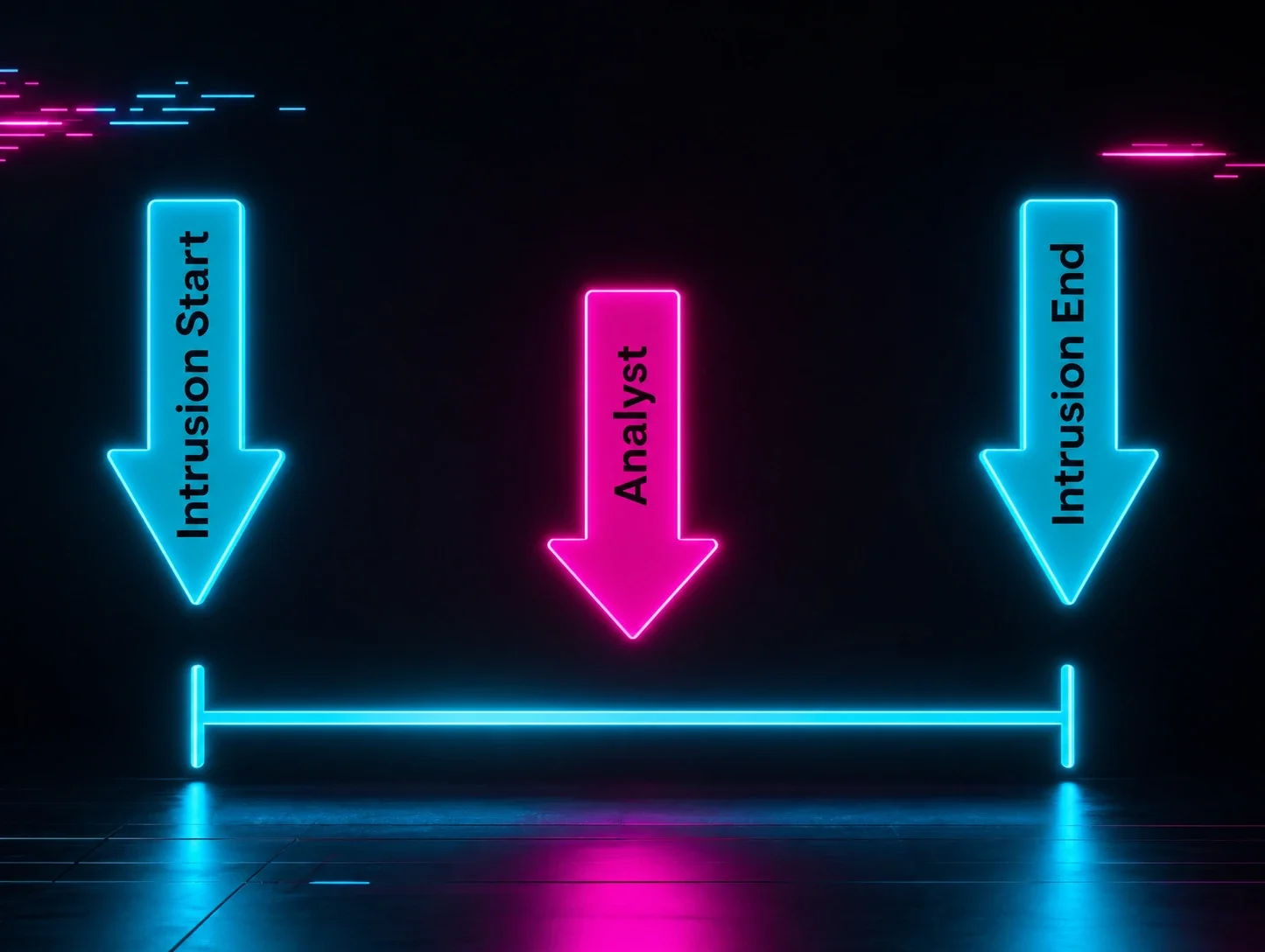
Although we may think of intrusions as linear, with the attack progressing neatly from step one to step two and so forth, that’s rarely how the intrusion comes into focus from an analyst’s point of view.
Often, an analyst will receive a signal or an alert for an intrusion that’s already taking place.
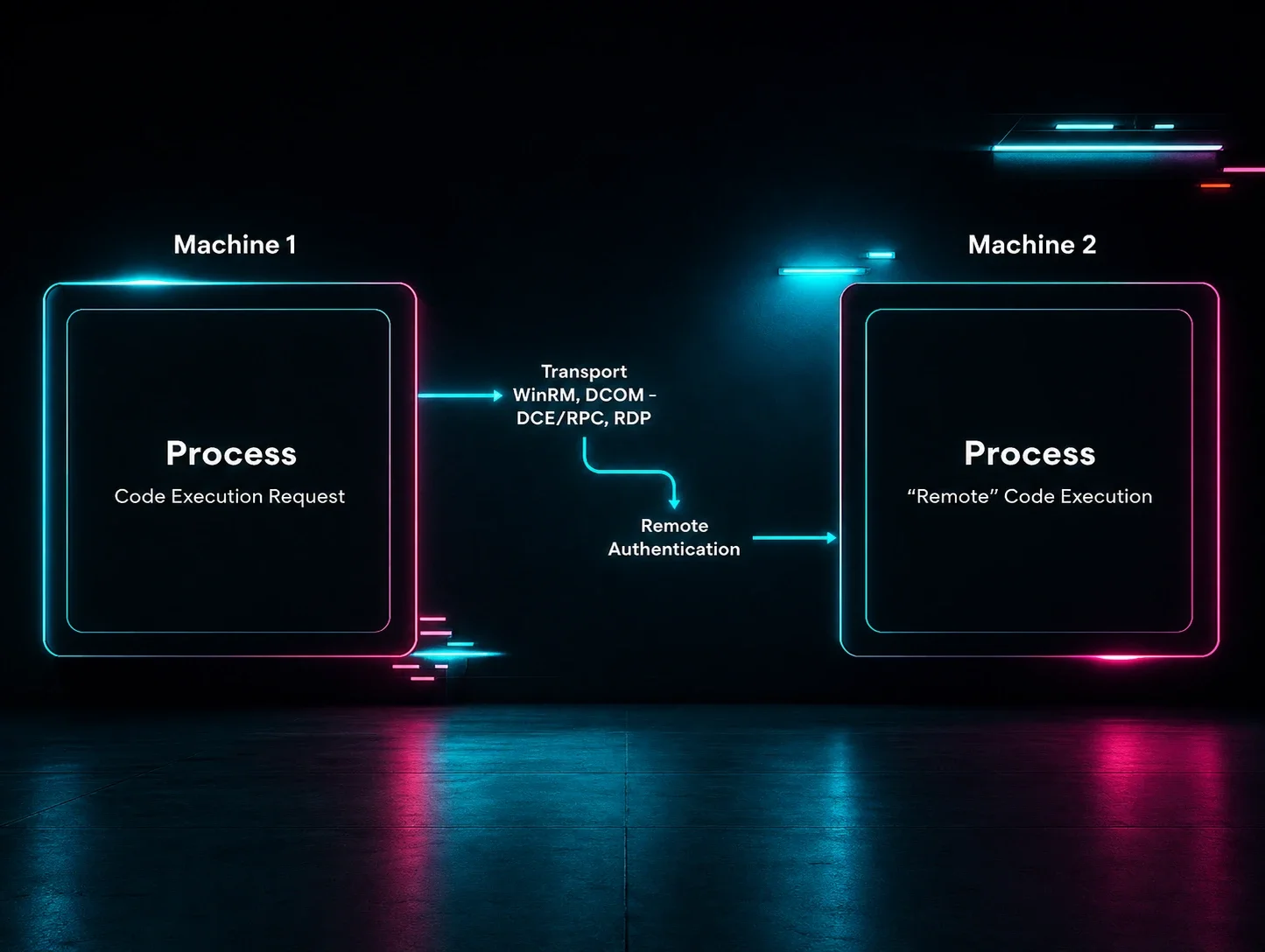
For example, an analyst may receive an alert about lateral movement. In this case, we can assume that some kind of initial access and perhaps credential dumping techniques were also in play, as these are often necessary prerequisites for lateral movement.
This dynamic can be illustrated by the image below:
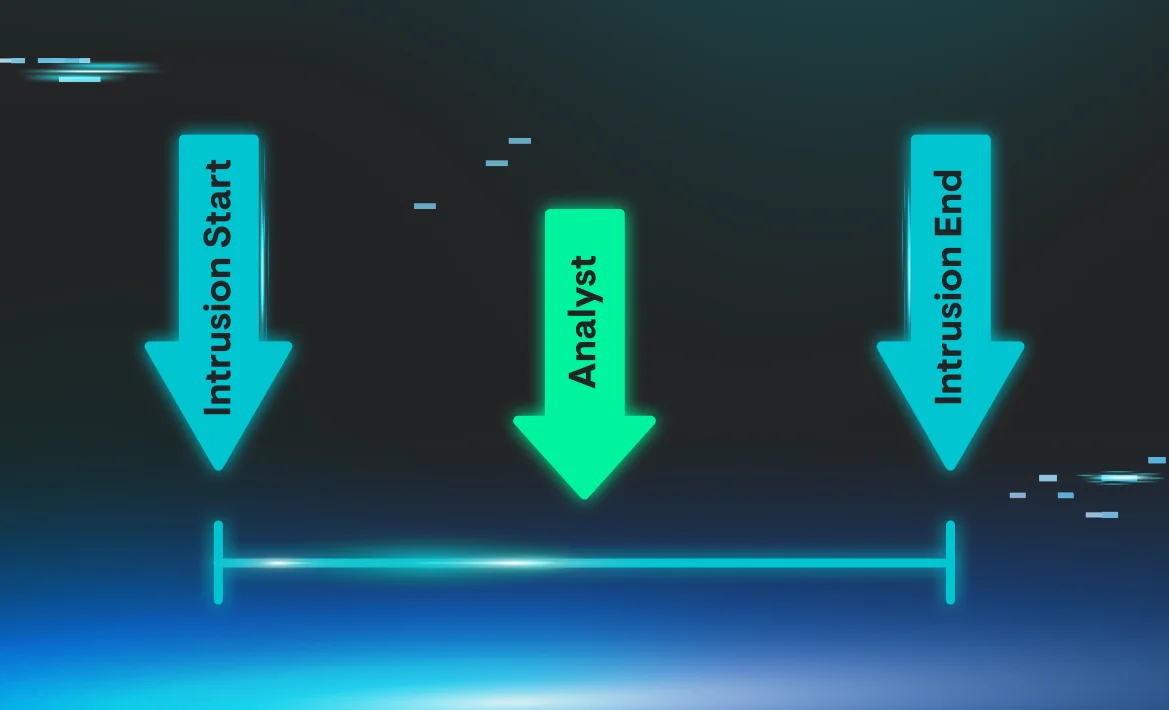
In this particular case, the analyst received a number of signals, all clustered around the same time frame. These signals contained evidence of:
- Addition of a local user to the affected host
- Adding the newly created user to the local administrators and Remote Desktop users’ groups
- Modification of the affected hosts’ registry to facilitate further lateral movement via the Remote Desktop Protocol (RDP)
- Modification of the affected hosts’ registry in order to bypass User Account Control (UAC)
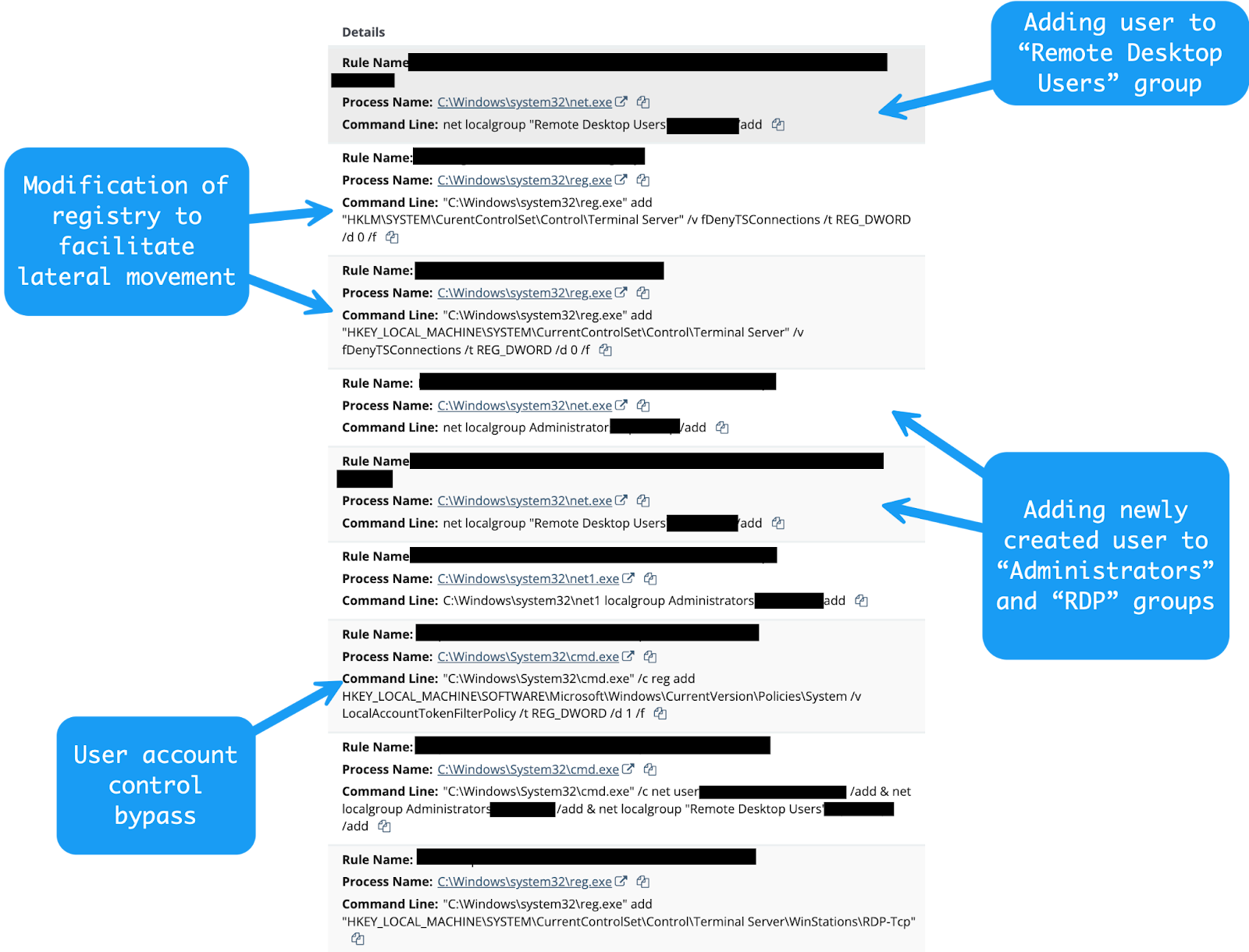
At this point, the analyst has some key pieces of information:
- The threat actor is somehow within the network—the initial access method is not yet known.
- The threat actor has administrative credentials to the affected host, as those are necessary to add user accounts and modify the registry.
- The threat actor seems to want to move laterally throughout the network.
- The threat actor has established a means of persistence via the newly created user account.
During investigations, an often paradoxical dynamic plays out.
More information sometimes leads not to further clarity, but only to further questions.
We may know that the threat actor is within the network, and we may also know the methods of lateral movement, but key pieces of the intrusion are still missing.
To unravel this case further, we need to continue our investigative process.
Pulling on a Thread
One thread that we can pull on is parent-child relationships within the process telemetry that’s available to the analyst.
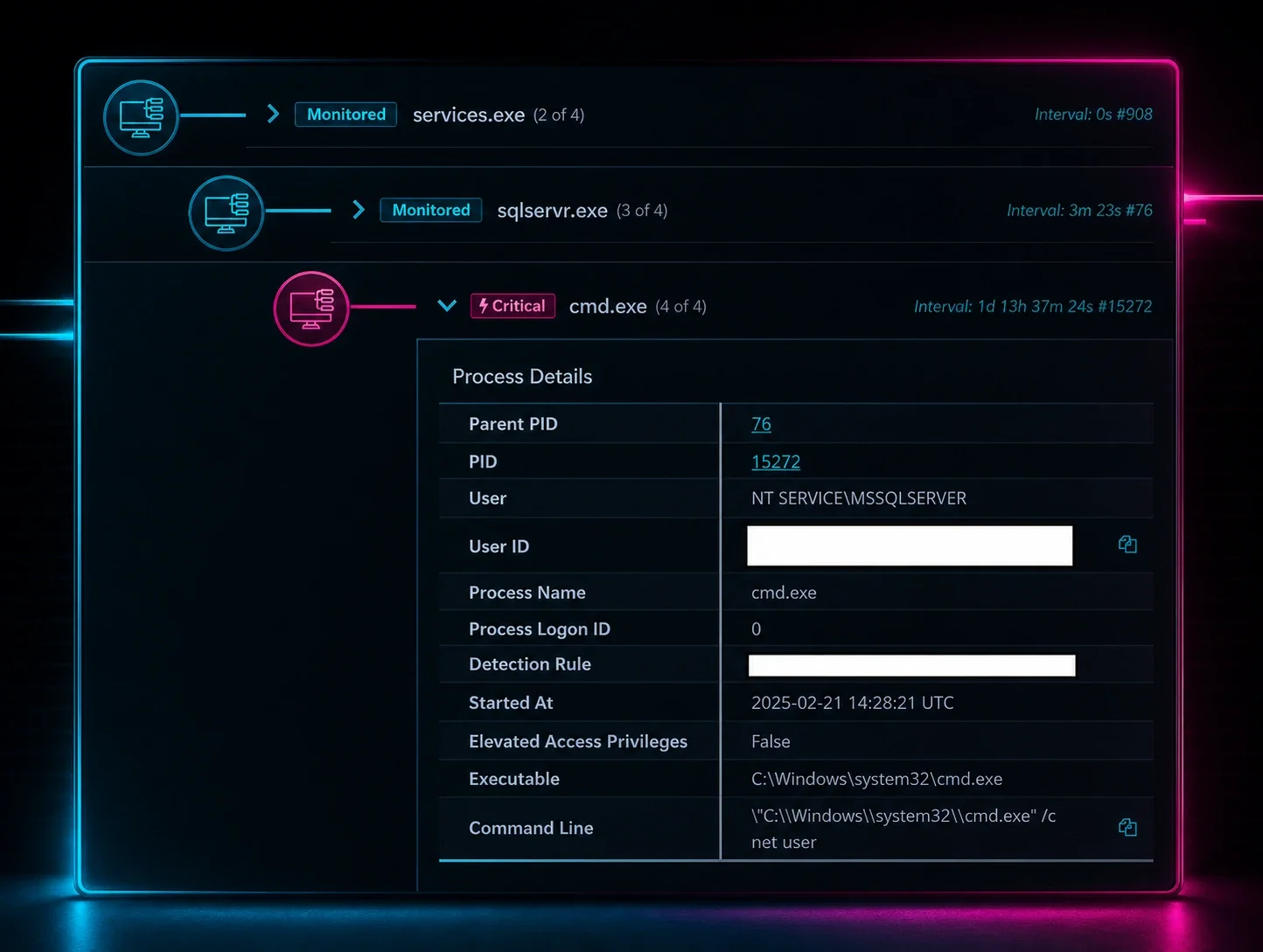
Although there are a myriad of ways to create a user on a Windows host and add that user to a particular group, if these actions were performed in a normal fashion by a systems administrator, the process lineage would look something like:
Explorer.exespawns a command prompt or a PowerShell prompt- Command prompt or PowerShell spawns
net.exeornet1.exe net.exeornet1.exehas a command line similar to something like:net localgroup Administrators <user> /add
In addition, if a systems administrator was legitimately modifying RDP configurations, we’d expect these events to come from some kind of system management process.
If the systems administrator performed these actions via command line, we’d expect to see a process lineage similar to our net localgroup example above.
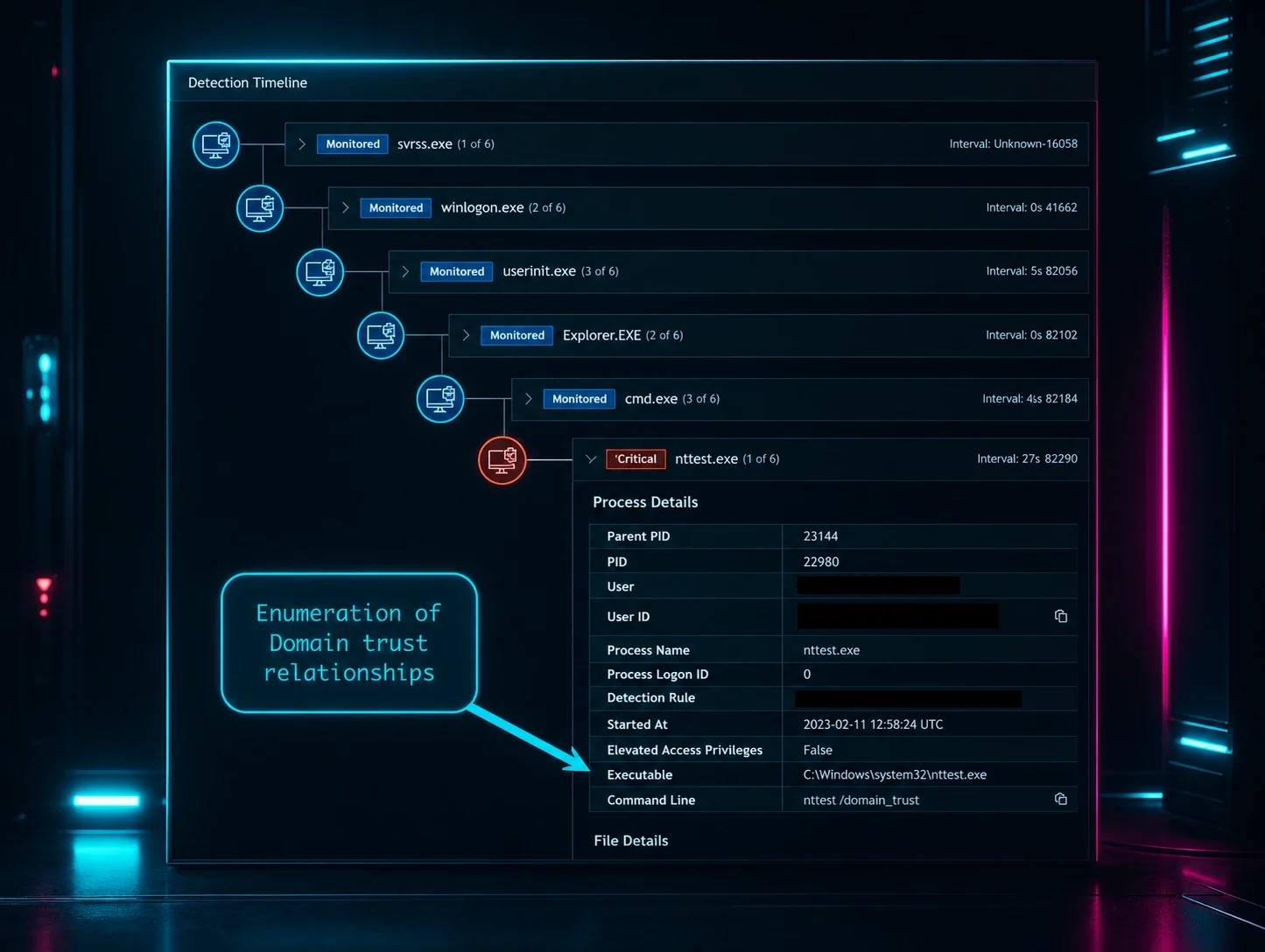
In this case, an examination of parent-child relationships yielded interesting results:
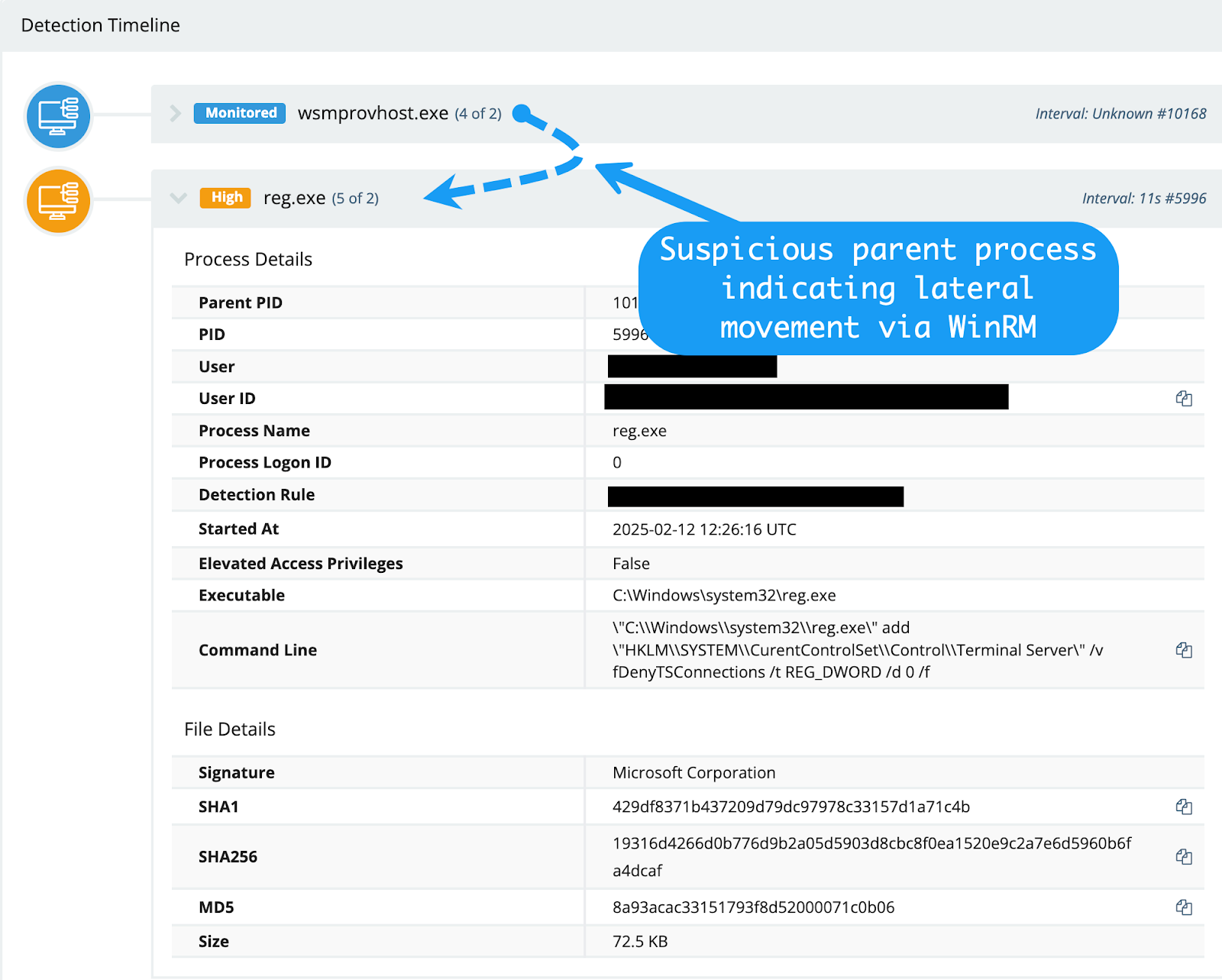
The registry manipulation commands outlined above were spawned from the wsmprovhost process. This indicates the threat actor was moving laterally within the environment using the WinRM protocol.
This piece of information is interesting for several reasons. Firstly, it provides us with a pivot point. We know that this particular threat actor is moving laterally through the network using WinRM—among other methods—so it would make sense for us to review any other processes spawning from wsmprovhost.exe within the environment.
Secondly, this information lets us know that the threat actor most likely moved laterally to the affected host from somewhere else, so we need to keep pulling on this thread to find the original source of the lateral movement.
Finally, this information tells us that the threat actor has credentials that grant them access to various network hosts.
This is an unfortunate dynamic that we often encounter. Once a threat actor is inside the network, there are typically not many controls in place to prevent lateral movement. In most cases, administrative accounts, particularly local administrator accounts, have rights to most—if not all—of the assets within the network, including sensitive assets like domain controllers, file, and application servers.
With the above information noted, we continued to go down the path of examination of parent-child process relationships. This examination yielded results. As we kept pulling on this investigative thread, we discovered that the parent processes for all the user manipulation activity outlined above spawned from the suspicious Veeam.Backup.MountService.exe process:

Very interesting and somewhat concerning indeed! Why are these commands spawning from the Veeam Backup service? How did the threat actor gain access to this system or application?
Armed with this new information, the affected victim host was enumerated further to see if a vulnerable version of Veeam Backup & Replication existed. Sure enough, we found that the installed service was out of date and missing patches.
The Huntress team has blogged about this vulnerability in detail before, and we all know that patching is difficult, so it’s not at all surprising to see older software out there.
After some further investigation of the host, a PowerShell script artifact was found via the PowerShell Operational log channel, event ID 4104:
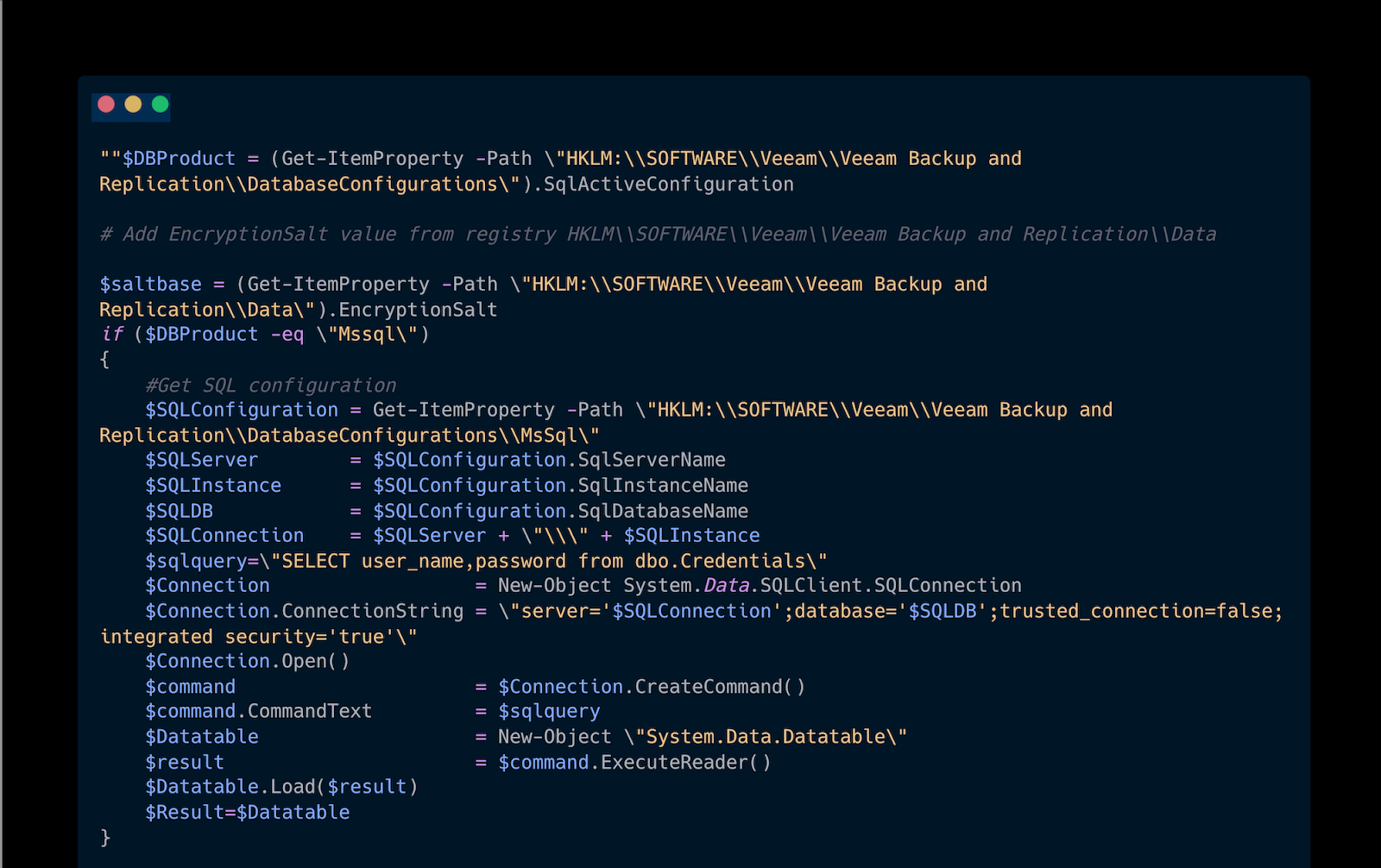
This script was used to pull credentials from the vulnerable Veeam service, and these credentials were ostensibly used in order to gain code execution via the vulnerable service.
With this knowledge in hand, we now have a deeper understanding of the intrusion for sure, but are still in the dark about how the threat actor:
- Gained a foothold into the environment in the first place (Initial access)
- How was the vulnerable Veeam instance located? (Discovery)
To answer these questions, we need to switch gears slightly, from looking at process telemetry to looking at Windows Event Logs!
To the Event Logs We Go
Due to the amount of malicious activity Huntress observes, we have a unique vantage point and can extrapolate indicators of compromise from the various intrusions we come across.
One such indicator is workstation names. Certain workstation names are observed across intrusions, and in this particular case one such known malicious workstation name popped up on our radar.
This malicious workstation targeted a handful of user accounts with a brute force attack that lasted about two minutes prior to, unfortunately, gaining access to one of the accounts on the network. This activity took place for an internal IP address, suggesting that this activity was nearly adjacent to the initial access vector, but not the initial access vector itself.
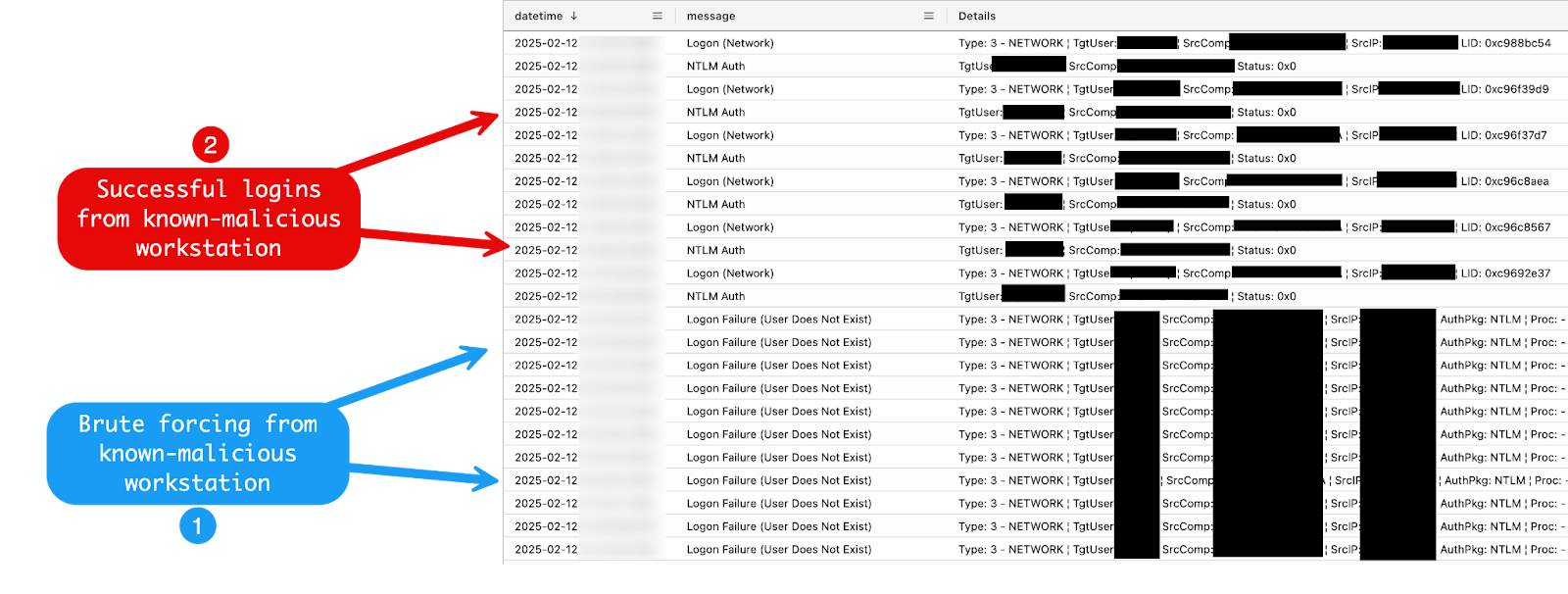
The intrusion is now coming into slightly more focus.
We now know that:
- A threat actor landed in the environment and performed a brute force attack.
- This brute force attack was successful and led to credentials being compromised.
- These credentials were used to gain access to a system in the environment.
- On this system, a Veeam service was exploited for further credential theft.
- Follow-on activity on this system entailed the creation of a user account in addition to registry modification to facilitate further lateral movement.
A few questions remain, however. We still don’t know how the threat actor got into the environment in the first place, and we also don't know how the Veeam service was discovered. Was this service specifically targeted or was it spotted in an opportunistic fashion?
When pivoting from the malicious workstation name, we found some interesting authentication events that contain a target user of “ANONYMOUS LOGON”—the brilliant security researcher Lina Lau has a fantastic blog on what these authentication events mean. While they’re logged as a successful authentication, that isn’t always necessarily the case.
A better way to think of these events is more in line with an attempt at successful authentication. However, just because the authentication fails doesn’t mean it doesn’t yield interesting investigative information.
When we examined the authentication events containing these “ANONYMOUS LOGON” type events, we discovered another interesting machine name that contained the name of the popular scanning tool nmap.
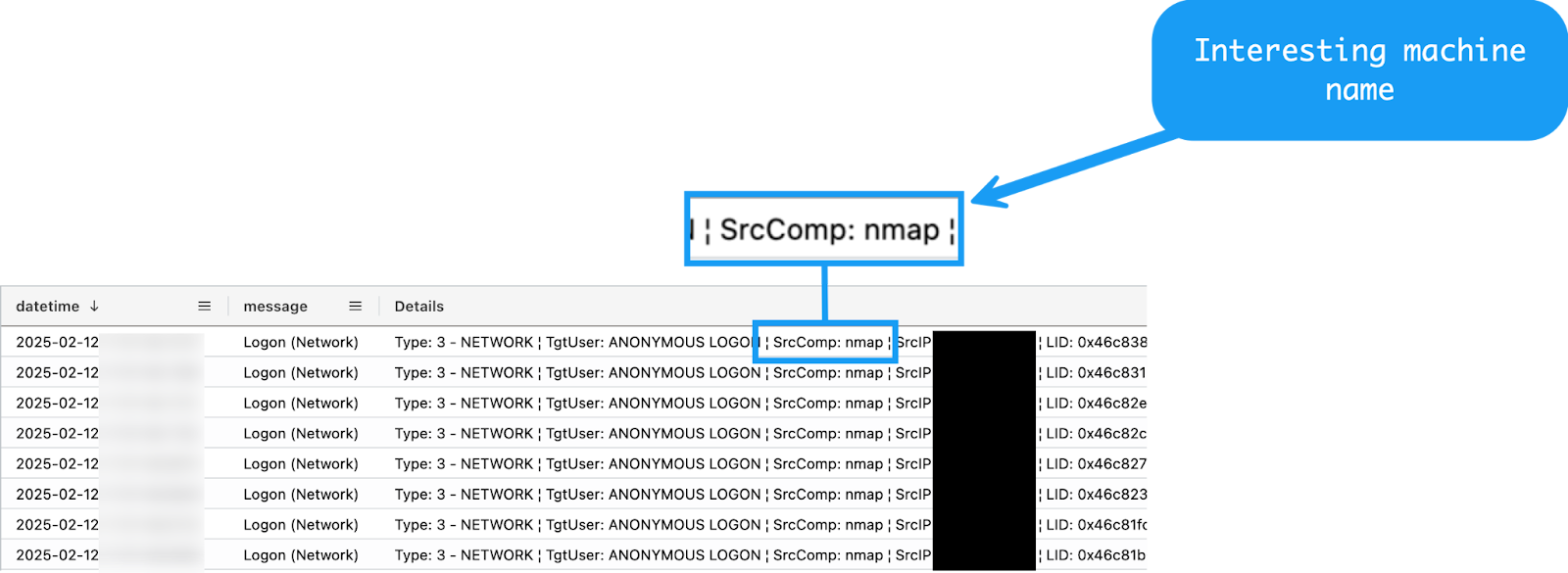
We now have another piece of the puzzle, and some potential answers for how the Veeam service was discovered in the first place. The word “potential”here is extremely important, as often the data available is incomplete, fragmented, or often simply missing.
In this case, evidence is circumstantial at best, as all we have to go on is the machine name, which can be easily changed. In addition, even if these events did occur from an nmap execution, we don’t know that the scan itself targeted Veeam specifically.
Being comfortable with gaps and unknowns is a huge part of dealing with these kinds of intrusions. Although we all wish every system was instrumented with all the various telemetry-related bells and whistles like Sysmon and full packet capture, unfortunately this isn’t the case in the real world.
At this point, only one piece of the puzzle remains—the initial access vector.
Uncovering the Initial Access
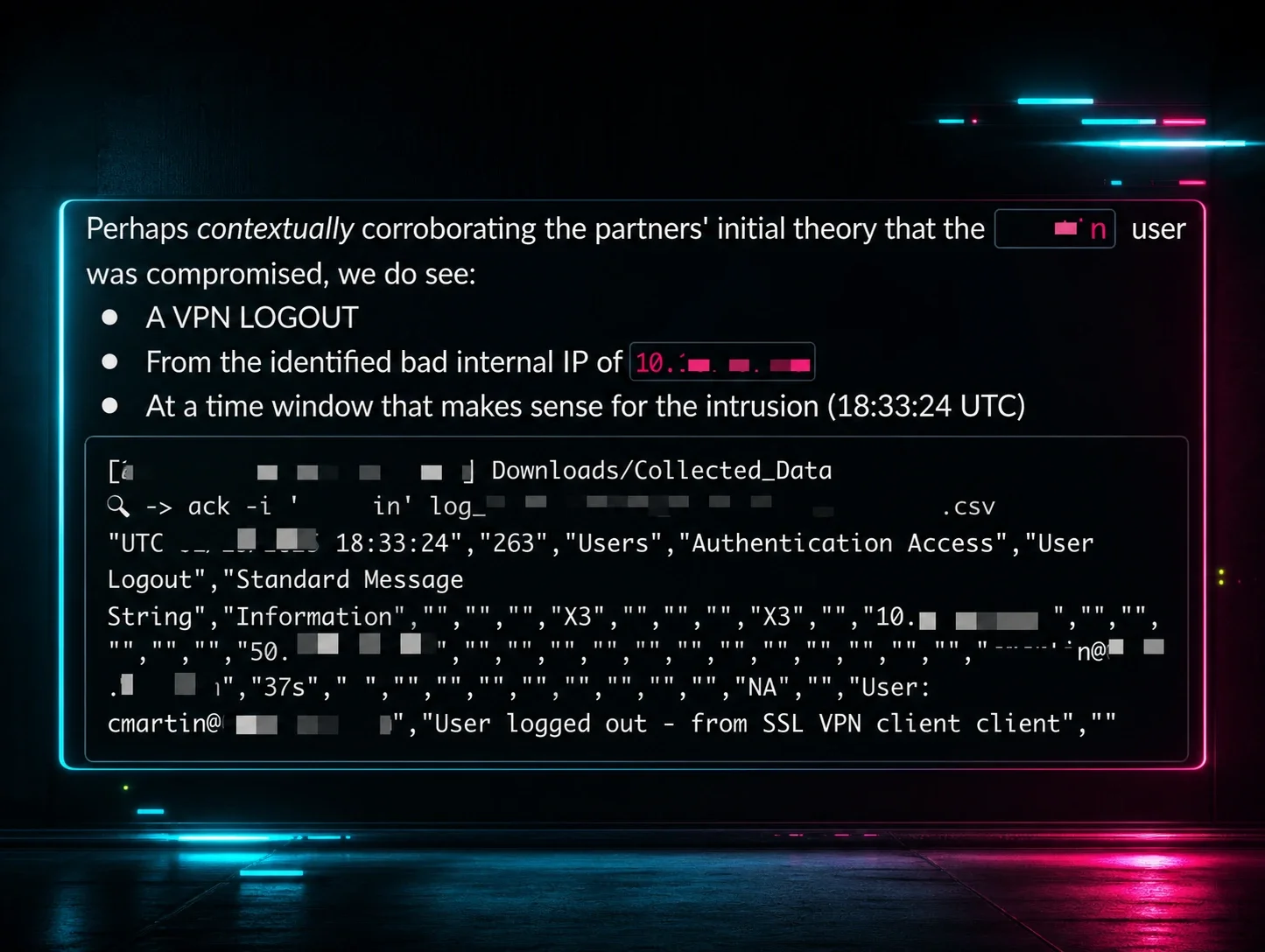
In our previous initial access blog, we highlighted an externally facing VPN appliance as an extremely popular initial access vector. This case is no different, and VPN compromise is strongly suspected as the initial access vector.
Pivoting off the IP address associated with the lateral movement activity, the Huntress Tactical Response team reviewed the provided VPN telemetry and found a suspicious authentication event. However, since the VPN device doesn’t hold a lot of telemetry, we were only able to identify a log-out and not a log-in event:
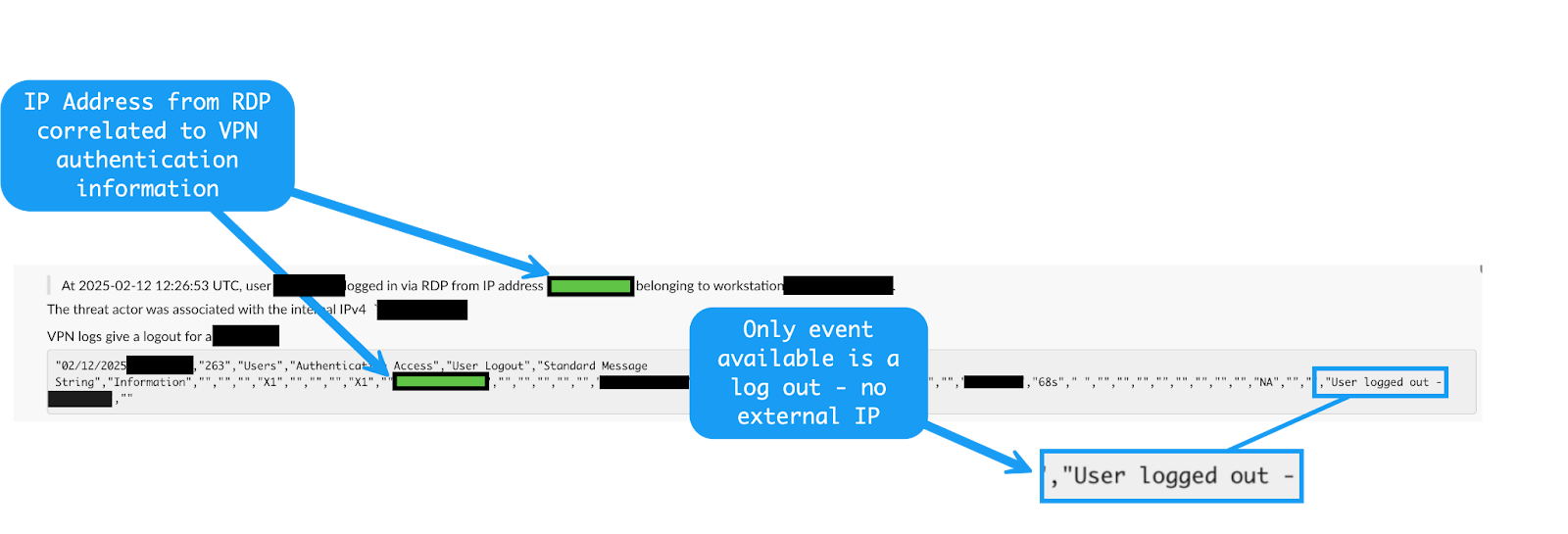
Similar to our above nmap execution, evidence of this is also circumstantial and non-complete. This dynamic illustrates a very common, yet not so much talked about element of intrusion analysis and incident response: dealing with unclear or missing telemetry. In this case, we can surmise that the VPN appliance was the initial access vector, but unfortunately, we’re lacking definitive evidence of this.
Now that the full picture of the intrusion is much clearer, mapped to the MITRE ATT&CK framework, and laid out in operational order, our intrusion will look something like the below:
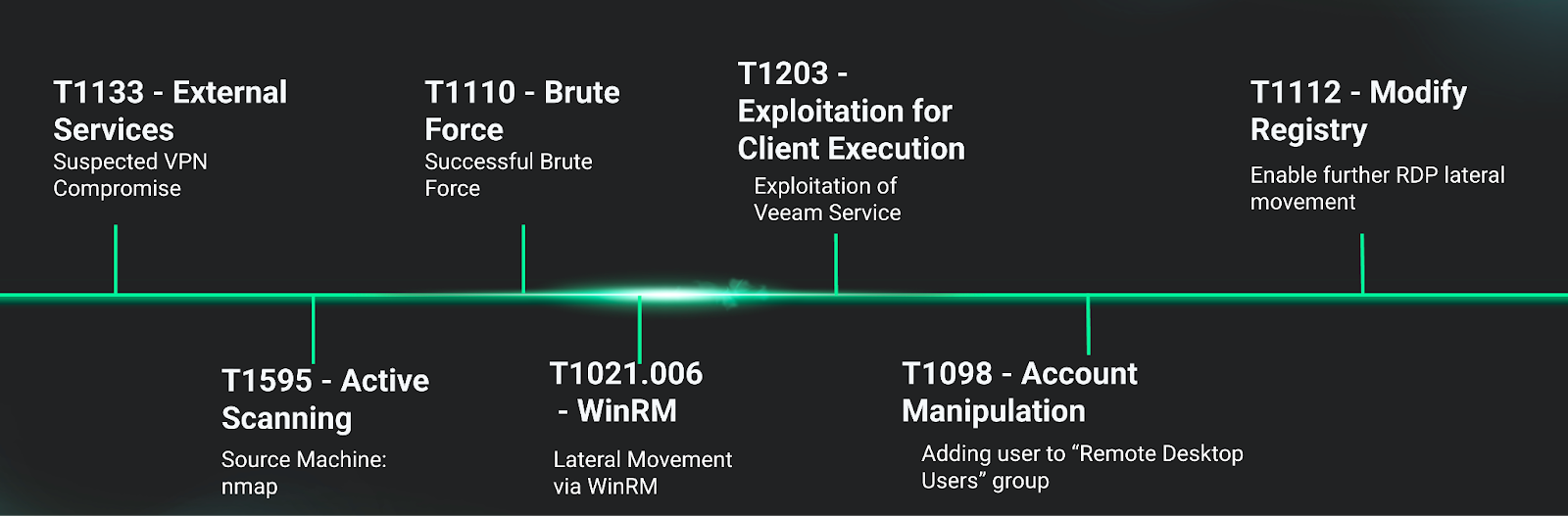
Wrapping Up
We hope that you enjoyed this write-up of one of the investigations that the Huntress Security Operations Center (SOC) & Tactical Response team handled.
On the investigation side, we aimed to highlight methodology where possible. It’s one thing to generically state “monitor for brute force attempts” or “look out for anomalous parent-child process relationships,” but it’s quite another to actualize and implement such investigative techniques. We hope this inside look at our approach helped solidify and clarify these concepts.
MITRE ATT&CK Mapping
| Tactic | Technique ID | Technique Name | Description |
|---|---|---|---|
| Initial Access | T1133 | VPN Compromise | Compromise of VPN appliance |
| Reconnaissance | T1595 | Active Scanning | Use of nmap |
| Credential Access | T1110 | Brute Force | Brute force attack against existing accounts |
| Lateral Movement | T1021.006 | Remote Services: Windows Remote Management | Lateral Movement via WinRM |
| Execution | T1203 | Exploitation for Client Execution | Exploitation of Veeam Service |
| Persistence | T1098 | Account Manipulation | Adding User to Remote Remote Desktop Users Group |
| Defense Evasion | T1112 | Modify Registry | Enable Further RDP Lateral Movement |
Applicable Sigma Rules
Special thank you to all the Sigma rule authors and community contributors!