

In an era of 24/7 digital operations, "downtime" has evolved from a minor IT headache into a critical business failure. Whether it is a SQL database executing thousands of transactions per second or a cloud-native application handling live user data, enterprise data is constantly in motion.
But how do you reliably back up a file that is actively being written to?
For over two decades, the answer has been Microsoft's Volume Shadow Copy Service (VSS). Introduced to eliminate the "file-in-use" errors and corrupted data copies that plagued early Windows environments, VSS became an undisputed cornerstone of data protection.
Relying on a tool isn't the same as being resilient. While VSS is still incredibly useful, its limitations really become apparent when you try to measure it against modern architecture.
Breaking down the architectural pillars
At its core, VSS is not a standalone backup tool. It is an orchestration framework built into Windows that coordinates the creation of consistent, point-in-time volume snapshots (shadow copies).
The value of VSS lies in its ability to achieve application consistency by managing three distinct components:
The Requester: A backup software or agent (such as Azure Backup or Veeam) that starts the snapshot request.
The Writer: An application-specific component (built into workloads like SQL Server, Exchange, or Active Directory) that prepares its live data by flushing memory buffers to disk and momentarily pausing write I/O.
The Provider: The mechanism that actually creates and maintains the frozen shadow copy. This can be the default Windows software provider or a hardware-level SAN provider.
The snapshot lifecycle
A VSS snapshot is taken behind the scenes in seconds, usually without users or applications even noticing. It all happens in a tight, coordinated loop:
1. The request: Your backup software (the Requester) tells VSS it needs a consistent copy of a volume right now.
2. The preparation: VSS contacts the applications (the Writers), like SQL Server. The apps are prepared by completing current transactions and flushing their memory caches to disk.
3. The freeze & flush: VSS tells the apps to freeze all live write operations temporarily. It then flushes the system buffers to make sure the file metadata is perfectly consistent.
4. The snapshot: The Provider takes the actual snapshot. If it's the default software provider, it quickly creates a differential storage area ("diff area") to track new changes.
5. The thaw: VSS signals that it's safe to resume normal operations (the Thaw). Your apps go right back to writing data, while the backup software reads quietly from the frozen shadow copy.
The entire freeze-and-thaw cycle typically wraps up in under 60 seconds, which is why your live production applications can keep running without missing a beat.
Why VSS has a dedicated lane
This is not a "VSS is dead" argument. VSS remains a very important part of traditional Windows server workloads. It is still the ideal framework when:
You host traditional Windows workloads: It provides flawless, native coordination with core Microsoft ecosystem applications.
Granular recovery is important: Features like Windows "Previous Versions" rely on local VSS snapshots to let users restore accidentally deleted files instantly.
Scale fits operational boundaries: It handles moderate storage environments reliably where consistency matters more than raw throughput.
The constraints: Where VSS bottlenecks
Trouble starts when IT teams treat a dedicated lane like an entire highway. When scaled up to high-performance, distributed, or massive infrastructure, hard architectural trade-offs emerge.
1. The 64TB volume barrier
A hard limitation of VSS is its lack of support for volumes exceeding 64TB. While modern filesystems can easily scale to petabytes, attempting to run VSS on a volume above 64TB results in error codes (such as 0x80042306) or system instability. Large-scale data environments must look to hardware-level or filesystem-native snapshotting instead.
2. The Copy-on-Write performance penalty
The default Windows software provider uses Copy-on-Write (CoW). When a block of data changes on a live volume, the original block must first be copied over to a designated differential storage area ("diff area") before the new data can be written. In write-heavy environments or ultra-fast modern NVMe storage arrays, this introduces significant operational overhead and write latency during backup windows.
3. Strict platform lock-in
VSS is a Windows-native primitive. As modern infrastructure transitions toward cross-platform, hybrid-cloud, and containerized architectures, relying on a Windows-specific framework as a primary recovery anchor creates a fragmented visibility gap.
4. A snapshot is not a recovery plan
A technology that makes snapshotting easy can easily trick engineering teams into believing data resilience is solved. A snapshot is just a frozen state. It does not guarantee rapid restore speeds, dictate long-term retention policies, or replace the need for off-site, immutable backups.
5. False ransomware security
While local shadow copies can assist with quick operational rollbacks, they should never be treated as a definitive defense against ransomware. Modern ransomware variants explicitly target and attempt to delete local VSS snapshots immediately upon execution.
VSS vs. ReFS Block Cloning
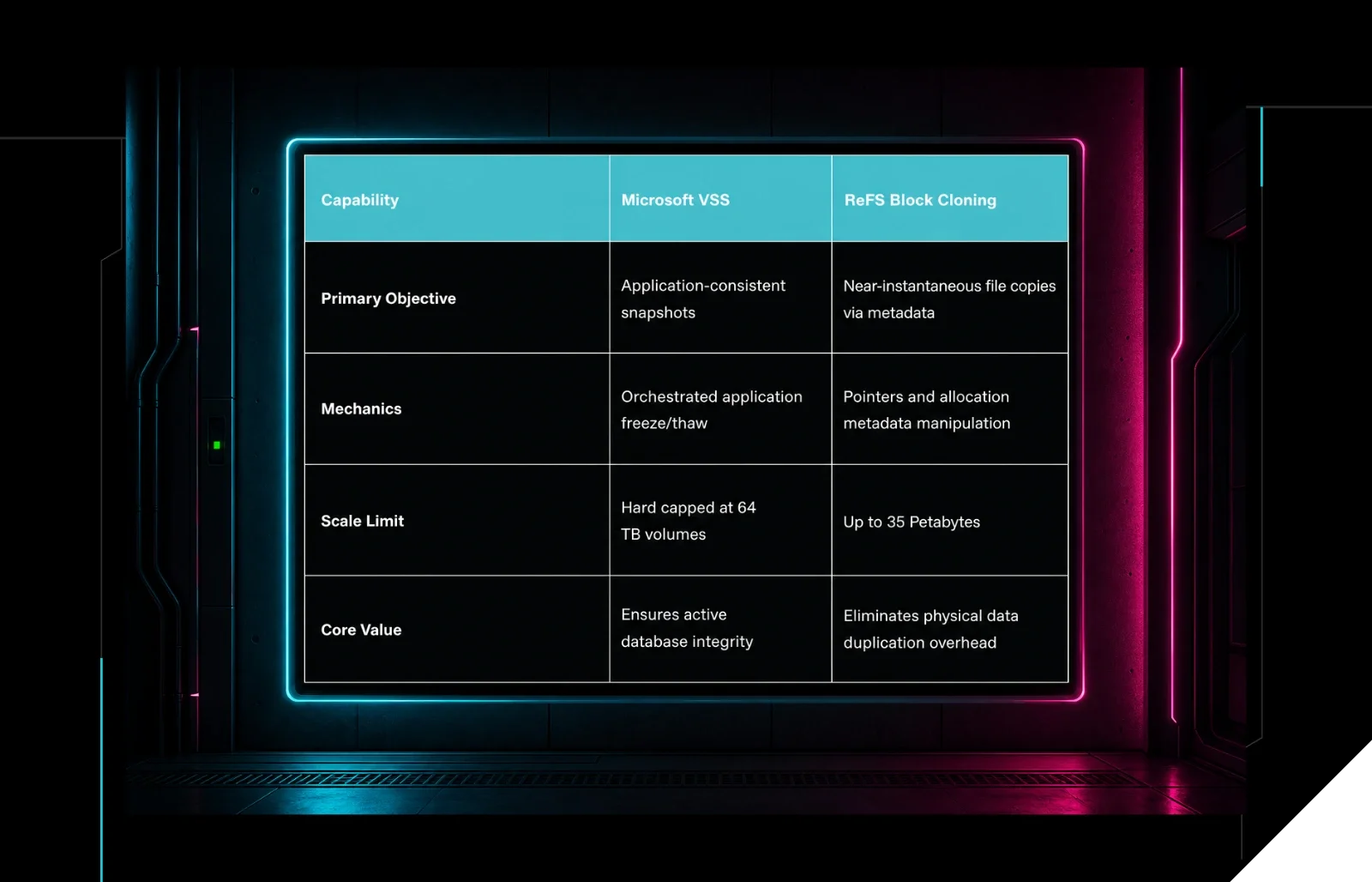
A common point of confusion is how VSS compares to the modern features of the Resilient File System (ReFS), specifically Block Cloning.
Capability | Microsoft VSS | ReFS Block Cloning |
|---|---|---|
Primary Objective | Application-consistent snapshots | Near-instantaneous file copies via metadata |
Mechanics | Orchestrated application freeze/thaw | Pointers and allocation metadata manipulation |
Scale Limit | Hard capped at 64 TB volumes | Up to 35 Petabytes |
Core Value | Ensures active database integrity | Eliminates physical data duplication overhead |
The takeaway: These technologies are not mutually exclusive. ReFS Block Cloning is incredible for rapidly moving and merging large files (like Hyper-V virtual disk checkpoints), but it doesn't possess an application "Writer" ecosystem. Modern backup suites frequently use VSS to freeze the application, then leverage ReFS block cloning to create a backup copy instantly.
VSS isn't the finish line
Microsoft VSS is neither obsolete nor a universal recovery solution. It is a highly specialized framework that excels at preserving application consistency within traditional Windows environments.
The honest framing for infrastructure teams is to recognize VSS as a useful safety net—but not the whole net. To build true data resilience, VSS must be intentionally integrated into a broader strategy that leverages hardware-level providers, cloud-native recovery workflows, and immutable, off-host storage.
Don't let your backup strategy be the first thing ransomware deletes. Huntress combines 24/7 threat detection with response expertise built for the realities of Windows environments, so your shadow copies are still there when you actually need them. Demo Huntress today.