Protect What Matters
Secure endpoints, email, and employees with the power of our 24/7 SOC. Try Huntress for free and deploy in minutes to start fighting threats.
How to Stop Drowning in Identity Alerts: A Guide to ITDR Prioritization
Published: 03/05/2026
Written by: Nadine Rozell
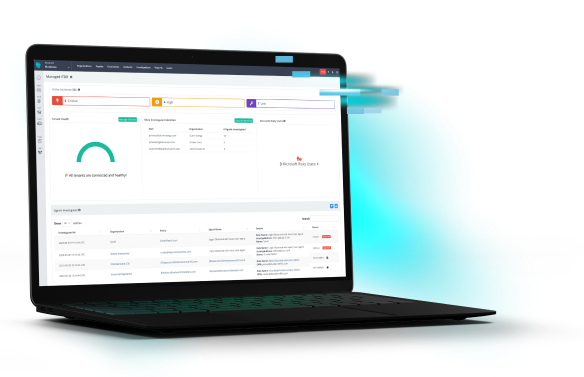
One of the biggest challenges in security is noise, with security teams often drowning in alerts. Most of them are noise—"user logged in from a new location" or "failed login attempt." But somewhere in that flood is the one alert that matters: the attacker who just stole a password.
Finding that single, critical threat is the entire goal of identity threat detection and response (ITDR). This guide explains how modern ITDR platforms, like Huntress Managed ITDR, cut through the noise to find the alerts that actually matter, helping you stop breaches before they start.
ITDR is a security strategy that's hyper-focused on protecting your logins and accounts. It functions as a dedicated security guard for your company's digital identities.
You might be thinking, "I already have a SIEM, isn't that the same thing?" Not really. A SIEM is a log collector that helps with compliance and analyzing logs across environments, whereas ITDR is specifically dedicated to threats targeting identities.
This is different from your traditional identity and access management (IAM) tools. IAM is the bouncer at the front door—it checks the list and decides who gets in. ITDR goes a step further. It tracks how people are behaving after they log in and looks for suspicious activity like an account trying to access weird files or escalate its own privileges.
The whole reason ITDR exists is because the old "castle-and-moat" perimeter is dead. With cloud apps and remote work, your users’ login is the new perimeter. And as attackers increasingly target identities, you need a tool dedicated to defending them. Huntress monitors for activity like impossible travel, suspicious inbox rules, rogue OAuth app grants, and unusual privilege changes.
The average security team gets thousands of identity alerts every single day. This "alert fatigue" is one of the biggest problems in cybersecurity. When your team is buried in low-level, high-noise alerts, they get numb. After investigating 100 "impossible travel" alerts that were just employees on vacation, it's human nature to start ignoring them.
A good ITDR platform finds the signal in the noise. It does this by combining a few key components.
First, it has to see everything. It needs to pull in identity data from all your sources—Active Directory, Microsoft 365, Okta, etc. Second, it needs a brain. This is where behavioral analytics and machine learning come in, building a baseline of what's "normal" for every user. Third, it needs to score the risk. It has to know that a domain admin logging in from a new country is a 10/10 threat, while a sales rep doing the same is a 3/10.
Finally, it has to connect the dots. A good platform will bundle related, low-level events into a single, high-priority incident and say, "This user logged in from a weird place, accessed a file they've never touched, and is now trying to create a new inbox rule. This is an active attack."
At Huntress, we turn down the noise by focusing on high-fidelity, high-confidence detections. This means we investigate a ton of data in the background, but only escalate a validated threat to you. We can see the alert, check the user's history, and decide if this is a real threat or just Tim from marketing working on a weird weekend project.
This "human-in-the-loop" model is the key. An automated tool can give you a risk score, but our human analyst is what provides the final context. This is what separates a real security partner from just another noisy dashboard.
You can't treat all alerts—or all users—equally. A smart prioritization strategy is built on risk.
First, profile your users and assets. Who are your "Very Attacked People" (VAPs)? This is your C-suite, your finance team, and, most importantly, your domain admins. An alert on a domain admin account should always be your top priority. Likewise, know where your "crown jewels" (your most sensitive data) are and prioritize any alerts related to those assets.
Second, watch for red-flag behaviors. Don't just look at one thing. Correlate multiple factors. An impossible travel alert plus a successful login is no longer a low-level alert; it's an active, in-progress breach. Attackers are relentless and will combine multiple techniques.
This is where the real magic happens. Old security tools were just "tripwires." If a user logged in from Russia, it fired an alert. It was dumb and easy to fool.
Modern ITDR uses User and Entity Behavior Analytics (UEBA). Instead of a simple tripwire, it builds a complex, digital fingerprint of every user. It learns their habits: what time they usually log in, what apps they use, what files they touch, and how they type. The system only fires a high-priority alert when a user's behavior dramatically and riskily changes from that baseline.
This also includes peer group analysis. The system learns what's "normal" for "all salespeople." If one salesperson suddenly starts trying to access engineering databases or use PowerShell, that's a huge red flag, even if that user does it slowly over time to avoid detection.
Attack path mapping is the "what if" machine. It constantly analyzes your network to answer the question: "If this one user gets compromised, how bad is it?"
It shows you the path an attacker would take. For example, it can see that a specific service account has a 10-year-old password, and if it's compromised, an attacker can use it to get to the domain controller, which then gives them the keys to the entire kingdom.
This mapping isn't just for when you're under attack. It's also a powerful preventive tool. By showing you the "easy" paths for an attacker, it hands you a prioritized to-do list for hardening your environment. You can see which service accounts have too much power or which old group policies are creating a highway to your domain controller, letting you fix the holes before an attacker finds them.
This is what lets a SOC analyst prioritize. An alert on a "dead-end" account with no permissions is low-priority. An alert on an account that has a direct, known, and easy path to your "crown jewels" is an all-hands-on-deck emergency.
Your ITDR tool can’t be an island. It needs to talk to your other tools, whether that's your SIEM, your PSA, or your ticketing system.
The most critical integration is with automated response. When a high-confidence, critical alert fires (like an attacker disabling security tools), you don't want to wait for a human to read an email. You want the system to immediately disable the account and revoke all its active sessions to stop the bleeding. This is the "R" in ITDR (Response), and it's what separates a detection tool from a true security solution.
How do you prove this new tool is worth the money? Don't just count alerts. You need to measure outcomes.
The real metrics for success are simple:
False Positive Rate: Is it going down? Are your analysts chasing fewer ghosts?
Mean Time to Respond (MTTR): Are you finding and stopping threats in minutes instead of days?
Analyst Job Satisfaction: This is a real metric. A burned-out, overloaded team is an ineffective one. A good ITDR platform makes their job better, not harder.
A good managed ITDR service will provide these metrics for you. It moves the goal from "processing 10,000 alerts" to "stopping the breach."