
Don’t let overlooked obligations become incidents. Learn how.
Utility navigation bar redirect icon
Portal LoginSupportBlogContact
Search
Close search
Huntress Logo in Teal
  • Platform Overview
    Managed EDR

    Get full endpoint visibility, detection, and response.

    Managed EDR

    Get full endpoint visibility, detection, and response.

    Managed ITDR: Identity Threat Detection and Response

    Protect your Microsoft 365 and Google Workspace identities and email environments.

    Managed ITDR: Identity Threat Detection and Response

    Protect your Microsoft 365 and Google Workspace identities and email environments.

    Managed SIEM

    Managed threat response and robust compliance support at a predictable price.

    Managed SIEM

    Managed threat response and robust compliance support at a predictable price.

    Managed Security Awareness Training Software

    Empower your teams with science-backed security awareness training.

    Managed Security Awareness Training Software

    Empower your teams with science-backed security awareness training.

    Managed ISPM

    Continuous Microsoft 365 and identity hardening, managed and enforced by Huntress experts.

    Managed ISPM

    Continuous Microsoft 365 and identity hardening, managed and enforced by Huntress experts.

    Managed ESPM

    Proactively secure endpoints against attacks.

    Managed ESPM

    Proactively secure endpoints against attacks.

    Integrations
    Integrations
    Support Documentation
    Support Documentation
    See Huntress in Action

    Quickly deploy and manage real-time protection for endpoints, email, and employees - all from a single dashboard.

    Huntress Cybersecurity
    See Huntress in Action

    Quickly deploy and manage real-time protection for endpoints, email, and employees - all from a single dashboard.

    Huntress Cybersecurity
  • Threats We Stop
    Phishing
    Phishing
    Business Email Compromise
    Business Email Compromise
    Ransomware
    Ransomware
    Infostealers
    Infostealers
    View Allright arrowView Allright arrow
    Industries We Serve
    Education
    Education
    Financial Services
    Financial Services
    State and Local Government
    State and Local Government
    Healthcare
    Healthcare
    Law Firms
    Law Firms
    Manufacturing
    Manufacturing
    Utilities
    Utilities
    View Allright arrowView Allright arrow
    Tailored Solutions
    MSPs
    MSPs
    Resellers
    Resellers
    SMBs
    SMBs
    Compliance
    Compliance
    What Gets Overlooked Gets Exploited

    Most days, nothing happens. But one day, something will.

    Huntress Cybersecurity
    Cybercriminals Have Evolved

    Get the intel on today’s cybercriminal groups and learn how to protect yourself.

    Huntress Cybersecurity
  • Pricing
  • Community Series
    The Product Lab

    Shape the next big thing in cybersecurity together.

    The Product Lab

    Shape the next big thing in cybersecurity together.

    Fireside Chat

    Real people. Real perspectives. Better conversations.

    Fireside Chat

    Real people. Real perspectives. Better conversations.

    Tradecraft Tuesday

    No products, no pitches – just tradecraft.

    Tradecraft Tuesday

    No products, no pitches – just tradecraft.

    _declassified

    Exposing hidden truths in the world of cybersecurity.

    _declassified

    Exposing hidden truths in the world of cybersecurity.

    Resources
    Upcoming Events
    Upcoming Events
    Ebooks
    Ebooks
    On-Demand Webinars
    On-Demand Webinars
    Videos
    Videos
    Whitepapers
    Whitepapers
    Datasheets
    Datasheets
    Cybersecurity Education
    Cybersecurity 101
    Cybersecurity 101
    Cybersecurity Guides
    Cybersecurity Guides
    Threat Library
    Threat Library
    Real Tradecraft, Real Results
    Real Tradecraft, Real Results
    2026 Cyber Threat Report
    2026 Cyber Threat Report
    The Huntress Blog
    How Unified EDR and ITDR Stop Attacks Before They Spread
    Huntress Cybersecurity
    How Unified EDR and ITDR Stop Attacks Before They Spread
    Huntress Cybersecurity
    Codex Red: Untangling a Linux Incident With an OpenAI Twist (Part 2)
    Huntress Cybersecurity
    Codex Red: Untangling a Linux Incident With an OpenAI Twist (Part 2)
    Huntress Cybersecurity
    Attackers Didn’t Wait for AI. They Built Workflows Around It.
    Huntress Cybersecurity
    Attackers Didn’t Wait for AI. They Built Workflows Around It.
    Huntress Cybersecurity
  • Why Huntress

    Go beyond AI in the fight against today’s hackers with Huntress Managed EDR purpose-built for your needs

    Huntress Cybersecurity
    Why Huntress

    Go beyond AI in the fight against today’s hackers with Huntress Managed EDR purpose-built for your needs

    Huntress Cybersecurity
    The Huntress SOC

    24/7 Security Operations Center

    The Huntress SOC

    24/7 Security Operations Center

    Reviews

    Why businesses of all sizes trust Huntress to defend their assets

    Reviews

    Why businesses of all sizes trust Huntress to defend their assets

    Case Studies

    Learn directly from our partners how Huntress has helped them

    Case Studies

    Learn directly from our partners how Huntress has helped them

    Community

    Get in touch with the Huntress Community team

    Community

    Get in touch with the Huntress Community team

    Compare Huntress
    Bitdefender
    Bitdefender
    Blackpoint
    Blackpoint
    Breach Secure Now!
    Breach Secure Now!
    Crowdstrike
    Crowdstrike
    Datto
    Datto
    SentinelOne
    SentinelOne
    Sophos
    Sophos
    Compare Allright arrowCompare Allright arrow
  • HUNTRESS HUB

    Login to access top-notch marketing resources, tools, and training.

    Huntress Cybersecurity
    HUNTRESS HUB

    Login to access top-notch marketing resources, tools, and training.

    Huntress Cybersecurity
    Partners
    MSPs

    Join our partner community to deliver expert-led managed security.

    MSPs

    Join our partner community to deliver expert-led managed security.

    Resellers

    Partner program designed to grow your cybersecurity business.

    Resellers

    Partner program designed to grow your cybersecurity business.

    Tech Alliances

    Driving innovation through global technology Partnerships

    Tech Alliances

    Driving innovation through global technology Partnerships

    Microsoft Partnership

    A Level-Up for Your Business Security

    Microsoft Partnership

    A Level-Up for Your Business Security

  • Press Release
    Huntress Announces Collaboration with Microsoft to Strengthen Cybersecurity for Businesses of All Sizes
    Huntress Cybersecurity
    Press Release
    Huntress Announces Collaboration with Microsoft to Strengthen Cybersecurity for Businesses of All Sizes
    Huntress Cybersecurity
    Our Story

    We're on a mission to shatter the barriers to enterprise-level security.

    Our Story

    We're on a mission to shatter the barriers to enterprise-level security.

    Newsroom

    Explore press releases, news articles, media interviews and more.

    Newsroom

    Explore press releases, news articles, media interviews and more.

    Meet the Team

    Founded by former NSA Cyber Operators. Backed by security researchers.

    Meet the Team

    Founded by former NSA Cyber Operators. Backed by security researchers.

    Careers

    Ready to shake up the cybersecurity world? Join the hunt.

    Careers

    Ready to shake up the cybersecurity world? Join the hunt.

    Awards
    Awards
    Contact Us
    Contact Us
  • Portal Login
  • Support
  • Blog
  • Contact
  • Search
  • Get a Demo
  • Start for Free
Portal LoginSupportBlogContact
Search
Close search
Get a Demo
Start for Free
Home
Cybersecurity Insights
How to Prevent Business Email Account Takeover with Unified Security Tools

How to Prevent Business Email Account Takeover with Unified Security Tools

Written by: Nadine Rozell

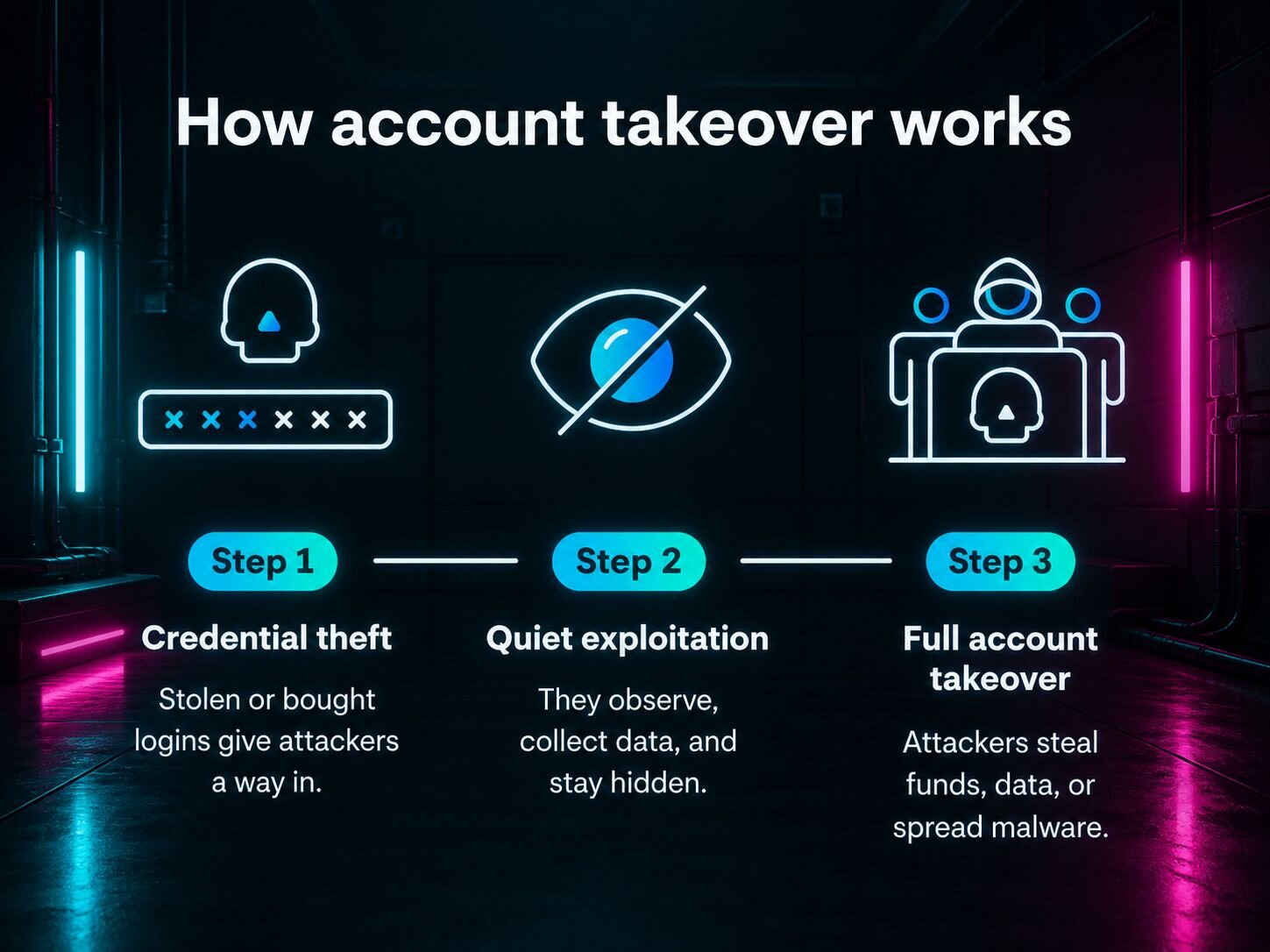
Business email account takeover (ATO) remains one of the most damaging threats facing organizations today. Attackers who gain control of legitimate email accounts can launch devastating phishing campaigns, steal sensitive data, and manipulate financial transactions—all while appearing as trusted insiders.

Stopping these attacks requires more than isolated point solutions. Modern unified security platforms, such as Huntress, can combine email threat protection, identity security, behavioral analytics, and security awareness training into a single framework that detects and prevents account takeover attempts in real time.

This guide provides IT leaders and managed service providers with 8 strategies to defend business email using tools that close visibility gaps.

1. Require current password verification for account changes

One of the simplest yet most effective defenses against unauthorized account modifications is requiring users to re-enter their current password before making sensitive changes. This foundational control introduces an additional authentication barrier that thwarts many automated takeover attempts, even when credentials have been previously stolen or phished.

Current password verification works by forcing attackers to prove they possess the account's active password at the moment of modification—not just a cached session token or stolen cookie. When users attempt to update email addresses, recovery options, forwarding rules, or security settings, the system prompts them to confirm their identity by typing their existing password. This extra step disrupts the attack chain for adversaries who have gained access through session hijacking, malware, or social engineering but lack the actual password.

Organizations should require current password verification for email changes to add an extra authentication layer preventing account takeover. This control is especially critical for cloud-based email platforms where account settings can be modified through web interfaces accessible from any device.

Enforcing password re-verification creates a checkpoint that alerts legitimate users to unauthorized access attempts and gives security teams time to intervene before damage occurs.

2. Implement multi-factor authentication for added security

Multi-factor authentication (MFA) stands as the single most effective technical control for preventing business email account takeover. MFA requires users to present two or more forms of verification before accessing their accounts—typically combining something they know (a password) with something they have (a mobile device or hardware token) or something they are (biometric data).

This dramatically raises the bar for attackers, even when passwords are compromised.

The impact of MFA is striking: Microsoft found that 99.9% of compromised accounts in its telemetry did not have MFA.

Meanwhile, a survey by the Cyber Readiness Institute found more than half of small and midsize businesses still don’t use MFA at all, and only 28% of those that offer MFA require employees to use it.

The good news is that this gap represents one of the easiest security wins available to IT teams.

Organizations can choose from several MFA methods depending on their security requirements and user experience considerations. SMS-based codes offer broad compatibility but are vulnerable to SIM-swapping attacks. Authenticator apps like Microsoft Authenticator or Google Authenticator provide stronger security through time-based one-time passwords.

Hardware security keys such as YubiKeys deliver the highest assurance by requiring physical possession of a cryptographic token. Modern unified security platforms simplify MFA deployment by integrating authentication enforcement directly into email access policies and account modification workflows, ensuring consistent protection across all entry points.

The key to MFA effectiveness lies in mandatory enforcement rather than optional availability. Security teams should require MFA for all users accessing business email, with particular emphasis on privileged accounts that manage security settings or financial transactions. Unified platforms that combine email security with identity threat detection can automatically flag accounts lacking MFA and guide administrators through remediation.

3. Use real-time monitoring and behavioral analytics

Real-time monitoring paired with behavioral analytics and artificial intelligence provides the visibility needed to detect account takeover attempts as they unfold. Unlike signature-based defenses that rely on known threat patterns, behavioral analytics establishes baseline profiles of normal user activity and flags deviations that may indicate compromise—even when attackers use legitimate credentials.

Effective monitoring systems continuously analyze multiple signals including login patterns, IP addresses, geolocation data, device fingerprints, and changes to mailbox settings. When a user who typically logs in from New York during business hours suddenly accesses their account from Eastern Europe at 3 AM, behavioral analytics can immediately flag the anomaly for investigation.

Real-time monitoring detects anomalies like multiple failed logins or logins from suspicious IPs to prevent account takeover. Behavioral analytics leverages algorithms to recognize deviations from normal user behavior, flagging potential threats before damage occurs. These systems learn each user's typical access patterns, email sending volumes, recipient relationships, and attachment behaviors to create dynamic risk scores that adapt as threats evolve.

Unified security platforms excel at behavioral monitoring because they correlate signals across email, endpoint, and identity systems. When an account shows suspicious login activity while simultaneously exhibiting unusual email forwarding rules or mass deletion of messages, the platform can automatically escalate the alert and trigger containment actions. Leading solutions offer customizable alert logic thresholds that balance security with operational efficiency, reducing false positives while ensuring genuine threats receive immediate attention.

Monitored BehaviorDetection MethodResponse Action
Multiple failed login attemptsThreshold-based alertingAccount lockout, security team notification
Login from new geolocationGeofencing and travel time analysisMFA challenge, access review
Unusual email forwarding rulesConfiguration change monitoringRule suspension, administrator alert
Mass email deletionVolume anomaly detectionAction blocking, forensic capture
Atypical sending patternsMachine learning baseline comparisonMessage quarantine, sender verification

4. Conduct ongoing user training and phishing simulations

Technology alone cannot stop account takeover—user awareness and frequent phishing simulations form an essential layer of defense against social engineering attacks that bypass technical controls. Employee training and awareness programs are critical to prevent social engineering and phishing-based account takeovers.

Phishing simulations are safe, controlled tests that mimic real-world scams to help users recognize and resist phishing attacks. These exercises expose employees to realistic threat scenarios without actual risk, measuring their ability to identify suspicious emails, verify sender identities, and report potential threats. When users fail simulated tests, they immediately receive targeted training that reinforces secure behaviors and explains the specific red flags they missed.

The most effective security awareness programs integrate phishing simulations directly into unified security platforms rather than treating them as separate initiatives. This integration allows security teams to correlate simulation performance with real-world threat exposure, identifying high-risk users who may need additional support. Platforms like Huntress Managed Security Awareness Training combine automated phishing simulations with engaging training content that learners actually enjoy and builds security intuition.

Organizations should conduct phishing simulations regularly and vary the attack vectors to cover credential harvesting, malicious attachments, and business email compromise scenarios. Modern simulation tools offer template libraries based on current threat intelligence, ensuring training remains relevant to the tactics attackers actually use. The goal is not to trick employees but to create a culture where security awareness becomes second nature and users feel confident reporting suspicious activity without fear of punishment.

Phishing Simulation FeatureBenefitVendor Examples
Automated campaign schedulingConsistent training cadence without manual effortHuntress, KnowBe4, Proofpoint
Customizable templatesRealistic scenarios matching current threatsCofense, Hoxhunt, IRONSCALES
Immediate feedbackJust-in-time learning when users are most receptiveHuntress, Infosec IQ, Terranova
Risk scoring and analyticsData-driven identification of high-risk usersProofpoint, Mimecast, Barracuda
Integrated remediationSeamless connection between training and email securityHuntress, Abnormal Security, Material Security

5. Deploy email authentication protocols to block spoofing

Email authentication protocols provide a technical foundation for verifying sender identities and preventing spoofing attacks that impersonate trusted domains. The three core standards—SPF, DKIM, and DMARC—work together to ensure emails aren't forged or tampered with during transit, protecting both your organization and your email recipients from impersonation-based attacks.

Sender Policy Framework (SPF) allows domain owners to specify which mail servers are authorized to send email on their behalf. When a receiving server gets a message claiming to come from your domain, it checks the SPF record in your DNS to verify the sending server is legitimate. DomainKeys Identified Mail (DKIM) adds a cryptographic signature to outgoing messages that proves they haven't been altered in transit and originated from an authorized source. Domain-based Message Authentication, Reporting, and Conformance (DMARC) builds on SPF and DKIM by telling receiving servers what to do when authentication checks fail—whether to quarantine, reject, or deliver suspicious messages—and provides reporting on authentication results.

Implementing these protocols protects your brand reputation, prevents attackers from successfully spoofing your domain in phishing campaigns, and demonstrates to partners and customers that you take email security seriously.

ProtocolPrimary FunctionWhat It VerifiesDeployment Complexity
SPFAuthorized sender validationSending server IP matches DNS recordLow—single DNS TXT record
DKIMMessage integrityCryptographic signature validates contentMedium—requires key generation and DNS
DMARCPolicy enforcement and reportingSPF and DKIM alignment with policyMedium—builds on SPF and DKIM

Organizations should deploy all three protocols in sequence, starting with SPF and DKIM to establish authentication mechanisms, then adding DMARC to enforce policy and gain visibility into authentication failures. Begin DMARC in monitoring mode to understand legitimate email flows before moving to quarantine or reject policies that actively block spoofed messages.

6. Leverage data loss prevention and incident response tools

Data loss prevention (DLP) and incident response tools are indispensable for minimizing the impact of account compromise and quickly containing threats within business email systems. While prevention and detection controls aim to stop attacks before they succeed, DLP and incident response provide critical last lines of defense when accounts are compromised.

Data Loss Prevention tools identify sensitive data using pattern matching and machine learning to stop leaks before they occur. DLP systems scan outbound email for patterns indicating sensitive information such as credit card numbers, social security numbers, intellectual property, or confidential documents. When compromised accounts attempt to exfiltrate data, DLP policies can automatically block transmission, quarantine messages, or require additional approval before sensitive information leaves the organization.

Effective DLP implementation requires clear policies defining what constitutes sensitive data, who can share it externally, and under what circumstances. Modern unified platforms use contextual analysis that considers sender, recipient, content, and attachments to reduce false positives while maintaining strong protection. Machine learning models improve over time by learning from policy exceptions and administrator decisions.

Incident response capabilities determine how quickly organizations can contain and recover from account takeover. A strong incident response plan should include: detecting the breach through monitoring alerts, isolating affected accounts to prevent further damage, investigating the scope of compromise, remediating unauthorized access and configuration changes, and communicating transparently with affected parties.

Common DLP and incident response features include:

  • Auto-quarantine of messages containing sensitive data patterns
  • Automated credential reset and session termination
  • Inbox rule and forwarding configuration rollback
  • Message recall and deletion across recipient mailboxes
  • Detailed activity logging for forensic investigation
  • Customizable notification workflows for security teams
  • Integration with SIEM and ticketing systems
  • Compliance reporting for regulatory requirements

7. Monitor inbound, outbound, and internal email traffic

Comprehensive email security requires monitoring all three traffic flows—inbound, outbound, and internal—to spot both external and insider threats. Many organizations focus exclusively on inbound protection, leaving significant blind spots that attackers exploit after compromising accounts or through malicious insiders. Monitoring all email flows helps prevent, detect, and contain account takeovers without disrupting productivity or collaboration.

Inbound email monitoring protects against external threats including phishing attacks, malware delivery, and business email compromise schemes. Advanced threat detection analyzes message headers, content, attachments, and URLs to identify sophisticated attacks that bypass basic spam filters. Techniques like sandboxing execute suspicious attachments in isolated environments to detect zero-day malware, while natural language processing identifies social engineering attempts and impersonation tactics.

Outbound email monitoring detects data exfiltration, account misuse, and the spread of compromise to external parties. When attackers gain control of legitimate accounts, they often use them to launch phishing campaigns against customers, partners, or other employees. Outbound monitoring catches these attacks by flagging unusual sending volumes, suspicious recipient patterns, or content inconsistent with the sender's normal behavior. DLP policies applied to outbound traffic prevent sensitive data from leaving the organization whether through intentional insider threats or compromised accounts.

Internal email monitoring identifies lateral movement and insider threats that occur entirely within the organization. Attackers who compromise one account often use internal email to spread malware, conduct reconnaissance, or manipulate other employees through targeted phishing. Internal monitoring detects these activities by analyzing communication patterns between employees and flagging anomalies like unusual file sharing, requests for credentials, or attempts to access resources beyond normal job functions.

Traffic DirectionPrimary ThreatsDetection TechniquesExample Controls
InboundPhishing, malware, BEC, spoofingURL analysis, attachment sandboxing, sender authenticationQuarantine suspicious messages, block malicious domains
OutboundData exfiltration, account misuse, spamDLP pattern matching, volume analysis, recipient reputationBlock sensitive data transmission, rate limit sending
InternalLateral movement, insider threats, internal phishingBehavioral analytics, privilege monitoring, content analysisFlag unusual peer-to-peer communication, detect credential requests

Unified security platforms such as Huntress that can cover all three threat vectors close major visibility gaps present in cloud email platforms like Microsoft 365 and Google Workspace. While these platforms provide basic inbound filtering, they offer limited outbound and internal threat detection. Third-party unified solutions add comprehensive monitoring across all email flows, correlating signals to detect sophisticated attack chains that span multiple stages and directions.

Organizations implementing comprehensive email monitoring should prioritize solutions that integrate with existing email infrastructure without requiring complex mail routing changes. API-based platforms connect directly to cloud email systems, analyzing messages in real time while maintaining user experience and avoiding latency issues associated with proxy-based gateways.

8. Establish and update robust security policies continuously

Security policies provide the framework that guides technology deployment, user behavior, and incident response across the organization. However, static policies quickly become obsolete as attack methods evolve and business requirements change.

Effective security policies should address multiple dimensions of account protection including password hygiene, access controls, and incident response procedures. Password policies must balance security with usability—requiring sufficient complexity and regular updates without creating burdens that drive users toward insecure workarounds like password reuse or written credentials. Modern approaches emphasize password length over complexity and encourage the use of password managers to support unique credentials across all accounts.

Access control policies define who can access email systems, from which devices and locations, and under what circumstances. Role-based access ensures users have appropriate permissions without excessive privileges that increase risk if accounts are compromised. Conditional access policies can require additional authentication factors when users access email from new devices, unusual locations, or outside normal business hours.

Unified security platforms help automate policy enforcement and reporting, reducing the manual effort required to maintain compliance. Rather than relying on periodic audits that reveal policy violations long after they occur, automated systems continuously monitor adherence and alert administrators to configuration drift or non-compliant user behavior. Integration with identity management systems ensures access policies remain synchronized with organizational changes like employee role transitions or departures.

Organizations should conduct regular policy reviews—at minimum quarterly—to assess effectiveness and identify gaps. These reviews should consider:

  • Recent security incidents and near-misses within the organization
  • Emerging threat intelligence and attack trends
  • Changes to regulatory requirements and industry standards
  • User feedback on policy friction and usability challenges
  • Technology updates and new security capabilities
  • Business process changes affecting data handling

Security policy documentation should be accessible to all employees through internal portals or knowledge bases, with clear explanations of requirements and the rationale behind them. Policies framed as enabling secure productivity rather than restrictive controls gain better user acceptance and compliance.

Frequently Asked Questions

The best tools combine email threat protection, identity security, phishing simulation, and incident response in a single platform capable of preventing, detecting, and responding to account takeover risks.

Unified security tools use behavioral analytics, AI-driven anomaly detection, and real-time monitoring of login events to identify suspicious activity and block potential account takeover in progress.

Yes, leading unified platforms, including those from Huntress, can automatically quarantine malicious emails, lock compromised accounts, and alert administrators to speed up threat containment and minimize business impact.

These solutions use layered email authentication including SPF, DKIM, and DMARC alongside advanced anti-phishing algorithms and security awareness training to block and detect fraudulent messages.

Unified tools guide incident response by isolating the account, resetting credentials, removing unauthorized rules, and notifying security teams for investigation and remediation.

Glitch effectBlurry glitch effect

Protect What Matters

Secure endpoints, email, and employees with the power of our 24/7 SOC. Try Huntress for free and deploy in minutes to start fighting threats.
Try Huntress for Free
Huntress Managed Security PlatformManaged EDRManaged EDR for macOSManaged EDR for LinuxManaged ITDRManaged SIEMManaged Security Awareness TrainingManaged ISPMManaged ESPMBook a Demo
PhishingComplianceBusiness Email CompromiseEducationFinanceHealthcareManufacturingState & Local Government
Managed Service ProvidersResellersIT & Security Teams24/7 SOCCase Studies
BlogResource CenterCybersecurity 101Upcoming EventsSupport Documentation
Our CompanyLeadershipNews & PressCareersContact Us
Huntress white logo

Protecting 242k+ customers like you with enterprise-grade protection.

Privacy PolicyCookie PolicyTerms of UseCookie Consent
Linkedin iconTwitter X iconYouTube iconInstagram icon
© 2025 Huntress All Rights Reserved.

Join the Hunt

Get insider access to Huntress tradecraft, killer events, and the freshest blog updates.

By submitting this form, you accept our Terms of Service & Privacy Policy