




Huntress SOC analysts investigated two phishing attacks that used browser-in-the-browser pages to impersonate Adobe Reader. In one case, a fake CAPTCHA led to a page showing blurred documents and a prompt to install an “update.” In another, a malicious message delivered through a legitimate communications platform used the same template. Instead of Adobe Reader, victims downloaded rogue ScreenConnect clients. Each attack installed two clients, creating redundant, service-based persistence, before using HideCursor or HideUL to conceal on-screen activity. Huntress stopped both attacks before they progressed further, but the campaigns show how familiar branding and legitimate-looking browser elements can turn a phishing click into persistent remote access. Huntress SOC analyst Sarah Reddish outlined the attack in this blog post.
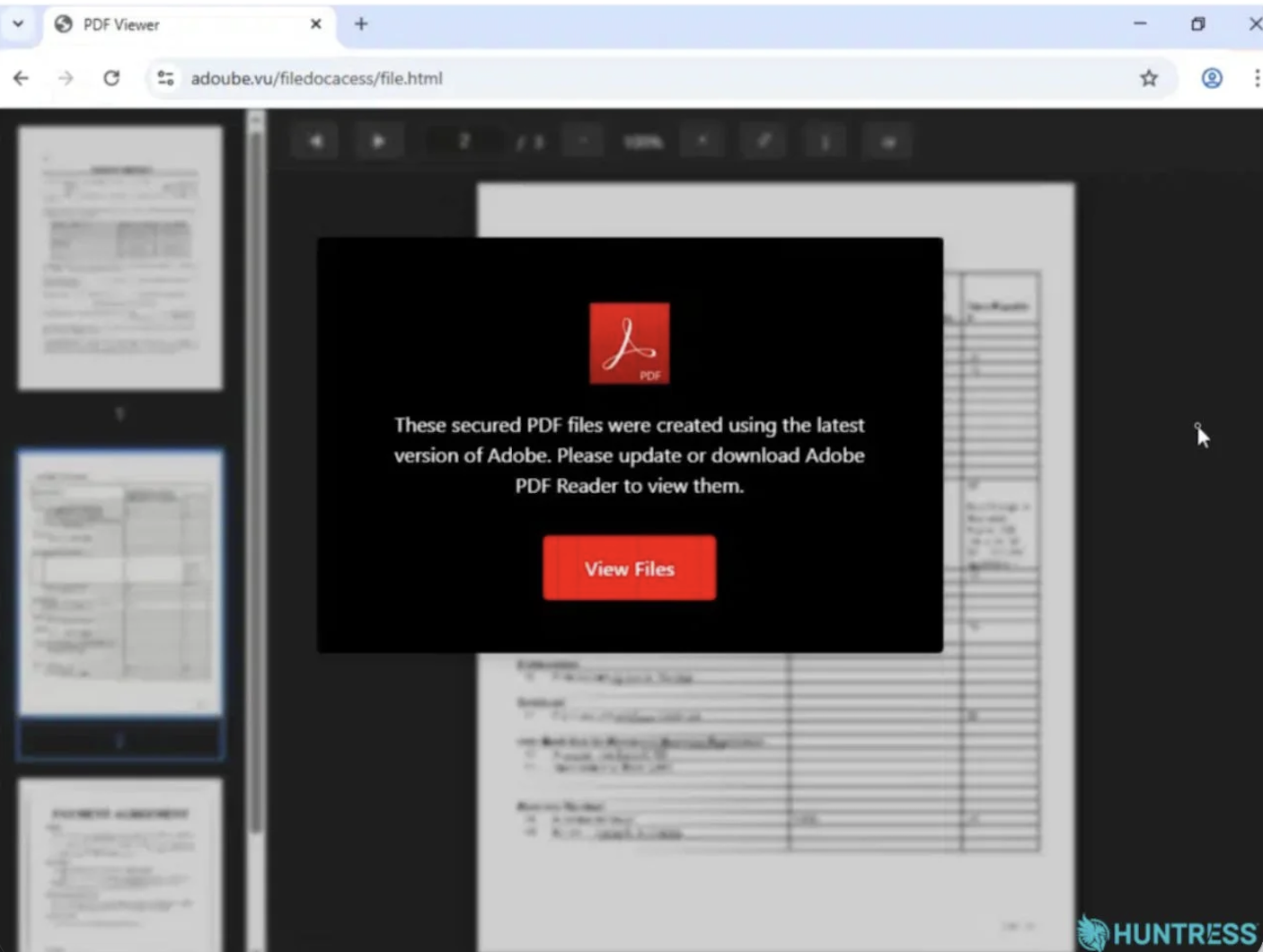
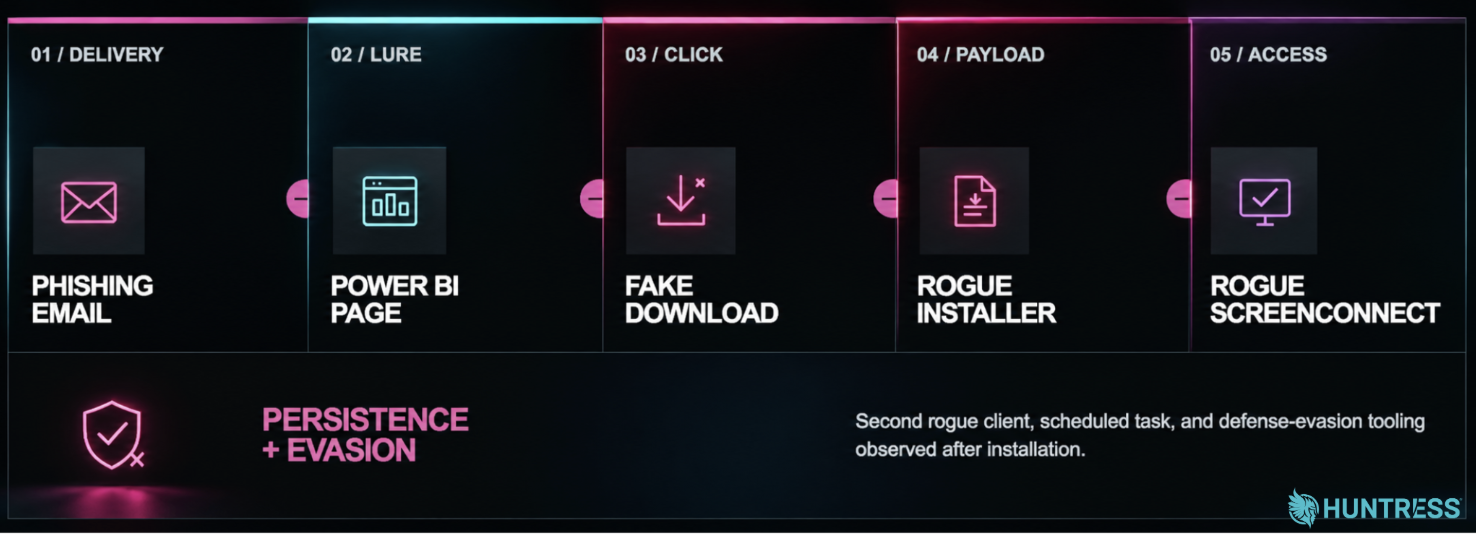 An outline of the phishing campaign
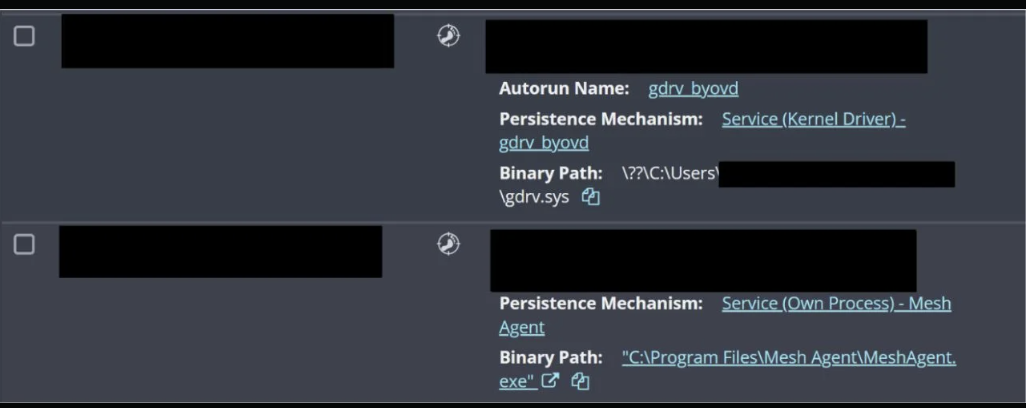 Signals indicating the attacker's use of BYOVD and the MeshAgent RMM
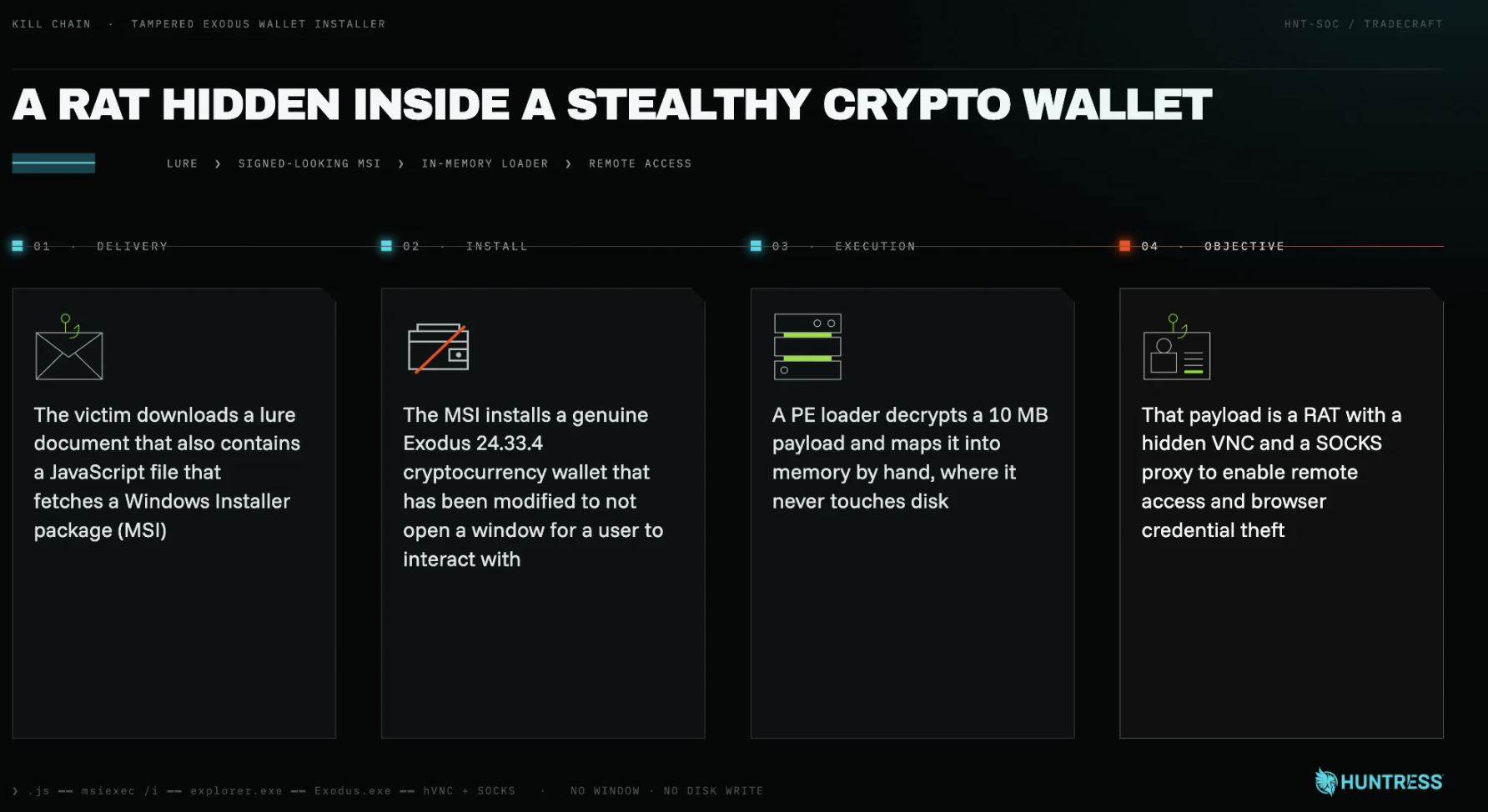 How an unopenable crypto wallet ends up installing a modular RAT to steal browser credentials
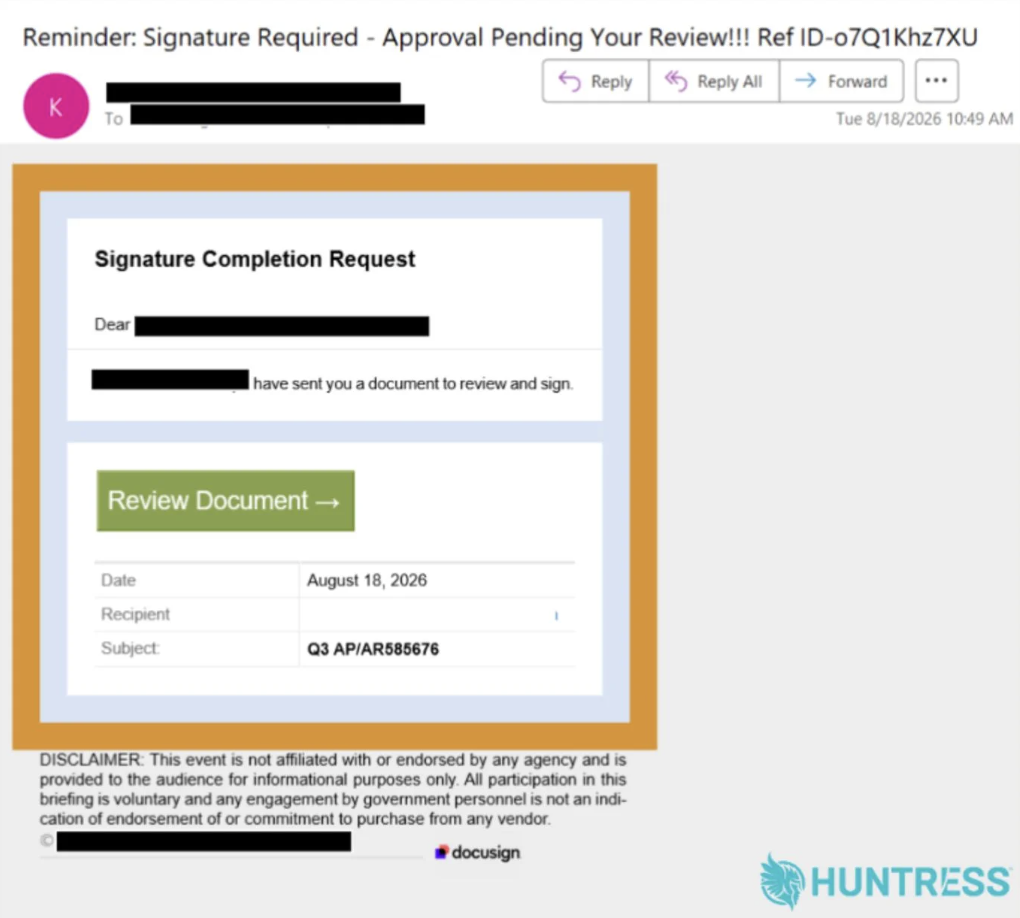 The lure email behind the AiTM attack

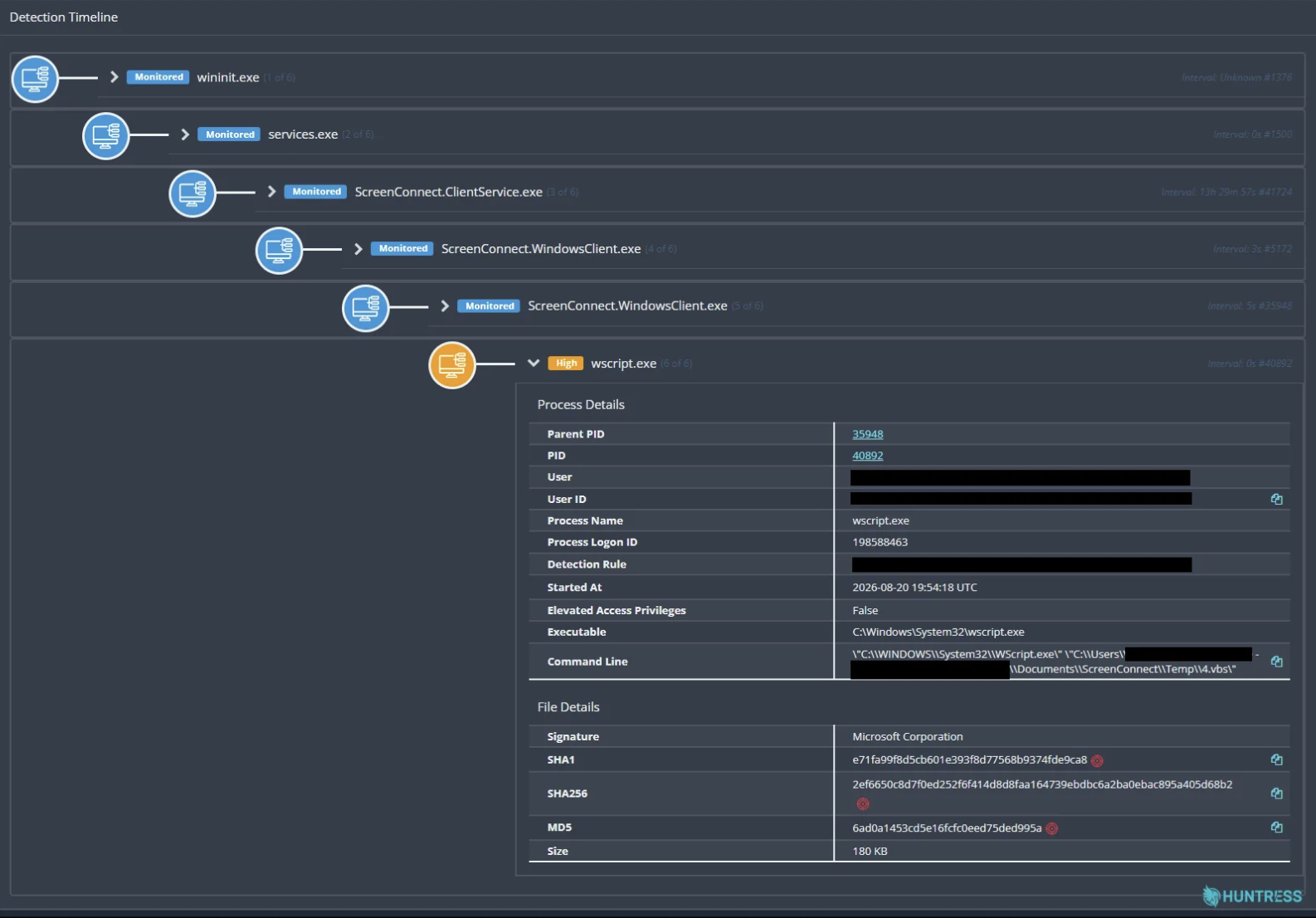 Huntress detected ScreenConnect.WindowsClient.exe spawning the child process wscript.exe
 September 2026 Product Lab
 The September Tradecraft Tuesday episode was focused on a post-DEFCON malware campaign