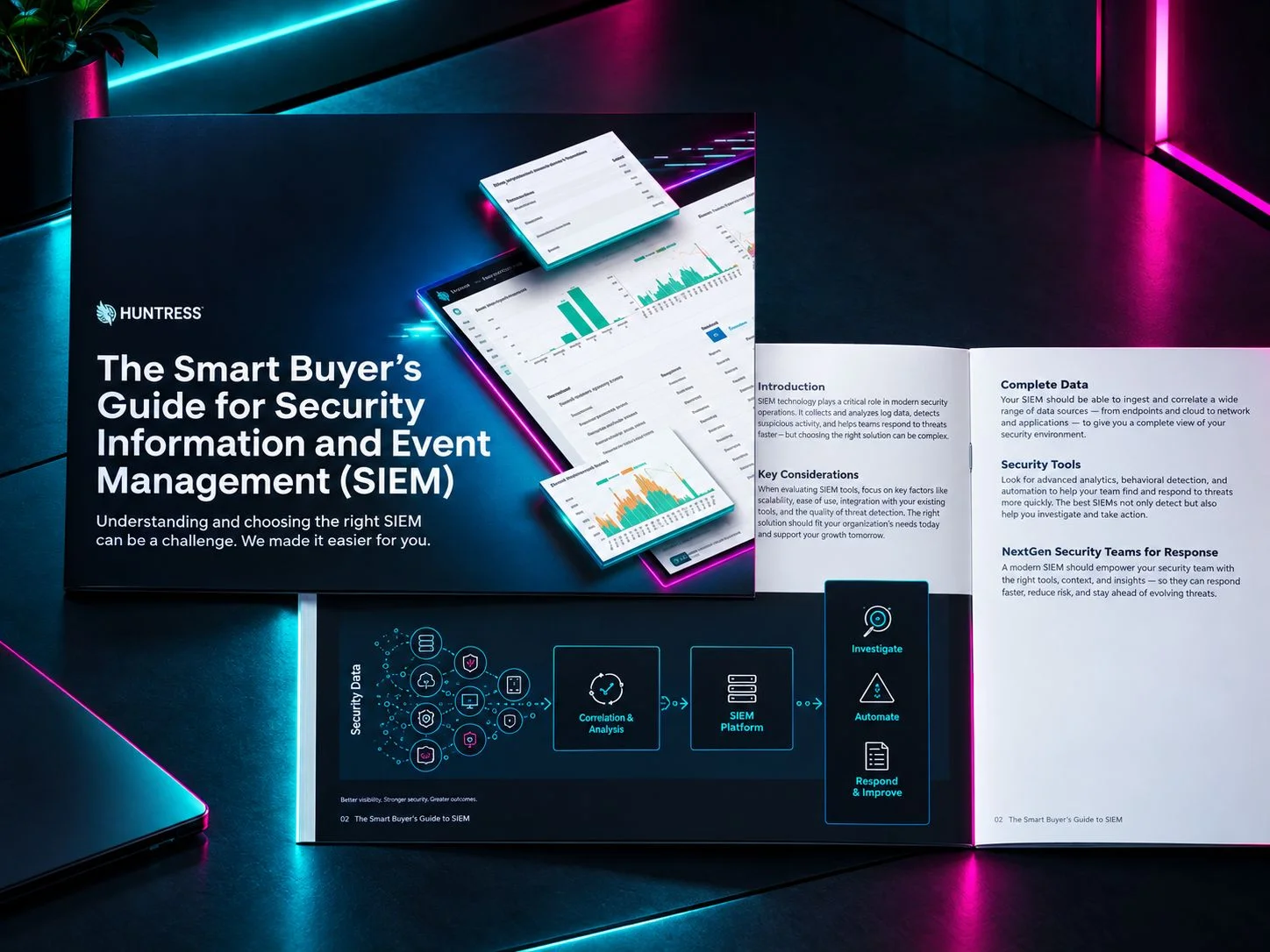
SIEM Tools: How the Top Platforms Compare

Key takeaways:

  • SIEM tools turn scattered logs from endpoints, identities, firewalls, and cloud apps into one searchable timeline, so you can spot an attack that no single tool sees alone.

  • Pricing models predict next year's bill. Per-GB, per-endpoint, and per-asset pricing each scale differently as your business grows.

  • If you don't have a SOC, a managed SIEM gives you the monitoring and response that self-managed platforms leave to you.

  • Ask every vendor the same four questions: what's included at the price you're quoted, who tunes the rules, who triages alerts, and what happens after hours.

Buying a SIEM is the easy part. Running one is where most teams quietly give up.

You sign the contract, connect a few log sources, and watch the alerts roll in. Then the noise piles up, nobody has time to tune the rules, and the dashboard becomes something you check after the incident instead of before it.

This guide compares the top SIEM tools side by side, with a focus on what happens after you buy one. We cover what SIEM is, why you need it, and how platforms stack up on the questions that actually decide the outcome: EDR and identity integrations, hybrid and multi-cloud log sources, 24/7 coverage, analyst-assisted triage, and Microsoft 365.

Topics
Share

SIEM Tools: How the Top Platforms Compare

Key takeaways:

  • SIEM tools turn scattered logs from endpoints, identities, firewalls, and cloud apps into one searchable timeline, so you can spot an attack that no single tool sees alone.

  • Pricing models predict next year's bill. Per-GB, per-endpoint, and per-asset pricing each scale differently as your business grows.

  • If you don't have a SOC, a managed SIEM gives you the monitoring and response that self-managed platforms leave to you.

  • Ask every vendor the same four questions: what's included at the price you're quoted, who tunes the rules, who triages alerts, and what happens after hours.

Buying a SIEM is the easy part. Running one is where most teams quietly give up.

You sign the contract, connect a few log sources, and watch the alerts roll in. Then the noise piles up, nobody has time to tune the rules, and the dashboard becomes something you check after the incident instead of before it.

This guide compares the top SIEM tools side by side, with a focus on what happens after you buy one. We cover what SIEM is, why you need it, and how platforms stack up on the questions that actually decide the outcome: EDR and identity integrations, hybrid and multi-cloud log sources, 24/7 coverage, analyst-assisted triage, and Microsoft 365.

What is SIEM?

SIEM stands for security information and event management. It's software that collects security logs and events from across your environment, normalizes them into one format, and analyzes them to find threats.

Think of it as a single timeline for everything that happens in your business. A login from a new country. A firewall rule change. An admin account that suddenly touches 40 file shares. Each event looks harmless on its own. Together, they tell a story.

A SIEM does five jobs:

  • Collects logs from endpoints, networks, cloud services, identity systems, and applications

  • Correlates related events across those systems to catch multi-stage attacks

  • Detects suspicious behavior using rules, analytics, and machine learning

  • Stores logs so you can investigate what happened weeks or months later

  • Reports the evidence auditors and insurers ask for


What are SIEM tools?

SIEM tools are the platforms and services that do that work. They range from self-hosted software your team runs, to cloud-native platforms, to fully managed services where a SOC runs it for you.

Modern SIEM tools have moved well past static rules. Most now add user and entity behavior analytics (UEBA) to flag activity that's odd for a specific person or device. Many add automation to speed up response, and AI assistants to summarize incidents and write queries.

Here's how SIEM relates to the tools it often gets confused with:

Tool

What it does best

How it differs from SIEM

SIEM

Collects and correlates logs from everywhere for detection, investigation, and compliance

The broadest view, across any log source

EDR

Detects and responds to threats on endpoints

Deep on devices, but blind to your firewall, identity provider, or SaaS apps

XDR

Detects and responds across a vendor's own endpoint, identity, email, and cloud tools

Narrower data scope, faster built-in response

SOAR

Automates response playbooks

Doesn't detect threats on its own—it acts on alerts from other tools

Log management

Stores and searches logs

No security-specific correlation or threat detection

The lines are blurring. Plenty of platforms now sell SIEM, XDR, and SOAR as one bundle. The label matters less than what the tool does on day 90.


Why do organizations need SIEM tools?

Attackers don't stay on one device. They phish a Microsoft 365 account, add a mailbox rule, move to a file share, then disable the tools that would have caught them. Each step shows up in a different log. If nobody's reading them together, nobody sees the pattern.

That's the core reason businesses of all sizes need SIEM tools. Here are the rest:

  1. Visibility across tools. Endpoint, identity, firewall, and cloud logs live in separate consoles. A SIEM puts them in one place.

  2. Earlier detection. Correlating events catches attacks like Remote Desktop Protocol (RDP) brute force or suspicious sign-ins before they reach your endpoints.

  3. Faster investigations. When something goes wrong, you need to answer "what did they touch?" in minutes, not days.

  4. Compliance and insurance. Frameworks like PCI DSS, HIPAA, SOC 2, and GDPR expect log collection, retention, and review. Cyber insurers increasingly ask for the same evidence.

Here's the part most vendors skip: a SIEM only helps if someone's watching it. A platform with brilliant detection logic and nobody tuning it is just an expensive log archive.


SIEM tools compared

We compared 10 SIEM tools on deployment, 24/7 coverage, and where each one fits best. We started with Huntress Managed SIEM, then covered the other platforms most often on shortlists.

Platform

Best for

Deployment

24/7 managed option

Standout

Huntress Managed SIEM

Growing organizations and MSPs that want a SOC watching their logs

Cloud, fully managed

Built in

24/7 SOC, predictable pricing, Microsoft 365 and identity coverage

Microsoft Sentinel

Microsoft-centric, cloud-first organizations

Cloud-native (Azure)

Not built in

Native Defender integration, built-in UEBA and SOAR

Splunk Enterprise Security

Large enterprises with dedicated platform teams

Cloud or self-managed, including air-gapped

Not built in

Huge integration ecosystem

CrowdStrike Falcon Next-Gen SIEM

Existing CrowdStrike Falcon customers

Cloud-native SaaS

Separate (Falcon Complete)

Endpoint, identity, and cloud on one sensor

Palo Alto Cortex XSIAM

Enterprises consolidating SIEM, XDR, and SOAR

Cloud-delivered

Managed XSIAM offered

Converged platform with heavy ML automation

Rapid7 Incident Command (formerly InsightIDR)

Mid-sized teams wanting UEBA, SOAR, and MDR

Cloud-native

Available as a bundle

Asset-based pricing with built-in UEBA

SentinelOne Singularity AI SIEM

Existing SentinelOne EDR customers

Cloud-native

Via SentinelOne managed services

One agent for EDR and SIEM

Exabeam New-Scale Fusion

Teams focused on insider threats and UEBA

Cloud-native (LogRhythm for self-hosted)

Not built in

Behavioral analytics depth

Elastic Security

Engineering-led teams that want an open architecture

Serverless, hosted, or self-managed

Not built in

Flexible deployment, compute-based pricing

IBM QRadar SIEM

Regulated enterprises that need on-premises control

On-premises, or IBM-managed

IBM-managed option

Sigma rule support, no per-GB ingestion penalty

1. Huntress Managed SIEM

Best for: Lean IT teams, MSP partners, and growing businesses that want threat detection and compliance logging without building an internal SOC.

Most SIEM tools hand you a platform and wish you luck. Huntress Managed SIEM flips that. The Huntress SOC runs it for you, 24/7, so there's a person looking at the alerts instead of a dashboard waiting for someone to care.

What it does well:

  • Human-led, AI-centric SOC. Huntress analysts monitor, investigate, and hunt around the clock, and can remediate confirmed threats.

  • Catches attacks earlier. Managed SIEM helps customers spot threats earlier in the attack chain than EDR alone. In one example, the SOC found an RDP brute force attack less than 15 hours after a customer deployed Huntress.

  • Wide log coverage. Huntress added 20+ log source integrations across firewall, password management, and identity tools, including Fortinet, Palo Alto Networks, SonicWall, Sophos, 1Password, Duo, and Bitwarden.

  • Microsoft 365 coverage. Managed SIEM pulls in Microsoft 365, Entra, Defender, and Azure logs. See how Huntress works with Microsoft.

  • Predictable pricing. Pricing is built around the data you actually need for threat hunting, investigation, and compliance, not around a runaway data lake.

  • Compliance-ready. Long-term searchable log storage supports audits and insurance requirements

  • Herd immunity. Because the Huntress SOC watches millions of endpoints and identities, what it catches for one organization helps it shut down the same tradecraft faster for the next.

Managed SIEM can catch zero-day vulnerabilities  and alert the team before attackers can exploit them. 

One customer called out how they like managing log collection from a single pane alongside other Huntress products.

"We have seen around a 20 to 30% reduction in manual alert triage effort, mainly because Huntress SOC filters and investigates many alerts before they reach our team."

Read the full Huntress Managed SIEM review on PeerSpot →

2. Microsoft Sentinel

Best for: Microsoft-centric, cloud-first organizations.

Sentinel is a cloud-native SIEM built into the Azure and Defender portal, with hundreds of built-in data connectors. UEBA and SOAR come with the base product, Security Copilot helps with investigations, and an AI-assisted tool converts detection rules from Splunk or QRadar.

What to validate: Sentinel runs on Azure only, and ingesting data from AWS or GCP adds cost. It's priced per GB, so log volume drives the bill. Monitoring is on you, or on a partner.

3. Splunk Enterprise Security

Best for: Large enterprises with the staff to customize and maintain it.

Splunk runs as Splunk Cloud or self-managed, including air-gapped environments. It has a huge ecosystem of integrations and apps, and compliance tracking for standards like PCI, HIPAA, and GDPR.

What to validate: Some capabilities, including UEBA, SOAR, and certain AI agents, sit in the higher Premier tier. Expect real operational overhead and specialized expertise.

4. CrowdStrike Falcon Next-Gen SIEM

Best for: Organizations already running CrowdStrike Falcon endpoint protection.

It's a cloud-native module built on the same sensor and console Falcon customers already use. Endpoint, identity, and cloud telemetry share one context, and Charlotte AI supports natural-language investigation.

What to validate: The single-sensor advantage fades if you run a different EDR. It's SaaS-only. Self-hosted needs a separate product, Falcon LogScale.

See full Huntress vs Crowdstrike comparison. 

5. Palo Alto Cortex XSIAM

Best for: Enterprises that want SIEM, XDR, SOAR, and attack surface management in one platform.

XSIAM uses machine learning to group low-confidence alerts into higher-fidelity incidents, and automated playbooks cut time spent on routine triage. A managed XSIAM option exists for teams that want help running it.

What to validate: Pricing is sales-led and not published. Integration is strongest inside the Palo Alto ecosystem.

6. Rapid7 Incident Command (formerly InsightIDR)

Best for: Mid-maturity teams that want built-in UEBA, SOAR, and optional MDR.

It's cloud-native, collects log, network, and endpoint data, and correlates user and asset activity to flag suspicious behavior. Pricing is based on monitored assets rather than data volume, and managed detection services are available as a bundle.

What to validate: Check whether asset-based pricing stays friendly as you grow, and how far you can customize deep analytics and compliance reports.

7. SentinelOne Singularity AI SIEM

Best for: Organizations already standardized on SentinelOne for endpoints.

The pitch is one agent and one console for EDR and SIEM. Purple AI helps analysts investigate, and SentinelOne offers 24/7 managed detection and response separately.

What to validate: Some AI capabilities depend on your tier, and the consolidation benefit shrinks if you run a mixed endpoint estate.

See full Huntress vs SentinelOne comparison. 

8. Exabeam New-Scale Fusion

Best for: Teams where insider threats and identity-based risk come first.

Exabeam's strength is behavioral analytics: dynamic risk scoring against baselines, plus AI agents that triage alerts and summarize cases. Its LogRhythm line covers self-hosted needs, with 1,100+ prebuilt correlation rules.

What to validate: Fusion is cloud-only. Pricing is quote-based. Deep UEBA works best with analysts who can tune it.

9. Elastic Security

Best for: Engineering-led teams that value open architecture and cost transparency.

Elastic deploys serverless, hosted, or fully self-managed, including air-gapped. Pricing follows compute and storage, and AI-assisted import helps translate detection rules from other platforms.

What to validate: It takes engineering time to configure and tune. Workflow automation isn't native, so expect to add a SOAR tool.

10. IBM QRadar SIEM

Best for: Regulated enterprises that need on-premises data processing.

QRadar deploys as on-premises hardware or virtual appliances, with an IBM-managed option. It supports community Sigma rules and UEBA, and its licensing avoids per-GB ingestion penalties.

What to validate: It's heavier to deploy and maintain than any cloud-native platform here, and IBM sold its QRadar SaaS business in 2024.


SIEM vendors with EDR and identity integrations

Endpoint and identity logs are where most attacks leave their first clues. A SIEM that ingests both can connect a suspicious sign-in to what happened on the device next.

There are two approaches. Platform-native vendors put EDR and SIEM in one agent or console. Open vendors ingest data from whatever tools you already run.

Vendor

Approach

EDR and identity coverage

Huntress

Platform-native

Managed SIEM works alongside Huntress Managed EDR and Managed ITDR, plus log sources like Duo, 1Password, Bitwarden, and Keeper

CrowdStrike Falcon Next-Gen SIEM

Platform-native

Deep integration with Falcon endpoint, identity, and cloud products

SentinelOne Singularity AI SIEM

Platform-native

One agent and console for EDR and SIEM, plus identity

Microsoft Sentinel

Platform-native

Native Defender integration across endpoints, identities, email, and cloud workloads

Palo Alto Cortex XSIAM

Platform-native

Converged XDR-SIEM-SOAR with endpoint, network, identity, and cloud telemetry

Rapid7 Incident Command

Mixed

Combines endpoint agents, authentication monitoring, and network data

Splunk, Elastic, QRadar

Open

Ingests EDR and identity data through connectors and apps

How to choose: If you already run one EDR, the platform-native SIEM from that vendor is usually the fastest path. If your stack is mixed, ask for the exact connector list for your identity provider, EDR, and firewall in writing. "400+ integrations" doesn't tell you whether yours is one of them.


SIEM vendors supporting hybrid and multi-cloud log sources

Most businesses don't live in one place. You've got on-prem servers, a Microsoft 365 tenant, maybe AWS or Azure workloads, and a handful of SaaS apps. Hybrid support means a SIEM can ingest from all of them without forcing you to move your data.

Look for three things:

  1. Deployment flexibility. Cloud, on-prem, or both.

  2. Cross-cloud connectors. Native collection from Azure, AWS, and GCP.

  3. Data residency options. The ability to keep sensitive logs where regulations require.

Vendor

Hybrid and multi-cloud strengths

Huntress Managed SIEM

Cloud-delivered, ingesting logs from endpoints, firewalls, VPNs, identity systems, and Microsoft 365, Entra, and Azure sources

Splunk Enterprise Security

Cloud or self-managed, including air-gapped

Elastic Security

Serverless, hosted, or self-managed, including sovereign and air-gapped

Stellar Cyber

Hybrid on-prem and cloud, with multi-tenant architecture

Graylog Security

Cloud, on-prem, or hybrid, with a free open tier

Securonix

Cloud-native, with a bring-your-own-cloud option on Snowflake or AWS

Trellix

On-prem, hybrid, cloud, and air-gapped deployments

LogPoint

Cloud, hybrid, and on-prem

Microsoft Sentinel

Multicloud and multiplatform connectors, but runs on Azure only. Costs rise when pulling from AWS or GCP


Vendors offering 24/7 managed SIEM

Here's the question that decides most SIEM projects: who's watching at 2 a.m.?

A self-managed SIEM can detect an attack at 2 a.m. That doesn't mean anyone sees it. If you don't have a staffed SOC, a managed SIEM puts analysts behind the alerts so detection turns into response.

Vendor

24/7 managed option

Huntress Managed SIEM

Built in. The Huntress AI-centric SOC monitors, investigates, hunts, and can remediate confirmed threats

Rapid7

Managed detection services available as a bundle with Incident Command

Palo Alto Networks

Managed XSIAM and Unit 42 managed detection and response

IBM QRadar

IBM-managed option through X-Force Threat Management Services

SentinelOne

Managed detection and response through its services team

CrowdStrike

Falcon Complete managed service, sold separately

ConnectWise SIEM

Co-managed options, reported to include 150+ certified analysts

What to ask any managed provider:

  • Is 24/7 coverage included at the quoted price, or an add-on?

  • Do analysts investigate and respond, or just forward alerts to you?

  • Who writes and tunes the detection rules?

  • What's the false-positive rate, and how is it measured?

  • Can you see what the analysts did, in plain language?

For context, Huntress reports its SOC runs with a false-positive rate under one percent. Ask every vendor for their number and how they calculate it.


Platforms with real-time, analyst-assisted alert triage

Alert fatigue is how good SIEM deployments fail. When every alert looks urgent, nothing gets handled.

"Analyst-assisted triage" means different things depending on the vendor. Separate the two:

  • AI-assisted triage. Agents group, prioritize, and summarize alerts. A human may or may not review the result.

  • Human analyst triage. A trained person reviews each meaningful alert, decides if it's real, and acts or escalates.

The best setups use both. AI clears the noise fast, and a person makes the call.


SIEM tools optimized for Microsoft 365 and endpoint telemetry

If your business runs on Microsoft 365, a SIEM that's blind to Entra sign-ins, mailbox rules, and Defender alerts is missing the most common attack path. Identity is where attackers get in. Endpoints are where they dig in. You need both.

Option

Why it fits Microsoft environments

Huntress Managed SIEM

Brings together Microsoft 365, Entra, Defender, Azure, and other log sources, with a 24/7 SOC watching them. Pairs with Managed ITDR and Managed ISPM for identity monitoring and Microsoft 365 hardening

Microsoft Sentinel

Native, no connector overhead if you already run Microsoft 365, Azure, or Defender. Best fit for organizations with security staff to run it

Splunk and Elastic

Both ingest Microsoft data, but expect more setup and tuning on your side

CrowdStrike and SentinelOne

Strongest on endpoint telemetry. Stronger fit when their EDR is already your standard


How to choose a SIEM tool

Skip the feature checklist. Most platforms check the same boxes. Work through these questions instead, in this order.

  1. Where does your data live? On-prem, cloud, or both decide your shortlist fast. A hard on-prem or air-gapped requirement removes every cloud-only platform.

  2. Who will run it? Be honest about headcount. A SIEM platform that needs a dedicated detection engineer won't work for a three-person IT team.

  3. How does pricing scale? Per-GB pricing punishes growing log volume. Per-endpoint pricing tracks headcount. Per-asset pricing tracks scope. Model each against your next three years.

  4. What's included at the quoted price? Check whether AI features, UEBA, SOAR, and 24/7 monitoring sit behind a higher tier or an add-on.

  5. Does it connect to your stack? Get the connector list for your EDR, identity provider, firewall, and cloud accounts in writing.

  6. How does it handle noise? Ask for false-positive rates and a reference customer your size.

  7. Can it produce audit evidence? Request a sample compliance report before you sign.

  8. Who answers at 2 a.m.? Decide who responds after hours, and what they're allowed to do.

The right SIEM is the one your team can actually run. Everything else is a demo.


Closing

Security solutions should help you stop hesitating and start building. A SIEM does that when someone's actually running it: tuning the noise, reading the alerts, and picking up the phone when something's real.

Whichever platform you pick, make that part non-negotiable. Pick tools that match the team you have, not the team you wish you had.

If you want a SOC watching your logs without building one, see how Huntress Managed SIEM works.


Frequently Asked Questions on SIEM Tools

Every SIEM ships with generic detection rules built for an average environment, not yours. Tuning is how you teach it what normal looks like.

Most platforms handle it in four ways:

  • Baselining. UEBA models learn typical behavior for each user and device, then flag deviations.

  • Suppression and allowlists. You exclude known-good activity, like a vulnerability scanner or a nightly backup job.

  • Risk-based scoring. Instead of firing on a single event, the platform stacks several lower-confidence signals into one higher-confidence incident.

  • Feedback loops. Analyst decisions on past alerts refine future ones.

Tuning is ongoing work, not a setup step. A SIEM that's still noisy six months in usually has a tuning gap, not a detection problem. With a self-managed SIEM, that work lands on your team. With a managed SIEM like Huntress, the SOC handles the tuning and triage, so you see confirmed incidents instead of raw alerts.

When you evaluate vendors, ask whether models train on your telemetry, request false-positive rates by rule type, and talk to a reference customer about how long it took before alerts got quiet.

Nearly all of them, though the depth varies. Huntress Managed SIEM uses detections built by the Huntress SOC around real attacker tradecraft, like RDP brute force and suspicious identity activity, so you're not writing rules from scratch.

The bigger question is who maintains those rules. A big library still needs someone to decide which alerts matter in your environment.


Protect What Matters

Secure endpoints, email, and employees with the power of our 24/7 SOC. Try Huntress for free and deploy in minutes to start fighting threats.
Try Huntress for Free

You May Also Like

Read more about How to Start a Managed Service Provider Business?
How to Start a Managed Service Provider Business?
Resource Guide

A practical step-by-step guide covering everything aspiring MSP owners need to know, from defining a niche and building a service stack to pricing, marketing, and layering in managed security services to grow a profitable, scalable business.

Read more about MSP Compliance: The Complete Guide to Meeting Security and Regulatory Standards in 2027
MSP Compliance: The Complete Guide to Meeting Security and Regulatory Standards in 2027
Resource Guide

Simplify compliance for your MSP with continuous monitoring, centralized logging, and audit-ready evidence. Learn how Huntress helps you meet security and regulatory standards across clients and frameworks.

Read more about What are the Main Reasons Why MSPs Get Hacked?
What are the Main Reasons Why MSPs Get Hacked?
Resource Guide

Get a candid look at why MSPs are prime targets for ransomware and supply-chain attacks, plus tips for defending against them.