




Cybersecurity 101
What Does a Security Director Do?
Learn what security directors do, their evolving role in cybersecurity, required qualifications, and career opportunities in this comprehensive guide.
What is a Foothold in Cybersecurity?

A foothold in cybersecurity is the persistent access an attacker establishes after breaking into a system. It's the mechanism that keeps them inside even after the initial exploit is gone. It's not the break-in itself. It's what they leave behind to make sure they can come back.
Think of it this way: gaining initial access gets an attacker through the door. Establishing a foothold is how they make a copy of the key.
That distinction matters because defenders solve those two problems differently. If an attacker only has initial access, patching the exploited vulnerability, revoking the stolen credential, or blocking the entry point may be enough to kick them out. If they've already established a foothold, they've moved beyond that original dependency and now have a way to persist inside the environment across logoffs or reboots.
A foothold is not the break-in — it's what comes after. Initial access gets an attacker through the door. A foothold is the persistent mechanism they leave behind to ensure they can return, survive reboots, and operate independently of the original vulnerability they exploited.
Footholds enable dwell time, and dwell time is what turns incidents into breaches. Once persistence is established, attackers are no longer racing against a closing window. They can move slowly across your environment escalating privileges, mapping the network, and pre-positioning for ransomware, often for weeks or months before detection.
The most dangerous footholds don't look like malware. Living-off-the-land techniques and process hollowing into legitimate signed binaries like InstallUtil.exe and MSBuild.exe are designed to blend in with normal system activity — which is why signature-based detection alone won't catch them.
Disrupting a foothold before lateral movement begins is the highest-leverage intervention available to defenders. The earlier a foothold is detected — through behavioral EDR, proactive threat hunting, or anomalous authentication monitoring — the smaller the blast radius and the lower the cost of recovery.
Footholds don’t exist in isolation. They’re one stage in a broader intrusion chain.
Most attacks follow a recognizable pattern: an attacker gains initial access through phishing, stolen credentials, exposed remote access, or an exploited vulnerability. Then they execute code or actions on the target system. The foothold comes next, at the persistence stage, where they make sure they can maintain access regardless of what happens to the original entry point. From there, they can escalate privileges, move laterally, steal data, or deploy ransomware.
In MITRE ATT&CK terms, a foothold maps most directly to the Persistence tactic, but it often overlaps with Defense Evasion and Command and Control as attackers work to stay hidden and maintain remote access.
The key takeaway for defenders is simple: the earlier a foothold is detected and disrupted, the smaller the blast radius. A foothold caught before lateral movement is a contained incident. A foothold discovered after the attacker has spread is a much harder problem.
This isn’t just theory. Huntress’s 2026 Cyber Threat Report draws on telemetry from more than 4.6 million endpoints and 16 million identities, giving real visibility into how modern attackers establish and expand access in production environments.
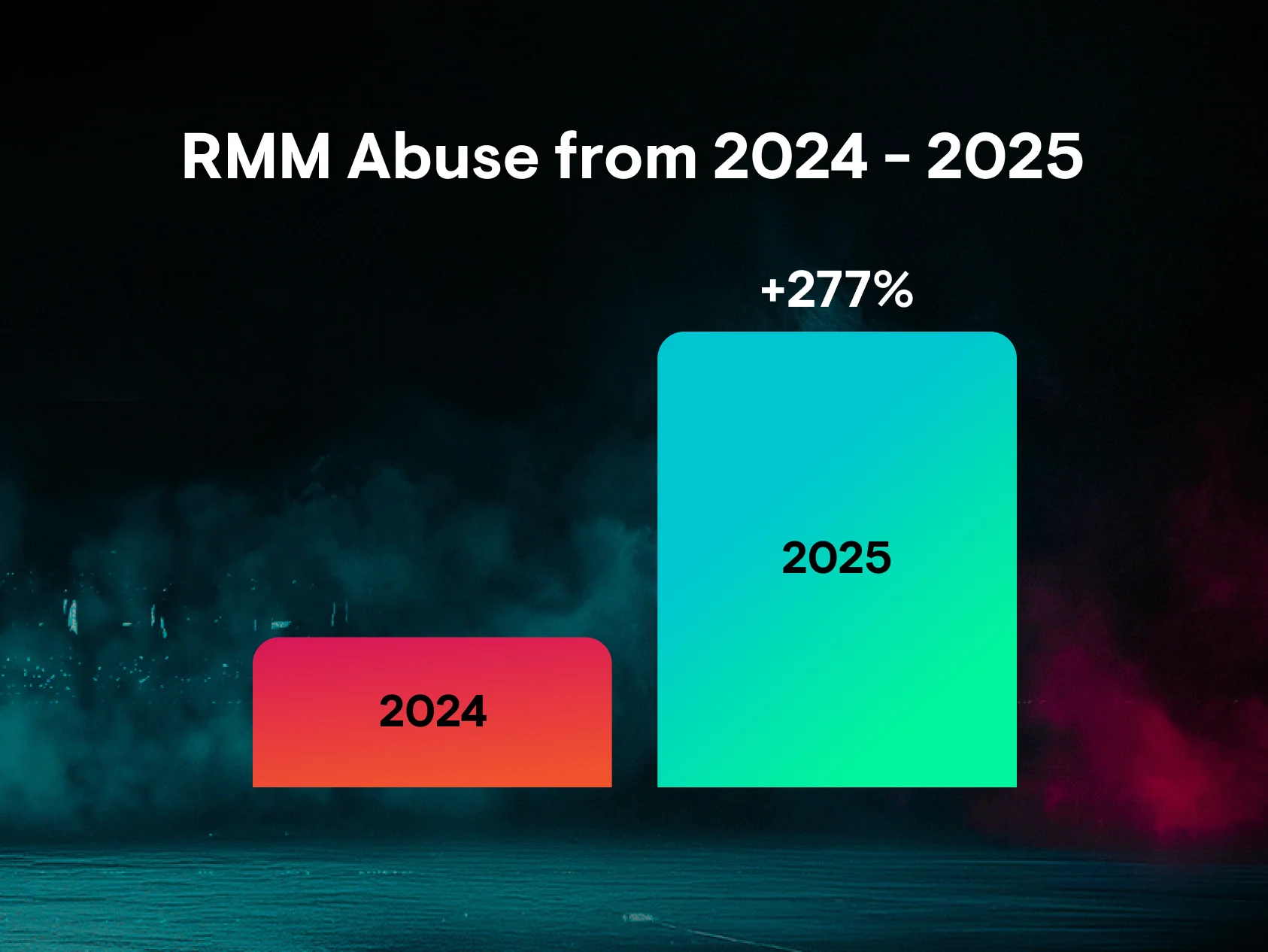
That data shows attackers are turning access into persistence faster and more creatively than ever. Huntress found that remote monitoring and management (RMM) tool abuse increased 277% year over year and accounted for 24% of all incidents observed. In other words, footholds increasingly look like normal administrative activity instead of obvious malware.
Identity abuse is also a major part of the picture. In Huntress data, access policy and trust boundary violations made up 37.2% of identity-based threat activity, mailbox manipulation and persistence accounted for 19.0%, adversary-in-the-middle activity made up 18.9%, and malicious OAuth or application abuse made up 10.1%. That means many modern footholds are established not by dropping malware, but by turning legitimate access into durable control.
As Huntress put it in the 2026 report:
“Attackers have realized they don't need to break in anymore when they can just log in as you.”
Attackers have a deep toolkit for persistence. The exact method depends on the environment, the attacker’s goals, and how much access they’ve already gained, but the most common techniques include:
One of the simplest persistence methods is adding a malicious program to a startup location. On Windows, attackers may create scheduled tasks or add registry Run key entries so malware launches automatically at startup or at set intervals. These techniques are common because they’re built into the OS and can blend in with legitimate software behavior.
When attackers compromise an internet-facing web server, they often install a web shell: a malicious script that acts like a browser-accessible backdoor. Web shells are dangerous because they can hide among legitimate application files and continue working after a reboot.
Some malware is built specifically for persistence. A remote access trojan, or RAT, gives an attacker covert remote control over a compromised system and often communicates with command-and-control infrastructure over encrypted channels to avoid detection.
Not every foothold relies on malware. Attackers frequently use existing components or create new components in the victim’s environment to establish persistence, like changing mailbox rules or creating new accounts. These footholds can be harder to detect because the attacker is behaving like a real user.
Increasingly, attackers avoid dropping malware altogether. Instead, they use native administrative tools like PowerShell, WMI, or legitimate remote management software to maintain access. That’s part of what makes footholds so difficult to spot: the activity may look routine unless you’re watching for behavior, context, and intent.
The danger of a foothold isn’t just that an attacker has access. It’s that they have time.
Once persistence is established, attackers are no longer racing against a quickly closing window. They can move slowly, perform reconnaissance, identify sensitive systems, validate credentials, and wait for the right moment to act. That extra time is what turns a single compromised device into a full-scale breach.
Huntress’s 2026 Cyber Threat Report found that average time-to-ransom increased from 17 hours to 20 hours in 2025. Huntress also found that 17% of ransomware incidents showed identity-related precursor activity at least seven days before ransomware deployment, rising to nearly 21% when the window expanded to 14 days. In other words, many serious attacks leave warning signs well before the final impact lands.
During that window, attackers can:
Map the internal network and identify high-value systems
Escalate privileges
Move laterally to additional systems
Exfiltrate data slowly to avoid detection
Stage ransomware for broader impact
By the time the final objective is executed, the original foothold may be the least of the defender’s problems.
Early detection is everything. These are the signals defenders should monitor for:
Unexpected scheduled tasks, unfamiliar startup entries, suspicious registry Run keys, or odd services are all worth investigating, especially if they use names designed to blend in with legitimate drivers or software.
Connections to dynamic DNS domains, newly registered domains, non-standard ports, or unusual infrastructure can indicate a foothold phoning home to command-and-control systems.
PowerShell launched by a document viewer, encoded command lines, or signed system binaries running in unusual contexts are strong behavioral signals that something malicious is hiding in plain sight.
Attackers with a foothold often try to blind defenders by weakening endpoint protections, adding exclusions, or suppressing telemetry before moving on to the next stage.
No single control stops every foothold technique, but layered defenses make persistence much harder to establish and much easier to catch.
Credential theft is still one of the fastest paths to persistence. MFA won’t stop every attack, but it raises the bar significantly for attackers relying on stolen passwords.
Apply least privilege wherever possible. Limit which accounts can create scheduled tasks, modify startup locations, install software, or grant new app access. Then monitor those actions for anomalies.
Because footholds now span devices, user accounts, mailboxes, and SaaS apps, defenders need visibility across both endpoints and identities. That’s especially important when mailbox persistence or OAuth abuse is part of the attack chain.
Traditional signature-based tools can miss living-off-the-land activity, RMM abuse, and identity-driven persistence. Behavioral detection is better suited to spotting the actions that matter, especially when supported by human analysts.
Don’t wait for a high-confidence alert. Regularly review scheduled tasks, Run keys, startup items, new accounts, mailbox rules, and third-party app grants for anything unusual.
Footholds come after initial access, so reducing external exposure still matters. Huntress’s initial access analysis found that remote desktop protocol and VPN access were the top initial access methods, with exposed external perimeter weaknesses close behind.
A foothold is the moment a simple compromise becomes a durable threat. It’s what gives attackers time to explore, expand, and execute.
That’s why foothold detection has become such a high-leverage defensive priority. Huntress research shows that attackers increasingly rely on identity abuse, remote management tooling, and other techniques that look legitimate on the surface, while meaningful warning signs can appear days before a major event like ransomware deployment.
Stopping that kind of persistence requires more than a perimeter mindset. It requires behavioral visibility, continuous monitoring, and people who know how to spot attacker tradecraft when it blends in with normal activity. That’s exactly why Huntress emphasizes 24/7 human-led, AI-centric detection and response across endpoints and identities.
Initial access is the moment an attacker first gets in, whether through phishing, stolen credentials, or an exploited vulnerability. A foothold is what they establish afterward to make sure they can stay in. Initial access opens the door. A foothold makes sure the attacker can come back.
Common signs include suspicious startup items, unexpected scheduled tasks, strange authentication activity, mailbox manipulation, suspicious outbound traffic, and system tools running in unusual ways.
No. Some footholds rely on malware like RATs or web shells, but others rely on compromised credentials, malicious inbox rules, rogue applications, or abused admin tools. Modern footholds are often just as likely to involve identity abuse as malware.
Because many of them blend in with normal activity. Legitimate accounts, legitimate tools, and legitimate remote management software can all be abused in ways that look routine unless defenders understand the surrounding behavior and context.
No environment is completely impenetrable. But MFA, least privilege, patching, proactive hunting, and strong endpoint and identity visibility can dramatically reduce both the likelihood of foothold establishment and the time it takes to detect one.
Additional Resources
Learn what security directors do, their evolving role in cybersecurity, required qualifications, and career opportunities in this comprehensive guide.

Learn how VoIP networks work, their role in cybersecurity, and practical tips for securing voice over IP in your organization.
Learn what debug logging is, how it helps in cybersecurity, and key best practices to reduce risk and boost incident response

