
A Remote Access Trojan (RAT) is malware that gives attackers backdoor access to your system. Learn how RATs work, how they spread, and how to stay protected.
What Are Remote Administration Tools (RATs) and Why Are They a Cybersecurity Risk?



 Summarize This Page
The rapid growth of remote work and interconnected systems has given rise to tools that bridge the gap between users and their devices from afar. These tools, known as remote administration tools (RATs), play a critical role in managing IT systems efficiently. However, their convenience can also lead to exploitation, as RATs frequently feature in cyberattacks. This guide will explore the dual nature of RATs, looking at their legitimate applications, the cybersecurity risks they pose, and how to protect against malicious misuse.
At their core, RATs are versatile tools for legitimate system management. IT professionals commonly use them for:
Troubleshooting technical issues on remote systems
Managing servers without requiring onsite presence
Delivering software updates and patches from a central location
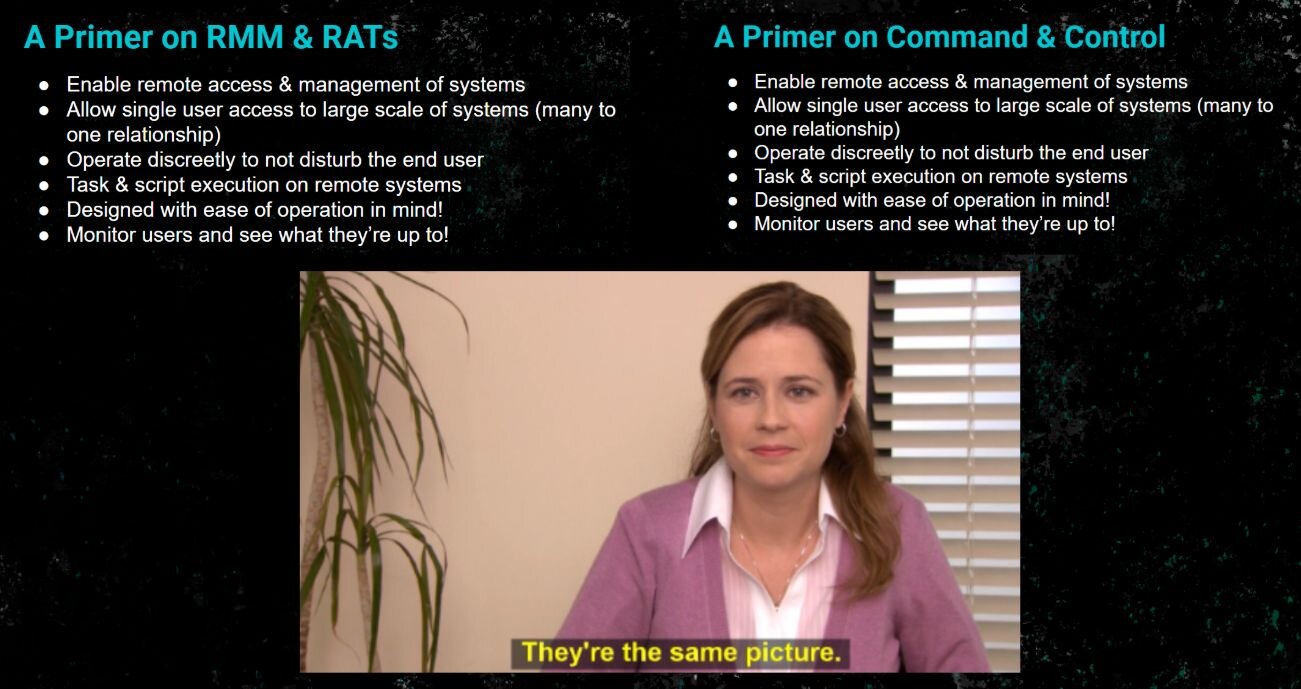
Yet, the very features that make these tools valuable in business operations also make them attractive to cybercriminals. When compromised, RATs can become remote access trojans, granting attackers complete control over systems. This dual-purpose nature means cybersecurity professionals must both optimize RATs for daily work and defend against malicious RAT-induced threats.
Remote administration tools (RATs) are software solutions that allow users to connect to and control computers or networks remotely. Think of them as a way to operate a machine or system without being physically present.
RATs include functionalities like:
Screen sharing for real-time collaboration
File transfer capabilities to manage data efficiently
Remote troubleshooting and software fixes
AnyDesk and TeamViewer - Popular for IT support and remote monitoring
Microsoft Remote Desktop Protocol (RDP) - Built-in tool for accessing Windows systems remotely
RemotePC - Offers easy remote access for cross-platform users
These tools are invaluable for businesses, enabling efficient workflows and support. However, when misused, they create significant vulnerabilities for organizations.
When RATs fall into the wrong hands, they become remote access trojans, a class of malware designed for malicious control. Here’s a closer look at how attackers abuse them:
Surveillance: Monitoring a user’s activity, including keystrokes and browsing habits.
Credential Theft: Extracting sensitive usernames, passwords, or financial details.
Data Exfiltration: Stealing critical files and proprietary information.
System Control: Gaining administrative access to install additional malware or manipulate system functionalities.
Lateral Movement: Expanding access across networks to compromise other devices.
DarkComet – A notorious RAT used for spying and data theft.
Quasar – Open-source RAT targeting Windows systems.
NanoCore – Designed to steal sensitive information from infected devices.
Remcos and njRAT – Commonly employed in phishing campaigns to infiltrate organizations.
Attackers often deploy RATs for advanced persistent threats (APTs) or widespread commodity malware campaigns, making them a danger at every level.
To understand why RATs are so dangerous, it’s essential to break down their lifecycle in an attack:
RATs are often delivered via:
Phishing emails with malicious attachments or links
Exploits targeting software vulnerabilities
Cracked software that secretly installs RATs along with the desired program
Once installed, RATs are designed to ensure persistence. They operate stealthily, running unnoticed in the background, even after system reboots or updates.
RATs establish a connection with a command and control (C2) server, enabling attackers to issue commands and receive stolen data.
Attackers use RATs to escalate privileges, granting them broader control over systems. This includes accessing critical data, compromising user credentials, and taking control of high-level administrative functions.
Be on the lookout for these signs of RAT activity:
Unusual network connections or data transfers
Suspicious processes or applications running in the background
Elevated privileges being requested unnecessarily
Device performance slowdowns caused by unauthorized processes
Endpoint Detection and Response (EDR) tools monitor suspicious activity at the endpoint level.
Network Analysis tools detect unusual traffic patterns, such as communication with C2 servers.
Behavior-Based Detection uses machine learning to identify anomalies in user or system behavior.
Enable strong authentication to safeguard accounts from unauthorized access.
Software Allowlisting ensures that only trusted applications can run on enterprise networks.
Educate employees to recognize and report phishing attempts.
Disable unused remote access services to limit entry points for attackers.
Proactiveness is the key to reducing RAT-related risks.
It’s important to note that not all RAT usage is malicious. Enterprises employ legitimate RAT solutions for their operations, especially when managing IT systems remotely.
Maintain clear policies and boundaries for RAT usage.
Log and audit all remote access sessions to ensure transparency.
Ensure end-user consent before any remote session begins.
Adhere to regulatory frameworks that govern cybersecurity and data protection.
Following these practices prevents misuse and ensures that legitimate RATs remain valuable tools for businesses.
Groups like APT33 and Lazarus Group have used RATs to carry out espionage, attacking industries like oil and gas or financial institutions as part of large-scale campaigns.
Malicious RATs are often deployed as tools to install ransomware, significantly amplifying the scope and impact of attacks.
Educational institutions and small businesses have fallen victim to RAT-based attacks due to phishing attempts, highlighting the need for better defense models.
Remote administration tools are a double-edged sword that organizations must wield with care. While they empower IT teams and businesses by enabling efficient operations, they also create opportunities for attackers when poorly managed.
To stay ahead of threats:
Invest in proactive defenses, including detection tools and network traffic monitoring.
Conduct security awareness training to recognize phishing and other attack vectors.
Regularly update and audit your network for vulnerabilities.
If you’re serious about securing your systems against malicious RATs, now’s the time to act. Start by integrating cutting-edge defense tools and educating your team to minimize risks.
When it comes to dealing with the dangers of remote administration tools (RATs), you need a defender that doesn’t miss a beat. That’s where Huntress steps in. Huntress’ fully-manged Endpoint Detection and Response (EDR) is like having a cybersecurity guard dog for your organization’s endpoints. It sniffs out the sneaky RATs hiding in plain sight and locks them down before they can cause chaos.
With Huntress, you’re not just getting powerful tools; you're gaining a team of experts who actively hunt for threats and work to keep your systems secure. We don’t just alert you to a problem—we roll up our sleeves and help you fix it. You stay protected, your team stays focused, and RATs don’t stand a chance.
Summarize This Page
Phishing emails luring you to click bad links
Malicious attachments
Fake software installers that are too good to be true
Exploiting known software vulnerabilities
Moral of the story? Always vet what you download and click on.
Weird spikes in network activity
Your system acting like it’s possessed
New user accounts that you definitely didn’t create
Unauthorized or suspicious remote sessions
If any of this sounds familiar, it’s time to dig in and investigate.
Use endpoint detection and response (EDR) tools to sniff out shady activity
Disable unneeded remote access services (less is more!)
Tighten up access controls
Keep an eye on network traffic
Train your users to stay sharp and dodge phishing attempts
Think of it as pest control for your IT.
Remote Access Tools are the basic players in the tech game. These tools, like TeamViewer and AnyDesk, allow users to connect to and control devices from afar. Need to help a friend troubleshoot their laptop or provide quick IT support? These are your go-to.
Remote Administration Tools, on the other hand, take remote access up a notch. Designed more for IT pros, these tools are all about managing and maintaining systems remotely. Think software deployment, system updates, and wrangling multiple devices at once. Examples include RMM (Remote Monitoring and Management) software or good ol’ Remote Server Administration Tools (RSAT) for Windows.
Breaking it down further, remote access tools handle the connection part, while remote administration tools build on that foundation with specialized features for IT management. Some tools can flex and fit both roles, but their purpose usually depends on how they’re being used.
Stay informed, stay vigilant, and remember: security is all about staying one step ahead. Want to keep your defenses even sharper? Check out Huntress for advanced cybersecurity solutions.