Learn what a 419 scam is, how it works, and how to protect yourself or your business from falling victim to these advance-fee fraud schemes.
What Is Bluejacking?
Written by: Monica Burgess
Published: 7/29/2025



 Summarize This Page
Bluejacking is a type of Bluetooth prank where someone sends unsolicited messages to nearby devices with Bluetooth enabled. It’s not inherently harmful, but it can be annoying and intrusive for the recipient.
Bluejacking works by exploiting Bluetooth’s communication range, typically around 10 meters, to send messages or digital contact cards to unsuspecting devices. While the sender remains anonymous, the process leverages Bluetooth, a wireless technology commonly used to connect devices like phones, speakers, and smartwatches.
The term "bluejacking" itself is a mix of “Bluetooth” and “hijacking,” though it’s worth noting that this activity doesn’t involve taking control of a device or accessing its data.
Bluejacking requires three basic components:
A Bluetooth-enabled device (like a smartphone or laptop).
An active Bluetooth recipient within range.
A crafted message (often for fun or confusion).
Here’s how it typically unfolds:
The sender enables their Bluetooth and scans for nearby devices.
Once they see available devices, they send a contact card (a vCard) embedded with their message.
If the recipient’s device allows incoming messages, they’ll see the text pop up as if it came out of nowhere.
Because bluejacking doesn’t access sensitive files or install malware, it’s generally seen as harmless. Still, it can feel invasive if you’re on the receiving end.
Public Spaces: Sending cheeky messages in a coffee shop or airport to unsuspicious nearby devices.
Retail Stores: Marketers have occasionally experimented with sending promotional messages to nearby shoppers via bluejacking.
Jokes and Pranks: Some users would creatively rename their Bluetooth device to something playful, causing confusion for recipients.
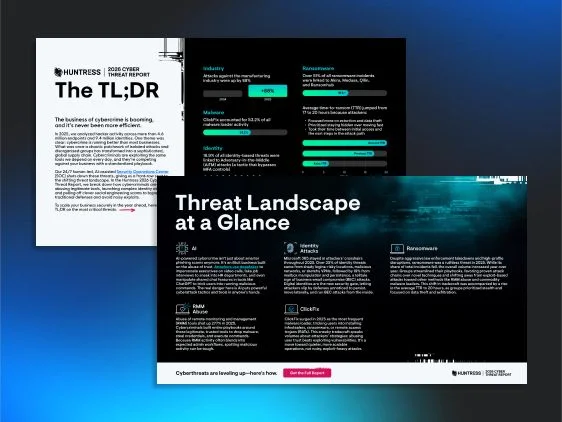
Bluejacking and other proximity-based attacks are a reminder that the threat landscape extends well beyond email and web browsers since any wireless interface is a potential attack surface, so download the Huntress 2026 Cyber Threat Report TL;DR to get essential intelligence on the threats making real impact across organizations today.
Although bluejacking doesn’t directly harm your device or data, it comes with some risks:
Distraction: Receiving random messages in contexts like driving or working could be disruptive.
Privacy Concerns: Even if no real harm is done, bluejacking can feel like a violation of personal space.
Potential for Exploitation: While bluejacking itself is harmless, it could open the door to more invasive tactics if mixed with phishing or malicious links in modern attacks.
If you want to avoid being bluejacked, here are a few simple tips:
Turn Off Bluetooth when you’re not actively using it.
Set Your Device to “Hidden” Mode so it doesn’t appear when others scan for Bluetooth devices.
Decline Unexpected Contact Requests if you receive one out of the blue.
Update Your Software for better security, as modern devices have added safeguards against issues like bluejacking.
While bluejacking is mostly a harmless relic of the early Bluetooth era, it’s still a good reminder to stay cautious about your device’s connectivity settings. Staying aware and taking basic precautions can help you avoid intrusions—even ones meant as innocent pranks.
Summarize This PageBluejacking is a prank or playful way to send unsolicited messages to nearby devices via Bluetooth. It’s typically done for fun or to surprise strangers.
No, bluejacking cannot harm your device or access your personal data. It’s limited to sending messages and doesn’t involve hacking or malware.
You’ll know if you’ve received a message or contact card from an unknown Bluetooth source. The sender typically remains anonymous.
Disable Bluetooth when not in use, set your device to “hidden,” and decline incoming contact requests to prevent bluejacking.