


Are you using the same password you came up with on your very first login, however many years ago?
You’re not alone. About 23% of people admit to using the same password across three or more accounts. But is it one of the most common passwords?
If your password made this list, it’s time to consider a change. Using easy-to-guess and common passwords is almost as bad as writing your credentials down on a sticky note that you leave on your monitor. We don’t recommend it.
Learn about the most common passwords, the password attacks they enable, and how to create a strong password that holds up against today's threats.
List of 20 most common passwords
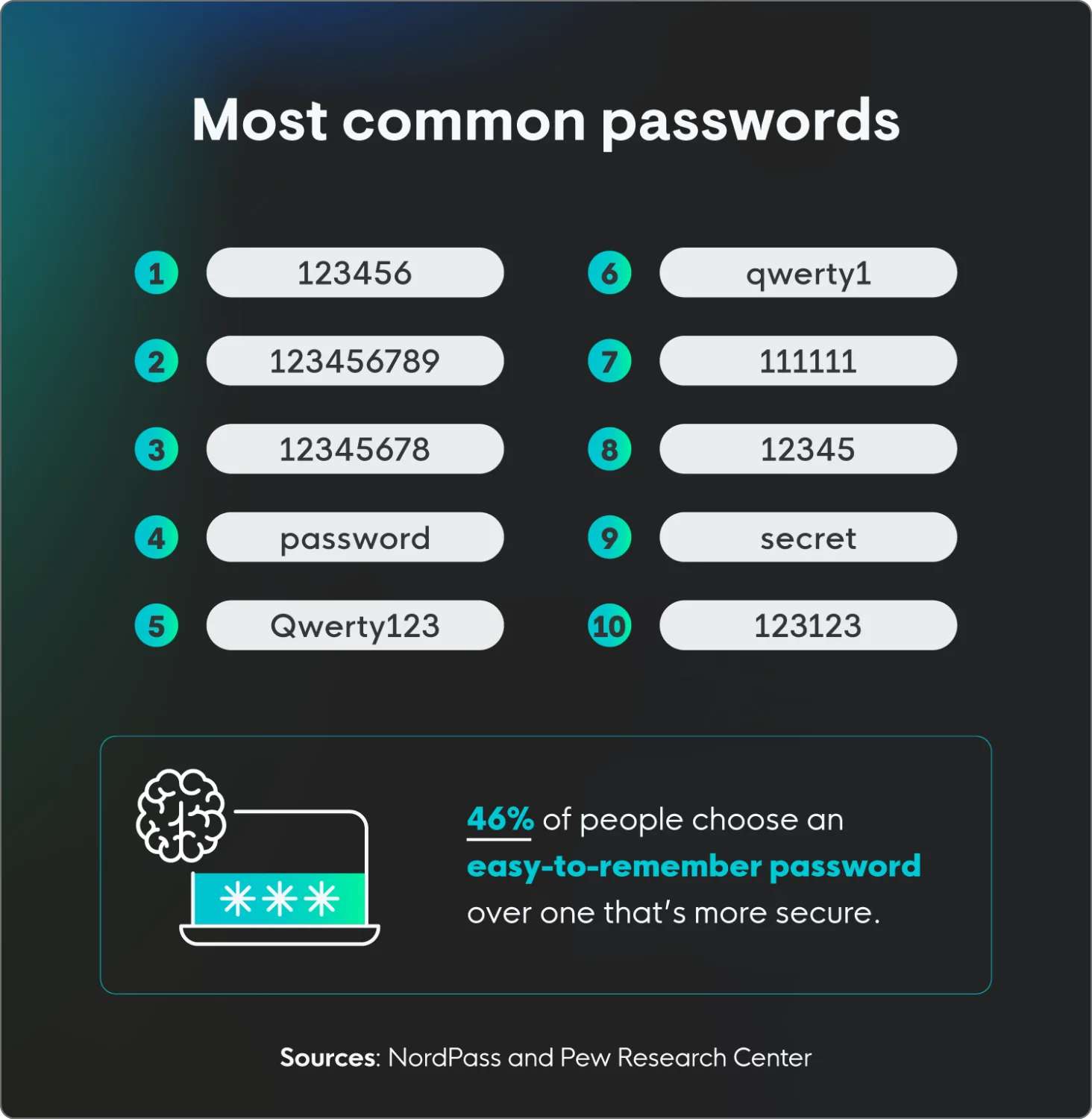
NordPass recently compiled a list of the most commonly used passwords based on data exposed during cyberattacks from 44 different countries. The results? Well, they’re not very unique, which isn’t surprising considering password statistics show that 46% of people are more likely to choose an easy-to-remember password than a secure one.
Here are the most common passwords, all of which take less than a second for a threat actor to crack.
Rank | Password |
1 | 123456 |
2 | 123456789 |
3 | 12345678 |
4 | password |
5 | qwerty123 |
6 | qwerty1 |
7 | 111111 |
8 | 12345 |
9 | secret |
10 | 123123 |
11 | 1234567890 |
12 | 1234567 |
13 | 000000 |
14 | qwerty |
15 | abc123 |
16 | password1 |
17 | iloveyou |
18 | 11111111 |
19 | dragon |
20 | monkey |
How weak passwords enable password attacks
Using common passwords makes you an easy target for password attacks. In fact, 35% of people blame weak passwords for getting hacked. Many cyberattacks focus on using credentials to gain access to a system, account, or network to cause havoc.
Here are some examples of cyber threats that target passwords:
Brute force attacks
A brute force attack is a password attack where automated tools rapidly cycle through possible credential combinations, or manually guess based on personal information gathered on the target.
The effectiveness of this attack hinges on password complexity; simple passwords are cracked quickly, while complex ones can take too long, forcing attackers to move on.
Password spraying
Password spraying is a type of cyberattack where attackers try to access numerous accounts using just a few commonly used passwords. Instead of trying many password variations on a single account, they "spray" one password across a large number of accounts, before moving on to try another common password.
This tactic helps them avoid triggering account lockout mechanisms that would occur with traditional brute force attacks. Essentially, attackers take advantage of the fact that many people use weak, predictable passwords.
Credential stuffing
Credential stuffing is a password attack where threat actors use stolen credentials from previous data breaches to gain unauthorized access to other online accounts.They exploit the fact that many people reuse the same credentials across multiple platforms.
Automated tools quickly test these stolen credentials against various websites and services, aiming to find matches. If a match is found, the attacker can access the associated account.
Dictionary attack
A dictionary attack attempts to crack passwords by testing words and number combinations from a list of common terms. Automated tools try these words and variations across accounts.
These attacks target easily guessed passwords, like common words or simple number combinations. Unlike brute force, it focuses on likely choices, making it efficient but vulnerable to complex passwords.
How to create a strong password policy
Knowing how to create a strong password is only half the battle, a strong password policy means applying those habits consistently across every account. Here are the essentials:
Avoid any of the most common passwords: Using widely known passwords like "123456" or "password" is like leaving your front door unlocked—and wide open. Threat actors have access to vast databases of these common passwords, and automated tools can crack them in mere seconds, granting them easy access to your accounts.
Don’t repeat passwords: Reusing passwords across multiple accounts creates a single point of failure. If one of your accounts is compromised, all accounts sharing that password become vulnerable. This domino effect can lead to widespread security breaches and significant data loss.
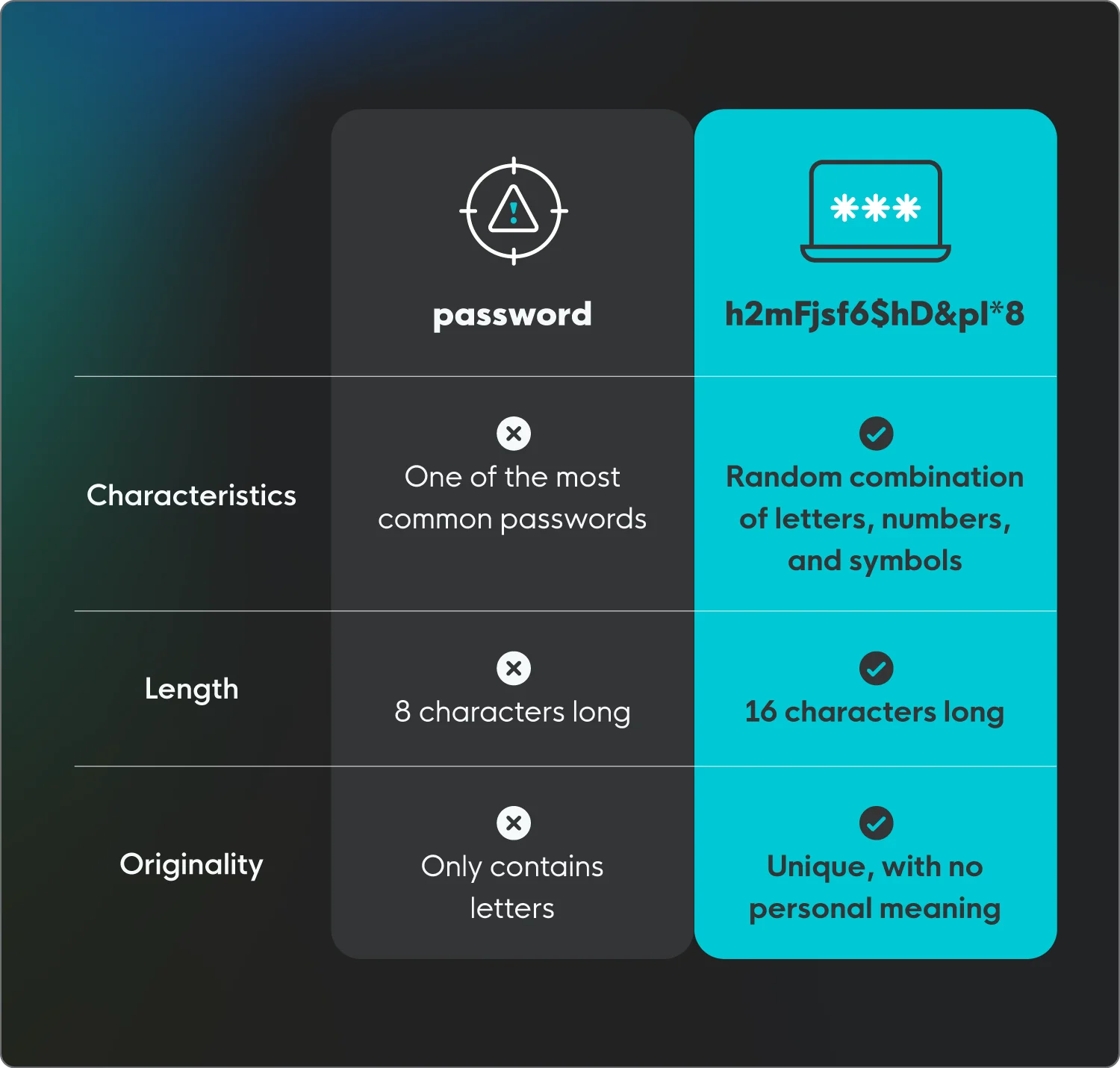
Use a combination of letters, numbers, and characters: Strong passwords are built on complexity. Using both uppercase and lowercase letters, as well as numbers and special characters, makes your passwords significantly harder for threat actors to crack.
Use a password manager: Reputable password managers generate and securely store your passwords. This eliminates the need to remember multiple complex passwords and helps you create unique ones for each account.
Enable multi-factor authentication (MFA): Activate MFA whenever possible. This adds an extra layer of security by requiring a second form of verification.
Be wary of phishing attempts: Be cautious of suspicious emails or messages that ask for your password. Legitimate services will never request your password via email.
Check for breached passwords: Use online tools to see if your passwords have been compromised in past data breaches. If so, change them immediately.
Think passphrases, not passwords: A password like P@$$w0rd! looks intimidating, but modern AI-powered cracking tools can break it in under a minute. The smarter approach is a passphrase — four or more random, unrelated words strung together
Use a password manager as your single source of truth: No one can reliably memorize 100 unique 16-character strings — and trying leads directly to the Password Reuse Trap. One breach at a minor shopping site becomes the key to your bank account when you recycle passwords. A dedicated password manager such as Bitwarden, 1Password, or Dashlane solves this completely.
Protect your business from password attacks
Avoiding the most common passwords is a strong first step, but protecting your business from password attacks requires continuous identity monitoring across your entire organization.
We understand what threats like credential theft and unauthorized access mean for your business, and we’re here to help. Huntress has you covered with managed ITDR — detecting and responding to identity-based threats and password attacks across your organization 24/7.
FAQs
What is the most common password?
123456 is the most commonly used password, with more than 3 million people using it.
What is the easiest password to crack?
Any of the most commonly used passwords are extremely easy to crack, including 123456, password, and qwerty.
What is the strongest password?
A strong password is long, unique, and random. It should be at least 16 characters long, not reused across multiple accounts, and consist of a random assortment of letters, numbers, and symbols with no personal meaning.